
Download Xiaomi File Manager V1-230646 (Android APK V1-210602 Universal · Android 21+
Download APK
Verified Safe
This is the universal build of Xiaomi File Manager V1-230646 (Android V1-210602. It contains native libraries for every CPU architecture (arm64-v8a, armeabi-v7a, x86, x86_64), so it installs on any Android device. The trade-off is size — it's larger than per-architecture variants. Pick this one if you're unsure which CPU your phone has, or if you plan to share the APK with multiple devices.
File size: 13.7 MB • Min Android: 21 • Target Android: 33 • Version code: 20210602 • Framework: Native (Java/Kotlin) • Permissions: 87
Screenshots
File Information
| Package Name | com.mi.android.globalFileexplorer |
|---|---|
| Version Name | V1-210602 |
| Version Code | 20210602 |
| Architecture | Universal |
| Min Android Version | Android 21 (API 33) |
| Main Activity | com.android.fileexplorer.FileExplorerTabActivity |
| Framework | Native (Java/Kotlin) |
| File Size | 13.70 MB |
| Signature (SHA1) | 7B6DC7079C34739CE81159719FB5EB61D2A03225 |
| File Hash (SHA256) | f14770705ace299429227b91092fac23e4c0f8d6b6dcef669e510df5b8d2f0dd |
What's New
Thank you for using File Manager. Here's what we've done in the new version:
1. Fixed some known bugs.
2. Boosted overall performance.
1. Fixed some known bugs.
2. Boosted overall performance.
App Description
Mi File Manager
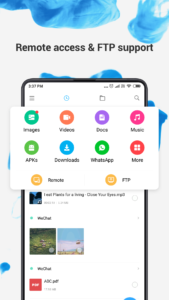
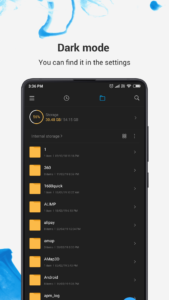
is a free, secure tool that helps you find file faster, manage files easily, and share them offline with others. It supports tons of cool features: quick search, moving, deleting, opening, and sharing files, as well as renaming, unzipping, and copy-paste. Mi File Manager also recognizes multiple file formats, including music, videos, images, documents, APKs, and zip-files. We update our app regularly to bring you the best experience. With Mi File Manager’s crisp and clear UI, file management becomes easier than ever before!
Key features
Recent:
View the files you worked with recently without looking for them.
Categories:
Files are organized into categories by their formats. From there, you can access to frequently used apps quickly.
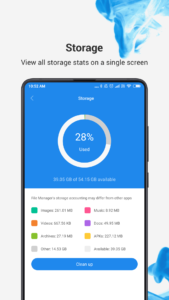
Storage:
View your storage stats and manage all folders on your device.
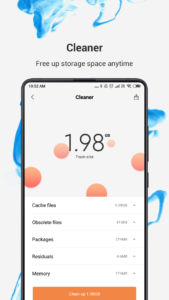
Cleaner:
Free up storage space on your device by deleting cache and junk files.
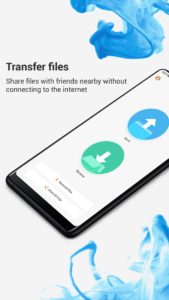
Mi Drop:
Share files with friends who are nearby without connecting to the Internet.
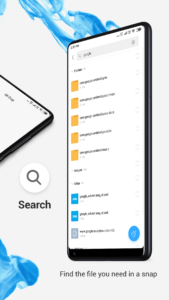
Global search:
Enter keywords to find files.
Multiple file formats support:
Open videos, music, documents, APKs, and compressed files with one tap.
File compression:
Compress and decompress ZIP/RAR archives.
Manage multiple files:
Select multiple files for the same operation.
Multiple languages supported:
Bahasa Indonesia, Bengali, Chinese, English, Español, Português, ру́сский язы́к, українська мова, Tiếng Việt
is a free, secure tool that helps you find file faster, manage files easily, and share them offline with others. It supports tons of cool features: quick search, moving, deleting, opening, and sharing files, as well as renaming, unzipping, and copy-paste. Mi File Manager also recognizes multiple file formats, including music, videos, images, documents, APKs, and zip-files. We update our app regularly to bring you the best experience. With Mi File Manager’s crisp and clear UI, file management becomes easier than ever before!
Key features
Recent:
View the files you worked with recently without looking for them.
Categories:
Files are organized into categories by their formats. From there, you can access to frequently used apps quickly.
Storage:
View your storage stats and manage all folders on your device.
Cleaner:
Free up storage space on your device by deleting cache and junk files.
Mi Drop:
Share files with friends who are nearby without connecting to the Internet.
Global search:
Enter keywords to find files.
Multiple file formats support:
Open videos, music, documents, APKs, and compressed files with one tap.
File compression:
Compress and decompress ZIP/RAR archives.
Manage multiple files:
Select multiple files for the same operation.
Multiple languages supported:
Bahasa Indonesia, Bengali, Chinese, English, Español, Português, ру́сский язы́к, українська мова, Tiếng Việt
Download Xiaomi File Manager V1-230646 (Android APK
Fast, free and safe download.
APK Permissions 87
- android.permission.ACCESS_ALL_EXTERNAL_STORAGE
- android.permission.ACCESS_KEYGUARD_SECURE_STORAGE
- android.permission.ACCESS_NETWORK_STATE
- android.permission.ACCESS_WIFI_STATE
- android.permission.CHANGE_WIFI_STATE
- android.permission.DELETE_CACHE_FILES
- android.permission.FOREGROUND_SERVICE
- android.permission.GET_APP_GRANTED_URI_PERMISSIONS
- android.permission.GET_PACKAGE_SIZE
- android.permission.GET_TASKS
- android.permission.INTERACT_ACROSS_USERS
- android.permission.INTERNET
- android.permission.MANAGE_ACCOUNTS
- android.permission.MANAGE_EXTERNAL_STORAGE
- android.permission.MANAGE_USERS
- android.permission.MOUNT_UNMOUNT_FILESYSTEMS
- android.permission.POST_NOTIFICATIONS
- android.permission.QUERY_ALL_PACKAGES
- android.permission.READ_EXTERNAL_STORAGE
- android.permission.READ_MEDIA_AUDIO
- android.permission.READ_MEDIA_IMAGES
- android.permission.READ_MEDIA_VIDEO
- android.permission.READ_PRIVILEGED_PHONE_STATE
- android.permission.RECEIVE_BOOT_COMPLETED
- android.permission.REQUEST_INSTALL_PACKAGES
- android.permission.SCHEDULE_EXACT_ALARM
- android.permission.SET_PREFERRED_APPLICATIONS
- android.permission.USE_CREDENTIALS
- android.permission.VIBRATE
- android.permission.WAKE_LOCK
- android.permission.WRITE_EXTERNAL_STORAGE
- android.permission.WRITE_MEDIA_STORAGE
- android.permission.WRITE_SECURE_SETTINGS
- android.permission.WRITE_SETTINGS
- cn.nubia.launcher.permission.READ_SETTINGS
- cn.wps.moffice.lite.permission.BIND_SNAPSHOT_SERVICE
- com.android.fileexplorer.permission.ota
- com.android.launcher.permission.INSTALL_SHORTCUT
- com.android.launcher.permission.READ_SETTINGS
- com.android.launcher.permission.UNINSTALL_SHORTCUT
- com.android.launcher.permission.WRITE_SETTINGS
- com.android.launcher2.permission.READ_SETTINGS
- com.android.launcher2.permission.WRITE_SETTINGS
- com.android.launcher3.permission.READ_SETTINGS
- com.android.launcher3.permission.WRITE_SETTINGS
- com.android.mylauncher.permission.READ_SETTINGS
- com.android.settings.permission.CLOUD_SETTINGS_PROVIDER
- com.bbk.launcher2.permission.READ_SETTINGS
- com.cleanmaster.permission.sdk.clean
- com.ebproductions.android.launcher.permission.READ_SETTINGS
- com.fede.launcher.permission.READ_SETTINGS
- com.google.android.c2dm.permission.RECEIVE
- com.google.android.finsky.permission.BIND_GET_INSTALL_REFERRER_SERVICE
- com.google.android.gms.permission.AD_ID
- com.google.android.launcher.permission.READ_SETTINGS
- com.htc.launcher.permission.READ_SETTINGS
- com.huawei.android.launcher.permission.READ_SETTINGS
- com.huawei.launcher2.permission.READ_SETTINGS
- com.huawei.launcher3.permission.READ_SETTINGS
- com.lenovo.launcher.permission.READ_SETTINGS
- com.lge.launcher.permission.READ_SETTINGS
- com.meizu.flyme.launcher.permission.READ_SETTINGS
- com.mi.android.globalFileexplorer.permission.ACCESS_FILE_CONTENT
- com.mi.android.globalFileexplorer.permission.DIRPARSE
- com.mi.android.globallauncher.permission.READ_SETTINGS
- com.mi.android.globallauncher.permission.WRITE_SETTINGS
- com.miui.gallery.permission.USE_API
- com.miui.systemAdSolution.adSwitch.PROVIDER
- com.miui.systemAdSolution.LOCAL_AD_PROVIDER
- com.nd.android.launcher.permission.READ_SETTINGS
- com.oppo.launcher.permission.READ_SETTINGS
- com.qihoo360.launcher.permission.READ_SETTINGS
- com.qiku.launcher.permission.READ_SETTINGS
- com.sec.android.app.twlauncher.settings.READ_SETTINGS
- com.tencent.qqlauncher.permission.READ_SETTINGS
- com.xiaomi.gallery.permission.CLOUD
- com.xiaomi.permission.AUTH_SERVICE
- com.yulong.android.launcher.permission.READ_SETTINGS
- com.yulong.android.launcher3.READ_SETTINGS
- com.yulong.android.launcherL.permission.READ_SETTINGS
- com.zte.mifavor.launcher.permission.READ_SETTINGS
- com.ztemt.launcher.permission.READ_SETTINGS
- miui.permission.USE_INTERNAL_GENERAL_API
- net.qihoo.launcher.permission.READ_SETTINGS
- org.adw.launcher_donut.permission.READ_SETTINGS
- org.adw.launcher.permission.READ_SETTINGS
- org.adwfreak.launcher.permission.READ_SETTINGS
APK Verified
The cryptographic signature guarantees that the file is safe to install and was not tampered with in any way.
Similar in Tools


More by Xiaomi Inc.


Frequently Asked Questions about Xiaomi File Manager V1-230646 (Android APK
This is the universal variant — a single APK that contains native libraries for every CPU architecture. It installs on any Android device but is larger than per-architecture variants.
Yes — the APK's signature has been cryptographically verified against the publisher's signing key. The SHA-256 hash is shown in the File Information panel so you can independently confirm the file matches the original release.
Android 21 (API level 33) or newer. Older devices will refuse the install.
Install a free app like 'CPU-Z' or 'Droid Hardware Info' from the Play Store and look at the ABI / Instruction Set row. Most phones made after 2017 are arm64-v8a; if in doubt, download the universal variant.
All variants are functionally identical — same features, same version. They differ only in which CPU architectures the native code is compiled for, and (sometimes) which screen densities the included graphics target. Pick the one that matches your device for the smallest install size, or pick 'Universal' if you're unsure.