
This is the universal build of HTML Viewer 7.5. It contains native libraries for every CPU architecture (arm64-v8a, armeabi-v7a, x86, x86_64), so it installs on any Android device. The trade-off is size — it's larger than per-architecture variants. Pick this one if you're unsure which CPU your phone has, or if you plan to share the APK with multiple devices.
File size: 10.1 MB • Min Android: 27 • Target Android: 36 • Version code: 75 • Framework: Native (Java/Kotlin) • Permissions: 11
Screenshots
File Information
| Package Name | com.html.htmlviewer |
|---|---|
| Version Name | 7.5 |
| Version Code | 75 |
| Architecture | Universal |
| Min Android Version | Android 27 (API 36) |
| Main Activity | com.html.htmlviewer.SplashActivity |
| Framework | Native (Java/Kotlin) |
| File Size | 10.08 MB |
| Signature (SHA1) | 2ECDC3B65110674E61706CAAA95D6830D115DA8D |
| File Hash (SHA256) | 6b05de8a3bf117a7ca9ae770c29ac50527d66c39b9aedd08844f4c110042cbc9 |
What's New
UI Refresh: Revamped design with new layouts, icons, and animations.
Core Improvements: Enhancements to file management, editor, and web view.
Stability & Performance: General bug fixes and optimizations
Core Improvements: Enhancements to file management, editor, and web view.
Stability & Performance: General bug fixes and optimizations
App Description
🌐
Discover the Source Code of Any Website with the Free HTML Viewer App
🌐
Do you want to view the source code of any website directly on your phone? The
HTML Viewer
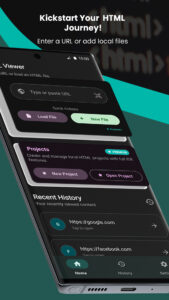
app makes it simple to view the HTML code of any webpage. This powerful tool allows you to access the HTML source code through an in-app file browser, making it easy to load files from your device’s file manager. Whether you're a web developer, a student learning HTML, or simply curious about web design, this app has everything you need.
Key Features:
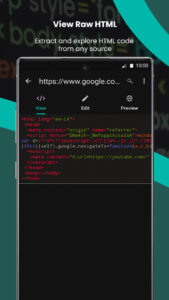
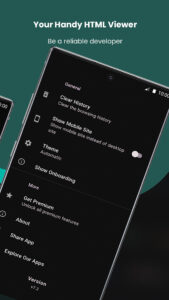
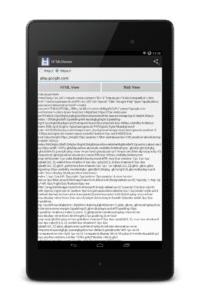
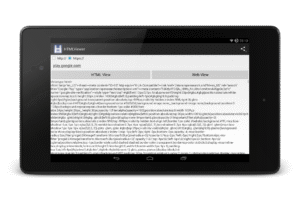
🚀 Instant HTML Source Code Viewing: View the HTML source code of any website with just one click.
📂 Open Local HTML Files: Directly open HTML files stored on your device.
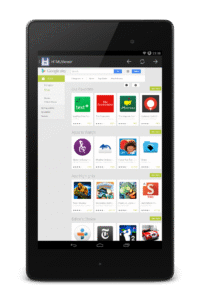
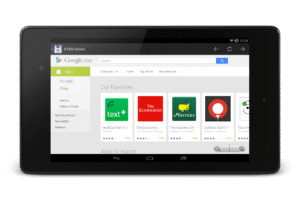
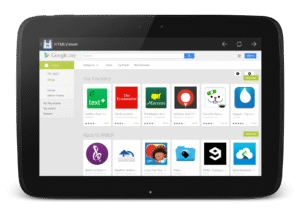
🌐 Webpage Preview: Browse the web and view the website’s live version.
🔍 Text Search Functionality: Find and search specific text within the HTML code.
📱 QR Code Scanning: Scan QR codes to instantly retrieve and view the HTML source code of the corresponding URLs.
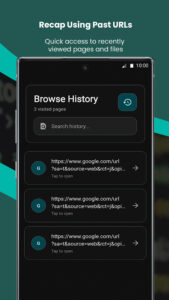
📜 Browsing History: Keep track of your viewed pages for easy reference.
💻 Mobile and Desktop Site Options: Choose to view the mobile or desktop version of websites.
📥 File Import and Export: Import website addresses or HTML files from other apps and export the source code.
📱 Compatibility: Fully supports the latest Android 14.
Why Choose HTML Viewer?
👍 User-Friendly Interface: The app is designed to be intuitive and easy to use.
📘 Educational Tool: Perfect for students and developers to learn and analyze HTML code.
💸 Free to Use: Enjoy all features without any cost.
🔄 Regular Updates: Stay up-to-date with the latest features and improvements.
Support and Feedback
If you encounter any issues or have suggestions, please do not hesitate to contact us at <
yogevx@gmail.com">36>yogevx@gmail.com
. We are committed to providing the best user experience and will respond promptly to your queries.
If you enjoy using the app, please rate us and share it with your friends. Your support helps us continue to improve and offer more great features.
Download HTML Viewer Now!
Unlock the full potential of web development and HTML learning by downloading the
HTML Viewer
app today. Explore, learn, and share with ease.
Discover the Source Code of Any Website with the Free HTML Viewer App
🌐
Do you want to view the source code of any website directly on your phone? The
HTML Viewer
app makes it simple to view the HTML code of any webpage. This powerful tool allows you to access the HTML source code through an in-app file browser, making it easy to load files from your device’s file manager. Whether you're a web developer, a student learning HTML, or simply curious about web design, this app has everything you need.
Key Features:
🚀 Instant HTML Source Code Viewing: View the HTML source code of any website with just one click.
📂 Open Local HTML Files: Directly open HTML files stored on your device.
🌐 Webpage Preview: Browse the web and view the website’s live version.
🔍 Text Search Functionality: Find and search specific text within the HTML code.
📱 QR Code Scanning: Scan QR codes to instantly retrieve and view the HTML source code of the corresponding URLs.
📜 Browsing History: Keep track of your viewed pages for easy reference.
💻 Mobile and Desktop Site Options: Choose to view the mobile or desktop version of websites.
📥 File Import and Export: Import website addresses or HTML files from other apps and export the source code.
📱 Compatibility: Fully supports the latest Android 14.
Why Choose HTML Viewer?
👍 User-Friendly Interface: The app is designed to be intuitive and easy to use.
📘 Educational Tool: Perfect for students and developers to learn and analyze HTML code.
💸 Free to Use: Enjoy all features without any cost.
🔄 Regular Updates: Stay up-to-date with the latest features and improvements.
Support and Feedback
If you encounter any issues or have suggestions, please do not hesitate to contact us at <
yogevx@gmail.com">36>yogevx@gmail.com
. We are committed to providing the best user experience and will respond promptly to your queries.
If you enjoy using the app, please rate us and share it with your friends. Your support helps us continue to improve and offer more great features.
Download HTML Viewer Now!
Unlock the full potential of web development and HTML learning by downloading the
HTML Viewer
app today. Explore, learn, and share with ease.
Download HTML Viewer APK
Fast, free and safe download.
APK Permissions 11
- android.permission.ACCESS_ADSERVICES_AD_ID
- android.permission.ACCESS_ADSERVICES_ATTRIBUTION
- android.permission.ACCESS_ADSERVICES_TOPICS
- android.permission.ACCESS_NETWORK_STATE
- android.permission.CAMERA
- android.permission.FOREGROUND_SERVICE
- android.permission.INTERNET
- android.permission.WAKE_LOCK
- com.android.vending.BILLING
- com.google.android.gms.permission.AD_ID
- com.html.htmlviewer.DYNAMIC_RECEIVER_NOT_EXPORTED_PERMISSION
APK Verified
The cryptographic signature guarantees that the file is safe to install and was not tampered with in any way.
Similar in Tools


Frequently Asked Questions about HTML Viewer APK
This is the universal variant — a single APK that contains native libraries for every CPU architecture. It installs on any Android device but is larger than per-architecture variants.
Yes — the APK's signature has been cryptographically verified against the publisher's signing key. The SHA-256 hash is shown in the File Information panel so you can independently confirm the file matches the original release.
Android 27 (API level 36) or newer. Older devices will refuse the install.
Install a free app like 'CPU-Z' or 'Droid Hardware Info' from the Play Store and look at the ABI / Instruction Set row. Most phones made after 2017 are arm64-v8a; if in doubt, download the universal variant.
All variants are functionally identical — same features, same version. They differ only in which CPU architectures the native code is compiled for, and (sometimes) which screen densities the included graphics target. Pick the one that matches your device for the smallest install size, or pick 'Universal' if you're unsure.