
This is the arm64-v8a build of Yubico Authenticator 7.2.3 — the modern 64-bit ARM build that runs on virtually every Android phone released since 2017. It's smaller and faster than the universal variant because Android only loads the native code your CPU actually needs. If your phone is from the last 8 years, this is the right pick.
File size: 13.5 MB • Min Android: 21 • Target Android: 35 • Version code: 702042 • Framework: Flutter • Permissions: 4
Screenshots
File Information
| Package Name | com.yubico.yubioath |
|---|---|
| Version Name | 7.2.3 |
| Version Code | 702042 |
| Architecture | arm64-v8a |
| Min Android Version | Android 21 (API 35) |
| Main Activity | com.yubico.authenticator.MainActivity |
| Framework | Flutter |
| File Size | 13.55 MB |
| Signature (SHA1) | C636F48CB00B49337B6DCE958870433F289C827A |
| File Hash (SHA256) | c70e00cf5054f4ba0d667b42b826b91df1aad70e9bd7a943bc154ce1af33771d |
What's New
Update 7.2.3
This patch brings:
- YubiKey NEO Compatibility: Fixed issues with YubiKey NEO devices.
- New Language Options: Added support for Chinese (Simplified), Chinese (Traditional), Czech, Spanish, Swedish, and Turkish.
Highlights from 7.2.0:
- Toggle Applications feature to enable/disable apps.
- Custom icons displayed for Passkeys.
- Custom icons settings moved from Accounts to Settings.
This patch brings:
- YubiKey NEO Compatibility: Fixed issues with YubiKey NEO devices.
- New Language Options: Added support for Chinese (Simplified), Chinese (Traditional), Czech, Spanish, Swedish, and Turkish.
Highlights from 7.2.0:
- Toggle Applications feature to enable/disable apps.
- Custom icons displayed for Passkeys.
- Custom icons settings moved from Accounts to Settings.
App Description
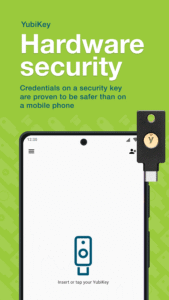
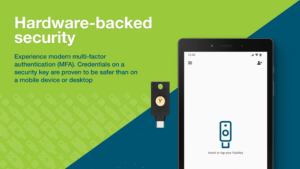
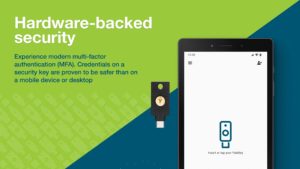
Store your unique credential on a hardware-backed security key and take it wherever you go from mobile to desktop. No more storing sensitive secrets on your mobile phone, leaving your account vulnerable to takeovers. With the Yubico Authenticator you can raise the bar for security.
• The Yubico Authenticator will work with any USB or NFC-enabled YubiKeys
The Yubico Authenticator securely generates a code used to verify your identity as you are logging into various services. No connectivity needed!
Features include:
Secure
– Hardware-backed strong two-factor authentication with secret stored on the YubiKey, not on the mobile device
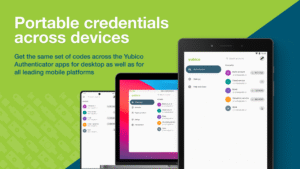
Portable
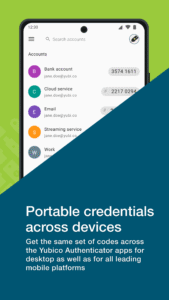
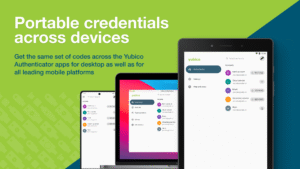
– Get the same set of codes across our other Yubico Authenticator apps for desktops as well as for all leading mobile platforms
Flexible
– Support for time-based and counter-based code generation
USB or NFC usage
– Insert the YubiKey into the USB port, or simply tap the YubiKey with NFC to a mobile phone that is NFC-enabled to store your credential on the YubiKey
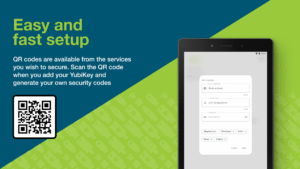
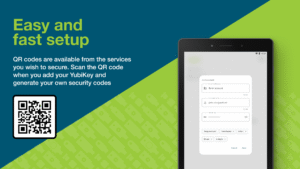
Easy Setup
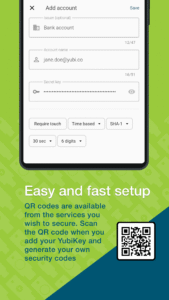
– QR codes available from the services you wish to protect with strong authentication
User Presence
– Require a touch on the YubiKey sensor, or an extra NFC tap, to generate new codes for sensitive accounts
Compatible
– Secure all the services currently compatible with other Authenticator apps
Configurable
– Ability to configure what happens when you tap a YubiKey against the NFC reader of your phone when the app isn’t running
Versatile
– Support for multiple work and personal accounts
Experience security the modern way with the Yubico Authenticator. Visit
https://www.yubico.com/products/yubico-authenticator
to learn more.
• The Yubico Authenticator will work with any USB or NFC-enabled YubiKeys
The Yubico Authenticator securely generates a code used to verify your identity as you are logging into various services. No connectivity needed!
Features include:
Secure
– Hardware-backed strong two-factor authentication with secret stored on the YubiKey, not on the mobile device
Portable
– Get the same set of codes across our other Yubico Authenticator apps for desktops as well as for all leading mobile platforms
Flexible
– Support for time-based and counter-based code generation
USB or NFC usage
– Insert the YubiKey into the USB port, or simply tap the YubiKey with NFC to a mobile phone that is NFC-enabled to store your credential on the YubiKey
Easy Setup
– QR codes available from the services you wish to protect with strong authentication
User Presence
– Require a touch on the YubiKey sensor, or an extra NFC tap, to generate new codes for sensitive accounts
Compatible
– Secure all the services currently compatible with other Authenticator apps
Configurable
– Ability to configure what happens when you tap a YubiKey against the NFC reader of your phone when the app isn’t running
Versatile
– Support for multiple work and personal accounts
Experience security the modern way with the Yubico Authenticator. Visit
https://www.yubico.com/products/yubico-authenticator
to learn more.
Download Yubico Authenticator APK
Fast, free and safe download.
APK Permissions 4
- android.permission.CAMERA
- android.permission.HIDE_OVERLAY_WINDOWS
- android.permission.NFC
- com.yubico.yubioath.DYNAMIC_RECEIVER_NOT_EXPORTED_PERMISSION
APK Verified
The cryptographic signature guarantees that the file is safe to install and was not tampered with in any way.


Frequently Asked Questions about Yubico Authenticator APK
This variant is built for 64-bit ARM (most Android phones made since 2017). If your device's CPU matches, this is the smallest, fastest version to install.
Yes — the APK's signature has been cryptographically verified against the publisher's signing key. The SHA-256 hash is shown in the File Information panel so you can independently confirm the file matches the original release.
Android 21 (API level 35) or newer. Older devices will refuse the install.
Install a free app like 'CPU-Z' or 'Droid Hardware Info' from the Play Store and look at the ABI / Instruction Set row. Most phones made after 2017 are arm64-v8a; if in doubt, download the universal variant.
All variants are functionally identical — same features, same version. They differ only in which CPU architectures the native code is compiled for, and (sometimes) which screen densities the included graphics target. Pick the one that matches your device for the smallest install size, or pick 'Universal' if you're unsure.