
Download WG Tunnel APK 3.9.3 arm64-v8a, armeabi-v7a, x86, x86_64 · Android 26+
Download APK
Verified Safe
This is the arm64-v8a, armeabi-v7a, x86, x86_64 build of WG Tunnel 3.9.3. Pick this build if your device's primary ABI matches.
File size: 28.0 MB • Min Android: 26 • Target Android: 35 • Version code: 39300 • Framework: Native (Java/Kotlin) • Permissions: 17
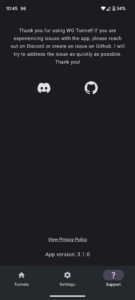
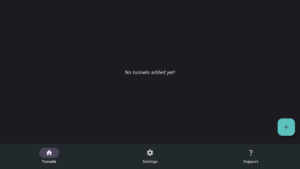
Screenshots
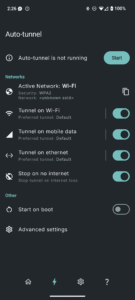
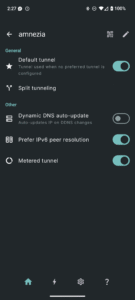
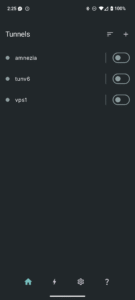
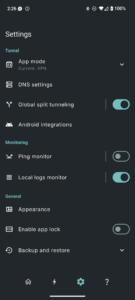
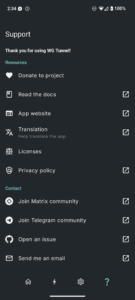
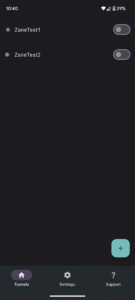
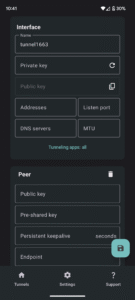
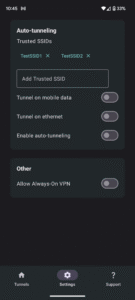
File Information
| Package Name | com.zaneschepke.wireguardautotunnel |
|---|---|
| Version Name | 3.9.3 |
| Version Code | 39300 |
| Architecture | arm64-v8a, armeabi-v7a, x86, x86_64 |
| Min Android Version | Android 26 (API 35) |
| Main Activity | com.zaneschepke.wireguardautotunnel.MainActivity |
| Framework | Native (Java/Kotlin) |
| File Size | 28.00 MB |
| Signature (SHA1) | 65A7DE22ED0ACCEA0FCDD754180760F53D0FBC0F |
| File Hash (SHA256) | 94e65b8556e80120cd1131ebb468aeb9ea3c1cf80e54c1a1a21602d5f84baaf4 |
What's New
New in version 3.9.3
What's new:
- Fixes deprecate location API bug by adding Wi-Fi info method selection
- Simplified update check dialog UI
- Improve auto-tunnel reliability with delayed recheck
What's new:
- Fixes deprecate location API bug by adding Wi-Fi info method selection
- Simplified update check dialog UI
- Improve auto-tunnel reliability with delayed recheck
App Description
Features
- Add tunnels via .conf file, zip, manual entry, or QR code
- Auto connect to VPN based on Wi-Fi SSID, ethernet, or mobile data
- Split tunneling by application with search
- WireGuard support for kernel and userspace modes
- Amnezia support for userspace mode for DPI/censorship protection
- Always-On VPN support
- Export Amnezia and WireGuard tunnels to zip
- Quick tile support for VPN toggling
- Static shortcuts support for primary tunnel for automation integration
- Intent automation support for all tunnels
- Automatic service restart after reboot
- Battery preservation measures
Author:
Zane Schepke
License:
MIT License
Issue Tracker
Translation
Source Code
Changelog
Build Metadata
Reproducibility Status
- Add tunnels via .conf file, zip, manual entry, or QR code
- Auto connect to VPN based on Wi-Fi SSID, ethernet, or mobile data
- Split tunneling by application with search
- WireGuard support for kernel and userspace modes
- Amnezia support for userspace mode for DPI/censorship protection
- Always-On VPN support
- Export Amnezia and WireGuard tunnels to zip
- Quick tile support for VPN toggling
- Static shortcuts support for primary tunnel for automation integration
- Intent automation support for all tunnels
- Automatic service restart after reboot
- Battery preservation measures
Author:
Zane Schepke
License:
MIT License
Issue Tracker
Translation
Source Code
Changelog
Build Metadata
Reproducibility Status
Download WG Tunnel APK
Fast, free and safe download.
APK Permissions 17
- android.permission.ACCESS_BACKGROUND_LOCATION
- android.permission.ACCESS_COARSE_LOCATION
- android.permission.ACCESS_FINE_LOCATION
- android.permission.ACCESS_NETWORK_STATE
- android.permission.ACCESS_WIFI_STATE
- android.permission.CAMERA
- android.permission.FOREGROUND_SERVICE
- android.permission.FOREGROUND_SERVICE_SYSTEM_EXEMPTED
- android.permission.INTERNET
- android.permission.POST_NOTIFICATIONS
- android.permission.RECEIVE_BOOT_COMPLETED
- android.permission.REQUEST_IGNORE_BATTERY_OPTIMIZATIONS
- android.permission.SCHEDULE_EXACT_ALARM
- android.permission.USE_BIOMETRIC
- android.permission.USE_FINGERPRINT
- android.permission.WAKE_LOCK
- com.zaneschepke.wireguardautotunnel.DYNAMIC_RECEIVER_NOT_EXPORTED_PERMISSION
APK Verified
The cryptographic signature guarantees that the file is safe to install and was not tampered with in any way.


Frequently Asked Questions about WG Tunnel APK
This variant is built for devices that report `arm64-v8a, armeabi-v7a, x86, x86_64` as their primary ABI. If your device's CPU matches, this is the smallest, fastest version to install.
Yes — the APK's signature has been cryptographically verified against the publisher's signing key. The SHA-256 hash is shown in the File Information panel so you can independently confirm the file matches the original release.
Android 26 (API level 35) or newer. Older devices will refuse the install.
Install a free app like 'CPU-Z' or 'Droid Hardware Info' from the Play Store and look at the ABI / Instruction Set row. Most phones made after 2017 are arm64-v8a; if in doubt, download the universal variant.
All variants are functionally identical — same features, same version. They differ only in which CPU architectures the native code is compiled for, and (sometimes) which screen densities the included graphics target. Pick the one that matches your device for the smallest install size, or pick 'Universal' if you're unsure.