
Download WG Tunnel APK 4.1.0 arm64-v8a, armeabi-v7a, x86, x86_64 · Android 26+
Download APK
Verified Safe
This is the arm64-v8a, armeabi-v7a, x86, x86_64 build of WG Tunnel 4.1.0. Pick this build if your device's primary ABI matches.
File size: 53.1 MB • Min Android: 26 • Target Android: 36 • Version code: 40100 • Framework: Native (Java/Kotlin) • Permissions: 17
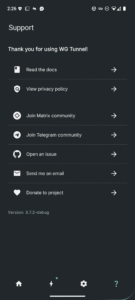
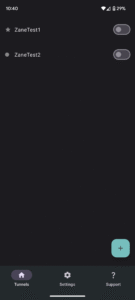
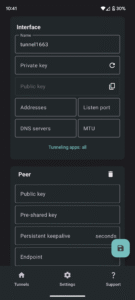
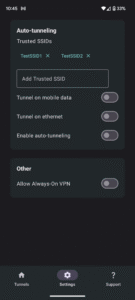
Screenshots
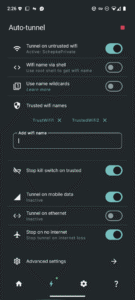
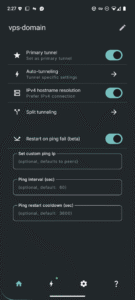
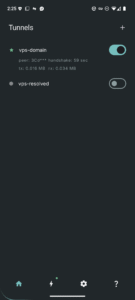
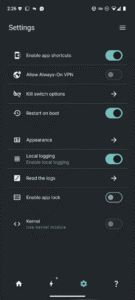
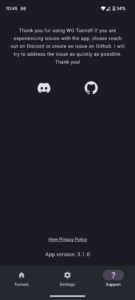
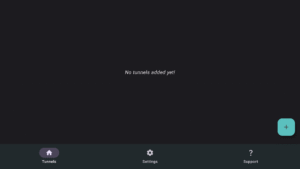
File Information
| Package Name | com.zaneschepke.wireguardautotunnel |
|---|---|
| Version Name | 4.1.0 |
| Version Code | 40100 |
| Architecture | arm64-v8a, armeabi-v7a, x86, x86_64 |
| Min Android Version | Android 26 (API 36) |
| Main Activity | com.zaneschepke.wireguardautotunnel.MainActivity |
| Framework | Native (Java/Kotlin) |
| File Size | 53.14 MB |
| Signature (SHA1) | 65A7DE22ED0ACCEA0FCDD754180760F53D0FBC0F |
| File Hash (SHA256) | da2a3197c7954babf3e4986fdf77446f84a24e2664d0db16b5215a4c83ea243a |
What's New
New in version 4.1.0
What's new:
- UI rework
- Dynamic DNS fixes
- Battery usage bugfix
- Auto-tunnel reliability improvements
- Global split tunneling and config overrides
- Restart on boot and AOVPN bugfixes
- Various other improvements and optimizations
What's new:
- UI rework
- Dynamic DNS fixes
- Battery usage bugfix
- Auto-tunnel reliability improvements
- Global split tunneling and config overrides
- Restart on boot and AOVPN bugfixes
- Various other improvements and optimizations
App Description
- **Tunnel Import Methods**: Easily add tunnels using .conf files, ZIP archives, manual entry, or QR code scanning.
- **Auto-Tunneling**: Automatically activate tunnels based on Wi-Fi SSID, Ethernet connections, or mobile data networks.
- **Split Tunneling**: Flexible support for routing specific apps or traffic through the VPN.
- **WireGuard Modes**: Full compatibility with WireGuard in both kernel and userspace implementations.
- **AmneziaWG Integration**: Userspace mode for AmneziaWG, providing robust censorship evasion.
- **Always-On VPN**: Ensures continuous protection with Android's Always-On VPN feature.
- **Quick Controls**: Quick Settings tile and home screen shortcuts for easy VPN toggling.
- **Automation Support**: Intent-based automation for controlling tunnels.
- **Auto-Restore**: Seamlessly restores auto-tunneling and active tunnels after device restarts or app updates.
- **Proxying Options**: Built-in HTTP and SOCKS5 proxy support within tunnels.
- **Lockdown Mode**: Custom kill switch for maximum leak prevention and security.
- **Dynamic DNS Handling**: Detects and updates DNS changes without tunnel restarts.
- **Monitoring Tools**: Advanced tunnel monitoring features for tunnel performance monitoring.
- **Android TV Support**: Android TV support for secure streaming and browsing.
- **Advanced DNS**: DNS over HTTPS support for tunnel endpoint resolutions.
Author:
Zane Schepke
License:
MIT License
Website
Issue Tracker
Translation
Source Code
Changelog
Build Metadata
Reproducibility Status
- **Auto-Tunneling**: Automatically activate tunnels based on Wi-Fi SSID, Ethernet connections, or mobile data networks.
- **Split Tunneling**: Flexible support for routing specific apps or traffic through the VPN.
- **WireGuard Modes**: Full compatibility with WireGuard in both kernel and userspace implementations.
- **AmneziaWG Integration**: Userspace mode for AmneziaWG, providing robust censorship evasion.
- **Always-On VPN**: Ensures continuous protection with Android's Always-On VPN feature.
- **Quick Controls**: Quick Settings tile and home screen shortcuts for easy VPN toggling.
- **Automation Support**: Intent-based automation for controlling tunnels.
- **Auto-Restore**: Seamlessly restores auto-tunneling and active tunnels after device restarts or app updates.
- **Proxying Options**: Built-in HTTP and SOCKS5 proxy support within tunnels.
- **Lockdown Mode**: Custom kill switch for maximum leak prevention and security.
- **Dynamic DNS Handling**: Detects and updates DNS changes without tunnel restarts.
- **Monitoring Tools**: Advanced tunnel monitoring features for tunnel performance monitoring.
- **Android TV Support**: Android TV support for secure streaming and browsing.
- **Advanced DNS**: DNS over HTTPS support for tunnel endpoint resolutions.
Author:
Zane Schepke
License:
MIT License
Website
Issue Tracker
Translation
Source Code
Changelog
Build Metadata
Reproducibility Status
Download WG Tunnel APK
Fast, free and safe download.
APK Permissions 17
- android.permission.ACCESS_BACKGROUND_LOCATION
- android.permission.ACCESS_COARSE_LOCATION
- android.permission.ACCESS_FINE_LOCATION
- android.permission.ACCESS_NETWORK_STATE
- android.permission.ACCESS_WIFI_STATE
- android.permission.CAMERA
- android.permission.FOREGROUND_SERVICE
- android.permission.FOREGROUND_SERVICE_SPECIAL_USE
- android.permission.FOREGROUND_SERVICE_SYSTEM_EXEMPTED
- android.permission.INTERNET
- android.permission.POST_NOTIFICATIONS
- android.permission.RECEIVE_BOOT_COMPLETED
- android.permission.REQUEST_IGNORE_BATTERY_OPTIMIZATIONS
- android.permission.SCHEDULE_EXACT_ALARM
- android.permission.WAKE_LOCK
- com.zaneschepke.wireguardautotunnel.DYNAMIC_RECEIVER_NOT_EXPORTED_PERMISSION
- moe.shizuku.manager.permission.API_V23
APK Verified
The cryptographic signature guarantees that the file is safe to install and was not tampered with in any way.


Frequently Asked Questions about WG Tunnel APK
This variant is built for devices that report `arm64-v8a, armeabi-v7a, x86, x86_64` as their primary ABI. If your device's CPU matches, this is the smallest, fastest version to install.
Yes — the APK's signature has been cryptographically verified against the publisher's signing key. The SHA-256 hash is shown in the File Information panel so you can independently confirm the file matches the original release.
Android 26 (API level 36) or newer. Older devices will refuse the install.
Install a free app like 'CPU-Z' or 'Droid Hardware Info' from the Play Store and look at the ABI / Instruction Set row. Most phones made after 2017 are arm64-v8a; if in doubt, download the universal variant.
All variants are functionally identical — same features, same version. They differ only in which CPU architectures the native code is compiled for, and (sometimes) which screen densities the included graphics target. Pick the one that matches your device for the smallest install size, or pick 'Universal' if you're unsure.