
This is the arm64-v8a build of WG Tunnel 4.1.6 — the modern 64-bit ARM build that runs on virtually every Android phone released since 2017. It's smaller and faster than the universal variant because Android only loads the native code your CPU actually needs. If your phone is from the last 8 years, this is the right pick.
File size: 17.4 MB • Min Android: 26 • Target Android: 36 • Version code: 40106 • Framework: Native (Java/Kotlin) • Permissions: 18
Screenshots
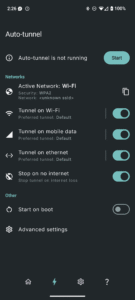
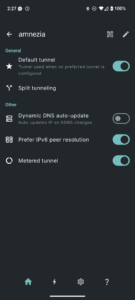
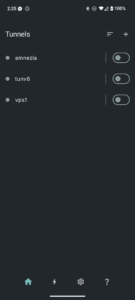
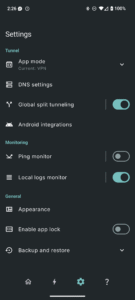
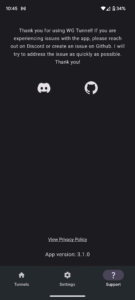
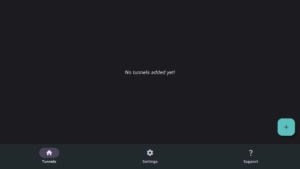
File Information
| Package Name | com.zaneschepke.wireguardautotunnel |
|---|---|
| Version Name | 4.1.6 |
| Version Code | 40106 |
| Architecture | arm64-v8a |
| Min Android Version | Android 26 (API 36) |
| Main Activity | com.zaneschepke.wireguardautotunnel.MainActivity |
| Framework | Native (Java/Kotlin) |
| File Size | 17.39 MB |
| Signature (SHA1) | 65A7DE22ED0ACCEA0FCDD754180760F53D0FBC0F |
| File Hash (SHA256) | 64bd339a44bd71b0ddb8a9ab5d9b6e922ba860bb9a95eb00b9dd57c3f3a972cc |
What's New
What's new:
- Auto-tunnel regression bugfix
- Resource usage bugfix for kill switch mode
- Auto-tunnel regression bugfix
- Resource usage bugfix for kill switch mode
App Description
WG Tunnel is a WireGuard VPN client that strikes the balance between simplicity and robustness, making it the ideal client for casual and power users alike.
Whether you simply want to automate when you're connected to your VPN or you're a power user with advanced privacy use cases, WG Tunnel has you covered.
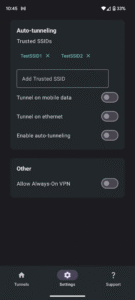
- **Auto-Tunneling:** Automatically activate tunnels based on Wi-Fi SSID, Ethernet connections, or mobile data networks.
- **Split Tunneling:** Flexible support for routing specific apps or traffic through the VPN.
- **App Modes:** Support for multiple tunnel modes, including standard VPN, kernel, lockdown (custom kill switch), and proxy modes.
- **AmneziaWG Integration:** Full support for AmneziaWG, providing robust censorship evasion.
- **Proxying Options:** Built-in HTTP and SOCKS5 proxy support allowing third-party apps to tunnel their traffic.
- **Quick Controls:** Quick Settings tile and home screen shortcuts for easy toggling actions.
- **Automation Support:** Intent-based automation for controlling tunnels and auto-tunneling.
- **Dynamic DNS Handling:** Detects and updates DNS changes without tunnel restarts.
- **Monitoring Tools:** Advanced tunnel monitoring features for tunnel performance monitoring.
- **Android TV Support:** Android TV support for nearly all app features.
Whether you simply want to automate when you're connected to your VPN or you're a power user with advanced privacy use cases, WG Tunnel has you covered.
- **Auto-Tunneling:** Automatically activate tunnels based on Wi-Fi SSID, Ethernet connections, or mobile data networks.
- **Split Tunneling:** Flexible support for routing specific apps or traffic through the VPN.
- **App Modes:** Support for multiple tunnel modes, including standard VPN, kernel, lockdown (custom kill switch), and proxy modes.
- **AmneziaWG Integration:** Full support for AmneziaWG, providing robust censorship evasion.
- **Proxying Options:** Built-in HTTP and SOCKS5 proxy support allowing third-party apps to tunnel their traffic.
- **Quick Controls:** Quick Settings tile and home screen shortcuts for easy toggling actions.
- **Automation Support:** Intent-based automation for controlling tunnels and auto-tunneling.
- **Dynamic DNS Handling:** Detects and updates DNS changes without tunnel restarts.
- **Monitoring Tools:** Advanced tunnel monitoring features for tunnel performance monitoring.
- **Android TV Support:** Android TV support for nearly all app features.
Download WG Tunnel APK
Fast, free and safe download.
APK Permissions 18
- android.permission.ACCESS_BACKGROUND_LOCATION
- android.permission.ACCESS_COARSE_LOCATION
- android.permission.ACCESS_FINE_LOCATION
- android.permission.ACCESS_NETWORK_STATE
- android.permission.ACCESS_WIFI_STATE
- android.permission.CAMERA
- android.permission.FOREGROUND_SERVICE
- android.permission.FOREGROUND_SERVICE_SPECIAL_USE
- android.permission.FOREGROUND_SERVICE_SYSTEM_EXEMPTED
- android.permission.INTERNET
- android.permission.POST_NOTIFICATIONS
- android.permission.QUERY_ALL_PACKAGES
- android.permission.RECEIVE_BOOT_COMPLETED
- android.permission.REQUEST_IGNORE_BATTERY_OPTIMIZATIONS
- android.permission.SCHEDULE_EXACT_ALARM
- android.permission.WAKE_LOCK
- com.zaneschepke.wireguardautotunnel.DYNAMIC_RECEIVER_NOT_EXPORTED_PERMISSION
- moe.shizuku.manager.permission.API_V23
APK Verified
The cryptographic signature guarantees that the file is safe to install and was not tampered with in any way.


Frequently Asked Questions about WG Tunnel APK
This variant is built for 64-bit ARM (most Android phones made since 2017). If your device's CPU matches, this is the smallest, fastest version to install.
Yes — the APK's signature has been cryptographically verified against the publisher's signing key. The SHA-256 hash is shown in the File Information panel so you can independently confirm the file matches the original release.
Android 26 (API level 36) or newer. Older devices will refuse the install.
Install a free app like 'CPU-Z' or 'Droid Hardware Info' from the Play Store and look at the ABI / Instruction Set row. Most phones made after 2017 are arm64-v8a; if in doubt, download the universal variant.
All variants are functionally identical — same features, same version. They differ only in which CPU architectures the native code is compiled for, and (sometimes) which screen densities the included graphics target. Pick the one that matches your device for the smallest install size, or pick 'Universal' if you're unsure.