
Download StandBy Mode: Clock & Widgets APK
br.com.zetabit.ios_standby · by Zetabit Tecnologia
Screenshots
About StandBy Mode: Clock & Widgets
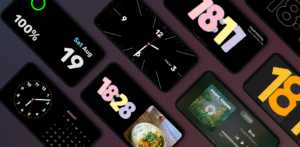
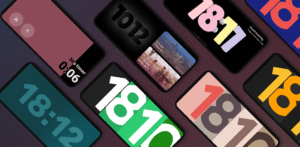
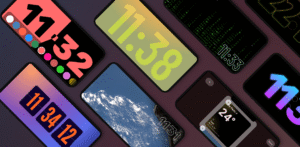
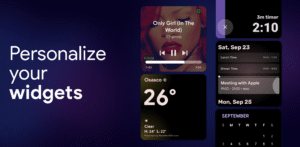
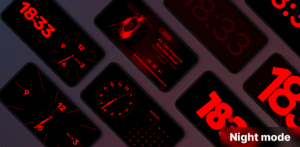
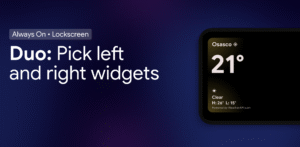
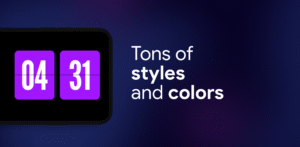
Transform your phone into a smart always-on display. StandBy Mode Pro turns any Android into a customizable bedside or desk clock, smart photo frame and widget hub. Designed with Material You and smooth animations, it works over the lockscreen and saves battery with burn-in protection. 🕰️ Custom Clocks & Styles • Digital and analog clock faces – flip, neon, solar, pixel, radial, dementia and more • Personalize fonts, colors, sizes and layouts • Optional weather and battery info at a glance 📷 Photo Frame & Slideshow • Charging screen doubles as a photo frame with AI cropping • Display curated albums with time and date 📆 Duo Mode, Timer & Schedule • Two widgets side-by-side: clocks, calendars, music or any third-party widget • Built-in timers, stopwatch and calendar sync 🌗 Night & Battery-Saver Modes • Night clock with red tint for minimal eye strain • Auto brightness and dark themes to save battery • Pixel shifting for AMOLED burn-in protection 🔋 Smart Charging & Quick Launch • Auto-launch when charging or in landscape • Perfect as bedside clock, desk display or docking hub 🎵 Vibes Radio & Player Control • Lo-fi, ambient and study radios with visuals • Control Spotify, YouTube Music, Apple Music and more 🧩 Aesthetic Widgets & Portrait Mode • Edge-to-edge widgets for calendar, to-do, weather and productivity • Portrait layout optimized for phones and foldables 📱 Screen Saver & Idle Mode • Experimental screen saver for idle device • Battery-efficient idle mode with elegant visuals Inspired by iOS 26 StandBy — but fully customizable & Android-native. Unlock the full potential of your Android. Whether on your desk, nightstand or dock, StandBy Mode Pro delivers a premium always-on display with unmatched customization.