
Download Zocdoc - Find and book doctors APK 3.208.0 Universal · Android 26+
Download APK
Verified Safe
This is the universal build of Zocdoc - Find and book doctors 3.208.0. It contains native libraries for every CPU architecture (arm64-v8a, armeabi-v7a, x86, x86_64), so it installs on any Android device. The trade-off is size — it's larger than per-architecture variants. Pick this one if you're unsure which CPU your phone has, or if you plan to share the APK with multiple devices.
File size: 48.8 MB • Min Android: 26 • Target Android: 35 • Version code: 1588 • Framework: Native (Java/Kotlin) • Permissions: 21
Screenshots

File Information
| Package Name | com.zocdoc.android |
|---|---|
| Version Name | 3.208.0 |
| Version Code | 1588 |
| Architecture | Universal |
| Min Android Version | Android 26 (API 35) |
| Main Activity | com.zocdoc.android.activity.LoadInitialDataActivity |
| Framework | Native (Java/Kotlin) |
| File Size | 48.78 MB |
| Signature (SHA1) | AAB0BA564E61FFECDB2BCDB2B973821BACD06235 |
| File Hash (SHA256) | 799bda55a64d5353c45bd264b81f6cb46d0516f89c5a2da1f0ed35a53fe9e70d |
What's New
Thanks for using the Zocdoc app! In this release, we took care of a few pesky bugs here and there. Download the latest version for the best patient experience.
App Description
Zocdoc is the leading healthcare app that makes it easy for you to find and book the right doctor. Each month, millions of people use Zocdoc to search for in-network care and instantly book appointments online.
Whether you need a doctor on demand or want to schedule a doctor appointment online, Zocdoc makes it fast and easy. Patients typically see a doctor within 24 to 72 hours of booking.
Download the FREE Zocdoc app to find and book a doctor today.
WHY PATIENTS LOVE ZOCDOC
Zocdoc makes it easy to go from searching to scheduling in just a few taps.
- Search by your insurance and city to find in-network doctors near you
- Browse by specialty, availability, or procedure to get the care you need
- Filter by what matters to you: distance, gender, ratings, and more
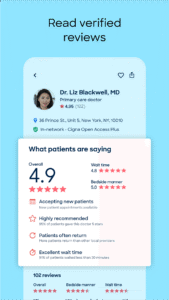
- Read real, verified reviews from other patients
- See providers' real-time appointment availability
- Easily book in-person or telehealth visits that fit your schedule
- Get automatic reminders so you never miss an appointment
- Fill out your forms ahead of time, so your visit starts smoothly
POPULAR CARE OPTIONS
Zocdoc connects patients to nearly 100,000 providers across more than 250 specialties. You can book an online doctor for a virtual visit, schedule urgent care, book in-person care near you, or find providers who accept Medicare plans.
Looking to schedule a dental cleaning, therapy appointment, or Rx refill? Zocdoc helps you book the appointment you need, from routine visits to specialized care.
Here are just a few of the most popular services patients book through the app:
- Dentist: Dental cleanings, checkups, and x-rays
- Therapist: Therapy sessions for mental health support
- Primary Care Doctor: Annual checkups and physicals
- OB-GYN: Pap smears and women’s health visits
- Dermatologist: Skin checks and acne consultations
- Psychiatrist: Medication management and evaluations
- Pediatrician: Wellness visits and sick appointments for kids
- Eye Doctor: Vision exams and prescription updates
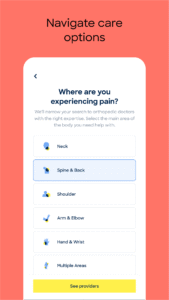
- Orthopedic Specialist: Joint pain, injuries, and sports medicine
- Cardiologist: Heart health screenings and follow-ups
There are many more specialties and procedures you can book with Zocdoc. Your healthcare, on your terms.
INSURANCE PLANS ACCEPTED
Zocdoc makes it easy to find doctors who accept your insurance, with no phone calls or guesswork required. Here are some of the most commonly accepted insurance plans on Zocdoc.
- Cigna
- UnitedHealthcare
- Aetna
- Kaiser Permanente
- Blue Cross Blue Shield
- Anthem
- Humana
- Oscar Health
- Molina Healthcare
- Healthfirst
Doctors on Zocdoc accept over 18,000 different insurance plans, making it easy to find in-network care. No matter what plan you have, Zocdoc helps you see what's in-network and book care confidently.
HOW TO BOOK AND MANAGE CARE WITH ZOCDOC
Search and compare.
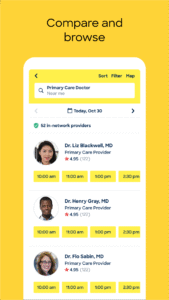
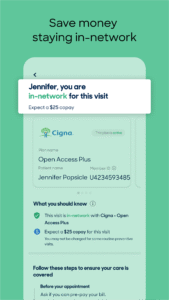
Search by specialty or symptom, along with location, availability, and insurance, to see providers who are in-network. Research and compare providers by reviewing their profiles, which include professional statements, education background, photos, and verified reviews and ratings from other patients.
Instantly book.
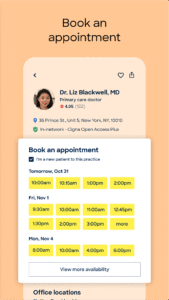
View providers’ real-time appointment availability, select a convenient time, and click to instantly book an appointment, 24/7.
Prepare for your appointment.
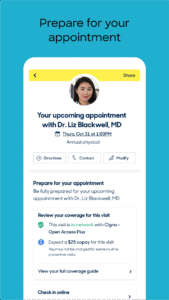
Save time by filling out intake forms and insurance information on Zocdoc ahead of the visit.
Stay on top of your healthcare.
Keep track of upcoming visits with appointment reminders and personalized recommendations for preventive care. View your care team and easily rebook.
From search to follow-up, Zocdoc makes it simple to manage your care from one place.
Whether you need a doctor on demand or want to schedule a doctor appointment online, Zocdoc makes it fast and easy. Patients typically see a doctor within 24 to 72 hours of booking.
Download the FREE Zocdoc app to find and book a doctor today.
WHY PATIENTS LOVE ZOCDOC
Zocdoc makes it easy to go from searching to scheduling in just a few taps.
- Search by your insurance and city to find in-network doctors near you
- Browse by specialty, availability, or procedure to get the care you need
- Filter by what matters to you: distance, gender, ratings, and more
- Read real, verified reviews from other patients
- See providers' real-time appointment availability
- Easily book in-person or telehealth visits that fit your schedule
- Get automatic reminders so you never miss an appointment
- Fill out your forms ahead of time, so your visit starts smoothly
POPULAR CARE OPTIONS
Zocdoc connects patients to nearly 100,000 providers across more than 250 specialties. You can book an online doctor for a virtual visit, schedule urgent care, book in-person care near you, or find providers who accept Medicare plans.
Looking to schedule a dental cleaning, therapy appointment, or Rx refill? Zocdoc helps you book the appointment you need, from routine visits to specialized care.
Here are just a few of the most popular services patients book through the app:
- Dentist: Dental cleanings, checkups, and x-rays
- Therapist: Therapy sessions for mental health support
- Primary Care Doctor: Annual checkups and physicals
- OB-GYN: Pap smears and women’s health visits
- Dermatologist: Skin checks and acne consultations
- Psychiatrist: Medication management and evaluations
- Pediatrician: Wellness visits and sick appointments for kids
- Eye Doctor: Vision exams and prescription updates
- Orthopedic Specialist: Joint pain, injuries, and sports medicine
- Cardiologist: Heart health screenings and follow-ups
There are many more specialties and procedures you can book with Zocdoc. Your healthcare, on your terms.
INSURANCE PLANS ACCEPTED
Zocdoc makes it easy to find doctors who accept your insurance, with no phone calls or guesswork required. Here are some of the most commonly accepted insurance plans on Zocdoc.
- Cigna
- UnitedHealthcare
- Aetna
- Kaiser Permanente
- Blue Cross Blue Shield
- Anthem
- Humana
- Oscar Health
- Molina Healthcare
- Healthfirst
Doctors on Zocdoc accept over 18,000 different insurance plans, making it easy to find in-network care. No matter what plan you have, Zocdoc helps you see what's in-network and book care confidently.
HOW TO BOOK AND MANAGE CARE WITH ZOCDOC
Search and compare.
Search by specialty or symptom, along with location, availability, and insurance, to see providers who are in-network. Research and compare providers by reviewing their profiles, which include professional statements, education background, photos, and verified reviews and ratings from other patients.
Instantly book.
View providers’ real-time appointment availability, select a convenient time, and click to instantly book an appointment, 24/7.
Prepare for your appointment.
Save time by filling out intake forms and insurance information on Zocdoc ahead of the visit.
Stay on top of your healthcare.
Keep track of upcoming visits with appointment reminders and personalized recommendations for preventive care. View your care team and easily rebook.
From search to follow-up, Zocdoc makes it simple to manage your care from one place.
Download Zocdoc - Find and book doctors APK
Fast, free and safe download.
APK Permissions 21
- android.Manifest.permission.MODIFY_AUDIO_SETTINGS
- android.permission.ACCESS_COARSE_LOCATION
- android.permission.ACCESS_FINE_LOCATION
- android.permission.ACCESS_NETWORK_STATE
- android.permission.ACCESS_WIFI_STATE
- android.permission.CAMERA
- android.permission.INTERNET
- android.permission.MODIFY_AUDIO_SETTINGS
- android.permission.POST_NOTIFICATIONS
- android.permission.READ_EXTERNAL_STORAGE
- android.permission.RECORD_AUDIO
- android.permission.USE_BIOMETRIC
- android.permission.USE_FINGERPRINT
- android.permission.VIBRATE
- android.permission.WAKE_LOCK
- android.permission.WRITE_EXTERNAL_STORAGE
- com.android.vending.BILLING
- com.google.android.c2dm.permission.RECEIVE
- com.google.android.finsky.permission.BIND_GET_INSTALL_REFERRER_SERVICE
- com.google.android.gms.permission.AD_ID
- com.zocdoc.android.DYNAMIC_RECEIVER_NOT_EXPORTED_PERMISSION
APK Verified
The cryptographic signature guarantees that the file is safe to install and was not tampered with in any way.


Frequently Asked Questions about Zocdoc - Find and book doctors APK
This is the universal variant — a single APK that contains native libraries for every CPU architecture. It installs on any Android device but is larger than per-architecture variants.
Yes — the APK's signature has been cryptographically verified against the publisher's signing key. The SHA-256 hash is shown in the File Information panel so you can independently confirm the file matches the original release.
Android 26 (API level 35) or newer. Older devices will refuse the install.
Install a free app like 'CPU-Z' or 'Droid Hardware Info' from the Play Store and look at the ABI / Instruction Set row. Most phones made after 2017 are arm64-v8a; if in doubt, download the universal variant.
All variants are functionally identical — same features, same version. They differ only in which CPU architectures the native code is compiled for, and (sometimes) which screen densities the included graphics target. Pick the one that matches your device for the smallest install size, or pick 'Universal' if you're unsure.