
This is the arm64-v8a build of ML MediaPlayer 1.09.001 — the modern 64-bit ARM build that runs on virtually every Android phone released since 2017. It's smaller and faster than the universal variant because Android only loads the native code your CPU actually needs. If your phone is from the last 8 years, this is the right pick.
File size: 1.1 MB • Min Android: 16 • Target Android: 35 • Version code: 15 • Framework: Native (Java/Kotlin) • Permissions: 2
Screenshots
File Information
| Package Name | jp.co.medialogic.mediaplayer |
|---|---|
| Version Name | 1.09.001 |
| Version Code | 15 |
| Architecture | arm64-v8a |
| Min Android Version | Android 16 (API 35) |
| Main Activity | jp.co.medialogic.mediaplayer.PlayerActivity |
| Framework | Native (Java/Kotlin) |
| File Size | 1.10 MB |
| Signature (SHA1) | 5A335DAD910C60B8FDE9331B83DBF07D5D1FD38E |
| File Hash (SHA256) | a7e7a045948f9408b03e641f8f20e9e8105967c8e3c6c069b2f9aa2471f4bcf2 |
What's New
Ver.1.09
- Due to optimization of the application size and review of the operating environment, support for some Intel devices (x86_64) has been discontinued.
Ver.1.08
- Supports API level 35 (Android 15)
Ver.1.07
- Supports API level 34 (Android 14)
Ver.1.06
- Fixed a bug that MLFS direct mode cannot be executed on API level 31 (Android 12) or later.
Ver.1.05
- Supports API level 33 (Android 13)
Ver.1.04
- Supports Android TV
- Due to optimization of the application size and review of the operating environment, support for some Intel devices (x86_64) has been discontinued.
Ver.1.08
- Supports API level 35 (Android 15)
Ver.1.07
- Supports API level 34 (Android 14)
Ver.1.06
- Fixed a bug that MLFS direct mode cannot be executed on API level 31 (Android 12) or later.
Ver.1.05
- Supports API level 33 (Android 13)
Ver.1.04
- Supports Android TV
App Description
Connect the USB device to the Android terminal with the USB OTG cable, and the 4K/HD movie inside the USB device can be played immediately as it is.
USB device: Video camera/USB memory,hard disk etc.
Overview
Movie saved in internal storage/USB storage etc can be played.
Notes:
MLUSB mounter is necessary when using this application.
play.google.com/store/apps/details?id=jp.co.medialogic.usbmounter
Features
4K movie file compatible
- supports playback of XAVC S movie of SONY 4K handy cam.
- supports playback of 4K movie of Panasonic 4K video camera.
Supports USB device
- MLFS supports various file systems: NTFS,exFAT,FAT32,FAT16,UDF,ISO9660
- Processing is tuned for playback.
In the case of 4K movies etc. with high bit rate and dropped frames, this application may be able to play smoothly.
- There are two playback modes.
Virtual Web server mode(default): Reads movie data via the virtual web server started by the MLUSB Mounter.
MLFS direct mode: remounted with MLFS in ML Media Player, and read movie data directly from USB device.
Please try MLFS direct mode when dropping frames in Virtual Web server mode.
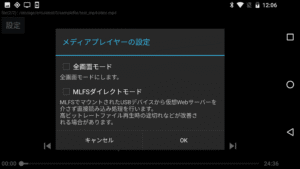
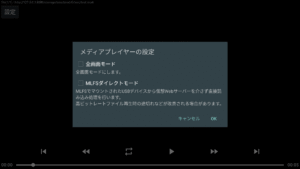
(It can be set from the "setting" button displayed at the upper left of the screen during movie playback)
"MLFS": Original technology to directly control USB devices and mount various file systems.
For details, please see the MLUSB Mounter Google Play Store's information.
Continuous Playback
- Multiple movie files can be played back continuously.
- Multiple movies on the USB device can also be played continuously.
- The playback order can be specified with the MLUSB Mounter.
(Specified by sorting the file list display such as "Name(A to Z)","Date" order, etc.)
Simple UI/No ad display
- Specify the file to be played from the MLUSB Mounter. It is easy to specify with a simple UI.
- MLUSB mounter, ML media player, will not display advertisements.
How to use
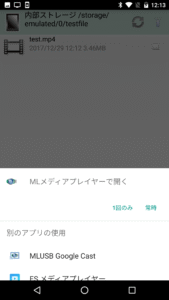
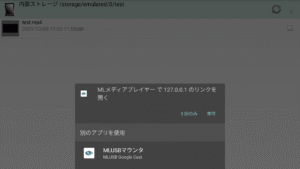
Please select "ML media player" in "App selection" displayed when selecting the target file (extension MP4/MTS etc.) with the MLUSB mounter.
(Please boot from the Ver.1.48 or later MLUSB Mounter.)
Corresponding video file
- 4K/HD movie XAVC S file shot with SONY 4K handy cam(extension MP4)
- 4K/HD movie file shot with Panasonic 4K video camera(extension MP4)
- MP4 file(extension MP4)
- ACVHD file(extension MTS)
- Other, supports various video formats
About 4K video playback environment
The following environment is recommended for playback of 4K movie file.
- Smartphone chipset Snapdragon 820,835
4K movie (XAVC S 100 Mbps) playback operation confirmation model from USB storage
Google Nexus 9 / Android 7.0
Google Nexus 6 / Android 6.0.1
Google Nexus 6P / Android 8.0.0
Google Nexus 5X / Android 7.1.2 *1
docomo SONY SO-02H(Xperia Z5 Compact) / Android 7.0
docomo SONY SO-04J(Xperia XZ Premium) / Android 8.0.0
docomo SONY SO-01K(Xperia XZ1) / Android 8.0.0
au Samsung SCL23(Galaxy S5) / Android 6.0.1
docomo Samsung SC-04G(Galaxy S6 edge) / Android 7.0
docomo Samsung SC-02H(Galaxy S7 edge) / Android 7.0
docomo Samsung SC-03J(Galaxy S8+) / Android 7.0
docomo Samsung SC-01K(Galaxy Note8) / Android 7.1.1
au HTC HTV33(HTC U11) / Android 7.1.1
HUAWEI P10 lite / Android 7.0
HUAWEI Mate 10 Pro / Android 8.0.0
Motorola Moto G5s Plus / Android 7.1.1
Fujitsu F-01K(arrows NX) / Android 7.1.1
*1 Please try MLFS direct mode if playback is interrupted or sound skipping occurs.
USB device: Video camera/USB memory,hard disk etc.
Overview
Movie saved in internal storage/USB storage etc can be played.
Notes:
MLUSB mounter is necessary when using this application.
play.google.com/store/apps/details?id=jp.co.medialogic.usbmounter
Features
4K movie file compatible
- supports playback of XAVC S movie of SONY 4K handy cam.
- supports playback of 4K movie of Panasonic 4K video camera.
Supports USB device
- MLFS supports various file systems: NTFS,exFAT,FAT32,FAT16,UDF,ISO9660
- Processing is tuned for playback.
In the case of 4K movies etc. with high bit rate and dropped frames, this application may be able to play smoothly.
- There are two playback modes.
Virtual Web server mode(default): Reads movie data via the virtual web server started by the MLUSB Mounter.
MLFS direct mode: remounted with MLFS in ML Media Player, and read movie data directly from USB device.
Please try MLFS direct mode when dropping frames in Virtual Web server mode.
(It can be set from the "setting" button displayed at the upper left of the screen during movie playback)
"MLFS": Original technology to directly control USB devices and mount various file systems.
For details, please see the MLUSB Mounter Google Play Store's information.
Continuous Playback
- Multiple movie files can be played back continuously.
- Multiple movies on the USB device can also be played continuously.
- The playback order can be specified with the MLUSB Mounter.
(Specified by sorting the file list display such as "Name(A to Z)","Date" order, etc.)
Simple UI/No ad display
- Specify the file to be played from the MLUSB Mounter. It is easy to specify with a simple UI.
- MLUSB mounter, ML media player, will not display advertisements.
How to use
Please select "ML media player" in "App selection" displayed when selecting the target file (extension MP4/MTS etc.) with the MLUSB mounter.
(Please boot from the Ver.1.48 or later MLUSB Mounter.)
Corresponding video file
- 4K/HD movie XAVC S file shot with SONY 4K handy cam(extension MP4)
- 4K/HD movie file shot with Panasonic 4K video camera(extension MP4)
- MP4 file(extension MP4)
- ACVHD file(extension MTS)
- Other, supports various video formats
About 4K video playback environment
The following environment is recommended for playback of 4K movie file.
- Smartphone chipset Snapdragon 820,835
4K movie (XAVC S 100 Mbps) playback operation confirmation model from USB storage
Google Nexus 9 / Android 7.0
Google Nexus 6 / Android 6.0.1
Google Nexus 6P / Android 8.0.0
Google Nexus 5X / Android 7.1.2 *1
docomo SONY SO-02H(Xperia Z5 Compact) / Android 7.0
docomo SONY SO-04J(Xperia XZ Premium) / Android 8.0.0
docomo SONY SO-01K(Xperia XZ1) / Android 8.0.0
au Samsung SCL23(Galaxy S5) / Android 6.0.1
docomo Samsung SC-04G(Galaxy S6 edge) / Android 7.0
docomo Samsung SC-02H(Galaxy S7 edge) / Android 7.0
docomo Samsung SC-03J(Galaxy S8+) / Android 7.0
docomo Samsung SC-01K(Galaxy Note8) / Android 7.1.1
au HTC HTV33(HTC U11) / Android 7.1.1
HUAWEI P10 lite / Android 7.0
HUAWEI Mate 10 Pro / Android 8.0.0
Motorola Moto G5s Plus / Android 7.1.1
Fujitsu F-01K(arrows NX) / Android 7.1.1
*1 Please try MLFS direct mode if playback is interrupted or sound skipping occurs.
Download ML MediaPlayer APK
Fast, free and safe download.
APK Permissions 2
- android.permission.INTERNET
- android.permission.READ_EXTERNAL_STORAGE
APK Verified
The cryptographic signature guarantees that the file is safe to install and was not tampered with in any way.
Similar in Video Players


More by メディアロジック (Media Logic, corp.)

Frequently Asked Questions about ML MediaPlayer APK
This variant is built for 64-bit ARM (most Android phones made since 2017). If your device's CPU matches, this is the smallest, fastest version to install.
Yes — the APK's signature has been cryptographically verified against the publisher's signing key. The SHA-256 hash is shown in the File Information panel so you can independently confirm the file matches the original release.
Android 16 (API level 35) or newer. Older devices will refuse the install.
Install a free app like 'CPU-Z' or 'Droid Hardware Info' from the Play Store and look at the ABI / Instruction Set row. Most phones made after 2017 are arm64-v8a; if in doubt, download the universal variant.
All variants are functionally identical — same features, same version. They differ only in which CPU architectures the native code is compiled for, and (sometimes) which screen densities the included graphics target. Pick the one that matches your device for the smallest install size, or pick 'Universal' if you're unsure.