
This is the universal build of 3C App Manager 1.6.6. It contains native libraries for every CPU architecture (arm64-v8a, armeabi-v7a, x86, x86_64), so it installs on any Android device. The trade-off is size — it's larger than per-architecture variants. Pick this one if you're unsure which CPU your phone has, or if you plan to share the APK with multiple devices.
File size: 18.9 MB • Min Android: 23 • Target Android: 35 • Version code: 176 • Framework: Native (Java/Kotlin) • Permissions: 29
Screenshots
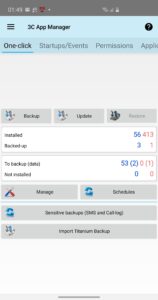
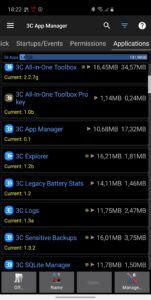
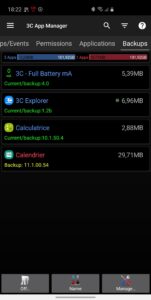
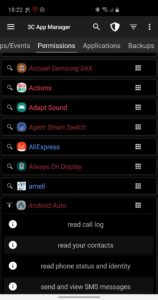
File Information
| Package Name | ccc71.am |
|---|---|
| Version Name | 1.6.6 |
| Version Code | 176 |
| Architecture | Universal |
| Min Android Version | Android 23 (API 35) |
| Main Activity | ccc71.at.main |
| Framework | Native (Java/Kotlin) |
| File Size | 18.93 MB |
| Signature (SHA1) | 17FB85DBE2B564B1396C3168B7FAA8393FE742A9 |
| File Hash (SHA256) | 898e279404438d9c3a0ea58d6a985fdce7619e94166c5f4b595f3420dcc6cfdd |
What's New
Improves user experience
Google compliance update
Google compliance update
App Description
3C App Manager offers advanced app backup and management for all your Android devices.
This app offers an accessibility service to help you clear apps' cache automatically, which will never ever collect any information.
Privacy Policy
★
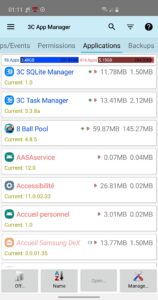
Backup/restore
all your apps locally or remotely
★ Supports
network shares
using Samba, FTP/S, WebDAV, G-Drive and Dropbox.
★
Organize
apps and backups by tag
★
Schedule
backups per day, week, months and tags
★
Sort
apps and backups by name, app size, data size, backup size, installed date and path
★
Filter
apps and backups by name, backup state and tags
★
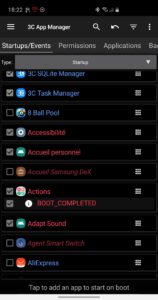
View all apps' events
that can start an app
★
View all apps' permissions
used by apps
★
Import Titanium Backup
backups
★
Create TWRP backups
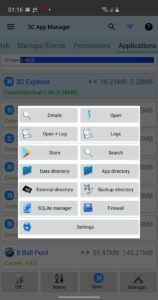
★ Exploring app's data directory requires root and 3C Explorer (free app).
★ Viewing app's details requires 3C Task Manager (free app).
★ Viewing app's logs requires 3C Log Reader (free app)
The following requires root or 3C Companion app:
★
Backup/restore apps' data
(3C Companion 1.0.8 required)
★
Edit
apps or events state
★
Control
apps' full-screen, keep screen on and rotation
★
Protect
apps' access with pin-code, pattern or finger-print
★
Filter
apps based on states (protection, full-screen, screen-on and rotation).
The following requires root:
★
Modify Play Store auto-update state per app
★
Move apps to system or SD (requires compatible device)
★
Fix file permissions
The following requires xposed framework:
★
Control permissions
used by apps
3C Companion app
available
here
.
★
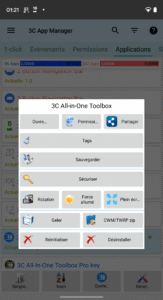
Go pro or use in-app purchases to unlock the following features
Hide any tabs or any menu item
Multi/auto-select and sort apps
Auto backup and new app notification
Create multiple schedules
Notification shortcut to access any features from status notification
This app offers an accessibility service to help you clear apps' cache automatically, which will never ever collect any information.
Privacy Policy
★
Backup/restore
all your apps locally or remotely
★ Supports
network shares
using Samba, FTP/S, WebDAV, G-Drive and Dropbox.
★
Organize
apps and backups by tag
★
Schedule
backups per day, week, months and tags
★
Sort
apps and backups by name, app size, data size, backup size, installed date and path
★
Filter
apps and backups by name, backup state and tags
★
View all apps' events
that can start an app
★
View all apps' permissions
used by apps
★
Import Titanium Backup
backups
★
Create TWRP backups
★ Exploring app's data directory requires root and 3C Explorer (free app).
★ Viewing app's details requires 3C Task Manager (free app).
★ Viewing app's logs requires 3C Log Reader (free app)
The following requires root or 3C Companion app:
★
Backup/restore apps' data
(3C Companion 1.0.8 required)
★
Edit
apps or events state
★
Control
apps' full-screen, keep screen on and rotation
★
Protect
apps' access with pin-code, pattern or finger-print
★
Filter
apps based on states (protection, full-screen, screen-on and rotation).
The following requires root:
★
Modify Play Store auto-update state per app
★
Move apps to system or SD (requires compatible device)
★
Fix file permissions
The following requires xposed framework:
★
Control permissions
used by apps
3C Companion app
available
here
.
★
Go pro or use in-app purchases to unlock the following features
Hide any tabs or any menu item
Multi/auto-select and sort apps
Auto backup and new app notification
Create multiple schedules
Notification shortcut to access any features from status notification
Download 3C App Manager APK
Fast, free and safe download.
APK Permissions 29
- android.permission.ACCESS_ADSERVICES_AD_ID
- android.permission.ACCESS_ADSERVICES_ATTRIBUTION
- android.permission.ACCESS_ADSERVICES_TOPICS
- android.permission.ACCESS_NETWORK_STATE
- android.permission.ACCESS_WIFI_STATE
- android.permission.CLEAR_APP_CACHE
- android.permission.FOREGROUND_SERVICE
- android.permission.FOREGROUND_SERVICE_SPECIAL_USE
- android.permission.GET_PACKAGE_SIZE
- android.permission.INSTALL_SHORTCUT
- android.permission.INTERNET
- android.permission.PACKAGE_USAGE_STATS
- android.permission.POST_NOTIFICATIONS
- android.permission.QUERY_ALL_PACKAGES
- android.permission.READ_EXTERNAL_STORAGE
- android.permission.READ_LOGS
- android.permission.RECEIVE_BOOT_COMPLETED
- android.permission.REQUEST_DELETE_PACKAGES
- android.permission.REQUEST_INSTALL_PACKAGES
- android.permission.SCHEDULE_EXACT_ALARM
- android.permission.SYSTEM_ALERT_WINDOW
- android.permission.WAKE_LOCK
- android.permission.WRITE_EXTERNAL_STORAGE
- ccc71.am.DYNAMIC_RECEIVER_NOT_EXPORTED_PERMISSION
- ccc71.helper.permission
- ccc71.nm.permission
- com.android.launcher.permission.INSTALL_SHORTCUT
- com.android.vending.BILLING
- com.google.android.gms.permission.AD_ID
APK Verified
The cryptographic signature guarantees that the file is safe to install and was not tampered with in any way.
Similar in Productivity


Frequently Asked Questions about 3C App Manager APK
This is the universal variant — a single APK that contains native libraries for every CPU architecture. It installs on any Android device but is larger than per-architecture variants.
Yes — the APK's signature has been cryptographically verified against the publisher's signing key. The SHA-256 hash is shown in the File Information panel so you can independently confirm the file matches the original release.
Android 23 (API level 35) or newer. Older devices will refuse the install.
Install a free app like 'CPU-Z' or 'Droid Hardware Info' from the Play Store and look at the ABI / Instruction Set row. Most phones made after 2017 are arm64-v8a; if in doubt, download the universal variant.
All variants are functionally identical — same features, same version. They differ only in which CPU architectures the native code is compiled for, and (sometimes) which screen densities the included graphics target. Pick the one that matches your device for the smallest install size, or pick 'Universal' if you're unsure.