
This is the universal build of Image to Text Converter - OCR 2.51. It contains native libraries for every CPU architecture (arm64-v8a, armeabi-v7a, x86, x86_64), so it installs on any Android device. The trade-off is size — it's larger than per-architecture variants. Pick this one if you're unsure which CPU your phone has, or if you plan to share the APK with multiple devices.
File size: 10.0 MB • Min Android: 24 • Target Android: 35 • Version code: 57 • Framework: Native (Java/Kotlin) • Permissions: 17
Screenshots
File Information
| Package Name | aculix.smart.text.recognizer |
|---|---|
| Version Name | 2.51 |
| Version Code | 57 |
| Architecture | Universal |
| Min Android Version | Android 24 (API 35) |
| Main Activity | aculix.smart.text.recognition.ui.MainActivity |
| Framework | Native (Java/Kotlin) |
| File Size | 9.97 MB |
| Signature (SHA1) | 70E6AB2300C9406792452EA39A40690B91519C85 |
| File Hash (SHA256) | 1a48f4be4bf98f2b02101fb190b7c8a24cf3e68407e49db28ced65c3e1eaffef |
What's New
Bug fixes & performance improvements ✨
App Description
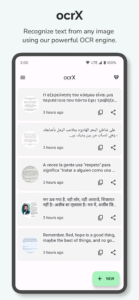
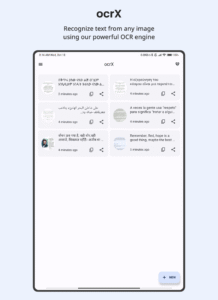
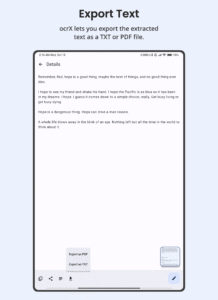
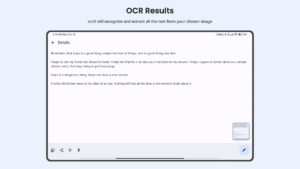
Formerly known as Smart Text Recognizer, ocrX has evolved into a more powerful, user-friendly app that captures text from images in seconds. With a robust new update, you can now export your scanned text as PDF or TXT—making it easier than ever to organize, share, and store crucial information.
Why Choose ocrX?
1. Accurate OCR
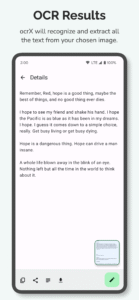
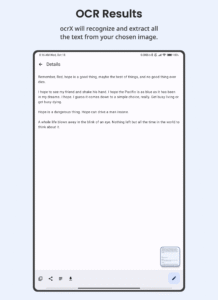
• Harness the power of machine learning to precisely scan documents, signs, or handwritten notes.
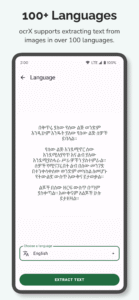
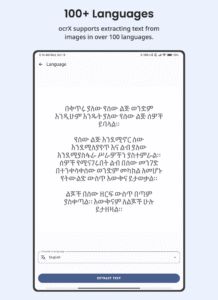
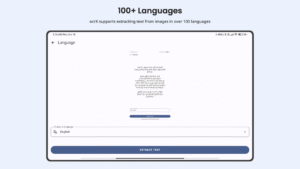
• Effortlessly handle over 100 languages with built-in automatic language detection.
2. Versatile Export Options
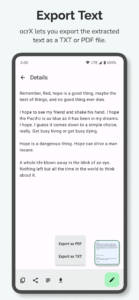
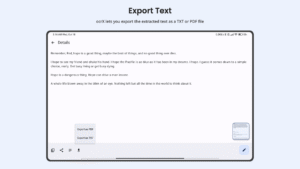
• Generate PDFs or TXT files from your scans with a single tap.
• Streamline your workflow by creating shareable, high-quality digital files.
3. Simple Editing & Sharing
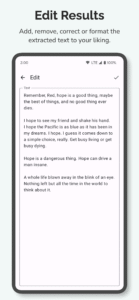
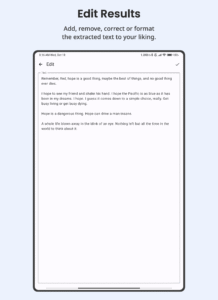
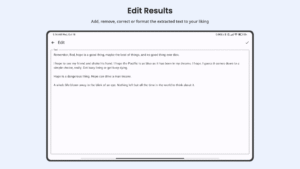
• Edit extracted text directly within the app—perfect for quick revisions or last-minute changes.
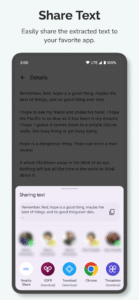
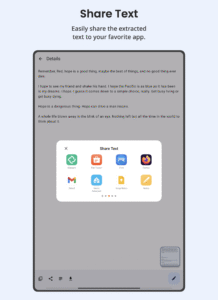
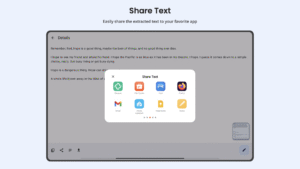
• Copy and share your content immediately to messaging apps, email, or cloud storage.
4. Scanned History Management
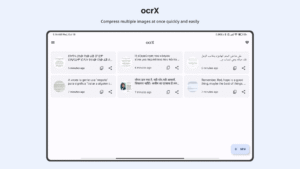
• Access and organize all your past scans in one place, so you never lose important information.
• Revisit or refine older scans whenever you need them.
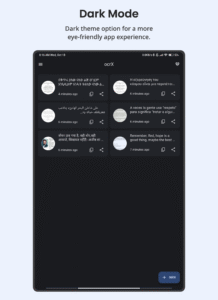
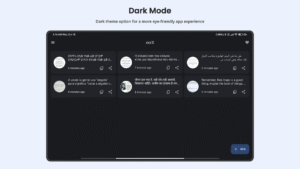
5. Eye-Friendly Dark Mode
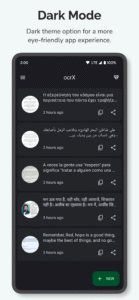
• Toggle between a light and dark interface to suit your preference and reduce eye fatigue.
Take advantage of ocrX to keep your notes, documents, and ideas on hand—without the need for extra paper or clutter. Whether you’re capturing text for work, school, or personal projects, ocrX offers a swift, seamless, and free solution. Download now and experience a new era of OCR scanning!
Why Choose ocrX?
1. Accurate OCR
• Harness the power of machine learning to precisely scan documents, signs, or handwritten notes.
• Effortlessly handle over 100 languages with built-in automatic language detection.
2. Versatile Export Options
• Generate PDFs or TXT files from your scans with a single tap.
• Streamline your workflow by creating shareable, high-quality digital files.
3. Simple Editing & Sharing
• Edit extracted text directly within the app—perfect for quick revisions or last-minute changes.
• Copy and share your content immediately to messaging apps, email, or cloud storage.
4. Scanned History Management
• Access and organize all your past scans in one place, so you never lose important information.
• Revisit or refine older scans whenever you need them.
5. Eye-Friendly Dark Mode
• Toggle between a light and dark interface to suit your preference and reduce eye fatigue.
Take advantage of ocrX to keep your notes, documents, and ideas on hand—without the need for extra paper or clutter. Whether you’re capturing text for work, school, or personal projects, ocrX offers a swift, seamless, and free solution. Download now and experience a new era of OCR scanning!
Download Image to Text Converter - OCR APK
Fast, free and safe download.
APK Permissions 17
- aculix.smart.text.recognizer.DYNAMIC_RECEIVER_NOT_EXPORTED_PERMISSION
- android.permission.ACCESS_ADSERVICES_AD_ID
- android.permission.ACCESS_ADSERVICES_ATTRIBUTION
- android.permission.ACCESS_ADSERVICES_TOPICS
- android.permission.ACCESS_NETWORK_STATE
- android.permission.ACCESS_WIFI_STATE
- android.permission.FOREGROUND_SERVICE
- android.permission.INTERNET
- android.permission.POST_NOTIFICATIONS
- android.permission.VIBRATE
- android.permission.WAKE_LOCK
- com.android.vending.BILLING
- com.android.vending.CHECK_LICENSE
- com.applovin.array.apphub.permission.BIND_APPHUB_SERVICE
- com.google.android.c2dm.permission.RECEIVE
- com.google.android.finsky.permission.BIND_GET_INSTALL_REFERRER_SERVICE
- com.google.android.gms.permission.AD_ID
APK Verified
The cryptographic signature guarantees that the file is safe to install and was not tampered with in any way.
Similar in Tools


More by Aculix Technologies LLP


Frequently Asked Questions about Image to Text Converter - OCR APK
This is the universal variant — a single APK that contains native libraries for every CPU architecture. It installs on any Android device but is larger than per-architecture variants.
Yes — the APK's signature has been cryptographically verified against the publisher's signing key. The SHA-256 hash is shown in the File Information panel so you can independently confirm the file matches the original release.
Android 24 (API level 35) or newer. Older devices will refuse the install.
Install a free app like 'CPU-Z' or 'Droid Hardware Info' from the Play Store and look at the ABI / Instruction Set row. Most phones made after 2017 are arm64-v8a; if in doubt, download the universal variant.
All variants are functionally identical — same features, same version. They differ only in which CPU architectures the native code is compiled for, and (sometimes) which screen densities the included graphics target. Pick the one that matches your device for the smallest install size, or pick 'Universal' if you're unsure.