
Download Alaska Hawaiian APK 7.1.0 arm64-v8a, armeabi-v7a, x86, x86_64 · Android 26+
Download APK
Verified Safe
This is the arm64-v8a, armeabi-v7a, x86, x86_64 build of Alaska Hawaiian 7.1.0. Pick this build if your device's primary ABI matches.
File size: 71.7 MB • Min Android: 26 • Target Android: 35 • Version code: 278 • Framework: Native (Java/Kotlin) • Permissions: 27
Screenshots

File Information
| Package Name | com.alaskaairlines.android |
|---|---|
| Version Name | 7.1.0 |
| Version Code | 278 |
| Architecture | arm64-v8a, armeabi-v7a, x86, x86_64 |
| Min Android Version | Android 26 (API 35) |
| Main Activity | com.alaskaairlines.android.activities.MainActivity |
| Framework | Native (Java/Kotlin) |
| File Size | 71.67 MB |
| Signature (SHA1) | 59731C1C983A9E64B5FEF4564868A4C7AF12EEA8 |
| File Hash (SHA256) | 9f99fdbd9badbf17f8b8a4b0d81f843ea82462bd819191ccc12c2aa35134d927 |
What's New
General bug fixes and performance improvements to enhance your app experience.
Thanks for flying with us, and thanks for your help finding bugs. Please keep sending us feedback—we're always listening.
Thanks for flying with us, and thanks for your help finding bugs. Please keep sending us feedback—we're always listening.
App Description
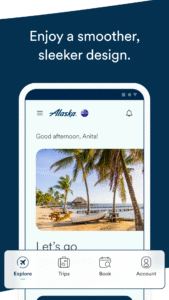
Explore options, book trips, check in, and move easily through airports. Find all the flight information that matters to you, when it matters.
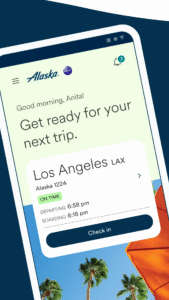
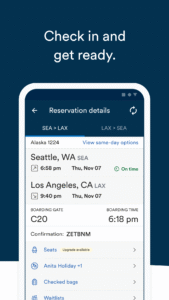
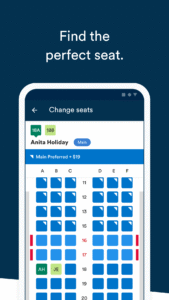
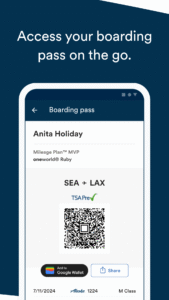
With our app you can book a flight, select a seat, or change your seats before you depart. We will get you through the airport faster with mobile check-in up to 24 hours before your flight. You can also save time by using our app as your boarding pass, no more kiosks or lines, just use your phone to get through the security check point at the airport.
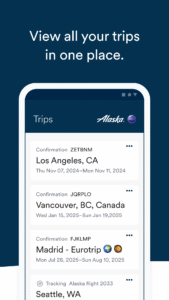
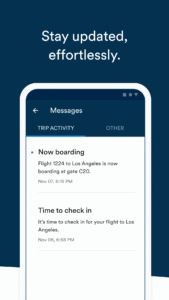
Keep track of your flight information including flight schedule, boarding time, and airport gate changes. Share your travel itinerary with friends and family via email. Receive information about flight delays and more with push notifications.
When you’re at the airport you can keep an eye on First Class and Standby wait lists. You can change your plans to get on an earlier or later flight. We will also send you a notification, telling you if there’s an earlier flight available for you once you've arrived at the airport.
We also offer calendar integration for smartphones, so that you can add your travel information to your calendar. You can track your Mileage Plan™ balance and then use those miles towards flights you can buy on the app, including Award travel.
Lastly, we are always interested in what you have to say about your Alaska travel experience. Please give us your feedback with Alaska Listens, our customer satisfaction survey. Like all of these features, you can find it in our app.
You can find additional information about the Alaska Airlines travel app by visiting alaskaair.com/mobile.
Thanks for sending us feedback at
androidapp@alaskaair.com
. We are listening and welcome your suggestions.
With our app you can book a flight, select a seat, or change your seats before you depart. We will get you through the airport faster with mobile check-in up to 24 hours before your flight. You can also save time by using our app as your boarding pass, no more kiosks or lines, just use your phone to get through the security check point at the airport.
Keep track of your flight information including flight schedule, boarding time, and airport gate changes. Share your travel itinerary with friends and family via email. Receive information about flight delays and more with push notifications.
When you’re at the airport you can keep an eye on First Class and Standby wait lists. You can change your plans to get on an earlier or later flight. We will also send you a notification, telling you if there’s an earlier flight available for you once you've arrived at the airport.
We also offer calendar integration for smartphones, so that you can add your travel information to your calendar. You can track your Mileage Plan™ balance and then use those miles towards flights you can buy on the app, including Award travel.
Lastly, we are always interested in what you have to say about your Alaska travel experience. Please give us your feedback with Alaska Listens, our customer satisfaction survey. Like all of these features, you can find it in our app.
You can find additional information about the Alaska Airlines travel app by visiting alaskaair.com/mobile.
Thanks for sending us feedback at
androidapp@alaskaair.com
. We are listening and welcome your suggestions.
Download Alaska Hawaiian APK
Fast, free and safe download.
APK Permissions 27
- android.permission.ACCESS_ADSERVICES_AD_ID
- android.permission.ACCESS_ADSERVICES_ATTRIBUTION
- android.permission.ACCESS_COARSE_LOCATION
- android.permission.ACCESS_FINE_LOCATION
- android.permission.ACCESS_NETWORK_STATE
- android.permission.ACCESS_WIFI_STATE
- android.permission.BLUETOOTH
- android.permission.BLUETOOTH_ADMIN
- android.permission.BLUETOOTH_CONNECT
- android.permission.BLUETOOTH_SCAN
- android.permission.CAMERA
- android.permission.CHANGE_NETWORK_STATE
- android.permission.CHANGE_WIFI_STATE
- android.permission.FOREGROUND_SERVICE
- android.permission.INTERNET
- android.permission.NFC
- android.permission.POST_NOTIFICATIONS
- android.permission.RECEIVE_BOOT_COMPLETED
- android.permission.RUN_USER_INITIATED_JOBS
- android.permission.USE_BIOMETRIC
- android.permission.USE_FINGERPRINT
- android.permission.VIBRATE
- android.permission.WAKE_LOCK
- com.alaskaairlines.android.DYNAMIC_RECEIVER_NOT_EXPORTED_PERMISSION
- com.google.android.c2dm.permission.RECEIVE
- com.google.android.finsky.permission.BIND_GET_INSTALL_REFERRER_SERVICE
- com.google.android.gms.permission.AD_ID
APK Verified
The cryptographic signature guarantees that the file is safe to install and was not tampered with in any way.
Similar in Travel & Local


More by Alaska Airlines

Frequently Asked Questions about Alaska Hawaiian APK
This variant is built for devices that report `arm64-v8a, armeabi-v7a, x86, x86_64` as their primary ABI. If your device's CPU matches, this is the smallest, fastest version to install.
Yes — the APK's signature has been cryptographically verified against the publisher's signing key. The SHA-256 hash is shown in the File Information panel so you can independently confirm the file matches the original release.
Android 26 (API level 35) or newer. Older devices will refuse the install.
Install a free app like 'CPU-Z' or 'Droid Hardware Info' from the Play Store and look at the ABI / Instruction Set row. Most phones made after 2017 are arm64-v8a; if in doubt, download the universal variant.
All variants are functionally identical — same features, same version. They differ only in which CPU architectures the native code is compiled for, and (sometimes) which screen densities the included graphics target. Pick the one that matches your device for the smallest install size, or pick 'Universal' if you're unsure.