
This is the universal build of IPTV 9.1.8. It contains native libraries for every CPU architecture (arm64-v8a, armeabi-v7a, x86, x86_64), so it installs on any Android device. The trade-off is size — it's larger than per-architecture variants. Pick this one if you're unsure which CPU your phone has, or if you plan to share the APK with multiple devices.
File size: 40.2 MB • Min Android: 21 • Target Android: 35 • Version code: 4184 • Framework: Native (Java/Kotlin) • Permissions: 20
Screenshots
File Information
| Package Name | ru.iptvremote.android.iptv |
|---|---|
| Version Name | 9.1.8 |
| Version Code | 4184 |
| Architecture | Universal |
| Min Android Version | Android 21 (API 35) |
| Main Activity | ru.iptvremote.android.iptv.ChannelsActivity |
| Framework | Native (Java/Kotlin) |
| File Size | 40.25 MB |
| Signature (SHA1) | 7B4B0E8E4C48817569B133503244D6A2B6D03B75 |
| File Hash (SHA256) | 3a6a3689147430e316489a0937a303a2b1b6de4146f264ce66048956e5ee24d5 |
What's New
Update video player
Optimize memory usage
Improve TV Guide loading
Optimize memory usage
Improve TV Guide loading
App Description
Watch IPTV from your Internet service provider or free live TV channels from any other source in the web.
Features:
✔ M3U and XSPF playlists support
✔ Playlists history
✔ Playing multicast streams with UDP proxy (proxy need to be installed in your LAN)
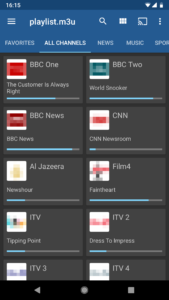
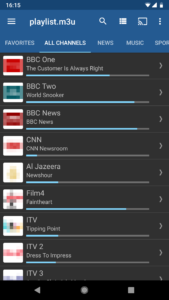
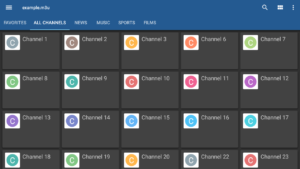
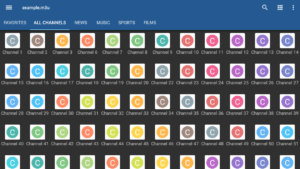
✔ Grid, list or tile view of TV channels
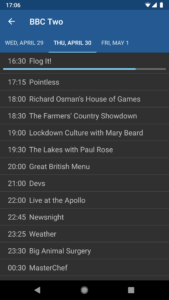
✔ EPG support in XMLTV and JTV formats
✔ Internal and external video players
✔ Parental control
Additional features are available in Pro version:
✔ Ad free
✔ Start app on device boot option, useful for set-top boxes.
✔ Auto-play last channel option
✔ Extended playlists history
This app doesn't contain any built-in channels, you should have your playlist with TV channels to use this app.
For multicast streams it's recommended to use UDP proxy:
* for Windows: download and install UDP-to-HTTP proxy from
borpas.info/download/UdpProxy.exe
or check the corresponding option while installing IP-TV Player
borpas.info/iptvplayer
* for Linux: install udpxy (
udpxy.com/index-en.html
,
sourceforge.net/projects/udpxy/
)
* the best solution would be installing udpxy on your WLAN router, this can be done for DD-WRT (
www.dd-wrt.com
) and OpenWrt (
openwrt.org
) firmware
* some WLAN routers have built-in udpxy in manufacturer's firmware
Please join translations project at
crowdin.com/project/iptv/invite
if you want to add new or improve existing translation.
Features:
✔ M3U and XSPF playlists support
✔ Playlists history
✔ Playing multicast streams with UDP proxy (proxy need to be installed in your LAN)
✔ Grid, list or tile view of TV channels
✔ EPG support in XMLTV and JTV formats
✔ Internal and external video players
✔ Parental control
Additional features are available in Pro version:
✔ Ad free
✔ Start app on device boot option, useful for set-top boxes.
✔ Auto-play last channel option
✔ Extended playlists history
This app doesn't contain any built-in channels, you should have your playlist with TV channels to use this app.
For multicast streams it's recommended to use UDP proxy:
* for Windows: download and install UDP-to-HTTP proxy from
borpas.info/download/UdpProxy.exe
or check the corresponding option while installing IP-TV Player
borpas.info/iptvplayer
* for Linux: install udpxy (
udpxy.com/index-en.html
,
sourceforge.net/projects/udpxy/
)
* the best solution would be installing udpxy on your WLAN router, this can be done for DD-WRT (
www.dd-wrt.com
) and OpenWrt (
openwrt.org
) firmware
* some WLAN routers have built-in udpxy in manufacturer's firmware
Please join translations project at
crowdin.com/project/iptv/invite
if you want to add new or improve existing translation.
Download IPTV APK
Fast, free and safe download.
APK Permissions 20
- android.permission.ACCESS_ADSERVICES_AD_ID
- android.permission.ACCESS_ADSERVICES_ATTRIBUTION
- android.permission.ACCESS_ADSERVICES_TOPICS
- android.permission.ACCESS_NETWORK_STATE
- android.permission.ACCESS_WIFI_STATE
- android.permission.CHANGE_WIFI_MULTICAST_STATE
- android.permission.FOREGROUND_SERVICE
- android.permission.FOREGROUND_SERVICE_DATA_SYNC
- android.permission.FOREGROUND_SERVICE_MEDIA_PLAYBACK
- android.permission.INTERNET
- android.permission.POST_NOTIFICATIONS
- android.permission.READ_MEDIA_AUDIO
- android.permission.READ_MEDIA_VIDEO
- android.permission.WAKE_LOCK
- android.permission.WRITE_EXTERNAL_STORAGE
- com.android.vending.BILLING
- com.applovin.array.apphub.permission.BIND_APPHUB_SERVICE
- com.google.android.finsky.permission.BIND_GET_INSTALL_REFERRER_SERVICE
- com.google.android.gms.permission.AD_ID
- ru.iptvremote.android.iptv.DYNAMIC_RECEIVER_NOT_EXPORTED_PERMISSION


Frequently Asked Questions about IPTV APK
This is the universal variant — a single APK that contains native libraries for every CPU architecture. It installs on any Android device but is larger than per-architecture variants.
Yes — the APK's signature has been cryptographically verified against the publisher's signing key. The SHA-256 hash is shown in the File Information panel so you can independently confirm the file matches the original release.
Android 21 (API level 35) or newer. Older devices will refuse the install.
Install a free app like 'CPU-Z' or 'Droid Hardware Info' from the Play Store and look at the ABI / Instruction Set row. Most phones made after 2017 are arm64-v8a; if in doubt, download the universal variant.
All variants are functionally identical — same features, same version. They differ only in which CPU architectures the native code is compiled for, and (sometimes) which screen densities the included graphics target. Pick the one that matches your device for the smallest install size, or pick 'Universal' if you're unsure.