
This is the universal build of BSPlayer 3.23.252-20250807. It contains native libraries for every CPU architecture (arm64-v8a, armeabi-v7a, x86, x86_64), so it installs on any Android device. The trade-off is size — it's larger than per-architecture variants. Pick this one if you're unsure which CPU your phone has, or if you plan to share the APK with multiple devices.
File size: 58.5 MB • Min Android: 21 • Target Android: 35 • Version code: 2106199 • Framework: Native (Java/Kotlin) • Permissions: 20
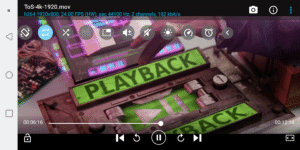
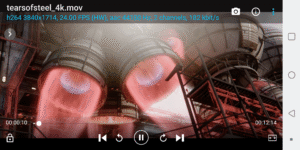
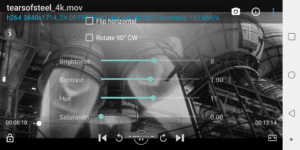
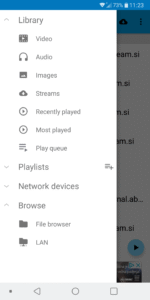
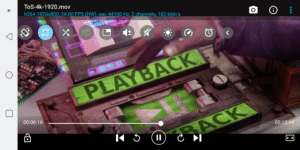
Screenshots
File Information
| Package Name | com.bsplayer.bspandroid.free |
|---|---|
| Version Name | 3.23.252-20250807 |
| Version Code | 2106199 |
| Architecture | Universal |
| Min Android Version | Android 21 (API 35) |
| Main Activity | com.bsplayer.bsplayeran.BSPMain_new |
| Framework | Native (Java/Kotlin) |
| File Size | 58.50 MB |
| Signature (SHA1) | 037EC97F4A15687977AC8997DB4BD03C186F8582 |
| File Hash (SHA256) | 56b314613979bf4c8766fb013c50dbaaf310af8eb2b2a77b3a9b898d169006a1 |
What's New
- older Android versions are no longer supported, minimum is now Android 5
- improved AV1 video codec support
- better support for Android 15
- support for 16 KB devices
- stability improvements and bug fixes
- improved AV1 video codec support
- better support for Android 15
- support for 16 KB devices
- stability improvements and bug fixes
App Description
BSPlayer is top hardware accelerated video player for Android smartphones and tablet PCs.
Main features:
- multi-core (dual and quad-core) HW decoding support - significantly improves playback speed
- background playback in popup window (long tap on button Back to playback video and audio in popup video)
- hardware accelerated video playback - increases speed and reduces battery consumption*
- Multiple audio streams and subtitles.
- Playlist support and various playback modes.
- External and embedded subtitles ssa/ass, srt, sub. txt...
- Find subtitles automatically (mobile data or wi-fi must be enabled to work)
- Playback media files such as videos and mp3's directly via Wi-Fi from your network shared drives/folders (such as external USB drives, Samba (SMB/CIFS) shared drives, PC shared folders, NAS servers (Synology and others)) - no need to convert video files and copy media files to SD card anymore!
- Playback files directly from uncompressed RAR files
- Lock screen to prevent accidental change of videos (children lock)
- support for USB OTG (On-The-Go) for example: Nexus media importer, USB OTG Helper, USB Host Controller... and much more!
This package includes support for ARMv7 with VFP and NEON. For other CPU types please download appropriate package. Application will notify you which package you need.
BSPlayer version is ad-supported video player. BSPlayer full version without advertisements with added functionality is available on Google Play.
NOTE: When reporting error please add info about your smartphone brand and model. Also you can send us more detailed bug report on e-mail
android@bsplayer.com
. We are trying to improve the player for the users and your feedback is appreciated.
This software uses code of FFmpeg licensed under the LGPLv2.1 and its source can be downloaded from BSPlayer website.
Dedicated forum can be found here:
forum.bsplayer.com/bsplayer-android/
.
*Hardware acceleration support depends on device video decoder capability. Hardware accelerated playback in portrait mode may be corrupted on some HTC models (HD and others - hardware issue). Also on some devices (Samsung galaxy S2) zoom/stretch may not work on all video types.
Translations and corrections of the translations can now be submitted here:
crowdin.net/project/bsplayer-android!
Don't forget to vote 5 stars if you like it and if you don't - let us know why! :)
Screenshots taken from following movies under Creative Commons license:
Sintel - © copyright Blender Foundation | durian.blender.org
Tears of Steel - (CC) Blender Foundation | mango.blender.org
Main features:
- multi-core (dual and quad-core) HW decoding support - significantly improves playback speed
- background playback in popup window (long tap on button Back to playback video and audio in popup video)
- hardware accelerated video playback - increases speed and reduces battery consumption*
- Multiple audio streams and subtitles.
- Playlist support and various playback modes.
- External and embedded subtitles ssa/ass, srt, sub. txt...
- Find subtitles automatically (mobile data or wi-fi must be enabled to work)
- Playback media files such as videos and mp3's directly via Wi-Fi from your network shared drives/folders (such as external USB drives, Samba (SMB/CIFS) shared drives, PC shared folders, NAS servers (Synology and others)) - no need to convert video files and copy media files to SD card anymore!
- Playback files directly from uncompressed RAR files
- Lock screen to prevent accidental change of videos (children lock)
- support for USB OTG (On-The-Go) for example: Nexus media importer, USB OTG Helper, USB Host Controller... and much more!
This package includes support for ARMv7 with VFP and NEON. For other CPU types please download appropriate package. Application will notify you which package you need.
BSPlayer version is ad-supported video player. BSPlayer full version without advertisements with added functionality is available on Google Play.
NOTE: When reporting error please add info about your smartphone brand and model. Also you can send us more detailed bug report on e-mail
android@bsplayer.com
. We are trying to improve the player for the users and your feedback is appreciated.
This software uses code of FFmpeg licensed under the LGPLv2.1 and its source can be downloaded from BSPlayer website.
Dedicated forum can be found here:
forum.bsplayer.com/bsplayer-android/
.
*Hardware acceleration support depends on device video decoder capability. Hardware accelerated playback in portrait mode may be corrupted on some HTC models (HD and others - hardware issue). Also on some devices (Samsung galaxy S2) zoom/stretch may not work on all video types.
Translations and corrections of the translations can now be submitted here:
crowdin.net/project/bsplayer-android!
Don't forget to vote 5 stars if you like it and if you don't - let us know why! :)
Screenshots taken from following movies under Creative Commons license:
Sintel - © copyright Blender Foundation | durian.blender.org
Tears of Steel - (CC) Blender Foundation | mango.blender.org
Download BSPlayer APK
Fast, free and safe download.
APK Permissions 20
- android.permission.ACCESS_ADSERVICES_AD_ID
- android.permission.ACCESS_ADSERVICES_ATTRIBUTION
- android.permission.ACCESS_ADSERVICES_TOPICS
- android.permission.ACCESS_NETWORK_STATE
- android.permission.ACCESS_WIFI_STATE
- android.permission.BLUETOOTH
- android.permission.FOREGROUND_SERVICE
- android.permission.FOREGROUND_SERVICE_MEDIA_PLAYBACK
- android.permission.INTERNET
- android.permission.POST_NOTIFICATIONS
- android.permission.READ_EXTERNAL_STORAGE
- android.permission.READ_MEDIA_AUDIO
- android.permission.READ_MEDIA_IMAGES
- android.permission.READ_MEDIA_VIDEO
- android.permission.RECORD_AUDIO
- android.permission.SYSTEM_ALERT_WINDOW
- android.permission.WAKE_LOCK
- android.permission.WRITE_EXTERNAL_STORAGE
- com.bsplayer.bspandroid.free.DYNAMIC_RECEIVER_NOT_EXPORTED_PERMISSION
- com.google.android.gms.permission.AD_ID
APK Verified
The cryptographic signature guarantees that the file is safe to install and was not tampered with in any way.


Frequently Asked Questions about BSPlayer APK
This is the universal variant — a single APK that contains native libraries for every CPU architecture. It installs on any Android device but is larger than per-architecture variants.
Yes — the APK's signature has been cryptographically verified against the publisher's signing key. The SHA-256 hash is shown in the File Information panel so you can independently confirm the file matches the original release.
Android 21 (API level 35) or newer. Older devices will refuse the install.
Install a free app like 'CPU-Z' or 'Droid Hardware Info' from the Play Store and look at the ABI / Instruction Set row. Most phones made after 2017 are arm64-v8a; if in doubt, download the universal variant.
All variants are functionally identical — same features, same version. They differ only in which CPU architectures the native code is compiled for, and (sometimes) which screen densities the included graphics target. Pick the one that matches your device for the smallest install size, or pick 'Universal' if you're unsure.