
This is the arm64-v8a build of OPPO Photos 25.17.35 — the modern 64-bit ARM build that runs on virtually every Android phone released since 2017. It's smaller and faster than the universal variant because Android only loads the native code your CPU actually needs. If your phone is from the last 8 years, this is the right pick.
File size: 205.6 MB • Min Android: 30 • Target Android: 34 • Version code: 25017035 • Framework: Native (Java/Kotlin) • Permissions: 67
Screenshots
File Information
| Package Name | com.coloros.gallery3d |
|---|---|
| Version Name | 25.17.35 |
| Version Code | 25017035 |
| Architecture | arm64-v8a |
| Min Android Version | Android 30 (API 34) |
| Main Activity | com.coloros.gallery3d.app.MainActivity |
| Framework | Native (Java/Kotlin) |
| File Size | 205.62 MB |
| Signature (SHA1) | 61BD6A66EE53D8D49F7E5301264F2413E0D81229 |
| File Hash (SHA256) | e270085d137a4dccc75e2f20f4b05c4a8dabaafe9d628461d145c18d08aef2f2 |
What's New
From version
14.60.3
:
1. You can now tap a thumbnail to preview it when selecting multiple photos.
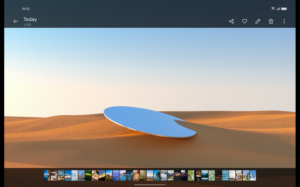
2. Improves the loading speed when viewing a photo in full screen.
3. Improves the experience when viewing a photo in full screen. When you zoom in or out on a photo, the menu will be hidden automatically.
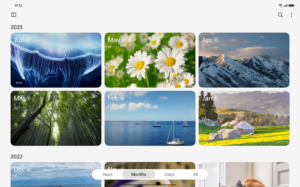
4. When switching between year/month/day views, the featured photo's position will stay unchanged.
14.60.3
:
1. You can now tap a thumbnail to preview it when selecting multiple photos.
2. Improves the loading speed when viewing a photo in full screen.
3. Improves the experience when viewing a photo in full screen. When you zoom in or out on a photo, the menu will be hidden automatically.
4. When switching between year/month/day views, the featured photo's position will stay unchanged.
App Description
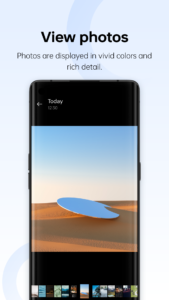
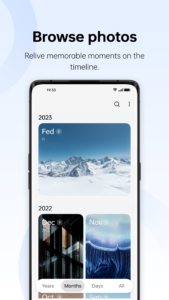
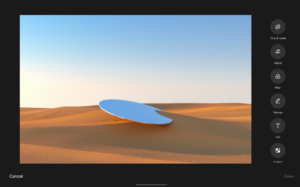
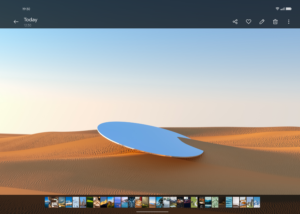
View photos in the finest level of detail, or quickly browse through multiple photos. Switch between different views, or browse by date or location. View automatically generated memories and revisit meaningful moments from the past.
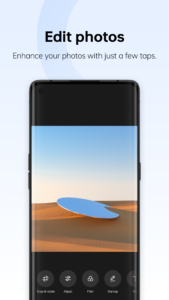
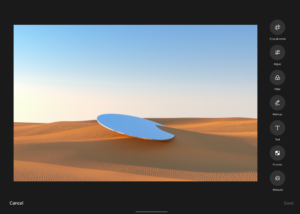
Use presets and templates to easily enhance photo composition or modify them for different effects. Add creativity to your photos by creating animated GIFs, collages, and cutouts.
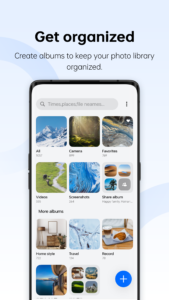
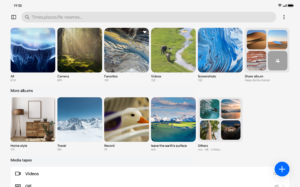
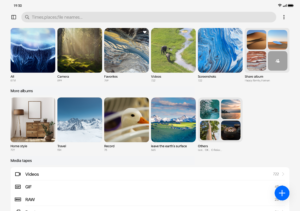
Create albums to organize your photo library and protect your private photos with a password. Smart grouping works automatically to keep your photo library clean and tidy.
Automatically sync your photos to the cloud so that you can view and manage them on any device.
Use presets and templates to easily enhance photo composition or modify them for different effects. Add creativity to your photos by creating animated GIFs, collages, and cutouts.
Create albums to organize your photo library and protect your private photos with a password. Smart grouping works automatically to keep your photo library clean and tidy.
Automatically sync your photos to the cloud so that you can view and manage them on any device.
Download OPPO Photos APK
Fast, free and safe download.
APK Permissions 67
- android.permission.ACCESS_MEDIA_LOCATION
- android.permission.ACCESS_NETWORK_STATE
- android.permission.ACCESS_WIFI_STATE
- android.permission.BLUETOOTH
- android.permission.BLUETOOTH_CONNECT
- android.permission.INTERNET
- android.permission.KILL_BACKGROUND_PROCESSES
- android.permission.MANAGE_EXTERNAL_STORAGE
- android.permission.NFC
- android.permission.POST_NOTIFICATIONS
- android.permission.READ_EXTERNAL_STORAGE
- android.permission.READ_FRAME_BUFFER
- android.permission.READ_MEDIA_AUDIO
- android.permission.READ_MEDIA_IMAGES
- android.permission.READ_MEDIA_VIDEO
- android.permission.READ_MEDIA_VISUAL_USER_SELECTED
- android.permission.REORDER_TASKS
- android.permission.SCHEDULE_EXACT_ALARM
- android.permission.SET_WALLPAPER
- android.permission.SYSTEM_ALERT_WINDOW
- android.permission.SYSTEM_OVERLAY_WINDOW
- android.permission.VIBRATE
- android.permission.WAKE_LOCK
- android.permission.WRITE_EXTERNAL_STORAGE
- android.permission.WRITE_SECURE_SETTINGS
- android.permission.WRITE_SETTINGS
- com.asus.msa.SupplementaryDID.ACCESS
- com.coloros.camera.sandbox.permission.SANDBOX_PROVIDER
- com.coloros.gallery3d.DYNAMIC_RECEIVER_NOT_EXPORTED_PERMISSION
- com.heytap.accessory.permission.ACCESSORY_FRAMEWORK
- com.heytap.mcs.permission.RECIEVE_MCS_MESSAGE
- com.heytap.usercenter.permission.RECIEVE_MESSAGE_ACCOUNT
- com.oplus.camera.sandbox.permission.SANDBOX_PROVIDER
- com.oplus.dmp.IndexProvider.PERMISSION
- com.oplus.dmp.SearchProvider.PERMISSION
- com.oplus.gallery.MultiProcessSharePreferenceProvider.permission.read
- com.oplus.gallery.MultiProcessSharePreferenceProvider.permission.write
- com.oplus.ipemanager.permission.receiver.DOUBLE_CLICK
- com.oplus.permission.safe.APP_MANAGER
- com.oplus.permission.safe.AUTHENTICATE
- com.oplus.permission.safe.CONNECTIVITY
- com.oplus.permission.safe.IOT
- com.oplus.permission.safe.LOG
- com.oplus.permission.safe.PRIVATE
- com.oplus.permission.safe.PROTECT
- com.oplus.permission.safe.READ_COMMON
- com.oplus.permission.safe.SAU
- com.oplus.permission.safe.SECURITY
- com.oplus.permission.safe.SETTINGS
- com.oplus.permission.safe.SETTINGS_SEARCH
- com.oplus.permission.safe.WINDOW
- com.oplusos.providers.sticker.permission.READ_DB
- com.oplusos.providers.sticker.permission.READ_FILE
- com.oppo.gallery3d.MultiProcessSharePreferenceProvider.permission.read
- com.oppo.gallery3d.MultiProcessSharePreferenceProvider.permission.write
- com.oppo.gallery3d.self.component.safe.permission
- com.oppo.permission.safe.CLOUD
- com.oppo.permission.safe.PRIVATE
- com.oppo.permission.safe.SAU
- com.oppo.permission.safe.SECURITY
- heytap.permission.cloud.ACCESS_CLOUD
- heytap.permission.cloud.ACCESS_SYNC_SERVICE
- mediatek.permission.ACCESS_APU_SYS
- oplus.permission.DOCVAULT_DOCUMENT_PROVIDER
- oplus.permission.OPLUS_COMPONENT_SAFE
- oppo.permission.DOCVAULT_DOCUMENT_PROVIDER
- oppo.permission.OPPO_COMPONENT_SAFE
APK Verified
The cryptographic signature guarantees that the file is safe to install and was not tampered with in any way.
Similar in Productivity


Frequently Asked Questions about OPPO Photos APK
This variant is built for 64-bit ARM (most Android phones made since 2017). If your device's CPU matches, this is the smallest, fastest version to install.
Yes — the APK's signature has been cryptographically verified against the publisher's signing key. The SHA-256 hash is shown in the File Information panel so you can independently confirm the file matches the original release.
Android 30 (API level 34) or newer. Older devices will refuse the install.
Install a free app like 'CPU-Z' or 'Droid Hardware Info' from the Play Store and look at the ABI / Instruction Set row. Most phones made after 2017 are arm64-v8a; if in doubt, download the universal variant.
All variants are functionally identical — same features, same version. They differ only in which CPU architectures the native code is compiled for, and (sometimes) which screen densities the included graphics target. Pick the one that matches your device for the smallest install size, or pick 'Universal' if you're unsure.