
This is the universal build of Wireless Earphones 15.7.0. It contains native libraries for every CPU architecture (arm64-v8a, armeabi-v7a, x86, x86_64), so it installs on any Android device. The trade-off is size — it's larger than per-architecture variants. Pick this one if you're unsure which CPU your phone has, or if you plan to share the APK with multiple devices.
File size: 11.9 MB • Min Android: 31 • Target Android: 36 • Version code: 15007000 • Framework: Native (Java/Kotlin) • Permissions: 25
Screenshots
File Information
| Package Name | com.oplus.melody |
|---|---|
| Version Name | 15.7.0 |
| Version Code | 15007000 |
| Architecture | Universal |
| Min Android Version | Android 31 (API 36) |
| Framework | Native (Java/Kotlin) |
| File Size | 11.92 MB |
| Signature (SHA1) | F2C22D4C312373EB290EC442C53E99BA3AF5A849 |
| File Hash (SHA256) | ed898d1108c7f391a2fae5a86a36e2b87940b89be0ca208b6d36d78f5915c39d |
What's New
1. Optimize the contents of more settings
2. Cleaning and maintenance function is added to some headphones
3. Fix some known issues
2. Cleaning and maintenance function is added to some headphones
3. Fix some known issues
App Description
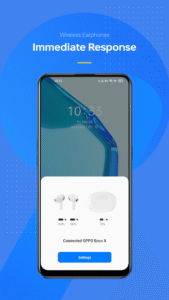
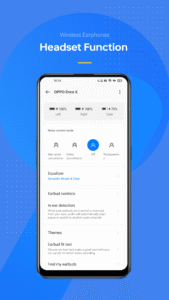
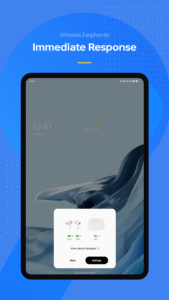
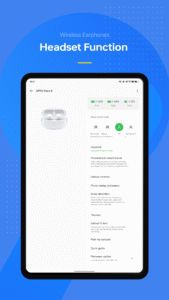
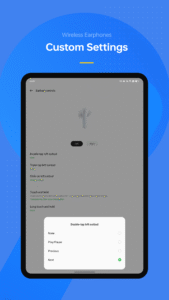
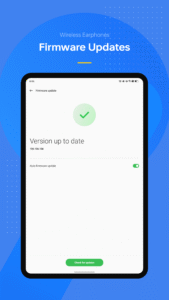
Wireless Earphones is the software for firmware upgrade and function setting of OnePlus wireless headsets, as well as OPPO wireless headsets.
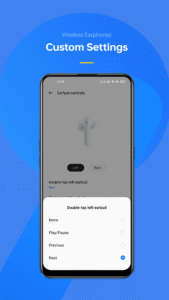
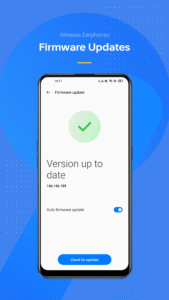
You can quickly view battery levels of your left and right earbuds, modify the headset operation and headset firmware upgrade. Pairing your earbuds with your phone is a snap with Wireless Earphones.
Notes:
If there is no related function after downloading the app, please update the App version and try again.
You can quickly view battery levels of your left and right earbuds, modify the headset operation and headset firmware upgrade. Pairing your earbuds with your phone is a snap with Wireless Earphones.
Notes:
If there is no related function after downloading the app, please update the App version and try again.
Download Wireless Earphones APK
Fast, free and safe download.
APK Permissions 25
- android.permission.ACCESS_NETWORK_STATE
- android.permission.BLUETOOTH
- android.permission.BLUETOOTH_CONNECT
- android.permission.BLUETOOTH_SCAN
- android.permission.INTERNET
- android.permission.POST_NOTIFICATIONS
- android.permission.READ_PHONE_STATE
- android.permission.RECORD_AUDIO
- android.permission.SYSTEM_ALERT_WINDOW
- android.permission.VIBRATE
- com.oplus.melody.DYNAMIC_RECEIVER_NOT_EXPORTED_PERMISSION
- com.oplus.metis.factdata.permission.DATABASE
- com.oplus.permission.safe.AI_APP
- com.oplus.permission.safe.APP_MANAGER
- com.oplus.permission.safe.AUTHENTICATE
- com.oplus.permission.safe.BACKUP
- com.oplus.permission.safe.BLUETOOTH
- com.oplus.permission.safe.IOT
- com.oplus.permission.safe.PERSISTENT
- com.oplus.permission.safe.SECURITY
- com.oplus.permission.safe.SETTINGS
- heytap.speechassist.permission.ACTIVATE_SPEECH_ASSIST
- oplus.permission.OPLUS_COMPONENT_SAFE
- oplus.permission.settings.LAUNCH_FOR_EXPORT
- permission: com.oplus.permission.safe.AI_APP
APK Verified
The cryptographic signature guarantees that the file is safe to install and was not tampered with in any way.
Similar in Tools


Frequently Asked Questions about Wireless Earphones APK
This is the universal variant — a single APK that contains native libraries for every CPU architecture. It installs on any Android device but is larger than per-architecture variants.
Yes — the APK's signature has been cryptographically verified against the publisher's signing key. The SHA-256 hash is shown in the File Information panel so you can independently confirm the file matches the original release.
Android 31 (API level 36) or newer. Older devices will refuse the install.
Install a free app like 'CPU-Z' or 'Droid Hardware Info' from the Play Store and look at the ABI / Instruction Set row. Most phones made after 2017 are arm64-v8a; if in doubt, download the universal variant.
All variants are functionally identical — same features, same version. They differ only in which CPU architectures the native code is compiled for, and (sometimes) which screen densities the included graphics target. Pick the one that matches your device for the smallest install size, or pick 'Universal' if you're unsure.