
Download Figma: view. comment. mirror. APK 25.33.0 Universal · Android 26+
Download APK
Verified Safe
This is the universal build of Figma: view. comment. mirror. 25.33.0. It contains native libraries for every CPU architecture (arm64-v8a, armeabi-v7a, x86, x86_64), so it installs on any Android device. The trade-off is size — it's larger than per-architecture variants. Pick this one if you're unsure which CPU your phone has, or if you plan to share the APK with multiple devices.
File size: 25.1 MB • Min Android: 26 • Target Android: 34 • Version code: 1044 • Framework: Native (Java/Kotlin) • Permissions: 16
Screenshots
File Information
| Package Name | com.figma.mirror |
|---|---|
| Version Name | 25.33.0 |
| Version Code | 1044 |
| Architecture | Universal |
| Min Android Version | Android 26 (API 34) |
| Main Activity | com.figma.figma.MainActivity |
| Framework | Native (Java/Kotlin) |
| File Size | 25.15 MB |
| Signature (SHA1) | 919417611B0A0A0873A82E9A8DB8D27CBCEF985B |
| File Hash (SHA256) | 2cbdc97d69d44ffc67e1f8de3ed683b32b2100004b30095e5127edf68024f08b |
What's New
Bug fixes & performance improvements
App Description
Collaborate on the go. View, share, and mirror designs with just a few taps. With Figma’s official mobile app, you can:
REVIEW YOUR FILES
Access Figma, FigJam, Prototype and Slides files.
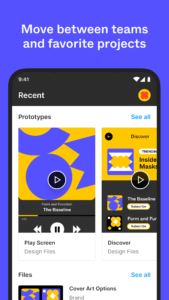
Quickly search for files by name or browse your recently viewed files.
Navigate between pages and flows in any file.
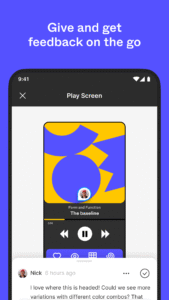
CREATE AND REPLY TO COMMENTS
Add comments and mention teammates anywhere in a file.
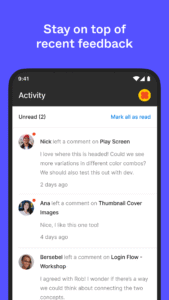
Get notified for new comments and replies.
Resolve and respond to comments on the go.
View a list of all comment threads in a file.
SHARE FILES WITH YOUR TEAM
Invite collaborators and share links to your files.
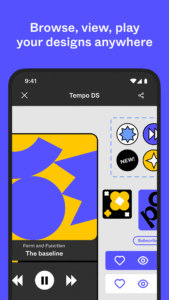
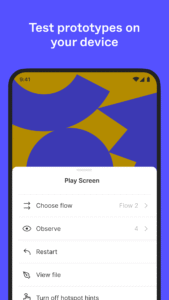
PLAY YOUR PROTOTYPES
Play and replay prototypes in full screen.
Adjust prototype scaling.
Toggle hotspot hints.
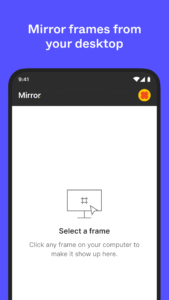
MIRROR DESIGNS IN REAL-TIME
Sync selected frames from desktop to your mobile device.
Watch real-time edits to your designs on your mobile device.
Preview how assets in your design look scaled to a device screen.
EXPLORE SLIDES EFFORTLESSLY
View and comment on decks in both landscape and portrait mode.
MANAGE PERMISSIONS ON THE FLY
Update file permissions to control who can view or edit your work.
BROWSE AND SWITCH WORKSPACES
Navigate between teams, plans, and projects tied to your account.
On iPad, you can also use FigJam to:
- Sketch with the Apple Pencil to explore and iterate on ideas more fluidly
- Share and riff on early thinking with your team
- Annotate designs to share feedback
- Jot down ideas whenever inspiration strikes
REVIEW YOUR FILES
Access Figma, FigJam, Prototype and Slides files.
Quickly search for files by name or browse your recently viewed files.
Navigate between pages and flows in any file.
CREATE AND REPLY TO COMMENTS
Add comments and mention teammates anywhere in a file.
Get notified for new comments and replies.
Resolve and respond to comments on the go.
View a list of all comment threads in a file.
SHARE FILES WITH YOUR TEAM
Invite collaborators and share links to your files.
PLAY YOUR PROTOTYPES
Play and replay prototypes in full screen.
Adjust prototype scaling.
Toggle hotspot hints.
MIRROR DESIGNS IN REAL-TIME
Sync selected frames from desktop to your mobile device.
Watch real-time edits to your designs on your mobile device.
Preview how assets in your design look scaled to a device screen.
EXPLORE SLIDES EFFORTLESSLY
View and comment on decks in both landscape and portrait mode.
MANAGE PERMISSIONS ON THE FLY
Update file permissions to control who can view or edit your work.
BROWSE AND SWITCH WORKSPACES
Navigate between teams, plans, and projects tied to your account.
On iPad, you can also use FigJam to:
- Sketch with the Apple Pencil to explore and iterate on ideas more fluidly
- Share and riff on early thinking with your team
- Annotate designs to share feedback
- Jot down ideas whenever inspiration strikes
Download Figma: view. comment. mirror. APK
Fast, free and safe download.
APK Permissions 16
- android.permission.ACCESS_ADSERVICES_AD_ID
- android.permission.ACCESS_ADSERVICES_ATTRIBUTION
- android.permission.ACCESS_NETWORK_STATE
- android.permission.ACCESS_WIFI_STATE
- android.permission.DETECT_SCREEN_CAPTURE
- android.permission.FOREGROUND_SERVICE
- android.permission.INTERNET
- android.permission.POST_NOTIFICATIONS
- android.permission.READ_EXTERNAL_STORAGE
- android.permission.RECEIVE_BOOT_COMPLETED
- android.permission.REORDER_TASKS
- android.permission.WAKE_LOCK
- com.figma.mirror.DYNAMIC_RECEIVER_NOT_EXPORTED_PERMISSION
- com.google.android.c2dm.permission.RECEIVE
- com.google.android.finsky.permission.BIND_GET_INSTALL_REFERRER_SERVICE
- com.google.android.gms.permission.AD_ID
APK Verified
The cryptographic signature guarantees that the file is safe to install and was not tampered with in any way.
Similar in Art & Design


Frequently Asked Questions about Figma: view. comment. mirror. APK
This is the universal variant — a single APK that contains native libraries for every CPU architecture. It installs on any Android device but is larger than per-architecture variants.
Yes — the APK's signature has been cryptographically verified against the publisher's signing key. The SHA-256 hash is shown in the File Information panel so you can independently confirm the file matches the original release.
Android 26 (API level 34) or newer. Older devices will refuse the install.
Install a free app like 'CPU-Z' or 'Droid Hardware Info' from the Play Store and look at the ABI / Instruction Set row. Most phones made after 2017 are arm64-v8a; if in doubt, download the universal variant.
All variants are functionally identical — same features, same version. They differ only in which CPU architectures the native code is compiled for, and (sometimes) which screen densities the included graphics target. Pick the one that matches your device for the smallest install size, or pick 'Universal' if you're unsure.