
Screenshots
File Information
| Package Name | com.google.android.apps.wearables.maestro.companion |
|---|---|
| Version Name | 1.0.820032133 |
| Version Code | 10222211 |
| Architecture | arm64-v8a |
| Min Android Version | Android 23 (API 35) |
| Main Activity | com.google.android.apps.wearables.maestro.companion.ui.ShortCutActivity |
| Framework | Native (Java/Kotlin) |
| File Size | 70.71 MB |
| Signature (SHA1) | 504DFE5F654AFC841695888F912E62DAB35872D7 |
| File Hash (SHA256) | 1f331e4ebd5e84fbf5db0d2f8aeb1d44e959717d982b8764c25ded1385ad94dd |
What's New
Welcome to your new Google Pixel Buds
App Description
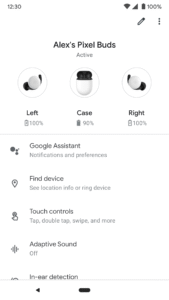
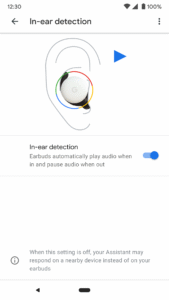
Set up and manage your Pixel Buds right from your Android 6.0+ device with the Google Pixel Buds app. You can easily check your earbuds and case battery levels, and control features like Adaptive Sound, in-ear detection, find device, Google Assistant, and spoken notifications.
Here are some of the things you can do with the Google Pixel Buds app:
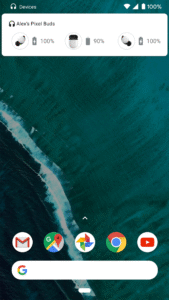
• Check battery levels
• Learn how to use touch controls
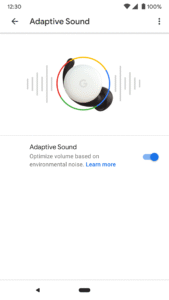
• Turn on/off Adaptive Sound
• Turn on/off in-ear detection
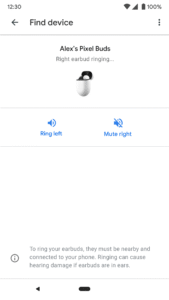
• Ring your earbuds to help find them
• Control your Assistant and spoken notifications
• Get tips & support
To open the Pixel Buds app:
• On Pixel, connect your earbuds > Bluetooth settings > tap the ⚙️next to Pixel Buds.
• On other Android phones, look for the Pixel Buds app icon on your Home screen.
Note: This app is for Google Pixel Buds (2nd Gen)
Here are some of the things you can do with the Google Pixel Buds app:
• Check battery levels
• Learn how to use touch controls
• Turn on/off Adaptive Sound
• Turn on/off in-ear detection
• Ring your earbuds to help find them
• Control your Assistant and spoken notifications
• Get tips & support
To open the Pixel Buds app:
• On Pixel, connect your earbuds > Bluetooth settings > tap the ⚙️next to Pixel Buds.
• On other Android phones, look for the Pixel Buds app icon on your Home screen.
Note: This app is for Google Pixel Buds (2nd Gen)
Download Google Pixel Buds APK
Fast, free and safe download.
APK Permissions 21
- android.permission.ACCESS_NETWORK_STATE
- android.permission.BLUETOOTH
- android.permission.BLUETOOTH_ADMIN
- android.permission.BLUETOOTH_CONNECT
- android.permission.BLUETOOTH_PRIVILEGED
- android.permission.BLUETOOTH_SCAN
- android.permission.FOREGROUND_SERVICE
- android.permission.FOREGROUND_SERVICE_CONNECTED_DEVICE
- android.permission.GET_PACKAGE_SIZE
- android.permission.INTERNET
- android.permission.MANAGE_USB
- android.permission.MODIFY_AUDIO_ROUTING
- android.permission.MODIFY_AUDIO_SETTINGS
- android.permission.MODIFY_DEFAULT_AUDIO_EFFECTS
- android.permission.POST_NOTIFICATIONS
- android.permission.READ_SYSTEM_GRAMMATICAL_GENDER
- android.permission.REQUEST_COMPANION_RUN_IN_BACKGROUND
- android.permission.REQUEST_COMPANION_USE_DATA_IN_BACKGROUND
- android.permission.REQUEST_OBSERVE_COMPANION_DEVICE_PRESENCE
- android.permission.WAKE_LOCK
- com.google.android.providers.gsf.permission.READ_GSERVICES
APK Verified
The cryptographic signature guarantees that the file is safe to install and was not tampered with in any way.


