
This is the armeabi-v7a build of Google TV 4.40.6.8-tv, compiled for 32-bit ARM processors found in older Android phones (roughly 2013-2017). Use this build if your device's primary ABI is armeabi-v7a — modern 64-bit phones should pick the arm64-v8a or universal variant for better performance.
File size: 18.8 MB • Min Android: 23 • Target Android: 33 • Version code: 44006105 • Framework: Native (Java/Kotlin) • Permissions: 15
Screenshots
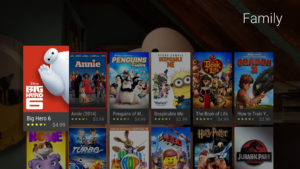
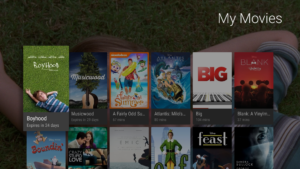
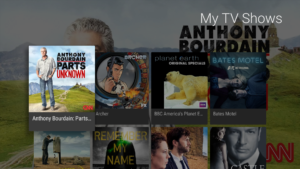
File Information
| Package Name | com.google.android.videos |
|---|---|
| Version Name | 4.40.6.8-tv |
| Version Code | 44006105 |
| Architecture | armeabi-v7a |
| Min Android Version | Android 23 (API 33) |
| Framework | Native (Java/Kotlin) |
| File Size | 18.78 MB |
| Signature (SHA1) | 24BB24C05E47E0AEFA68A58A766179D9B613A600 |
| File Hash (SHA256) | 17e3f0c7ffe3b8fda7da594c17278f9393ed8e538e64770b86cc3deff267ffea |
What's New
Find where your favorite shows and movies are streaming
* Discover something new in just a few taps
* Add thumbs up or down to get personal recommendations based on what you like to watch
* See which streaming apps offer the show or movie you want to watch
* Discover something new in just a few taps
* Add thumbs up or down to get personal recommendations based on what you like to watch
* See which streaming apps offer the show or movie you want to watch
App Description
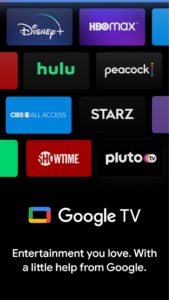
Google TV, previously Play Movies & TV, makes it easy to find and enjoy the entertainment you love in one place. With Google TV, you'll be able to:
Find what to watch next
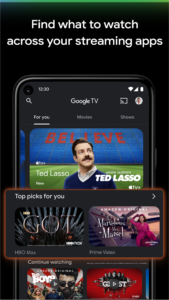
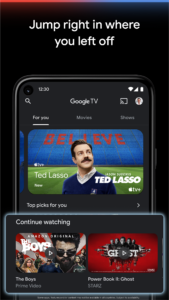
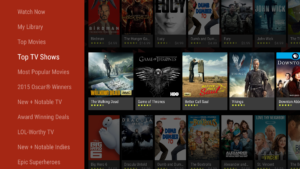
Browse 700,000+ movies and TV episodes from across your streaming apps, all in one place and organized into topics and genres. Discover new things with recommendations based on what you love and what’s trending across the services you already have access to. Search for titles to see which streaming apps offer them.
See the latest releases
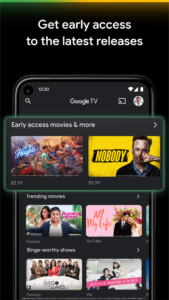
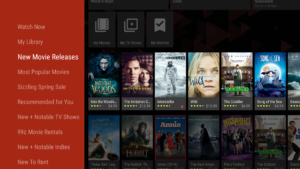
Buy or rent the newest movies and shows right in the Shop tab. Purchases are stored in your Library and can be downloaded to watch when you're not connected. Watch instantly on your laptop, Android phone or tablet, or on your TV with Google TV or on Play Movies & TV where available.
One list for all your discoveries
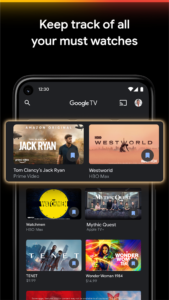
Add interesting shows and movies to your Watchlist to keep track of your new discoveries and view them later. The Watchlist is shared between all your devices, so you can even add to your Watchlist from your TV or phone and laptop through Search on any browser.
Use your phone as your remote
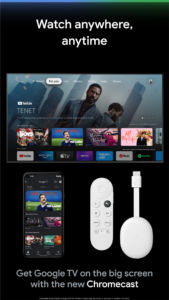
With a remote built right into the app, you can find something great to watch even when the couch has eaten your remote. And you can use your phone’s keyboard to quickly type complicated passwords, movie names or search terms on your Google TV or other Android TV OS device.
Pantaya is a service only available in the US.
Separate subscriptions required for certain streaming services or access to certain content.
Find what to watch next
Browse 700,000+ movies and TV episodes from across your streaming apps, all in one place and organized into topics and genres. Discover new things with recommendations based on what you love and what’s trending across the services you already have access to. Search for titles to see which streaming apps offer them.
See the latest releases
Buy or rent the newest movies and shows right in the Shop tab. Purchases are stored in your Library and can be downloaded to watch when you're not connected. Watch instantly on your laptop, Android phone or tablet, or on your TV with Google TV or on Play Movies & TV where available.
One list for all your discoveries
Add interesting shows and movies to your Watchlist to keep track of your new discoveries and view them later. The Watchlist is shared between all your devices, so you can even add to your Watchlist from your TV or phone and laptop through Search on any browser.
Use your phone as your remote
With a remote built right into the app, you can find something great to watch even when the couch has eaten your remote. And you can use your phone’s keyboard to quickly type complicated passwords, movie names or search terms on your Google TV or other Android TV OS device.
Pantaya is a service only available in the US.
Separate subscriptions required for certain streaming services or access to certain content.
Download Google TV APK
Fast, free and safe download.
APK Permissions 15
- android.permission.ACCESS_COARSE_LOCATION
- android.permission.ACCESS_NETWORK_STATE
- android.permission.ACCESS_WIFI_STATE
- android.permission.FOREGROUND_SERVICE
- android.permission.GET_PACKAGE_SIZE
- android.permission.INTERNET
- android.permission.READ_SYNC_SETTINGS
- android.permission.RECEIVE_BOOT_COMPLETED
- android.permission.RECORD_AUDIO
- android.permission.WAKE_LOCK
- android.permission.WRITE_SYNC_SETTINGS
- com.google.android.c2dm.permission.RECEIVE
- com.google.android.googleapps.permission.GOOGLE_AUTH
- com.google.android.providers.gsf.permission.READ_GSERVICES
- com.google.android.videos.DYNAMIC_RECEIVER_NOT_EXPORTED_PERMISSION
APK Verified
The cryptographic signature guarantees that the file is safe to install and was not tampered with in any way.
Similar in Video Players


Frequently Asked Questions about Google TV APK
This variant is built for 32-bit ARM (older Android phones, ~2013–2017). If your device's CPU matches, this is the smallest, fastest version to install.
Yes — the APK's signature has been cryptographically verified against the publisher's signing key. The SHA-256 hash is shown in the File Information panel so you can independently confirm the file matches the original release.
Android 23 (API level 33) or newer. Older devices will refuse the install.
Install a free app like 'CPU-Z' or 'Droid Hardware Info' from the Play Store and look at the ABI / Instruction Set row. Most phones made after 2017 are arm64-v8a; if in doubt, download the universal variant.
All variants are functionally identical — same features, same version. They differ only in which CPU architectures the native code is compiled for, and (sometimes) which screen densities the included graphics target. Pick the one that matches your device for the smallest install size, or pick 'Universal' if you're unsure.