
This is the universal build of YouTube Create 0.163.01-release. It contains native libraries for every CPU architecture (arm64-v8a, armeabi-v7a, x86, x86_64), so it installs on any Android device. The trade-off is size — it's larger than per-architecture variants. Pick this one if you're unsure which CPU your phone has, or if you plan to share the APK with multiple devices.
File size: 131.3 MB • Min Android: 26 • Target Android: 35 • Version code: 168725 • Framework: Native (Java/Kotlin) • Permissions: 19
Screenshots
File Information
| Package Name | com.google.android.apps.youtube.producer |
|---|---|
| Version Name | 0.163.01-release |
| Version Code | 168725 |
| Architecture | Universal |
| Min Android Version | Android 26 (API 35) |
| Main Activity | com.google.android.apps.youtube.producer.application.MainActivity |
| Framework | Native (Java/Kotlin) |
| File Size | 131.35 MB |
| Signature (SHA1) | E64E926EEEB0E09EF4749B51720336C8976E87F1 |
| File Hash (SHA256) | 5796b9c5f5243be256ca4447a42e05f77d9da5edfad999774841fed86c876796 |
What's New
YouTube Create is currently in beta and is available on phones running Android 8.0 or later with at least 4GB of RAM. We will continue to add new features and improve YouTube Create over time.
App Description
Take your videos to the next level with YouTube Create, the official editing app from YouTube. Add filters & effects, royalty-free music, voiceover, auto-captions and more to easily make amazing videos that will captivate your audience — all without the need for complicated editing tools.
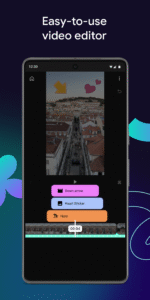
Easy Video Editing Tools
• Easily combine videos, photos, and audio all in one place
• Trim, clip, and crop video clips
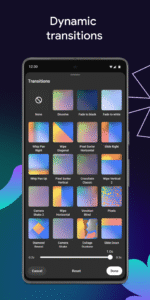
• Choose from 40+ transitions to seamlessly blend your clips together
• Speed up or slow down your video
Next-Level Video Editing Features
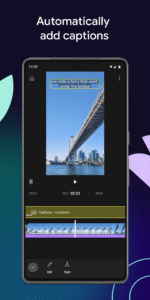
• Automatically add captions or subtitles to your videos with just one tap (available in select languages)
• Easily remove distracting background noise with the audio clean up tool
• Remove your video’s background with the cut out effect
Music & Audio
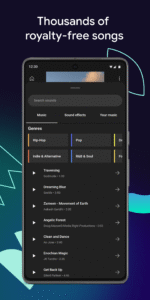
• Bring your video to life with thousands of royalty-free music tracks and sound effects
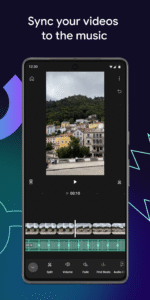
• Find the beat of your soundtrack and easily sync your video clips to the music with beat matching
• Narrate your videos by recording a voiceover directly in the app
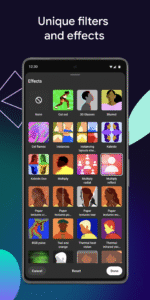
Filters & Effects
• Enhance the color by adjusting saturation, brightness, and more
• Set the mood with customizable filters
• Choose from a variety of effects to make your videos pop
Stickers & Fonts
• Add your creative touch with hundreds of fonts and animated text effects
• Choose from a library of stickers, GIFs, and emojis to match your style
Made to Share
• Resize your videos to different aspect ratios, including portrait, landscape, and square for sharing across different formats
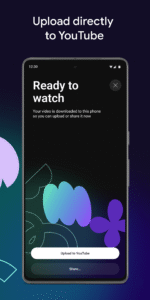
• Easily upload your video directly to your YouTube channel and share your creation with your audience
Easy Video Editing Tools
• Easily combine videos, photos, and audio all in one place
• Trim, clip, and crop video clips
• Choose from 40+ transitions to seamlessly blend your clips together
• Speed up or slow down your video
Next-Level Video Editing Features
• Automatically add captions or subtitles to your videos with just one tap (available in select languages)
• Easily remove distracting background noise with the audio clean up tool
• Remove your video’s background with the cut out effect
Music & Audio
• Bring your video to life with thousands of royalty-free music tracks and sound effects
• Find the beat of your soundtrack and easily sync your video clips to the music with beat matching
• Narrate your videos by recording a voiceover directly in the app
Filters & Effects
• Enhance the color by adjusting saturation, brightness, and more
• Set the mood with customizable filters
• Choose from a variety of effects to make your videos pop
Stickers & Fonts
• Add your creative touch with hundreds of fonts and animated text effects
• Choose from a library of stickers, GIFs, and emojis to match your style
Made to Share
• Resize your videos to different aspect ratios, including portrait, landscape, and square for sharing across different formats
• Easily upload your video directly to your YouTube channel and share your creation with your audience
Download YouTube Create APK
Fast, free and safe download.
APK Permissions 19
- android.permission.ACCESS_NETWORK_STATE
- android.permission.ACCESS_WIFI_STATE
- android.permission.FOREGROUND_SERVICE
- android.permission.FOREGROUND_SERVICE_DATA_SYNC
- android.permission.GET_ACCOUNTS
- android.permission.GET_PACKAGE_SIZE
- android.permission.INTERNET
- android.permission.MANAGE_ACCOUNTS
- android.permission.POST_NOTIFICATIONS
- android.permission.READ_EXTERNAL_STORAGE
- android.permission.READ_MEDIA_AUDIO
- android.permission.READ_MEDIA_IMAGES
- android.permission.READ_MEDIA_VIDEO
- android.permission.RECEIVE_BOOT_COMPLETED
- android.permission.RECORD_AUDIO
- android.permission.WAKE_LOCK
- android.permission.WRITE_EXTERNAL_STORAGE
- com.google.android.apps.youtube.producer.DYNAMIC_RECEIVER_NOT_EXPORTED_PERMISSION
- com.google.android.providers.gsf.permission.READ_GSERVICES
APK Verified
The cryptographic signature guarantees that the file is safe to install and was not tampered with in any way.
Similar in Video Players


Frequently Asked Questions about YouTube Create APK
This is the universal variant — a single APK that contains native libraries for every CPU architecture. It installs on any Android device but is larger than per-architecture variants.
Yes — the APK's signature has been cryptographically verified against the publisher's signing key. The SHA-256 hash is shown in the File Information panel so you can independently confirm the file matches the original release.
Android 26 (API level 35) or newer. Older devices will refuse the install.
Install a free app like 'CPU-Z' or 'Droid Hardware Info' from the Play Store and look at the ABI / Instruction Set row. Most phones made after 2017 are arm64-v8a; if in doubt, download the universal variant.
All variants are functionally identical — same features, same version. They differ only in which CPU architectures the native code is compiled for, and (sometimes) which screen densities the included graphics target. Pick the one that matches your device for the smallest install size, or pick 'Universal' if you're unsure.