
Download GeoZilla - Family GPS Locator APK 6.70.8 Universal · Android 23+
Download APK
Verified Safe
This is the universal build of GeoZilla - Family GPS Locator 6.70.8. It contains native libraries for every CPU architecture (arm64-v8a, armeabi-v7a, x86, x86_64), so it installs on any Android device. The trade-off is size — it's larger than per-architecture variants. Pick this one if you're unsure which CPU your phone has, or if you plan to share the APK with multiple devices.
File size: 77.2 MB • Min Android: 23 • Target Android: 34 • Version code: 131750 • Framework: Native (Java/Kotlin) • Permissions: 30
Screenshots


File Information
| Package Name | com.geozilla.family |
|---|---|
| Version Name | 6.70.8 |
| Version Code | 131750 |
| Architecture | Universal |
| Min Android Version | Android 23 (API 34) |
| Main Activity | com.mteam.mfamily.ui.SplashScreenActivity |
| Framework | Native (Java/Kotlin) |
| File Size | 77.17 MB |
| Signature (SHA1) | EE74E09E40A324B806AE5ED68A4543E50C3B6FC2 |
| File Hash (SHA256) | 69c4ba79396727577a52db034dcb5c12805d8b73c69eaa652f4f50e55713467e |
What's New
From version
6.70.4
:
GeoZilla is getting better, so update and share your thoughts via
support@geozilla.com
. Your feedback makes a difference.
6.70.4
:
GeoZilla is getting better, so update and share your thoughts via
support@geozilla.com
. Your feedback makes a difference.
App Description
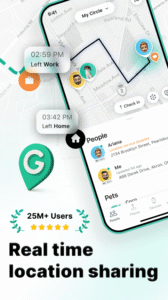
GeoZilla Family Locator is an ultimate GPS location tracker app. It allows you track the live location, find lost phones, and stay connected with your loved ones anywhere and anytime.
As a Family location tracker app, GeoZilla helps to take care of your family. Invite your neighbors by phone number, link or QR code to circle and start tracking a live location to make sure you are all safe.
GeoZilla Family Locator features to use:
• Locate your family, friends and even the lost phone in real-time Phone Tracker.
• Allow Live Location Sharing to get notified when your family arrives or leaves key points.
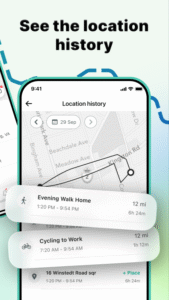
• See your family members gps location history and visited places
• Share texts and updates in the Family Locator's private messenger
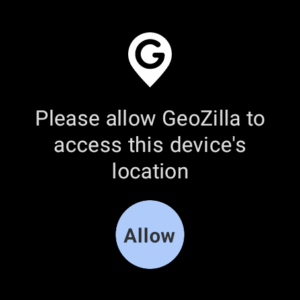
GeoZilla Location tracking app works with Wear OS
Share your real-time location with your family using your smartwatch.
Stay safe on the road
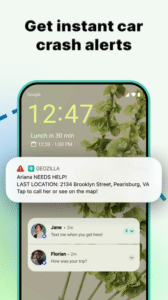
Use Driver Safety reporting to know if a family member is speeding or using their phone while driving. Crash Detection will fire an alert in the event of a roadside accident to notify your emergency contacts so you can get help faster.
Use of Significant Location Change (SLC) ensures the family location tracker is in sleep mode until you have significantly moved on the map to keep the GPS at bay and your battery life from draining.
Use the gps family locator app to get notified when loved ones leave home to find if they arrive safely and on time.
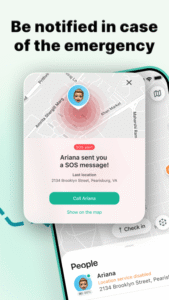
Link your family members as Emergency Contacts in GeoZilla gps location tracker and be informed of their location information if they ever need your help.
With GeoZilla gps family locator, you can rest a bit easier knowing that you have them linked with GPS tracking and be certain your loved ones are safe when away from home.
Please note that location sharing is opt-in only GeoZilla requires consent from all family members to be linked.
GeoZilla requires the following optional permission requests:
• Location services to enable live location sharing, SOS alerts, & place alerts even when the app is closed or not in use
• Notifications, to inform you of your family's gps location changes
• Contacts, to find other users to join your family location sharing circle by mobile number
• Photos and Camera, to change your profile picture
• Motion and Fitness to track gps location for Driver reports
If you have any feedback about GeoZilla Family Locator & GPS tracker, please share it by
support@geozilla.com
.
For more information please, read our Privacy Policy & Terms of Use:
geozilla.com/privacy-policy
or
geozilla.com/terms-of-use
As a Family location tracker app, GeoZilla helps to take care of your family. Invite your neighbors by phone number, link or QR code to circle and start tracking a live location to make sure you are all safe.
GeoZilla Family Locator features to use:
• Locate your family, friends and even the lost phone in real-time Phone Tracker.
• Allow Live Location Sharing to get notified when your family arrives or leaves key points.
• See your family members gps location history and visited places
• Share texts and updates in the Family Locator's private messenger
GeoZilla Location tracking app works with Wear OS
Share your real-time location with your family using your smartwatch.
Stay safe on the road
Use Driver Safety reporting to know if a family member is speeding or using their phone while driving. Crash Detection will fire an alert in the event of a roadside accident to notify your emergency contacts so you can get help faster.
Use of Significant Location Change (SLC) ensures the family location tracker is in sleep mode until you have significantly moved on the map to keep the GPS at bay and your battery life from draining.
Use the gps family locator app to get notified when loved ones leave home to find if they arrive safely and on time.
Link your family members as Emergency Contacts in GeoZilla gps location tracker and be informed of their location information if they ever need your help.
With GeoZilla gps family locator, you can rest a bit easier knowing that you have them linked with GPS tracking and be certain your loved ones are safe when away from home.
Please note that location sharing is opt-in only GeoZilla requires consent from all family members to be linked.
GeoZilla requires the following optional permission requests:
• Location services to enable live location sharing, SOS alerts, & place alerts even when the app is closed or not in use
• Notifications, to inform you of your family's gps location changes
• Contacts, to find other users to join your family location sharing circle by mobile number
• Photos and Camera, to change your profile picture
• Motion and Fitness to track gps location for Driver reports
If you have any feedback about GeoZilla Family Locator & GPS tracker, please share it by
support@geozilla.com
.
For more information please, read our Privacy Policy & Terms of Use:
geozilla.com/privacy-policy
or
geozilla.com/terms-of-use
Download GeoZilla - Family GPS Locator APK
Fast, free and safe download.
APK Permissions 30
- android.permission.ACCESS_ADSERVICES_AD_ID
- android.permission.ACCESS_ADSERVICES_ATTRIBUTION
- android.permission.ACCESS_BACKGROUND_LOCATION
- android.permission.ACCESS_COARSE_LOCATION
- android.permission.ACCESS_FINE_LOCATION
- android.permission.ACCESS_NETWORK_STATE
- android.permission.ACCESS_WIFI_STATE
- android.permission.ACTIVITY_RECOGNITION
- android.permission.BLUETOOTH
- android.permission.CAMERA
- android.permission.FOREGROUND_SERVICE
- android.permission.FOREGROUND_SERVICE_LOCATION
- android.permission.INTERNET
- android.permission.POST_NOTIFICATIONS
- android.permission.READ_CONTACTS
- android.permission.READ_EXTERNAL_STORAGE
- android.permission.RECEIVE_BOOT_COMPLETED
- android.permission.USE_CREDENTIALS
- android.permission.VIBRATE
- android.permission.WAKE_LOCK
- android.permission.WRITE_EXTERNAL_STORAGE
- com.android.vending.BILLING
- com.geozilla.family.DYNAMIC_RECEIVER_NOT_EXPORTED_PERMISSION
- com.google.android.c2dm.permission.RECEIVE
- com.google.android.finsky.permission.BIND_GET_INSTALL_REFERRER_SERVICE
- com.google.android.gms.permission.ACTIVITY_RECOGNITION
- com.google.android.gms.permission.AD_ID
- com.google.android.providers.gsf.permission.READ_GSERVICES
- com.huawei.appmarket.service.commondata.permission.GET_COMMON_DATA
- com.samsung.android.mapsagent.permission.READ_APP_INFO
APK Verified
The cryptographic signature guarantees that the file is safe to install and was not tampered with in any way.
Similar in Lifestyle


Frequently Asked Questions about GeoZilla - Family GPS Locator APK
This is the universal variant — a single APK that contains native libraries for every CPU architecture. It installs on any Android device but is larger than per-architecture variants.
Yes — the APK's signature has been cryptographically verified against the publisher's signing key. The SHA-256 hash is shown in the File Information panel so you can independently confirm the file matches the original release.
Android 23 (API level 34) or newer. Older devices will refuse the install.
Install a free app like 'CPU-Z' or 'Droid Hardware Info' from the Play Store and look at the ABI / Instruction Set row. Most phones made after 2017 are arm64-v8a; if in doubt, download the universal variant.
All variants are functionally identical — same features, same version. They differ only in which CPU architectures the native code is compiled for, and (sometimes) which screen densities the included graphics target. Pick the one that matches your device for the smallest install size, or pick 'Universal' if you're unsure.