
This is the universal build of Video Maker - Video.Guru 1.592.187. It contains native libraries for every CPU architecture (arm64-v8a, armeabi-v7a, x86, x86_64), so it installs on any Android device. The trade-off is size — it's larger than per-architecture variants. Pick this one if you're unsure which CPU your phone has, or if you plan to share the APK with multiple devices.
File size: 47.8 MB • Min Android: 26 • Target Android: 35 • Version code: 187 • Framework: Native (Java/Kotlin) • Permissions: 33
Screenshots
File Information
| Package Name | videoeditor.videomaker.videoeditorforyoutube |
|---|---|
| Version Name | 1.592.187 |
| Version Code | 187 |
| Architecture | Universal |
| Min Android Version | Android 26 (API 35) |
| Main Activity | com.camerasideas.instashot.main.MainActivity |
| Framework | Native (Java/Kotlin) |
| File Size | 47.77 MB |
| Signature (SHA1) | F90CB9ECDF579675C824459E6593ECB9611C6412 |
| File Hash (SHA256) | 5fff11d886300ed048f0e49c094d82202a8e2a21edbcfdb6c904f55823a67dd5 |
What's New
* Bug fixes and other improvements
Any concerns or suggestions? Let us know at
feedback@videoguru.app
.
Any concerns or suggestions? Let us know at
feedback@videoguru.app
.
App Description
Video.Guru
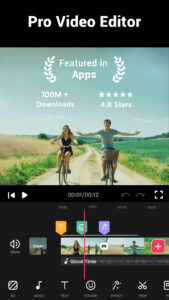
- AI video maker and video editor from photo & music, easy to share memories and fun moments with your friends. The most user friendly editing app for Android. This all-in-one video editor with
powerful & free video editing
features: video trim, cut, fast & slow motion, edit video and photos with music, transition effects, filters, save
high quality video
etc.
Easy-to-use video maker, no watermark! With Video Guru, you can
export 4k video without watermark
, easily share to YouTube and other social media like Instagram, Facebook, TikTok etc.
💡
All-in-one Video Editor
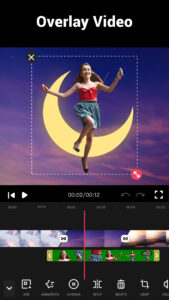
➤ Multi-Layer editing, add music, voice-overs, sound effects, glitch effects, stickers & fun fonts.
➤ Easy to use video maker, video editing more fun with transition effects.
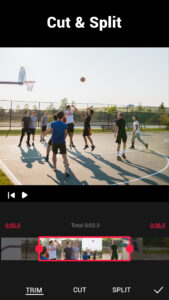
➤ Best video trimmer & video cutter to trim and cut video. Split video into multi clips.
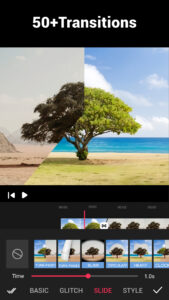
➤ 50+
video transition effects
to enhance your videos.
➤ Extract audio/music from any videos, add marks to the track according to music rhythm.
➤ Edit/combine videos with various filters, pro video editor with music and effects.
➤ Free Video Editor and Recorder, NO banner ads & watermark.
➤ Convert photos to video with music and effects, edit video like pro.
➤ Easily share videos to
YouTube, Instagram, Facebook, Likee, TikTok
etc.
🎬Pro video maker for All-Platform
* Best vlog maker and intro maker, tons of filters and effects for
video editing
✏️.
* Change video speed, create fast/
slow motion video
🐢, and save video in HD quality.
* Whether you are a
beginner or pro
, Video Guru is the best choice for movie & vlog editing .
🎬Video editor with music and effects
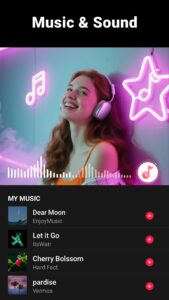
* Dozens of HD FREE music🎵 can perfectly meet your needs.
* Various BGM, you can also add custom songs on your device.
* Adjust music volume, fade in/out options supported.
* Easy-to-use music
video maker for All-Platform
.
🎬Video Filter & Effects
* Add stunning movie style
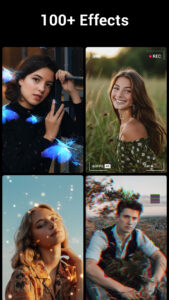
video filters and FX effects
to video panorama.
* Merge clips into one with transitions effects.
* Just a few clicks, you can create an eye-catching video✨ with magic video effects and stylish filters.
🎬Video Transitions
* Edit videos with transitions and music, combine videos for YouTube.
* A variety of video
transition effects
for editing, such as Glitch, VHS, Noise...
🎬Video Speed Editing
* Free video editing app & PRO video editor with music, fast/slow motion.
* Speed up or slow down video, adjust video speed from 0.2x to 100x.
🎬Video Background
* Add multi ratio borders and no crop. Background color and
video blur editor
.
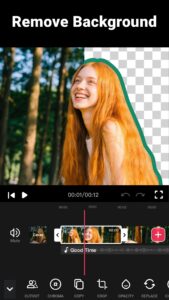
* Blur background to fit for social media.
🎬Video Compressor & Converter
* Custom resolution to compress and convert your video. Video creator with many quality options.
* HD video maker and video trimmer app✂️, advanced vlog maker and intro maker for beginners.
* Enhance the video quality, support up to 4K.
🎬Video Cropper & Ratio
* Crop video in any ratios, such as 1:1, 16:9, 3:2, etc.
HD export, no quality loss
.
* Cinema: standard 16:9 for YouTube video editing✏️.
No watermark
.
* Square: 1:1 for Instagram. Pro movie maker & video maker for YouTube, Instagram.
Video Guru is the best video editor and vlog editor, and it includes the most powerful editing tools as shown above. Try Video Guru now 🚀 and enjoy your video editing here! FREE and no registration required! In addition we constantly update effects, filters, transitions and fonts etc.
If you have any concerns or suggestions about Video Guru, don't hesitate to contact us at
feedback@videoguru.app
(or by clicking "Send Feedback" in the app settings page). 😊
Disclaimer:
Video.Guru is not affiliated, associated, sponsored, endorsed by, or in any way officially connected with YouTube, Instagram, TikTok, Facebook.
- AI video maker and video editor from photo & music, easy to share memories and fun moments with your friends. The most user friendly editing app for Android. This all-in-one video editor with
powerful & free video editing
features: video trim, cut, fast & slow motion, edit video and photos with music, transition effects, filters, save
high quality video
etc.
Easy-to-use video maker, no watermark! With Video Guru, you can
export 4k video without watermark
, easily share to YouTube and other social media like Instagram, Facebook, TikTok etc.
💡
All-in-one Video Editor
➤ Multi-Layer editing, add music, voice-overs, sound effects, glitch effects, stickers & fun fonts.
➤ Easy to use video maker, video editing more fun with transition effects.
➤ Best video trimmer & video cutter to trim and cut video. Split video into multi clips.
➤ 50+
video transition effects
to enhance your videos.
➤ Extract audio/music from any videos, add marks to the track according to music rhythm.
➤ Edit/combine videos with various filters, pro video editor with music and effects.
➤ Free Video Editor and Recorder, NO banner ads & watermark.
➤ Convert photos to video with music and effects, edit video like pro.
➤ Easily share videos to
YouTube, Instagram, Facebook, Likee, TikTok
etc.
🎬Pro video maker for All-Platform
* Best vlog maker and intro maker, tons of filters and effects for
video editing
✏️.
* Change video speed, create fast/
slow motion video
🐢, and save video in HD quality.
* Whether you are a
beginner or pro
, Video Guru is the best choice for movie & vlog editing .
🎬Video editor with music and effects
* Dozens of HD FREE music🎵 can perfectly meet your needs.
* Various BGM, you can also add custom songs on your device.
* Adjust music volume, fade in/out options supported.
* Easy-to-use music
video maker for All-Platform
.
🎬Video Filter & Effects
* Add stunning movie style
video filters and FX effects
to video panorama.
* Merge clips into one with transitions effects.
* Just a few clicks, you can create an eye-catching video✨ with magic video effects and stylish filters.
🎬Video Transitions
* Edit videos with transitions and music, combine videos for YouTube.
* A variety of video
transition effects
for editing, such as Glitch, VHS, Noise...
🎬Video Speed Editing
* Free video editing app & PRO video editor with music, fast/slow motion.
* Speed up or slow down video, adjust video speed from 0.2x to 100x.
🎬Video Background
* Add multi ratio borders and no crop. Background color and
video blur editor
.
* Blur background to fit for social media.
🎬Video Compressor & Converter
* Custom resolution to compress and convert your video. Video creator with many quality options.
* HD video maker and video trimmer app✂️, advanced vlog maker and intro maker for beginners.
* Enhance the video quality, support up to 4K.
🎬Video Cropper & Ratio
* Crop video in any ratios, such as 1:1, 16:9, 3:2, etc.
HD export, no quality loss
.
* Cinema: standard 16:9 for YouTube video editing✏️.
No watermark
.
* Square: 1:1 for Instagram. Pro movie maker & video maker for YouTube, Instagram.
Video Guru is the best video editor and vlog editor, and it includes the most powerful editing tools as shown above. Try Video Guru now 🚀 and enjoy your video editing here! FREE and no registration required! In addition we constantly update effects, filters, transitions and fonts etc.
If you have any concerns or suggestions about Video Guru, don't hesitate to contact us at
feedback@videoguru.app
(or by clicking "Send Feedback" in the app settings page). 😊
Disclaimer:
Video.Guru is not affiliated, associated, sponsored, endorsed by, or in any way officially connected with YouTube, Instagram, TikTok, Facebook.
Download Video Maker - Video.Guru APK
Fast, free and safe download.
APK Permissions 33
- android.permission.ACCESS_ADSERVICES_AD_ID
- android.permission.ACCESS_ADSERVICES_ATTRIBUTION
- android.permission.ACCESS_ADSERVICES_TOPICS
- android.permission.ACCESS_NETWORK_STATE
- android.permission.ACCESS_WIFI_STATE
- android.permission.BLUETOOTH
- android.permission.CAMERA
- android.permission.EXPAND_STATUS_BAR
- android.permission.FOREGROUND_SERVICE
- android.permission.FOREGROUND_SERVICE_DATA_SYNC
- android.permission.FOREGROUND_SERVICE_MEDIA_PROJECTION
- android.permission.FOREGROUND_SERVICE_MICROPHONE
- android.permission.INTERNET
- android.permission.POST_NOTIFICATIONS
- android.permission.READ_EXTERNAL_STORAGE
- android.permission.READ_MEDIA_AUDIO
- android.permission.READ_MEDIA_IMAGES
- android.permission.READ_MEDIA_VIDEO
- android.permission.READ_MEDIA_VISUAL_USER_SELECTED
- android.permission.RECEIVE_USER_PRESENT
- android.permission.RECORD_AUDIO
- android.permission.REQUEST_IGNORE_BATTERY_OPTIMIZATIONS
- android.permission.SYSTEM_ALERT_WINDOW
- android.permission.VIBRATE
- android.permission.WAKE_LOCK
- android.permission.WRITE_EXTERNAL_STORAGE
- com.android.vending.BILLING
- com.applovin.array.apphub.permission.BIND_APPHUB_SERVICE
- com.google.android.apps.photos.permission.GOOGLE_PHOTOS
- com.google.android.finsky.permission.BIND_GET_INSTALL_REFERRER_SERVICE
- com.google.android.gms.permission.AD_ID
- com.google.android.providers.gsf.permission.READ_GSERVICES
- videoeditor.videomaker.videoeditorforyoutube.DYNAMIC_RECEIVER_NOT_EXPORTED_PERMISSION
APK Verified
The cryptographic signature guarantees that the file is safe to install and was not tampered with in any way.
Similar in Video Players


More by InShot Video Editor


Frequently Asked Questions about Video Maker - Video.Guru APK
This is the universal variant — a single APK that contains native libraries for every CPU architecture. It installs on any Android device but is larger than per-architecture variants.
Yes — the APK's signature has been cryptographically verified against the publisher's signing key. The SHA-256 hash is shown in the File Information panel so you can independently confirm the file matches the original release.
Android 26 (API level 35) or newer. Older devices will refuse the install.
Install a free app like 'CPU-Z' or 'Droid Hardware Info' from the Play Store and look at the ABI / Instruction Set row. Most phones made after 2017 are arm64-v8a; if in doubt, download the universal variant.
All variants are functionally identical — same features, same version. They differ only in which CPU architectures the native code is compiled for, and (sometimes) which screen densities the included graphics target. Pick the one that matches your device for the smallest install size, or pick 'Universal' if you're unsure.