
This is the universal build of AnyGo - GPS Emulator 4.0.6. It contains native libraries for every CPU architecture (arm64-v8a, armeabi-v7a, x86, x86_64), so it installs on any Android device. The trade-off is size — it's larger than per-architecture variants. Pick this one if you're unsure which CPU your phone has, or if you plan to share the APK with multiple devices.
File size: 25.2 MB • Min Android: 24 • Target Android: 34 • Version code: 406 • Framework: Native (Java/Kotlin) • Permissions: 19
Screenshots

File Information
| Package Name | com.luckydog.anygoapp |
|---|---|
| Version Name | 4.0.6 |
| Version Code | 406 |
| Architecture | Universal |
| Min Android Version | Android 24 (API 34) |
| Main Activity | com.luckydog.anygoapp.activity.WelcomeActivity |
| Framework | Native (Java/Kotlin) |
| File Size | 25.24 MB |
| Signature (SHA1) | BF45644D83C49A7709FC086A741869532222969F |
| File Hash (SHA256) | e5ed850c4ab9201dfb03823b35bc9c163b3ea84e1e4fbae3850607d6a2e85daf |
What's New
1. Fixed some bugs.
App Description
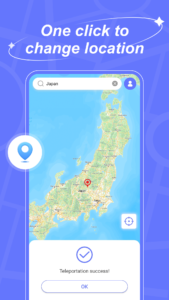
Are you looking for a reliable location spoofer? AnyGo is here to help!
AnyGo Fake GPS: The Best Fake GPS App for Android & iOS
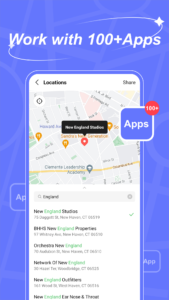
✨ Fake GPS Location for 100+ apps and games like POGO, MHN, and Life360!
✨ Safely location spoofer: no cracked apps or computer needed!
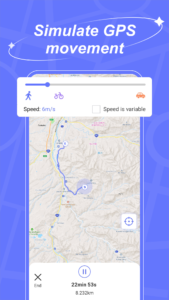
✨ Simulate GPS movement with custom routes, speeds, and joystick control!
✨ The best GPS spoofer supports the latest Android!
✨ Now with the ability to save your favorite locations and routes!
Why AnyGo is the Best Fake GPS App:
📍 Bluetooth spoofing for iOS devices on Android.
📍 Play original games like POGO and MHM without limits.
📍 Instantly find Pokemon resources and teleport to coordinates.
📍 Switch between social and game modes with one click.
📍 Explore anywhere freely—no restrictions!
3 steps to fake GPS location on Android:
1. Download and install AnyGo GPS spoofer on your device.
2. Enter the virtual location in the app and confirm it.
3. Your location will be changed to a specific place in a second.
With AnyGo GPS Spoofer Android, there are no root or complicated steps, just easy, reliable location spoofing. Download now and take control of your GPS location!
📢Note: Reboot your device to restore the real location.
❗Disclaimer
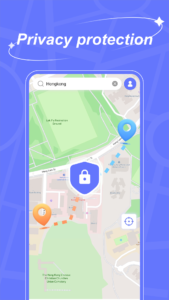
This application protects people's actual GPS location from being tracked by others. We are not responsible for any use by end users of the Application.
AnyGo Fake GPS: The Best Fake GPS App for Android & iOS
✨ Fake GPS Location for 100+ apps and games like POGO, MHN, and Life360!
✨ Safely location spoofer: no cracked apps or computer needed!
✨ Simulate GPS movement with custom routes, speeds, and joystick control!
✨ The best GPS spoofer supports the latest Android!
✨ Now with the ability to save your favorite locations and routes!
Why AnyGo is the Best Fake GPS App:
📍 Bluetooth spoofing for iOS devices on Android.
📍 Play original games like POGO and MHM without limits.
📍 Instantly find Pokemon resources and teleport to coordinates.
📍 Switch between social and game modes with one click.
📍 Explore anywhere freely—no restrictions!
3 steps to fake GPS location on Android:
1. Download and install AnyGo GPS spoofer on your device.
2. Enter the virtual location in the app and confirm it.
3. Your location will be changed to a specific place in a second.
With AnyGo GPS Spoofer Android, there are no root or complicated steps, just easy, reliable location spoofing. Download now and take control of your GPS location!
📢Note: Reboot your device to restore the real location.
❗Disclaimer
This application protects people's actual GPS location from being tracked by others. We are not responsible for any use by end users of the Application.
Download AnyGo - GPS Emulator APK
Fast, free and safe download.
APK Permissions 19
- android.permission.ACCESS_COARSE_LOCATION
- android.permission.ACCESS_FINE_LOCATION
- android.permission.ACCESS_MOCK_LOCATION
- android.permission.ACCESS_NETWORK_STATE
- android.permission.BLUETOOTH
- android.permission.BLUETOOTH_ADMIN
- android.permission.BLUETOOTH_CONNECT
- android.permission.BLUETOOTH_SCAN
- android.permission.FOREGROUND_SERVICE
- android.permission.FOREGROUND_SERVICE_SPECIAL_USE
- android.permission.INTERNET
- android.permission.READ_EXTERNAL_STORAGE
- android.permission.SYSTEM_ALERT_WINDOW
- android.permission.WAKE_LOCK
- android.permission.WRITE_EXTERNAL_STORAGE
- com.android.vending.BILLING
- com.google.android.finsky.permission.BIND_GET_INSTALL_REFERRER_SERVICE
- com.google.android.gms.permission.AD_ID
- com.luckydog.anygoapp.DYNAMIC_RECEIVER_NOT_EXPORTED_PERMISSION
APK Verified
The cryptographic signature guarantees that the file is safe to install and was not tampered with in any way.
Similar in Tools


More by iToolab

Frequently Asked Questions about AnyGo - GPS Emulator APK
This is the universal variant — a single APK that contains native libraries for every CPU architecture. It installs on any Android device but is larger than per-architecture variants.
Yes — the APK's signature has been cryptographically verified against the publisher's signing key. The SHA-256 hash is shown in the File Information panel so you can independently confirm the file matches the original release.
Android 24 (API level 34) or newer. Older devices will refuse the install.
Install a free app like 'CPU-Z' or 'Droid Hardware Info' from the Play Store and look at the ABI / Instruction Set row. Most phones made after 2017 are arm64-v8a; if in doubt, download the universal variant.
All variants are functionally identical — same features, same version. They differ only in which CPU architectures the native code is compiled for, and (sometimes) which screen densities the included graphics target. Pick the one that matches your device for the smallest install size, or pick 'Universal' if you're unsure.