
Download KDE Connect APK 1.34.0 arm64-v8a, armeabi-v7a, x86, x86_64 · Android 22+
Download APK
Verified Safe
This is the arm64-v8a, armeabi-v7a, x86, x86_64 build of KDE Connect 1.34.0. Pick this build if your device's primary ABI matches.
File size: 8.0 MB • Min Android: 22 • Target Android: 35 • Version code: 13400 • Framework: Native (Java/Kotlin) • Permissions: 37
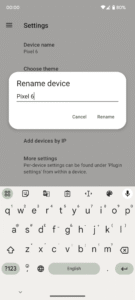
Screenshots
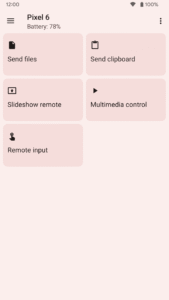
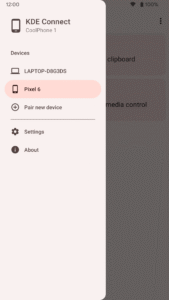
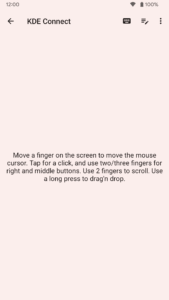
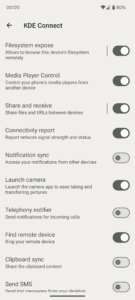
File Information
| Package Name | org.kde.kdeconnect_tp |
|---|---|
| Version Name | 1.34.0 |
| Version Code | 13400 |
| Architecture | arm64-v8a, armeabi-v7a, x86, x86_64 |
| Min Android Version | Android 22 (API 35) |
| Main Activity | org.kde.kdeconnect.UserInterface.MainActivity |
| Framework | Native (Java/Kotlin) |
| File Size | 8.00 MB |
| Signature (SHA1) | C5C8100BF819A519760505CBB283FC43A60E933C |
| File Hash (SHA256) | 55c41a8e8a0d2a0321e81fa2a02bf802d03d702458c0e63bfd09c068c6e19875 |
What's New
1.34.0
* Disabled mDNS device discovery by default. Please report any new problems finding devices.
* Fix cellular network connectivity not being reported.
* Fix unwantedly stopping multimedia players after pausing them.
* Fix arrow keys input when using remote input.
* Display "continue watching" notifications less often.
* Fix crashes and improve memory usage.
* Disabled mDNS device discovery by default. Please report any new problems finding devices.
* Fix cellular network connectivity not being reported.
* Fix unwantedly stopping multimedia players after pausing them.
* Fix arrow keys input when using remote input.
* Display "continue watching" notifications less often.
* Fix crashes and improve memory usage.
App Description
KDE Connect provides a set of features to integrate your workflow across devices:
- Transfer files between your devices.
- Access files on your phone from your computer, without wires.
- Shared clipboard: copy and paste between your devices.
- Get notifications for incoming calls and messages on your computer.
- Virtual touchpad: Use your phone screen as your computer's touchpad.
- Notifications sync: Access your phone notifications from your computer and reply to messages.
- Multimedia remote control: Use your phone as a remote for Linux media players.
- WiFi connection: no USB wire or bluetooth needed.
- End-to-end TLS encryption: your information is safe.
Please note you will need to install KDE Connect on your computer for this app to work, and keep the desktop version up-to-date with the Android version for the latest features to work.
Sensitive permissions information:
* Accessibility permission: Required to receive input from another device to control your Android phone, if you use the Remote Input feature.
* Background location permission: Required to know to which WiFi network you are connected to, if you use the Trusted Networks feature.
KDE Connect never sends any information to KDE nor to any third party. KDE Connect sends data from one device to the other directly using the local network, never through the internet, and using end to end encryption.
This app is part of an open source project and it exists thanks to all the people who contributed to it. Visit the website to grab the source code.
- Transfer files between your devices.
- Access files on your phone from your computer, without wires.
- Shared clipboard: copy and paste between your devices.
- Get notifications for incoming calls and messages on your computer.
- Virtual touchpad: Use your phone screen as your computer's touchpad.
- Notifications sync: Access your phone notifications from your computer and reply to messages.
- Multimedia remote control: Use your phone as a remote for Linux media players.
- WiFi connection: no USB wire or bluetooth needed.
- End-to-end TLS encryption: your information is safe.
Please note you will need to install KDE Connect on your computer for this app to work, and keep the desktop version up-to-date with the Android version for the latest features to work.
Sensitive permissions information:
* Accessibility permission: Required to receive input from another device to control your Android phone, if you use the Remote Input feature.
* Background location permission: Required to know to which WiFi network you are connected to, if you use the Trusted Networks feature.
KDE Connect never sends any information to KDE nor to any third party. KDE Connect sends data from one device to the other directly using the local network, never through the internet, and using end to end encryption.
This app is part of an open source project and it exists thanks to all the people who contributed to it. Visit the website to grab the source code.
Download KDE Connect APK
Fast, free and safe download.
APK Permissions 37
- android.permission.ACCESS_BACKGROUND_LOCATION
- android.permission.ACCESS_COARSE_LOCATION
- android.permission.ACCESS_FINE_LOCATION
- android.permission.ACCESS_NETWORK_STATE
- android.permission.ACCESS_WIFI_STATE
- android.permission.BLUETOOTH
- android.permission.BLUETOOTH_ADMIN
- android.permission.BLUETOOTH_CONNECT
- android.permission.BLUETOOTH_SCAN
- android.permission.CHANGE_NETWORK_STATE
- android.permission.CHANGE_WIFI_MULTICAST_STATE
- android.permission.CHANGE_WIFI_STATE
- android.permission.DOWNLOAD_WITHOUT_NOTIFICATION
- android.permission.FOREGROUND_SERVICE
- android.permission.FOREGROUND_SERVICE_CONNECTED_DEVICE
- android.permission.INTERNET
- android.permission.MANAGE_EXTERNAL_STORAGE
- android.permission.POST_NOTIFICATIONS
- android.permission.QUERY_ALL_PACKAGES
- android.permission.READ_CALL_LOG
- android.permission.READ_CONTACTS
- android.permission.READ_EXTERNAL_STORAGE
- android.permission.READ_LOGS
- android.permission.READ_PHONE_STATE
- android.permission.READ_SMS
- android.permission.RECEIVE_BOOT_COMPLETED
- android.permission.RECEIVE_MMS
- android.permission.RECEIVE_SMS
- android.permission.RECORD_AUDIO
- android.permission.REQUEST_INSTALL_PACKAGES
- android.permission.SEND_SMS
- android.permission.SYSTEM_ALERT_WINDOW
- android.permission.USE_FULL_SCREEN_INTENT
- android.permission.VIBRATE
- android.permission.WAKE_LOCK
- android.permission.WRITE_EXTERNAL_STORAGE
- org.kde.kdeconnect_tp.DYNAMIC_RECEIVER_NOT_EXPORTED_PERMISSION
APK Verified
The cryptographic signature guarantees that the file is safe to install and was not tampered with in any way.


Frequently Asked Questions about KDE Connect APK
This variant is built for devices that report `arm64-v8a, armeabi-v7a, x86, x86_64` as their primary ABI. If your device's CPU matches, this is the smallest, fastest version to install.
Yes — the APK's signature has been cryptographically verified against the publisher's signing key. The SHA-256 hash is shown in the File Information panel so you can independently confirm the file matches the original release.
Android 22 (API level 35) or newer. Older devices will refuse the install.
Install a free app like 'CPU-Z' or 'Droid Hardware Info' from the Play Store and look at the ABI / Instruction Set row. Most phones made after 2017 are arm64-v8a; if in doubt, download the universal variant.
All variants are functionally identical — same features, same version. They differ only in which CPU architectures the native code is compiled for, and (sometimes) which screen densities the included graphics target. Pick the one that matches your device for the smallest install size, or pick 'Universal' if you're unsure.