
Download Keeper Password Manager app APK wear 16.8.10.126901 Universal · Android 28+
Download APK
Verified Safe
This is the universal build of Keeper Password Manager app wear 16.8.10.126901. It contains native libraries for every CPU architecture (arm64-v8a, armeabi-v7a, x86, x86_64), so it installs on any Android device. The trade-off is size — it's larger than per-architecture variants. Pick this one if you're unsure which CPU your phone has, or if you plan to share the APK with multiple devices.
File size: 6.8 MB • Min Android: 28 • Target Android: 33 • Version code: 12690102 • Framework: Native (Java/Kotlin) • Permissions: 7
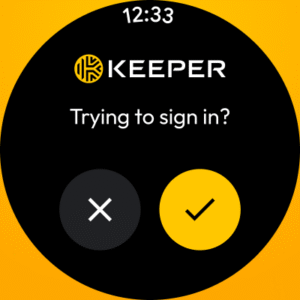
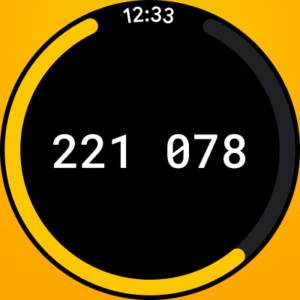
Screenshots

File Information
| Package Name | com.callpod.android_apps.keeper |
|---|---|
| Version Name | wear 16.8.10.126901 |
| Version Code | 12690102 |
| Architecture | Universal |
| Min Android Version | Android 28 (API 33) |
| Main Activity | com.callpod.android_apps.keeper.activity.LoadingActivity |
| Framework | Native (Java/Kotlin) |
| File Size | 6.80 MB |
| Signature (SHA1) | 816587AC9B6BF7B4737CFBDC10D8033B7731E518 |
| File Hash (SHA256) | 0bc47539bbc4dabd5ab063096a0e179248b5c01ea86c09321103618559f55187 |
What's New
• UI improvements
• Removed old Keeper web browser
• Removed old Keeper web browser
App Description
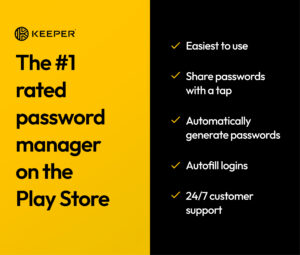
The Keeper Password Manager app maximizes your password security and keeps your personal data secure. Keeper is the proven cybersecurity leader that protects millions of people and thousands of companies globally.
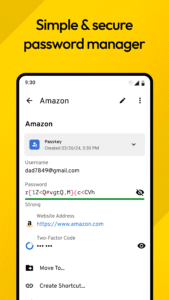
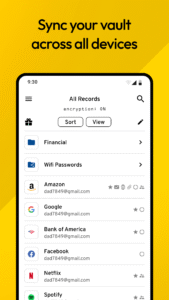
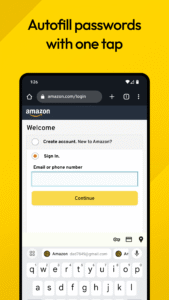
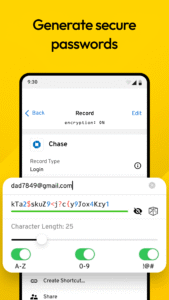
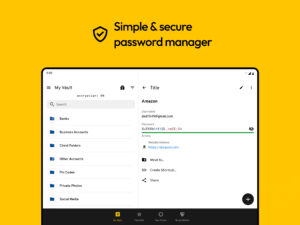
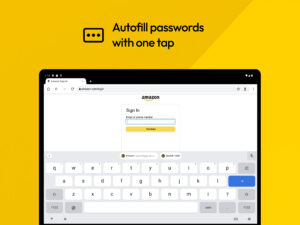
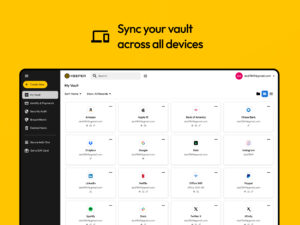
With the Keeper app, you can automatically generate strong passwords, store them in a secure digital vault, access them from any device, share passwords and autofill them across all your sites and apps. Keeper’s powerful encryption protects your passwords and sensitive information from data breaches, ransomware, and other cyberattacks.
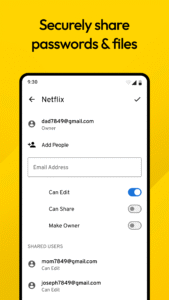
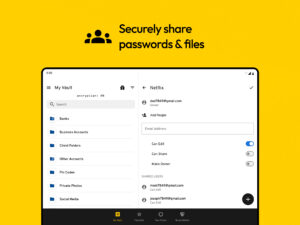
The Keeper Password Manager app allows you to securely store an unlimited number of passwords, confidential files, payment cards, and more in your encrypted digital vault. Access your password vault on an unlimited number of mobile devices, tablets, and computers. Maximize your security by enabling fingerprint security for instant and secure access. Share passwords with other Keeper users or use our "One-Time Share" feature to share a record with family, friends, and colleagues that don’t have a Keeper account.
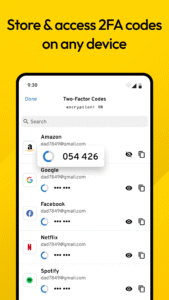
The Keeper app includes support for your two-factor authentication (2FA) codes. Store TOTP or security keys like YubiKey NFC in your Vault to stay secure online and simplify multi-factor authentication while maintaining security.
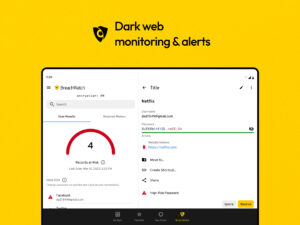
Keep your passwords safe by having BreachWatch monitor the Dark Web for breached accounts and passwords. Get notified immediately if you have been exposed in a public data breach so you can take quick action to protect your online accounts.
Easily switch between multiple Keeper Password Manager accounts to separate your business and personal data. Secure yourself with Keeper Unlimited or your entire household with Keeper Family.
Trusted by Millions of Users Globally
• "Password Manager of the Year" by PCMag
• "Best Overall" by U.S. News & World Report
• "Best Security" by Tom's Guide
• "Excellent" rating on Trustpilot
The World’s Most Secure Password Manager
• Keeper’s proprietary zero- knowledge security architecture ensures that your Keeper Vault and all of the data in it, is fully encrypted and only accessible by you.
• Compatible with multiple two-factor authentication methods including Google Authenticator, Microsoft Authenticator, Duo, RSA, YubiKey, and more.
• Utilizes AES-256-bit encryption, Elliptic Curve and PBKDF2 technology.
• The only SOC-2 and ISO 27001 certified password manager in the industry.
• FedRAMP and StateRAMP Authorized.
• Keeper Commander SDK for CLI and DevOps integrations for Enterprise customers.
Keeper is compatible with all browsers including:
• Chrome
• Brave
• DuckDuckGo
• Opera
• Internet Explorer
• Firefox
• Safari
• Edge
Easily import your passwords from:
• iCloud Keychain
• Google Chrome
• Dashlane
• 1Password
• LastPass
• Bitwarden
• and more!
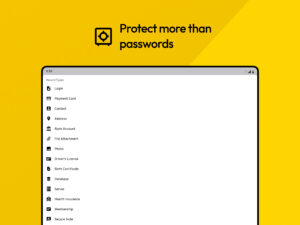
Keeper Password Manager Supports the following Record Types:
• Login
• Payment Card
• Contact
• Address
• Bank Account
• File Attachment
• Photo
• Driver's License
• Birth Certificate
• Database
• Server
• Health Insurance
• Membership
• Secure Note
• Passport
• Identity Card
• Software License
• SSH Key
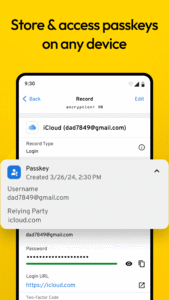
Passkey Support Coming Soon— Store and manage your passkeys to access them from your Keeper Web Vault, desktop app and browser extension.
* Keeper uses the AccessibilityService API for our KeeperFill feature, which allows you to securely autofill login credentials across mobile apps and browsers. As disclosed in the Security Disclosure at
keepersecurity.com/security.html,Keeper
is a zero-knowledge security platform. As such,Keeper Security cannot access, track or view the activity of KeeperFill or your Keeper records. KeeperFill can be disabled at any time by visiting the accessibility settings screen of your device.
Need assistance? Email
support@keepersecurity.com,and
we’ll get back to you right away.
Privacy Policy:
keepersecurity.com/privacypolicy.html
Terms of Use:
keepersecurity.com/termsofuse.html
With the Keeper app, you can automatically generate strong passwords, store them in a secure digital vault, access them from any device, share passwords and autofill them across all your sites and apps. Keeper’s powerful encryption protects your passwords and sensitive information from data breaches, ransomware, and other cyberattacks.
The Keeper Password Manager app allows you to securely store an unlimited number of passwords, confidential files, payment cards, and more in your encrypted digital vault. Access your password vault on an unlimited number of mobile devices, tablets, and computers. Maximize your security by enabling fingerprint security for instant and secure access. Share passwords with other Keeper users or use our "One-Time Share" feature to share a record with family, friends, and colleagues that don’t have a Keeper account.
The Keeper app includes support for your two-factor authentication (2FA) codes. Store TOTP or security keys like YubiKey NFC in your Vault to stay secure online and simplify multi-factor authentication while maintaining security.
Keep your passwords safe by having BreachWatch monitor the Dark Web for breached accounts and passwords. Get notified immediately if you have been exposed in a public data breach so you can take quick action to protect your online accounts.
Easily switch between multiple Keeper Password Manager accounts to separate your business and personal data. Secure yourself with Keeper Unlimited or your entire household with Keeper Family.
Trusted by Millions of Users Globally
• "Password Manager of the Year" by PCMag
• "Best Overall" by U.S. News & World Report
• "Best Security" by Tom's Guide
• "Excellent" rating on Trustpilot
The World’s Most Secure Password Manager
• Keeper’s proprietary zero- knowledge security architecture ensures that your Keeper Vault and all of the data in it, is fully encrypted and only accessible by you.
• Compatible with multiple two-factor authentication methods including Google Authenticator, Microsoft Authenticator, Duo, RSA, YubiKey, and more.
• Utilizes AES-256-bit encryption, Elliptic Curve and PBKDF2 technology.
• The only SOC-2 and ISO 27001 certified password manager in the industry.
• FedRAMP and StateRAMP Authorized.
• Keeper Commander SDK for CLI and DevOps integrations for Enterprise customers.
Keeper is compatible with all browsers including:
• Chrome
• Brave
• DuckDuckGo
• Opera
• Internet Explorer
• Firefox
• Safari
• Edge
Easily import your passwords from:
• iCloud Keychain
• Google Chrome
• Dashlane
• 1Password
• LastPass
• Bitwarden
• and more!
Keeper Password Manager Supports the following Record Types:
• Login
• Payment Card
• Contact
• Address
• Bank Account
• File Attachment
• Photo
• Driver's License
• Birth Certificate
• Database
• Server
• Health Insurance
• Membership
• Secure Note
• Passport
• Identity Card
• Software License
• SSH Key
Passkey Support Coming Soon— Store and manage your passkeys to access them from your Keeper Web Vault, desktop app and browser extension.
* Keeper uses the AccessibilityService API for our KeeperFill feature, which allows you to securely autofill login credentials across mobile apps and browsers. As disclosed in the Security Disclosure at
keepersecurity.com/security.html,Keeper
is a zero-knowledge security platform. As such,Keeper Security cannot access, track or view the activity of KeeperFill or your Keeper records. KeeperFill can be disabled at any time by visiting the accessibility settings screen of your device.
Need assistance? Email
support@keepersecurity.com,and
we’ll get back to you right away.
Privacy Policy:
keepersecurity.com/privacypolicy.html
Terms of Use:
keepersecurity.com/termsofuse.html
Download Keeper Password Manager app APK
Fast, free and safe download.
APK Permissions 7
- android.permission.ACCESS_NETWORK_STATE
- android.permission.ACCESS_WIFI_STATE
- android.permission.FOREGROUND_SERVICE
- android.permission.RECEIVE_BOOT_COMPLETED
- android.permission.VIBRATE
- android.permission.WAKE_LOCK
- com.callpod.android_apps.keeper.DYNAMIC_RECEIVER_NOT_EXPORTED_PERMISSION
APK Verified
The cryptographic signature guarantees that the file is safe to install and was not tampered with in any way.


Frequently Asked Questions about Keeper Password Manager app APK
This is the universal variant — a single APK that contains native libraries for every CPU architecture. It installs on any Android device but is larger than per-architecture variants.
Yes — the APK's signature has been cryptographically verified against the publisher's signing key. The SHA-256 hash is shown in the File Information panel so you can independently confirm the file matches the original release.
Android 28 (API level 33) or newer. Older devices will refuse the install.
Install a free app like 'CPU-Z' or 'Droid Hardware Info' from the Play Store and look at the ABI / Instruction Set row. Most phones made after 2017 are arm64-v8a; if in doubt, download the universal variant.
All variants are functionally identical — same features, same version. They differ only in which CPU architectures the native code is compiled for, and (sometimes) which screen densities the included graphics target. Pick the one that matches your device for the smallest install size, or pick 'Universal' if you're unsure.