
Download LG Pocket Photo APK 3.2.5-release arm64-v8a, armeabi-v7a, x86, x86_64 · Android 16+
Download APK
Verified Safe
This is the arm64-v8a, armeabi-v7a, x86, x86_64 build of LG Pocket Photo 3.2.5-release. Pick this build if your device's primary ABI matches.
File size: 38.1 MB • Min Android: 16 • Target Android: 26 • Version code: 381 • Framework: Native (Java/Kotlin) • Permissions: 15
Screenshots
File Information
| Package Name | com.lge.media.lgpocketphoto |
|---|---|
| Version Name | 3.2.5-release |
| Version Code | 381 |
| Architecture | arm64-v8a, armeabi-v7a, x86, x86_64 |
| Min Android Version | Android 16 (API 26) |
| Main Activity | com.lge.media.lgpocketphoto.IntroActivity |
| Framework | Native (Java/Kotlin) |
| File Size | 38.08 MB |
| Signature (SHA1) | 93E4F08B940FA4A9D3246B91A33007283FECC96D |
| File Hash (SHA256) | 041f8e5a5ec12acb2ac3ac0c348702f0dc43115c1db19ded1dcf3fb77f611318 |
What's New
V3.2.5
- Fixed an error on Android 10.
- Fixed an error on Android 10.
App Description
Print and share your magical moment instantly
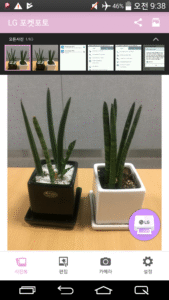
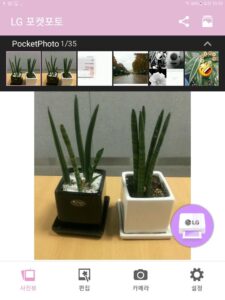
Taking the moment and photographing with LG Pocket Photo,
The memories you saved on your smartphone can be printed in classic black and white mode.
If you want special prints,
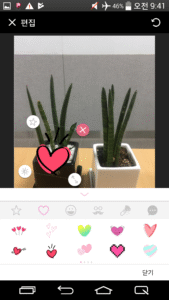
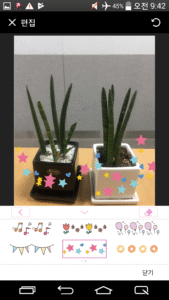
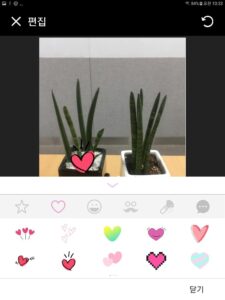
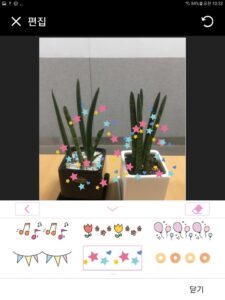
Decorate with various accessories and icons to create interesting situations
- App function updated –
In case of Bluetooth connection failure on PD221, PD233 model, you should download the update tool for PC from "
www.lge.com"
and update the firmware.
App is fully reformed for easier use of pocket photo.
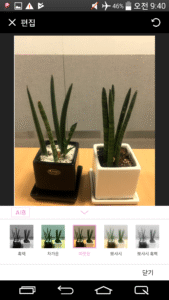
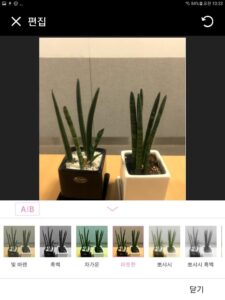
Picture decoration functions are reinforced.
Functions are added to decorate picture with various methods such as brush, sticker, etc.
Depending on App support policy, the OS version supported by Pocket Photo app may change.
Taking the moment and photographing with LG Pocket Photo,
The memories you saved on your smartphone can be printed in classic black and white mode.
If you want special prints,
Decorate with various accessories and icons to create interesting situations
- App function updated –
In case of Bluetooth connection failure on PD221, PD233 model, you should download the update tool for PC from "
www.lge.com"
and update the firmware.
App is fully reformed for easier use of pocket photo.
Picture decoration functions are reinforced.
Functions are added to decorate picture with various methods such as brush, sticker, etc.
Depending on App support policy, the OS version supported by Pocket Photo app may change.
Download LG Pocket Photo APK
Fast, free and safe download.
APK Permissions 15
- android.permission.ACCESS_COARSE_LOCATION
- android.permission.ACCESS_FINE_LOCATION
- android.permission.ACCESS_NETWORK_STATE
- android.permission.BLUETOOTH
- android.permission.BLUETOOTH_ADMIN
- android.permission.CAMERA
- android.permission.CLEAR_APP_CACHE
- android.permission.INTERNET
- android.permission.NFC
- android.permission.READ_EXTERNAL_STORAGE
- android.permission.READ_LOGS
- android.permission.VIBRATE
- android.permission.WAKE_LOCK
- android.permission.WRITE_EXTERNAL_STORAGE
- com.lge.media.lgpocketphoto.locationapi.maps.permission.MAPS_RECEIVE
APK Verified
The cryptographic signature guarantees that the file is safe to install and was not tampered with in any way.
Similar in Entertainment


More by LG Electronics, Inc.


Frequently Asked Questions about LG Pocket Photo APK
This variant is built for devices that report `arm64-v8a, armeabi-v7a, x86, x86_64` as their primary ABI. If your device's CPU matches, this is the smallest, fastest version to install.
Yes — the APK's signature has been cryptographically verified against the publisher's signing key. The SHA-256 hash is shown in the File Information panel so you can independently confirm the file matches the original release.
Android 16 (API level 26) or newer. Older devices will refuse the install.
Install a free app like 'CPU-Z' or 'Droid Hardware Info' from the Play Store and look at the ABI / Instruction Set row. Most phones made after 2017 are arm64-v8a; if in doubt, download the universal variant.
All variants are functionally identical — same features, same version. They differ only in which CPU architectures the native code is compiled for, and (sometimes) which screen densities the included graphics target. Pick the one that matches your device for the smallest install size, or pick 'Universal' if you're unsure.