
This is the universal build of Videoleap: AI Video Editor 1.36.0. It contains native libraries for every CPU architecture (arm64-v8a, armeabi-v7a, x86, x86_64), so it installs on any Android device. The trade-off is size — it's larger than per-architecture variants. Pick this one if you're unsure which CPU your phone has, or if you plan to share the APK with multiple devices.
File size: 82.8 MB • Min Android: 26 • Target Android: 34 • Version code: 2182 • Framework: Native (Java/Kotlin) • Permissions: 23
Screenshots
File Information
| Package Name | com.lightricks.videoleap |
|---|---|
| Version Name | 1.36.0 |
| Version Code | 2182 |
| Architecture | Universal |
| Min Android Version | Android 26 (API 34) |
| Main Activity | com.lightricks.videoleap.app.SplashActivity |
| Framework | Native (Java/Kotlin) |
| File Size | 82.81 MB |
| Signature (SHA1) | E39D274A1C6F3604466E6A28868C182E7746F6D3 |
| File Hash (SHA256) | bf6129fceb3333401ccbd6e3907bdbe007929bfee004286e8f58157c6cfe062e |
What's New
From version
1.31.1
:
Hello Videoleapers,
New Drop! Dive into endless visuals and forever-scrolling collages of your favorite photos with AI Panorama.
Feel free to give us some feedback at:
videoleap.android.support@lightricks.com
Yours,
The Videoleap Team
1.31.1
:
Hello Videoleapers,
New Drop! Dive into endless visuals and forever-scrolling collages of your favorite photos with AI Panorama.
Feel free to give us some feedback at:
videoleap.android.support@lightricks.com
Yours,
The Videoleap Team
App Description
Create Stunning Reels, Videos & Shorts with AI - The Ultimate AI Video Generator, Reel Maker & Video Enhancer!
Unleash your creativity and produce scroll-stopping content effortlessly with Videoleap, your all-in-one AI-powered video editor, reel maker, and video enhancer. Whether you’re a beginner or a seasoned content creator, Videoleap gives you the tools to transform your ideas into high-quality, professional videos in just minutes.
🎥 The Smartest Way to Create Reels, Videos & Clips
Videoleap combines powerful AI video generator features with an easy-to-use editor, allowing you to create standout reels, shorts, and stories for platforms like Instagram, YouTube, and TikTok. Add music to videos, enhance video quality, and apply AI effects, no prior editing experience needed!
✨ Why Choose Videoleap?
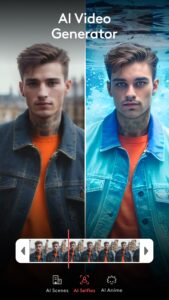
AI Video Generator & AI Video Editor: Let AI help you create stunning videos. Generate content automatically, apply AI filters and effects, and bring everyday footage to life with pro-level enhancements.
Reel Maker & Video Creator: Design beautiful reels, shorts, stories, and video ads. Use ready-made templates or start from scratch to produce content that grabs attention.
Enhance Video Quality Instantly: Sharpen details, adjust brightness, contrast, and saturation, or apply 4K-quality enhancement with our powerful video enhancer tools.
Perfect for Everyone: From influencers and small business owners to vloggers, marketers, and casual users, Videoleap makes video creation easy and fun for all.
⚡ Key Features & Tools
AI-Powered Video Editing: Automatically generate videos or apply AI-driven enhancements, effects, and filters.
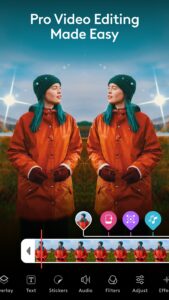
Pro Editing Tools: Trim, cut, crop, split, merge, resize, rotate, or flip videos with ease. Adjust aspect ratios and fit clips perfectly for any platform.
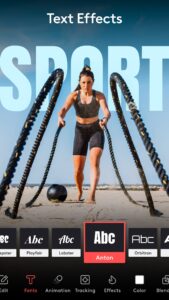
Music, Captions & Intros: Add music to videos, create stunning intros and outros, and customize captions with stylish fonts, emojis, and blending options.
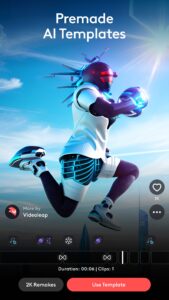
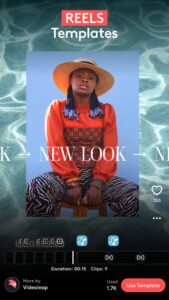
Templates for Reels, Stories & Shorts: Access trending templates designed for Instagram Reels, YouTube Shorts, TikTok, and more. Simply pick a template and customize it in seconds.
Special Effects & Filters: Blur, glitch, pixelate, apply prism, chromatic aberration, VHS effects, and more to give your videos a unique cinematic style.
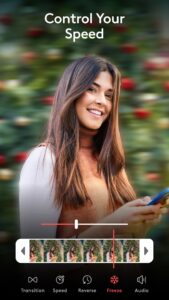
Speed Control & Motion Effects: Speed up, slow down, or loop videos. Create dramatic slow motion, dynamic time-lapse, or stop motion clips.
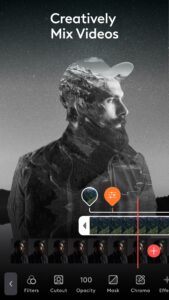
Layer-Based Editing: Combine videos, images, effects, and music in customizable layers. Use masking, blending, and transformation tools for advanced compositions.
🌟 For Business & Social Success
Videoleap is more than just a video editor, it’s your partner in creating impactful content that helps you grow your brand, promote your business, and engage your audience. Use our video maker with AI tools to create promotional ads, social posts, and professional reels that stand out from the crowd.
📲 Who Is Videoleap For?
Influencers & Content Creators: Produce aesthetic reels, engaging stories, and YouTube shorts that build your following.
Small Business Owners: Make professional ads, video promos, and social media content with ease.
Vloggers & Everyday Users: Turn moments into masterpieces with a few simple taps.
Marketers: Create high-impact video campaigns with ready-made business video templates.
Download Videoleap now and start creating reels, shorts, and videos that get noticed. Experience the future of video editing with our AI video generator, reel maker, and video enhancer, all in one powerful app!
Videoleap is a part of Creative Suite, which includes a wide range of free AI video editor and image editing apps.
Facetune: selfie photo & AI video editing
Photoleap: picture editor for blending & animation
Videoleap AI Video Editor Terms of use:
static.lightricks.com/legal/terms-of-use.html
Videoleap AI Video Editor Privacy policy:
static.lightricks.com/legal/privacy-policy.html
Unleash your creativity and produce scroll-stopping content effortlessly with Videoleap, your all-in-one AI-powered video editor, reel maker, and video enhancer. Whether you’re a beginner or a seasoned content creator, Videoleap gives you the tools to transform your ideas into high-quality, professional videos in just minutes.
🎥 The Smartest Way to Create Reels, Videos & Clips
Videoleap combines powerful AI video generator features with an easy-to-use editor, allowing you to create standout reels, shorts, and stories for platforms like Instagram, YouTube, and TikTok. Add music to videos, enhance video quality, and apply AI effects, no prior editing experience needed!
✨ Why Choose Videoleap?
AI Video Generator & AI Video Editor: Let AI help you create stunning videos. Generate content automatically, apply AI filters and effects, and bring everyday footage to life with pro-level enhancements.
Reel Maker & Video Creator: Design beautiful reels, shorts, stories, and video ads. Use ready-made templates or start from scratch to produce content that grabs attention.
Enhance Video Quality Instantly: Sharpen details, adjust brightness, contrast, and saturation, or apply 4K-quality enhancement with our powerful video enhancer tools.
Perfect for Everyone: From influencers and small business owners to vloggers, marketers, and casual users, Videoleap makes video creation easy and fun for all.
⚡ Key Features & Tools
AI-Powered Video Editing: Automatically generate videos or apply AI-driven enhancements, effects, and filters.
Pro Editing Tools: Trim, cut, crop, split, merge, resize, rotate, or flip videos with ease. Adjust aspect ratios and fit clips perfectly for any platform.
Music, Captions & Intros: Add music to videos, create stunning intros and outros, and customize captions with stylish fonts, emojis, and blending options.
Templates for Reels, Stories & Shorts: Access trending templates designed for Instagram Reels, YouTube Shorts, TikTok, and more. Simply pick a template and customize it in seconds.
Special Effects & Filters: Blur, glitch, pixelate, apply prism, chromatic aberration, VHS effects, and more to give your videos a unique cinematic style.
Speed Control & Motion Effects: Speed up, slow down, or loop videos. Create dramatic slow motion, dynamic time-lapse, or stop motion clips.
Layer-Based Editing: Combine videos, images, effects, and music in customizable layers. Use masking, blending, and transformation tools for advanced compositions.
🌟 For Business & Social Success
Videoleap is more than just a video editor, it’s your partner in creating impactful content that helps you grow your brand, promote your business, and engage your audience. Use our video maker with AI tools to create promotional ads, social posts, and professional reels that stand out from the crowd.
📲 Who Is Videoleap For?
Influencers & Content Creators: Produce aesthetic reels, engaging stories, and YouTube shorts that build your following.
Small Business Owners: Make professional ads, video promos, and social media content with ease.
Vloggers & Everyday Users: Turn moments into masterpieces with a few simple taps.
Marketers: Create high-impact video campaigns with ready-made business video templates.
Download Videoleap now and start creating reels, shorts, and videos that get noticed. Experience the future of video editing with our AI video generator, reel maker, and video enhancer, all in one powerful app!
Videoleap is a part of Creative Suite, which includes a wide range of free AI video editor and image editing apps.
Facetune: selfie photo & AI video editing
Photoleap: picture editor for blending & animation
Videoleap AI Video Editor Terms of use:
static.lightricks.com/legal/terms-of-use.html
Videoleap AI Video Editor Privacy policy:
static.lightricks.com/legal/privacy-policy.html
Download Videoleap: AI Video Editor APK
Fast, free and safe download.
APK Permissions 23
- android.permission.ACCESS_ADSERVICES_AD_ID
- android.permission.ACCESS_ADSERVICES_ATTRIBUTION
- android.permission.ACCESS_NETWORK_STATE
- android.permission.ACCESS_WIFI_STATE
- android.permission.FOREGROUND_SERVICE
- android.permission.FOREGROUND_SERVICE_DATA_SYNC
- android.permission.INTERNET
- android.permission.POST_NOTIFICATIONS
- android.permission.READ_EXTERNAL_STORAGE
- android.permission.READ_MEDIA_AUDIO
- android.permission.READ_MEDIA_IMAGES
- android.permission.READ_MEDIA_VIDEO
- android.permission.READ_MEDIA_VISUAL_USER_SELECTED
- android.permission.RECEIVE_BOOT_COMPLETED
- android.permission.RECORD_AUDIO
- android.permission.VIBRATE
- android.permission.WAKE_LOCK
- android.permission.WRITE_EXTERNAL_STORAGE
- com.android.vending.BILLING
- com.google.android.c2dm.permission.RECEIVE
- com.google.android.finsky.permission.BIND_GET_INSTALL_REFERRER_SERVICE
- com.google.android.gms.permission.AD_ID
- com.lightricks.videoleap.DYNAMIC_RECEIVER_NOT_EXPORTED_PERMISSION
APK Verified
The cryptographic signature guarantees that the file is safe to install and was not tampered with in any way.
Similar in Video Players


More by Lightricks Ltd.


Frequently Asked Questions about Videoleap: AI Video Editor APK
This is the universal variant — a single APK that contains native libraries for every CPU architecture. It installs on any Android device but is larger than per-architecture variants.
Yes — the APK's signature has been cryptographically verified against the publisher's signing key. The SHA-256 hash is shown in the File Information panel so you can independently confirm the file matches the original release.
Android 26 (API level 34) or newer. Older devices will refuse the install.
Install a free app like 'CPU-Z' or 'Droid Hardware Info' from the Play Store and look at the ABI / Instruction Set row. Most phones made after 2017 are arm64-v8a; if in doubt, download the universal variant.
All variants are functionally identical — same features, same version. They differ only in which CPU architectures the native code is compiled for, and (sometimes) which screen densities the included graphics target. Pick the one that matches your device for the smallest install size, or pick 'Universal' if you're unsure.