
Download Poweramp Equalizer build-1017-bundle-play (arm64-v8a + arm-v7a) APK build-1002-uni arm64-v8a, armeabi-v7a · Android 28+
Download APK
Verified Safe
This is the arm64-v8a, armeabi-v7a build of Poweramp Equalizer build-1017-bundle-play (arm64-v8a + arm-v7a) build-1002-uni. Pick this build if your device's primary ABI matches.
File size: 16.6 MB • Min Android: 28 • Target Android: 35 • Version code: 1002009 • Framework: Native (Java/Kotlin) • Permissions: 16
Screenshots
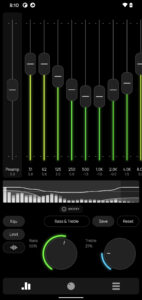
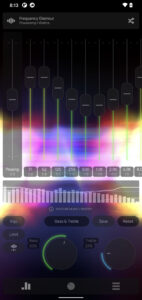
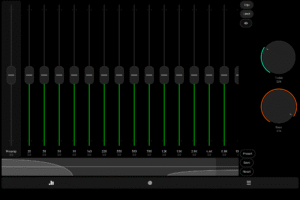
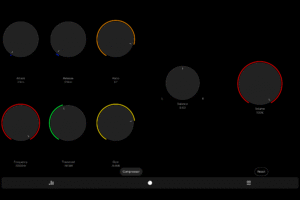
File Information
| Package Name | com.maxmpz.equalizer |
|---|---|
| Version Name | build-1002-uni |
| Version Code | 1002009 |
| Architecture | arm64-v8a, armeabi-v7a |
| Min Android Version | Android 28 (API 35) |
| Main Activity | com.maxmpz.audioplayer.standard_adaptive |
| Framework | Native (Java/Kotlin) |
| File Size | 16.59 MB |
| Signature (SHA1) | A007ECBB65D49F9FE01839B804EF51A4CC37CF4D |
| File Hash (SHA256) | 4a5a256eb35fc704f843641798ec1fa346977f44e41e14e77fc0e35a5c417834 |
What's New
• new notification shade quick control button
• AutoEq presets/devices database update
• updated translations
• bug fixes and stability improvements
• AutoEq presets/devices database update
• updated translations
• bug fixes and stability improvements
App Description
Whether you’re an audiophile, a bass lover, or just someone who wants better sound quality, Poweramp Equalizer is the ultimate tool to customize your listening experience.
Equalizer Engine
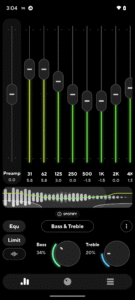
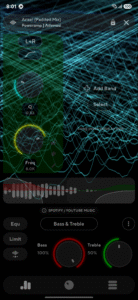
• Bass & Treble Boost – enhance low and high frequencies effortlessly
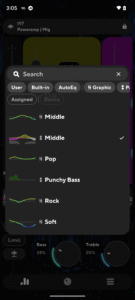
• Powerful Equalization Presets – choose from pre-made or custom settings
• DVC (Direct Volume Control) – get enhanced dynamic range and clarity
• No Root Required – works seamlessly on most Android devices
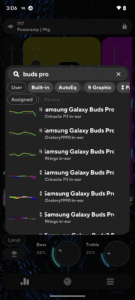
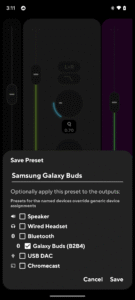
• AutoEQ presets tuned for your device
• configurable number of bands: fixed or custom 5-32 with configurable start/end frequencies
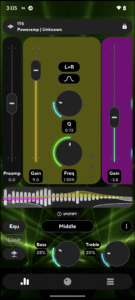
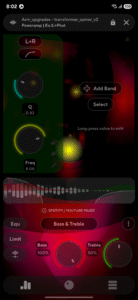
• advanced parametric equalizer mode with separately configured bands
• limiter, preamp, compressor, balance
• most 3rd party player/streaming apps supported
In some cases, equalizer should be enabled in the player app settings
• Advanced Player Tracking mode allows equalization in almost any player, but requires additional permissions
UI
• Customizable UI & Visualizer – Choose from various themes and real-time waveforms
• .milk presets and spectrums are supported
• configurable Light and Dark skins included
• Poweramp 3rd party preset packs are supported too
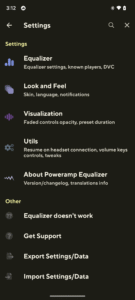
Utilities
• auto-resume on headset/Bluetooth connection
• volume keys controlled resume/pause/track change
Track change requires extra permission
With Poweramp Equalizer, you get studio-grade sound customization in a simple, user-friendly app. Whether you’re listening through headphones, Bluetooth speakers, or car audio, you’ll experience richer, fuller, and more immersive sound.
Equalizer Engine
• Bass & Treble Boost – enhance low and high frequencies effortlessly
• Powerful Equalization Presets – choose from pre-made or custom settings
• DVC (Direct Volume Control) – get enhanced dynamic range and clarity
• No Root Required – works seamlessly on most Android devices
• AutoEQ presets tuned for your device
• configurable number of bands: fixed or custom 5-32 with configurable start/end frequencies
• advanced parametric equalizer mode with separately configured bands
• limiter, preamp, compressor, balance
• most 3rd party player/streaming apps supported
In some cases, equalizer should be enabled in the player app settings
• Advanced Player Tracking mode allows equalization in almost any player, but requires additional permissions
UI
• Customizable UI & Visualizer – Choose from various themes and real-time waveforms
• .milk presets and spectrums are supported
• configurable Light and Dark skins included
• Poweramp 3rd party preset packs are supported too
Utilities
• auto-resume on headset/Bluetooth connection
• volume keys controlled resume/pause/track change
Track change requires extra permission
With Poweramp Equalizer, you get studio-grade sound customization in a simple, user-friendly app. Whether you’re listening through headphones, Bluetooth speakers, or car audio, you’ll experience richer, fuller, and more immersive sound.
Download Poweramp Equalizer build-1017-bundle-play (arm64-v8a + arm-v7a) APK
Fast, free and safe download.
APK Permissions 16
- android.permission.ACCESS_NETWORK_STATE
- android.permission.BLUETOOTH
- android.permission.BLUETOOTH_CONNECT
- android.permission.BROADCAST_STICKY
- android.permission.DUMP
- android.permission.FOREGROUND_SERVICE
- android.permission.FOREGROUND_SERVICE_MEDIA_PLAYBACK
- android.permission.INTERNET
- android.permission.MODIFY_AUDIO_SETTINGS
- android.permission.POST_NOTIFICATIONS
- android.permission.RECEIVE_BOOT_COMPLETED
- android.permission.RECORD_AUDIO
- android.permission.SET_VOLUME_KEY_LONG_PRESS_LISTENER
- android.permission.WAKE_LOCK
- com.android.vending.BILLING
- com.maxmpz.equalizer.DYNAMIC_RECEIVER_NOT_EXPORTED_PERMISSION
APK Verified
The cryptographic signature guarantees that the file is safe to install and was not tampered with in any way.
Similar in Music & Audio


More by Poweramp Software Design (Max MP)

Frequently Asked Questions about Poweramp Equalizer build-1017-bundle-play (arm64-v8a + arm-v7a) APK
This variant is built for devices that report `arm64-v8a, armeabi-v7a` as their primary ABI. If your device's CPU matches, this is the smallest, fastest version to install.
Yes — the APK's signature has been cryptographically verified against the publisher's signing key. The SHA-256 hash is shown in the File Information panel so you can independently confirm the file matches the original release.
Android 28 (API level 35) or newer. Older devices will refuse the install.
Install a free app like 'CPU-Z' or 'Droid Hardware Info' from the Play Store and look at the ABI / Instruction Set row. Most phones made after 2017 are arm64-v8a; if in doubt, download the universal variant.
All variants are functionally identical — same features, same version. They differ only in which CPU architectures the native code is compiled for, and (sometimes) which screen densities the included graphics target. Pick the one that matches your device for the smallest install size, or pick 'Universal' if you're unsure.