
Download MediBang Paint:Draw Art, Comic APK 13.1.1 armeabi-v7a · Android 14+
Download APK
Verified Safe
This is the armeabi-v7a build of MediBang Paint:Draw Art, Comic 13.1.1, compiled for 32-bit ARM processors found in older Android phones (roughly 2013-2017). Use this build if your device's primary ABI is armeabi-v7a — modern 64-bit phones should pick the arm64-v8a or universal variant for better performance.
File size: 10.8 MB • Min Android: 14 • Target Android: 23 • Version code: 55 • Framework: Native (Java/Kotlin) • Permissions: 5
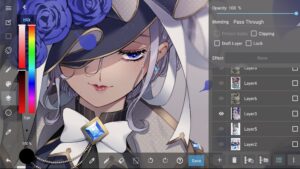
Screenshots
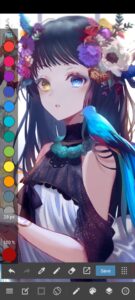
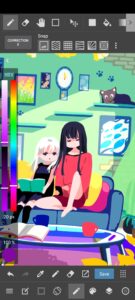
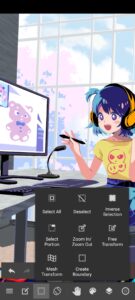
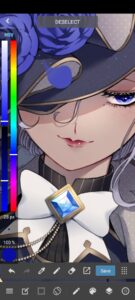
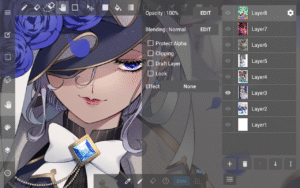
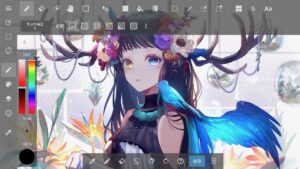
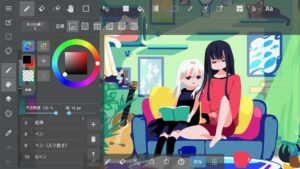
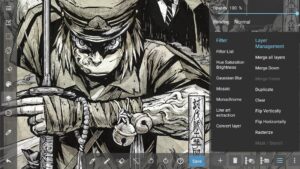
File Information
| Package Name | com.medibang.android.paint.tablet |
|---|---|
| Version Name | 13.1.1 |
| Version Code | 55 |
| Architecture | armeabi-v7a |
| Min Android Version | Android 14 (API 23) |
| Main Activity | com.medibang.android.paint.tablet.ui.activity.MainActivity |
| Framework | Native (Java/Kotlin) |
| File Size | 10.85 MB |
| Signature (SHA1) | 52BE7DF3CC45BA96CABDF76968E5CBE830495D4F |
| File Hash (SHA256) | a53b712ef3246d9dfc2db2a9261bd9b966d332a0030e7297a13f2de9921ece78 |
What's New
Made minor corrections.
App Description
MediBang Paint is an art app with more than 100 million downloads in over 150 countries!
Easy to use with all the functions for smartphones and tablets!
MediBang Paint is a comic, illustration, and drawing app!
Key Features
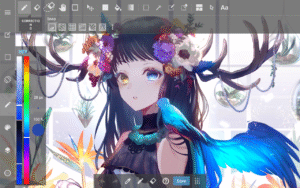
・A painting and drawing app with all the tools you need to create art, including sketches, illustrations, drawings, doodles, and coloring.
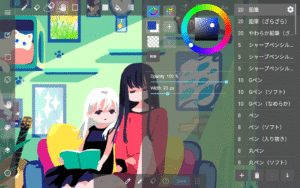
・180 default brushes, including pencil and pen tools, that anyone can easily adjust.
You can even create your own brushes!
・700 additional brushes available in all MediBang Premium plans.
・Make comic panels easily with a professional feel, using any of MediBang’s 1000 screen tones and 60 fonts.
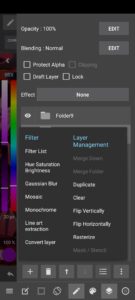
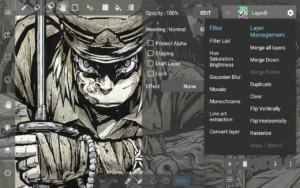
・Use filters, background brushes, and more resources to give your art a unique finish!
・Supports reading and writing of various file formats, including PSD files, and easy integration with other apps.
・Supports CMYK format PSD files for printing, making it easy to publish your artwork or manga.
・Lightweight and efficient, perfect for sketching, painting, and digital drawing without lag.
・Unlock over 700 types of brushes with the MediBang Premium plan, ideal for professional and hobbyist artists.
Unlimited Device Usage
・MediBang Paint allows seamless creation across multiple platforms without restrictions on the number of devices linked to one account.
・Easily switch between desktop and mobile devices with cloud synchronization, making it simple to draw anywhere.
Group Project
・Draw on the same canvas with your friends!
Join up to 3 teams (unlimited for Premium users) and work together on a project or just sketch for fun!
・For professional comic artists, teamwork is easier than ever, allowing teams to complete pages efficiently.
Timelapse
・Easily activate from the menu tab and showcase your drawing process when you’re done!
・Share your speedpaints on social media with #medibangpaint and #timelapse.
Simple Interface
・MediBang Paint is an art app with a simple and user-friendly UI, allowing you to focus on creating art without distractions.
It is great for both beginners and professionals!
・The lightweight software requires minimal storage space, ensuring a smooth painting and drawing experience without brush lag.
Further Support
・Access MediBang Paint Tutorials for illustration guides and useful info!
・Check out our official YouTube channel, updated twice a week!
・Various templates and practice materials are available in the MediBang Library!
*To use cloud features, users need to create a MediBang account at MediBang
*App performance may vary depending on device condition.
Compatible with various styluses, making digital painting, drawing, and sketching more intuitive. Ideal for users seeking a versatile and powerful digital art tool!
Easy to use with all the functions for smartphones and tablets!
MediBang Paint is a comic, illustration, and drawing app!
Key Features
・A painting and drawing app with all the tools you need to create art, including sketches, illustrations, drawings, doodles, and coloring.
・180 default brushes, including pencil and pen tools, that anyone can easily adjust.
You can even create your own brushes!
・700 additional brushes available in all MediBang Premium plans.
・Make comic panels easily with a professional feel, using any of MediBang’s 1000 screen tones and 60 fonts.
・Use filters, background brushes, and more resources to give your art a unique finish!
・Supports reading and writing of various file formats, including PSD files, and easy integration with other apps.
・Supports CMYK format PSD files for printing, making it easy to publish your artwork or manga.
・Lightweight and efficient, perfect for sketching, painting, and digital drawing without lag.
・Unlock over 700 types of brushes with the MediBang Premium plan, ideal for professional and hobbyist artists.
Unlimited Device Usage
・MediBang Paint allows seamless creation across multiple platforms without restrictions on the number of devices linked to one account.
・Easily switch between desktop and mobile devices with cloud synchronization, making it simple to draw anywhere.
Group Project
・Draw on the same canvas with your friends!
Join up to 3 teams (unlimited for Premium users) and work together on a project or just sketch for fun!
・For professional comic artists, teamwork is easier than ever, allowing teams to complete pages efficiently.
Timelapse
・Easily activate from the menu tab and showcase your drawing process when you’re done!
・Share your speedpaints on social media with #medibangpaint and #timelapse.
Simple Interface
・MediBang Paint is an art app with a simple and user-friendly UI, allowing you to focus on creating art without distractions.
It is great for both beginners and professionals!
・The lightweight software requires minimal storage space, ensuring a smooth painting and drawing experience without brush lag.
Further Support
・Access MediBang Paint Tutorials for illustration guides and useful info!
・Check out our official YouTube channel, updated twice a week!
・Various templates and practice materials are available in the MediBang Library!
*To use cloud features, users need to create a MediBang account at MediBang
*App performance may vary depending on device condition.
Compatible with various styluses, making digital painting, drawing, and sketching more intuitive. Ideal for users seeking a versatile and powerful digital art tool!
Download MediBang Paint:Draw Art, Comic APK
Fast, free and safe download.
APK Permissions 5
- android.permission.ACCESS_NETWORK_STATE
- android.permission.GET_ACCOUNTS
- android.permission.INTERNET
- android.permission.WAKE_LOCK
- android.permission.WRITE_EXTERNAL_STORAGE
APK Verified
The cryptographic signature guarantees that the file is safe to install and was not tampered with in any way.


Frequently Asked Questions about MediBang Paint:Draw Art, Comic APK
This variant is built for 32-bit ARM (older Android phones, ~2013–2017). If your device's CPU matches, this is the smallest, fastest version to install.
Yes — the APK's signature has been cryptographically verified against the publisher's signing key. The SHA-256 hash is shown in the File Information panel so you can independently confirm the file matches the original release.
Android 14 (API level 23) or newer. Older devices will refuse the install.
Install a free app like 'CPU-Z' or 'Droid Hardware Info' from the Play Store and look at the ABI / Instruction Set row. Most phones made after 2017 are arm64-v8a; if in doubt, download the universal variant.
All variants are functionally identical — same features, same version. They differ only in which CPU architectures the native code is compiled for, and (sometimes) which screen densities the included graphics target. Pick the one that matches your device for the smallest install size, or pick 'Universal' if you're unsure.