
Screenshots
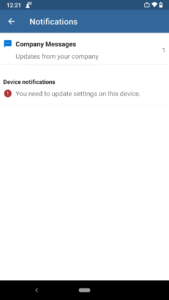
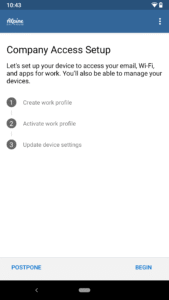
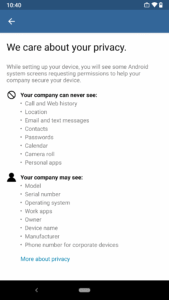
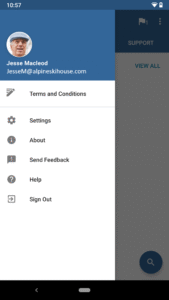
File Information
| Package Name | com.microsoft.windowsintune.companyportal |
|---|---|
| Version Name | 5.0.6726.0 |
| Version Code | 7737252 |
| Architecture | arm64-v8a, armeabi-v7a, x86, x86_64 |
| Min Android Version | Android 26 (API 35) |
| Main Activity | com.microsoft.windowsintune.companyportal.views.SplashActivity |
| Framework | Native (Java/Kotlin) |
| File Size | 76.76 MB |
| Signature (SHA1) | D4BE19F45242827E5CD152E1C80C42E4EF4B7651 |
| File Hash (SHA256) | ffb10daf8a90d80bf36f7680c7229923afeb2a610b0386f4619f5f08239f117c |
What's New
From version
5.0.4832.0
:
go.microsoft.com/fwlink/?linkid=830921
5.0.4832.0
:
go.microsoft.com/fwlink/?linkid=830921
App Description
The Company Portal provides access to corporate apps and resources from almost any network. Your company must already subscribe to Microsoft Intune, and your IT admin must set up your account before you can use this app.
Features:
• Enroll to access corporate resources
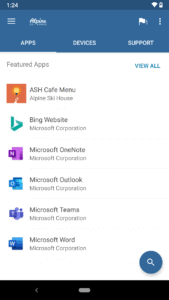
• Browse and install company apps
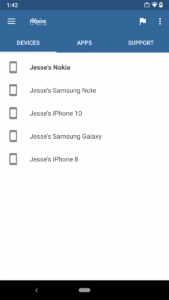
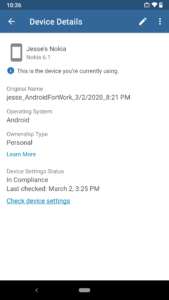
• View and manage all your enrolled devices
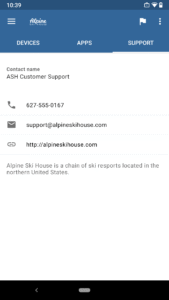
• View IT department contact information
• Change your work account password
• Unenroll or remotely wipe devices
Important: This app requires you to use your work account to enroll in Intune. Some functionality is unavailable in certain countries. If you have issues with this app or questions about its use (including your company’s privacy policy) contact your IT administrator and not Microsoft, your network operator, or your device manufacturer.
docs.microsoft.com/Intune/EndUser/using-your-android-device-with-intune
How to uninstall Company Portal:
Before you can uninstall Company Portal, you need to unenroll your device from Intune first. Here are the steps:
1) Follow these directions to unenroll:
docs.microsoft.com/intune/enduser/unenroll-your-device-from-intune-android
2) Now, you can uninstall Company Portal like you would any other app
Features:
• Enroll to access corporate resources
• Browse and install company apps
• View and manage all your enrolled devices
• View IT department contact information
• Change your work account password
• Unenroll or remotely wipe devices
Important: This app requires you to use your work account to enroll in Intune. Some functionality is unavailable in certain countries. If you have issues with this app or questions about its use (including your company’s privacy policy) contact your IT administrator and not Microsoft, your network operator, or your device manufacturer.
docs.microsoft.com/Intune/EndUser/using-your-android-device-with-intune
How to uninstall Company Portal:
Before you can uninstall Company Portal, you need to unenroll your device from Intune first. Here are the steps:
1) Follow these directions to unenroll:
docs.microsoft.com/intune/enduser/unenroll-your-device-from-intune-android
2) Now, you can uninstall Company Portal like you would any other app
Download Intune Company Portal APK
Fast, free and safe download.
APK Permissions 78
- android.permission.ACCESS_COARSE_LOCATION
- android.permission.ACCESS_FINE_LOCATION
- android.permission.ACCESS_NETWORK_STATE
- android.permission.ACCESS_WIFI_STATE
- android.permission.AUTHENTICATE_ACCOUNTS
- android.permission.CAMERA
- android.permission.CHANGE_NETWORK_STATE
- android.permission.CHANGE_WIFI_STATE
- android.permission.DOWNLOAD_WITHOUT_NOTIFICATION
- android.permission.FOREGROUND_SERVICE
- android.permission.FOREGROUND_SERVICE_DATA_SYNC
- android.permission.FOREGROUND_SERVICE_SPECIAL_USE
- android.permission.GET_ACCOUNTS
- android.permission.INTERNET
- android.permission.KILL_BACKGROUND_PROCESSES
- android.permission.MANAGE_ACCOUNTS
- android.permission.NFC
- android.permission.POST_NOTIFICATIONS
- android.permission.QUERY_ALL_PACKAGES
- android.permission.READ_EXTERNAL_STORAGE
- android.permission.READ_PHONE_NUMBERS
- android.permission.READ_PHONE_STATE
- android.permission.RECEIVE_BOOT_COMPLETED
- android.permission.REQUEST_DELETE_PACKAGES
- android.permission.REQUEST_IGNORE_BATTERY_OPTIMIZATIONS
- android.permission.REQUEST_INSTALL_PACKAGES
- android.permission.REQUEST_PASSWORD_COMPLEXITY
- android.permission.sec.ENTERPRISE_DEVICE_ADMIN
- android.permission.sec.MDM_APP_MGMT
- android.permission.sec.MDM_BLUETOOTH
- android.permission.sec.MDM_BROWSER_SETTINGS
- android.permission.sec.MDM_CERTIFICATE
- android.permission.sec.MDM_EXCHANGE
- android.permission.sec.MDM_HW_CONTROL
- android.permission.sec.MDM_INVENTORY
- android.permission.sec.MDM_KIOSK_MODE
- android.permission.sec.MDM_MULTI_USER_MGMT
- android.permission.sec.MDM_RESTRICTION
- android.permission.sec.MDM_SECURITY
- android.permission.sec.MDM_WIFI
- android.permission.SYSTEM_ALERT_WINDOW
- android.permission.USE_BIOMETRIC
- android.permission.USE_CREDENTIALS
- android.permission.USE_FINGERPRINT
- android.permission.WAKE_LOCK
- android.permission.WRITE_EXTERNAL_STORAGE
- android.permission.WRITE_SYNC_SETTINGS
- com.google.android.c2dm.permission.RECEIVE
- com.google.android.finsky.permission.BIND_GET_INSTALL_REFERRER_SERVICE
- com.google.android.providers.gsf.permission.READ_GSERVICES
- com.microsoft.intune.aospagent.DIAGNOSTICS
- com.microsoft.intune.aospagent.ENROLLMENT_MODE
- com.microsoft.intune.CERTIFICATES
- com.microsoft.intune.DIAGNOSTICS
- com.microsoft.intune.MANAGEMENT_STATE
- com.microsoft.intune.TUNNEL_DIAGNOSTICS
- com.microsoft.knox.SUPPORT_PERMISSION
- com.microsoft.windowsintune.companyportal.DYNAMIC_RECEIVER_NOT_EXPORTED_PERMISSION
- com.microsoft.windowsintune.companyportal.knox.SUPPORT_PERMISSION
- com.microsoft.windowsintune.companyportal.permission.C2D_MESSAGE
- com.motorolasolutions.emdk.mxframework.ACCESS_MX_MANAGEMENT_FRAMEWORK_SERVICE
- com.samsung.android.knox.permission.KNOX_APP_MGMT
- com.samsung.android.knox.permission.KNOX_BLUETOOTH
- com.samsung.android.knox.permission.KNOX_BROWSER_SETTINGS
- com.samsung.android.knox.permission.KNOX_CERT_PROVISIONING
- com.samsung.android.knox.permission.KNOX_CERTIFICATE
- com.samsung.android.knox.permission.KNOX_ENTERPRISE_DEVICE_ADMIN
- com.samsung.android.knox.permission.KNOX_EXCHANGE
- com.samsung.android.knox.permission.KNOX_HW_CONTROL
- com.samsung.android.knox.permission.KNOX_INVENTORY
- com.samsung.android.knox.permission.KNOX_KIOSK_MODE
- com.samsung.android.knox.permission.KNOX_MULTI_USER_MGMT
- com.samsung.android.knox.permission.KNOX_RESTRICTION_MGMT
- com.samsung.android.knox.permission.KNOX_SECURITY
- com.samsung.android.knox.permission.KNOX_WIFI
- com.sec.enterprise.knox.cloudmdm.smdms.permission.SAMSUNG_MDM_SERVICE
- com.sec.enterprise.knox.cloudmdm.smdms.provider.permission.READ
- com.symbol.mxmf.ACCESS_MX_MANAGEMENT_FRAMEWORK_SERVICE
APK Verified
The cryptographic signature guarantees that the file is safe to install and was not tampered with in any way.


