
Download Microsoft Lens - PDF Scanner APK 16.0.19328.20042 arm64-v8a · Android 24+
Download APK
Verified Safe
This is the arm64-v8a build of Microsoft Lens - PDF Scanner 16.0.19328.20042 — the modern 64-bit ARM build that runs on virtually every Android phone released since 2017. It's smaller and faster than the universal variant because Android only loads the native code your CPU actually needs. If your phone is from the last 8 years, this is the right pick.
File size: 66.4 MB • Min Android: 24 • Target Android: 35 • Version code: 2004832515 • Framework: Native (Java/Kotlin) • Permissions: 20
Screenshots
File Information
| Package Name | com.microsoft.office.officelens |
|---|---|
| Version Name | 16.0.19328.20042 |
| Version Code | 2004832515 |
| Architecture | arm64-v8a |
| Min Android Version | Android 24 (API 35) |
| Main Activity | com.microsoft.office.officelens.MainActivity |
| Framework | Native (Java/Kotlin) |
| File Size | 66.38 MB |
| Signature (SHA1) | 7DC83CD2ABE833560C2896626E307041C0DF3A7A |
| File Hash (SHA256) | 4134d9e52000573baaad8aab8618d7bc96c6204d90e2d7dfdf0625d10b31fb11 |
What's New
Bug fixes and performance improvements.
App Description
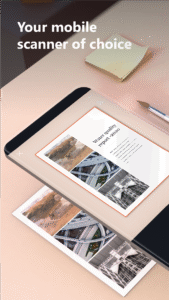
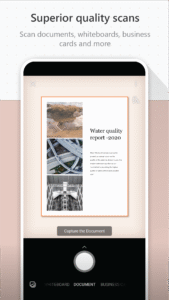
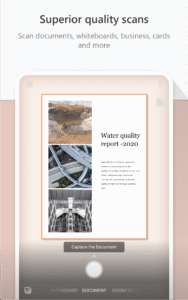
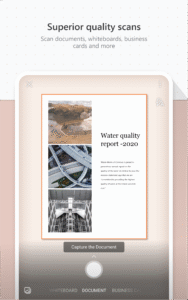
Microsoft Lens (formerly Microsoft Office Lens) trims, enhances, and makes pictures of whiteboards and documents readable.
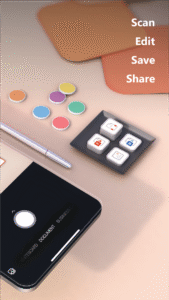
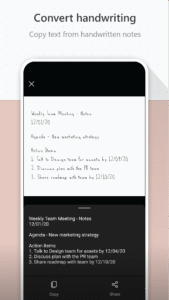
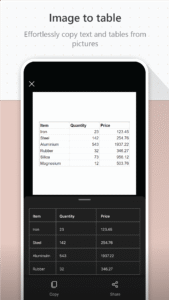
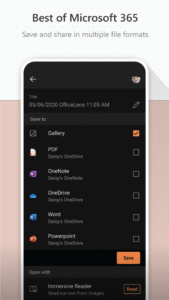
You can use Microsoft Lens to convert images to PDF, Word, PowerPoint, and Excel files, digitize printed or handwritten text, and save to OneNote, OneDrive, or your local device. You can even import images that are already on your device using Gallery.
PRODUCTIVITY AT WORK
• Scan and upload all your notes, receipts, and documents
• Capture whiteboard at end of the meeting to keep those action items on track
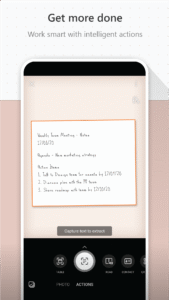
• Scan printed text or handwritten meeting notes to edit and share later
• Keep your business networking contacts handy by scanning business cards and saving them to your contact list
• Choose to save as PDF, Image, Word or PowerPoint formats into OneNote, OneDrive, or local device as location
PRODUCTIVITY AT SCHOOL
• Scan classroom handouts and annotate them in Word and OneNote
• Scan handwritten notes to digitize and edit later (works with English only)
• Take a picture of the whiteboard or blackboard to reference later, even if you're offline
• Keep class notes and your own research organized with the seamless integration with OneNote
By installing the app, you agree to these terms and conditions:
aka.ms/olensandterms
.
You can use Microsoft Lens to convert images to PDF, Word, PowerPoint, and Excel files, digitize printed or handwritten text, and save to OneNote, OneDrive, or your local device. You can even import images that are already on your device using Gallery.
PRODUCTIVITY AT WORK
• Scan and upload all your notes, receipts, and documents
• Capture whiteboard at end of the meeting to keep those action items on track
• Scan printed text or handwritten meeting notes to edit and share later
• Keep your business networking contacts handy by scanning business cards and saving them to your contact list
• Choose to save as PDF, Image, Word or PowerPoint formats into OneNote, OneDrive, or local device as location
PRODUCTIVITY AT SCHOOL
• Scan classroom handouts and annotate them in Word and OneNote
• Scan handwritten notes to digitize and edit later (works with English only)
• Take a picture of the whiteboard or blackboard to reference later, even if you're offline
• Keep class notes and your own research organized with the seamless integration with OneNote
By installing the app, you agree to these terms and conditions:
aka.ms/olensandterms
.
Download Microsoft Lens - PDF Scanner APK
Fast, free and safe download.
APK Permissions 20
- android.permission.ACCESS_DOWNLOAD_MANAGER
- android.permission.ACCESS_NETWORK_STATE
- android.permission.ACCESS_WIFI_STATE
- android.permission.AUTHENTICATE_ACCOUNTS
- android.permission.CAMERA
- android.permission.DOWNLOAD_WITHOUT_NOTIFICATION
- android.permission.FOREGROUND_SERVICE
- android.permission.INTERNET
- android.permission.MANAGE_ACCOUNTS
- android.permission.NFC
- android.permission.READ_EXTERNAL_STORAGE
- android.permission.READ_MEDIA_IMAGES
- android.permission.READ_MEDIA_VIDEO
- android.permission.READ_MEDIA_VISUAL_USER_SELECTED
- android.permission.RECEIVE_BOOT_COMPLETED
- android.permission.USE_CREDENTIALS
- android.permission.VIBRATE
- android.permission.WAKE_LOCK
- android.permission.WRITE_EXTERNAL_STORAGE
- com.android.vending.CHECK_LICENSE
APK Verified
The cryptographic signature guarantees that the file is safe to install and was not tampered with in any way.
Similar in Productivity


Frequently Asked Questions about Microsoft Lens - PDF Scanner APK
This variant is built for 64-bit ARM (most Android phones made since 2017). If your device's CPU matches, this is the smallest, fastest version to install.
Yes — the APK's signature has been cryptographically verified against the publisher's signing key. The SHA-256 hash is shown in the File Information panel so you can independently confirm the file matches the original release.
Android 24 (API level 35) or newer. Older devices will refuse the install.
Install a free app like 'CPU-Z' or 'Droid Hardware Info' from the Play Store and look at the ABI / Instruction Set row. Most phones made after 2017 are arm64-v8a; if in doubt, download the universal variant.
All variants are functionally identical — same features, same version. They differ only in which CPU architectures the native code is compiled for, and (sometimes) which screen densities the included graphics target. Pick the one that matches your device for the smallest install size, or pick 'Universal' if you're unsure.