
Screenshots
File Information
| Package Name | com.microsoft.office.officehubrow |
|---|---|
| Version Name | 16.0.18925.20144 |
| Version Code | 44650966 |
| Architecture | arm64-v8a |
| Min Android Version | Android 29 (API 34) |
| Main Activity | com.microsoft.office.officesuite.OfficeSuiteActivity |
| Framework | React Native |
| File Size | 376.02 MB |
| Signature (SHA1) | 7DC83CD2ABE833560C2896626E307041C0DF3A7A |
| File Hash (SHA256) | f2ba39165288b85dc542634c0dfde535b5566ec7ac7cbf6b0913d0edc4c852ae |
What's New
Thank you for using Office.
We regularly release updates to the app, which include great new features, as well as improvements for speed and reliability.
We regularly release updates to the app, which include great new features, as well as improvements for speed and reliability.
App Description
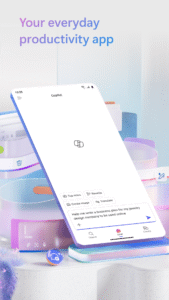
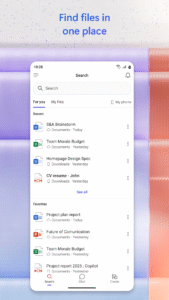
The Microsoft 365 Copilot app is your everyday productivity app for work and life that helps you find and edit files, scan documents, and create content on the go with access to Microsoft 365 Copilot Chat*, Word, Excel, PowerPoint, and PDFs all in one app. (formerly the Microsoft 365 (Office) app)
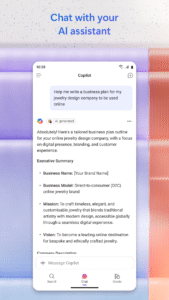
With Copilot for work, easily ask, create, and draft in a simplified chat experience to boost productivity.
*Copilot Chat in the Microsoft 365 Copilot app is available for Microsoft 365 Enterprise, Academic, SMB, Personal and Family subscribers with a work, education, or personal account. It is available in these supported languages:
support.microsoft.com/en-us/office/supported-languages-for-microsoft-copilot-94518d61-644b-4118-9492-617eea4801d8
.
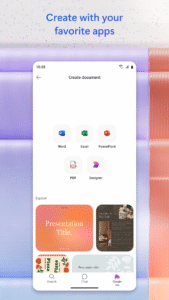
Word, Excel, PowerPoint, and Copilot all in one app:
• Collaborate with Copilot, your AI assistant, to catch up, ask questions, and draft content.
• Use Word to write and edit documents like resumes with professional templates.
• Use PowerPoint with tools like Presenter Coach to practice your presentation.
• Use Excel to manage your budget with spreadsheet templates.
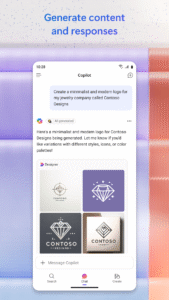
• Try Designer* to create designs and edit photos in seconds with the power of AI.
*Designer is only available for personal Microsoft accounts. A Microsoft 365 Personal and Family subscription will be required to continue using premium features.
PDF capabilities:
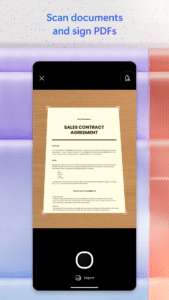
• Scan PDF files and convert them into Word documents with the PDF converter tool.
• Edit PDF files on your device quickly and easily while on the go.
• PDF Reader allows you to access and sign PDFs.
Access and save documents to the cloud by connecting a Microsoft Account (for OneDrive or SharePoint) or by connecting to a third-party cloud storage provider. Logging in with a personal Microsoft account or a work or school account connected to a Microsoft 365 subscription will unlock premium features within the app.
Subscription & Privacy Disclaimer
Monthly Microsoft 365 Personal and Family subscriptions purchased from the app will be charged to your App Store account and will automatically renew within 24 hours prior to the end of the current subscription period unless auto-renewal is disabled beforehand. You can manage your subscriptions in your App Store account settings.
This app is provided by either Microsoft or a third-party app publisher and is subject to a separate privacy statement and terms and conditions. Data provided using this store and this app may be accessible to Microsoft or the third-party app publisher, as applicable, and transferred to, stored and processed in the United States or any other country where Microsoft or the app publisher and their affiliates or service providers maintain facilities.
Please refer to Microsoft's EULA for Terms of Service for Microsoft 365. By installing the app, you agree to these terms and conditions:
support.office.com/legal?llcc=en-gb&aid=SoftwareLicensingTerms_en-gb.htm
With Copilot for work, easily ask, create, and draft in a simplified chat experience to boost productivity.
*Copilot Chat in the Microsoft 365 Copilot app is available for Microsoft 365 Enterprise, Academic, SMB, Personal and Family subscribers with a work, education, or personal account. It is available in these supported languages:
support.microsoft.com/en-us/office/supported-languages-for-microsoft-copilot-94518d61-644b-4118-9492-617eea4801d8
.
Word, Excel, PowerPoint, and Copilot all in one app:
• Collaborate with Copilot, your AI assistant, to catch up, ask questions, and draft content.
• Use Word to write and edit documents like resumes with professional templates.
• Use PowerPoint with tools like Presenter Coach to practice your presentation.
• Use Excel to manage your budget with spreadsheet templates.
• Try Designer* to create designs and edit photos in seconds with the power of AI.
*Designer is only available for personal Microsoft accounts. A Microsoft 365 Personal and Family subscription will be required to continue using premium features.
PDF capabilities:
• Scan PDF files and convert them into Word documents with the PDF converter tool.
• Edit PDF files on your device quickly and easily while on the go.
• PDF Reader allows you to access and sign PDFs.
Access and save documents to the cloud by connecting a Microsoft Account (for OneDrive or SharePoint) or by connecting to a third-party cloud storage provider. Logging in with a personal Microsoft account or a work or school account connected to a Microsoft 365 subscription will unlock premium features within the app.
Subscription & Privacy Disclaimer
Monthly Microsoft 365 Personal and Family subscriptions purchased from the app will be charged to your App Store account and will automatically renew within 24 hours prior to the end of the current subscription period unless auto-renewal is disabled beforehand. You can manage your subscriptions in your App Store account settings.
This app is provided by either Microsoft or a third-party app publisher and is subject to a separate privacy statement and terms and conditions. Data provided using this store and this app may be accessible to Microsoft or the third-party app publisher, as applicable, and transferred to, stored and processed in the United States or any other country where Microsoft or the app publisher and their affiliates or service providers maintain facilities.
Please refer to Microsoft's EULA for Terms of Service for Microsoft 365. By installing the app, you agree to these terms and conditions:
support.office.com/legal?llcc=en-gb&aid=SoftwareLicensingTerms_en-gb.htm
Download Microsoft 365 Copilot APK
Fast, free and safe download.
APK Permissions 51
- android.permission.ACCESS_NETWORK_STATE
- android.permission.ACCESS_WIFI_STATE
- android.permission.BLUETOOTH
- android.permission.CAMERA
- android.permission.FOREGROUND_SERVICE
- android.permission.FOREGROUND_SERVICE_DATA_SYNC
- android.permission.FOREGROUND_SERVICE_MEDIA_PLAYBACK
- android.permission.FOREGROUND_SERVICE_MICROPHONE
- android.permission.GET_PACKAGE_SIZE
- android.permission.HIGH_SAMPLING_RATE_SENSORS
- android.permission.INTERNET
- android.permission.MANAGE_EXTERNAL_STORAGE
- android.permission.MODIFY_AUDIO_SETTINGS
- android.permission.NFC
- android.permission.POST_NOTIFICATIONS
- android.permission.READ_EXTERNAL_STORAGE
- android.permission.READ_MEDIA_AUDIO
- android.permission.READ_MEDIA_IMAGES
- android.permission.READ_MEDIA_VIDEO
- android.permission.READ_MEDIA_VISUAL_USER_SELECTED
- android.permission.RECEIVE_BOOT_COMPLETED
- android.permission.RECORD_AUDIO
- android.permission.SCHEDULE_EXACT_ALARM
- android.permission.SET_WALLPAPER
- android.permission.SYSTEM_ALERT_WINDOW
- android.permission.VIBRATE
- android.permission.WAKE_LOCK
- android.permission.WRITE_EXTERNAL_STORAGE
- com.android.vending.BILLING
- com.android.vending.CHECK_LICENSE
- com.google.android.c2dm.permission.RECEIVE
- com.google.android.finsky.permission.BIND_GET_INSTALL_REFERRER_SERVICE
- com.google.android.gms.permission.AD_ID
- com.microsoft.office.officehubrow.DYNAMIC_RECEIVER_NOT_EXPORTED_PERMISSION
- com.microsoft.office.officemobile.permission.APP_BRANDING_NOTIFICATION
- com.microsoft.office.officemobile.permission.ASK_FOR_STORAGE_PERMISSION
- com.microsoft.office.officemobile.permission.MOS_NOTIFICATION
- com.microsoft.office.officemobile.permission.NEEDS_ATTENTION
- com.microsoft.office.officemobile.permission.NOTIFICATION_CENTER_PUSH
- com.microsoft.office.officemobile.permission.NOTIFICATION_COUNTER_BASED_SIGN_IN_EXP
- com.microsoft.office.officemobile.permission.NOTIFICATION_DAY_BASED_SIGN_IN_EXP
- com.microsoft.office.officemobile.permission.NOTIFICATION_DESIGNER
- com.microsoft.office.officemobile.permission.NOTIFICATION_EXTERNAL_EVENT
- com.microsoft.office.officemobile.permission.NOTIFICATION_LENS
- com.microsoft.office.officemobile.permission.NOTIFICATION_MEETING_INSIGHT
- com.microsoft.office.officemobile.permission.NOTIFICATION_UNIVERSAL_PRINT
- com.microsoft.office.officemobile.permission.OFFICEMOBILE_PACKAGE_REPLACED
- com.microsoft.office.officemobile.permission.SCD_NOTIFICATION
- com.microsoft.office.officemobile.permission.SYSTEM_TIME_CHANGED
- com.microsoft.office.officemobile.permission.TODO_NOTIFICATION
- com.microsoft.office.officemobile.permission.TRANSLATION_NOTIFICATION
APK Verified
The cryptographic signature guarantees that the file is safe to install and was not tampered with in any way.


