
Download Microsoft Word: Edit Documents APK 16.0.19231.20060 armeabi-v7a · Android 33+
Download APK
Verified Safe
This is the armeabi-v7a build of Microsoft Word: Edit Documents 16.0.19231.20060, compiled for 32-bit ARM processors found in older Android phones (roughly 2013-2017). Use this build if your device's primary ABI is armeabi-v7a — modern 64-bit phones should pick the arm64-v8a or universal variant for better performance.
File size: 107.7 MB • Min Android: 33 • Target Android: 34 • Version code: 2004786953 • Framework: React Native • Permissions: 29
Screenshots
File Information
| Package Name | com.microsoft.office.word |
|---|---|
| Version Name | 16.0.19231.20060 |
| Version Code | 2004786953 |
| Architecture | armeabi-v7a |
| Min Android Version | Android 33 (API 34) |
| Main Activity | com.microsoft.office.apphost.LaunchActivity |
| Framework | React Native |
| File Size | 107.74 MB |
| Signature (SHA1) | 464FE87D17060838E59300C1472D6BEF074593A8 |
| File Hash (SHA256) | fc5c9b431a4ceb5db5779811389e1f2eed608e200b64b48f57865dafb2486b21 |
What's New
Thank you for using Word.
We regularly release updates to the app, which include great new features, as well as improvements for speed and reliability.
Did you know that with a Microsoft 365 subscription, you can unlock the full power of Office across all of your devices? Find special offers in the app.
We regularly release updates to the app, which include great new features, as well as improvements for speed and reliability.
Did you know that with a Microsoft 365 subscription, you can unlock the full power of Office across all of your devices? Find special offers in the app.
App Description
The document editor that you can take with you on the go – Microsoft Word.
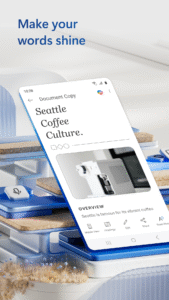
Write and create documents on your mobile device much like you do on your PC. Edit docs, share notes, convert to PDF documents, craft a powerful cover letter, and collaborate on projects using your mobile device.
Documents are easy to create, read, edit and share with Microsoft Word. Simplify on-the-go document collaboration and editing with our easy-to-use Word app features. Convert to PDF from Word and vice versa. From doc editing to collaboration and beyond, Microsoft Word is one of the best free writing apps for writing on the go.
Access files, documents and make edits with ease using the Word app. Read documents and open attachments with built-in docs viewer. Edit a PDF using Word’s PDF converter feature easily. Share files, documents and notes in the format you’d like. Create documents on the go with Word’s expert editing tools anytime, anywhere.
Read, edit docs and create a document for any need. Resume templates, newsletters, brochures and more are accessible in the template gallery. Select the documents you would like and get started.
Blogger, writer, journalist, columnist or project manager: the Microsoft Word writing app moves with you.
Easy document editing, at your fingertips. Write a letter, create templates, read Word documents, edit docs and collaborate with your team anywhere! Get the docs and PDF app that can do it all.
Create Documents
• Use Microsoft Word as a cover letter creator by leveraging our beautiful templates
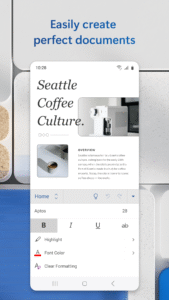
• Document editor keeps formats & layouts looking great.
• Docs app with templates for resumes, cover letters, forms & more.
• Documents are easily created for any writing task.
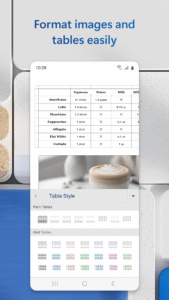
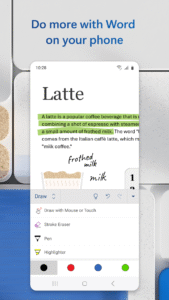
• Editing with rich formatting & layout.
Read, Write and Edit Documents
• Read docs, letters, PDFs & scripts on your device in Reading View.
• Document & PDF App: Edit documents from PDFs by converting to & from Word documents.
• PDF Converter: Save as PDF after editing & share the PDF easily.
Collaborate and Share With Anyone, Anywhere
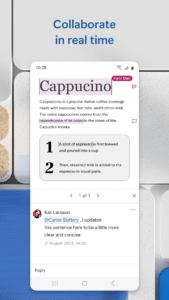
• Document comments can be left right next to the text using for seamless collaboration.
• View documents using the built-in docs viewer.
• Edit documents as a team and stay on top of changes to the text, layout & formatting.
• Edit docs and view editor history: easily revert to view earlier drafts when you need to.
Microsoft Word for Anything
• Documents for your needs: Letters, blogs, scripts, notes, resumes, & more can be created beautifully designed modern templates.
• Write a letter easily using Word’s templates.
• Share documents as a link, email or attachment.
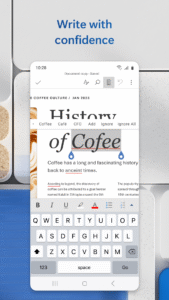
• Proofread, check spelling & review any document.
File Sharing Simplified
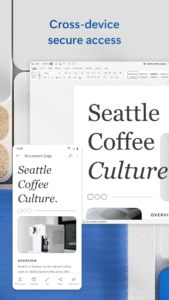
• Share files & collaborate with a few taps.
• File & document permission management: see who is working on what.
• Copy files into the body of an email message with its format intact or attach PDFs & docs to the email.
Document, PDf and writing app free of restrictions, hassle and workarounds. Download Microsoft Word to edit documents anywhere, seamlessly.
REQUIREMENTS
1 GB RAM or above
To create or edit documents, sign in with a free Microsoft account on devices with a screen size smaller than 10.1 inches.
Write and create documents on your mobile device much like you do on your PC. Edit docs, share notes, convert to PDF documents, craft a powerful cover letter, and collaborate on projects using your mobile device.
Documents are easy to create, read, edit and share with Microsoft Word. Simplify on-the-go document collaboration and editing with our easy-to-use Word app features. Convert to PDF from Word and vice versa. From doc editing to collaboration and beyond, Microsoft Word is one of the best free writing apps for writing on the go.
Access files, documents and make edits with ease using the Word app. Read documents and open attachments with built-in docs viewer. Edit a PDF using Word’s PDF converter feature easily. Share files, documents and notes in the format you’d like. Create documents on the go with Word’s expert editing tools anytime, anywhere.
Read, edit docs and create a document for any need. Resume templates, newsletters, brochures and more are accessible in the template gallery. Select the documents you would like and get started.
Blogger, writer, journalist, columnist or project manager: the Microsoft Word writing app moves with you.
Easy document editing, at your fingertips. Write a letter, create templates, read Word documents, edit docs and collaborate with your team anywhere! Get the docs and PDF app that can do it all.
Create Documents
• Use Microsoft Word as a cover letter creator by leveraging our beautiful templates
• Document editor keeps formats & layouts looking great.
• Docs app with templates for resumes, cover letters, forms & more.
• Documents are easily created for any writing task.
• Editing with rich formatting & layout.
Read, Write and Edit Documents
• Read docs, letters, PDFs & scripts on your device in Reading View.
• Document & PDF App: Edit documents from PDFs by converting to & from Word documents.
• PDF Converter: Save as PDF after editing & share the PDF easily.
Collaborate and Share With Anyone, Anywhere
• Document comments can be left right next to the text using for seamless collaboration.
• View documents using the built-in docs viewer.
• Edit documents as a team and stay on top of changes to the text, layout & formatting.
• Edit docs and view editor history: easily revert to view earlier drafts when you need to.
Microsoft Word for Anything
• Documents for your needs: Letters, blogs, scripts, notes, resumes, & more can be created beautifully designed modern templates.
• Write a letter easily using Word’s templates.
• Share documents as a link, email or attachment.
• Proofread, check spelling & review any document.
File Sharing Simplified
• Share files & collaborate with a few taps.
• File & document permission management: see who is working on what.
• Copy files into the body of an email message with its format intact or attach PDFs & docs to the email.
Document, PDf and writing app free of restrictions, hassle and workarounds. Download Microsoft Word to edit documents anywhere, seamlessly.
REQUIREMENTS
1 GB RAM or above
To create or edit documents, sign in with a free Microsoft account on devices with a screen size smaller than 10.1 inches.
Download Microsoft Word: Edit Documents APK
Fast, free and safe download.
APK Permissions 29
- android.permission.ACCESS_NETWORK_STATE
- android.permission.ACCESS_WIFI_STATE
- android.permission.BLUETOOTH
- android.permission.CAMERA
- android.permission.FOREGROUND_SERVICE
- android.permission.FOREGROUND_SERVICE_DATA_SYNC
- android.permission.FOREGROUND_SERVICE_MEDIA_PLAYBACK
- android.permission.FOREGROUND_SERVICE_SPECIAL_USE
- android.permission.GET_PACKAGE_SIZE
- android.permission.INTERNET
- android.permission.MANAGE_EXTERNAL_STORAGE
- android.permission.MODIFY_AUDIO_SETTINGS
- android.permission.NFC
- android.permission.POST_NOTIFICATIONS
- android.permission.READ_EXTERNAL_STORAGE
- android.permission.RECEIVE_BOOT_COMPLETED
- android.permission.RECORD_AUDIO
- android.permission.SYSTEM_ALERT_WINDOW
- android.permission.VIBRATE
- android.permission.WAKE_LOCK
- android.permission.WRITE_EXTERNAL_STORAGE
- com.android.launcher.permission.INSTALL_SHORTCUT
- com.android.vending.BILLING
- com.android.vending.CHECK_LICENSE
- com.google.android.c2dm.permission.RECEIVE
- com.google.android.finsky.permission.BIND_GET_INSTALL_REFERRER_SERVICE
- com.google.android.gms.permission.AD_ID
- com.microsoft.office.word.DYNAMIC_RECEIVER_NOT_EXPORTED_PERMISSION
- com.microsoft.office.word.permission.C2D_MESSAGE


Frequently Asked Questions about Microsoft Word: Edit Documents APK
This variant is built for 32-bit ARM (older Android phones, ~2013–2017). If your device's CPU matches, this is the smallest, fastest version to install.
Yes — the APK's signature has been cryptographically verified against the publisher's signing key. The SHA-256 hash is shown in the File Information panel so you can independently confirm the file matches the original release.
Android 33 (API level 34) or newer. Older devices will refuse the install.
Install a free app like 'CPU-Z' or 'Droid Hardware Info' from the Play Store and look at the ABI / Instruction Set row. Most phones made after 2017 are arm64-v8a; if in doubt, download the universal variant.
All variants are functionally identical — same features, same version. They differ only in which CPU architectures the native code is compiled for, and (sometimes) which screen densities the included graphics target. Pick the one that matches your device for the smallest install size, or pick 'Universal' if you're unsure.