
This is the universal build of AI Video Enhancer - Utool 1.133.57. It contains native libraries for every CPU architecture (arm64-v8a, armeabi-v7a, x86, x86_64), so it installs on any Android device. The trade-off is size — it's larger than per-architecture variants. Pick this one if you're unsure which CPU your phone has, or if you plan to share the APK with multiple devices.
File size: 41.1 MB • Min Android: 24 • Target Android: 35 • Version code: 57 • Framework: Native (Java/Kotlin) • Permissions: 32
Screenshots
File Information
| Package Name | videoeditor.videomaker.aieffect |
|---|---|
| Version Name | 1.133.57 |
| Version Code | 57 |
| Architecture | Universal |
| Min Android Version | Android 24 (API 35) |
| Main Activity | com.appbyte.utool.ui.splash.SplashActivity |
| Framework | Native (Java/Kotlin) |
| File Size | 41.07 MB |
| Signature (SHA1) | A5FF2A0405A5DADF3116E93FF037AA0EE5EB6E6A |
| File Hash (SHA256) | 27eb49cfff212821216b7fe1822eb494eaa36df5c454eefc71c9f072137a401b |
What's New
✨ Video Editor Upgrade! Easily remove backgrounds & enhance videos with stylish filters.
🤖️ Bug fixes and performance improvements
Try it today on the latest version of Utool! Have ideas or suggestions? Feel free to share with us at
feedback@utoolapp.com
.
🤖️ Bug fixes and performance improvements
Try it today on the latest version of Utool! Have ideas or suggestions? Feel free to share with us at
feedback@utoolapp.com
.
App Description
From blurry to brilliant — enhance videos with AI clarity and style.
✨
Utool - AI Video Editor & Quality Enhancer
is the one-stop AI video and photo editing app. With our AI tools, you can turn your old, damaged yearbook photos/videos into high quality. It's like having an AI mirror of your own.
Easy to use our AI tools to edit photos & videos. Have fun sharing on YouTube, Instagram, TikTok, Facebook, and impress your friends and followers. Try this AI anime filter & AI video enhancer, remini your art dreams to life!
Free & No Watermark!
TOP FEATURES🏅:
⚡ AI Edits
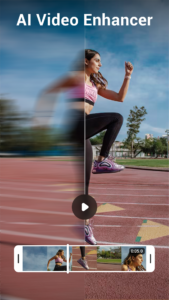
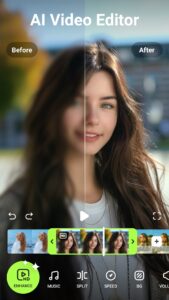
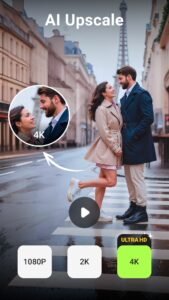
- AI Video Enhancer: Enhanced AI algorithms auto-remove noise, sharpen details, and enhance colors with HD/4K resolution.
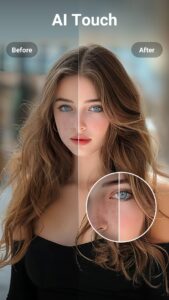
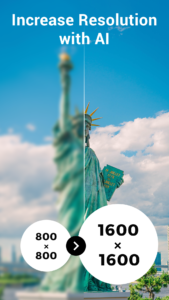
- AI Photo Enhancer: Unblur, restore, upscale and enhance any image you want, easy retouch makes skin smoother.
- AI Art Photo Generator: Turn your photo into art like PixVerse.
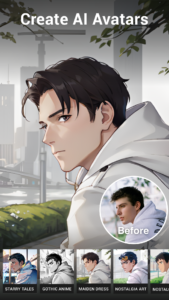
- Create unique Avatar with AI filters, effects & enhancer for your photos & videos.
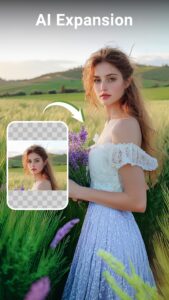
- AI Editor: AI magic eraser for photo object remover, AI expand image, resizer...
- Beauty HD Cam: Take high-quality selfies with trendy effects, and filters.
💯 Video Quality Enhancer
With Utool's AI Enhancer, you can relive your cherished yearbook moments come to life in AI mirror art. Just one tap, our AI video enhancer tool can restore vintage videos & family recordings to better quality and the resolution can be up to 4K.
Use AI tools to enhance the quality of your videos and photos. One-tap remini, unblur & retouch unclear memories to high-quality portraits. Deblur, sharpen & enhance photo/video to better quality.
► Turn photos into art
Just upload your selfie, Utool's AI Art Generator can help you cartoon yourself into cartoon avatar easily.
Avatar Maker
🪄 AI HD enhancer for perfect anime results
⚡ Swift image and video generation powered by an efficient AI tool
🎨 Tailored Imagination - generate personalized images just for you
🚀 One-Click Sharing - showcase your AI art and inspire others with your creativity
🔃 Regular updates - Utool’s art styles never cease to evolve, keeping your creations fresh and exciting
🌟 Pro HD Camera
With this AI photo & video editor, you can instantly take great-looking perfect selfies and touch-up your photos and videos with trendy effects, filters and music
❤ Professional effects with different styles
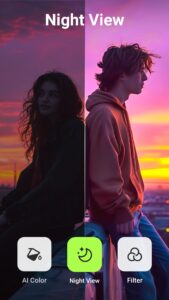
❤ Stylish HDR – Improve images captured in low-light and backlit scenes
❤ Real-time Filter – Preview filter effect before taking pictures or shooting videos
📹 Pro Video Recorder
This must-have video & photo editor helps you capture smooth & clear screen videos in the easiest way. Just with a tap on the floating ball, you can record HD video tutorials, video calls and videos that can not be downloaded.
This powerful screen recorder with audio/sound will record your voice & internal audio fluidly and clearly.
No recording time limit.
Export Full HD video with custom settings: 240p to 1080p, 60FPS, 12Mbps...
🎵 Music Video Maker
Bring your videos to life with our built-in music, add background music, sound effects, and more to your videos. Best Music Video Maker for TikTok!
✂️ Video Cutter & Trimmer
Easy to crop and trim your photos and videos to the perfect size and remove unwanted parts.
With
Utool - AI Video Enhancer & Editor
, you have all AI editing tools you need to create stunning visuals and bring your memory to life. Experience the power of professional-grade photo and video editing at your fingertips now!
🔥 And that's just the beginning! More exciting video & photo editing tools coming soon, including AI filters & effects, AI background eraser, auto-caption, video to audio and more.
If you have any ideas or suggestions about Utool - AI Video Enhancer & Editor, feel free to contact us at
feedback@utoolapp.com
✨
Utool - AI Video Editor & Quality Enhancer
is the one-stop AI video and photo editing app. With our AI tools, you can turn your old, damaged yearbook photos/videos into high quality. It's like having an AI mirror of your own.
Easy to use our AI tools to edit photos & videos. Have fun sharing on YouTube, Instagram, TikTok, Facebook, and impress your friends and followers. Try this AI anime filter & AI video enhancer, remini your art dreams to life!
Free & No Watermark!
TOP FEATURES🏅:
⚡ AI Edits
- AI Video Enhancer: Enhanced AI algorithms auto-remove noise, sharpen details, and enhance colors with HD/4K resolution.
- AI Photo Enhancer: Unblur, restore, upscale and enhance any image you want, easy retouch makes skin smoother.
- AI Art Photo Generator: Turn your photo into art like PixVerse.
- Create unique Avatar with AI filters, effects & enhancer for your photos & videos.
- AI Editor: AI magic eraser for photo object remover, AI expand image, resizer...
- Beauty HD Cam: Take high-quality selfies with trendy effects, and filters.
💯 Video Quality Enhancer
With Utool's AI Enhancer, you can relive your cherished yearbook moments come to life in AI mirror art. Just one tap, our AI video enhancer tool can restore vintage videos & family recordings to better quality and the resolution can be up to 4K.
Use AI tools to enhance the quality of your videos and photos. One-tap remini, unblur & retouch unclear memories to high-quality portraits. Deblur, sharpen & enhance photo/video to better quality.
► Turn photos into art
Just upload your selfie, Utool's AI Art Generator can help you cartoon yourself into cartoon avatar easily.
Avatar Maker
🪄 AI HD enhancer for perfect anime results
⚡ Swift image and video generation powered by an efficient AI tool
🎨 Tailored Imagination - generate personalized images just for you
🚀 One-Click Sharing - showcase your AI art and inspire others with your creativity
🔃 Regular updates - Utool’s art styles never cease to evolve, keeping your creations fresh and exciting
🌟 Pro HD Camera
With this AI photo & video editor, you can instantly take great-looking perfect selfies and touch-up your photos and videos with trendy effects, filters and music
❤ Professional effects with different styles
❤ Stylish HDR – Improve images captured in low-light and backlit scenes
❤ Real-time Filter – Preview filter effect before taking pictures or shooting videos
📹 Pro Video Recorder
This must-have video & photo editor helps you capture smooth & clear screen videos in the easiest way. Just with a tap on the floating ball, you can record HD video tutorials, video calls and videos that can not be downloaded.
This powerful screen recorder with audio/sound will record your voice & internal audio fluidly and clearly.
No recording time limit.
Export Full HD video with custom settings: 240p to 1080p, 60FPS, 12Mbps...
🎵 Music Video Maker
Bring your videos to life with our built-in music, add background music, sound effects, and more to your videos. Best Music Video Maker for TikTok!
✂️ Video Cutter & Trimmer
Easy to crop and trim your photos and videos to the perfect size and remove unwanted parts.
With
Utool - AI Video Enhancer & Editor
, you have all AI editing tools you need to create stunning visuals and bring your memory to life. Experience the power of professional-grade photo and video editing at your fingertips now!
🔥 And that's just the beginning! More exciting video & photo editing tools coming soon, including AI filters & effects, AI background eraser, auto-caption, video to audio and more.
If you have any ideas or suggestions about Utool - AI Video Enhancer & Editor, feel free to contact us at
feedback@utoolapp.com
Download AI Video Enhancer - Utool APK
Fast, free and safe download.
APK Permissions 32
- android.permission.ACCESS_ADSERVICES_AD_ID
- android.permission.ACCESS_ADSERVICES_ATTRIBUTION
- android.permission.ACCESS_ADSERVICES_TOPICS
- android.permission.ACCESS_NETWORK_STATE
- android.permission.ACCESS_WIFI_STATE
- android.permission.BLUETOOTH
- android.permission.CAMERA
- android.permission.EXPAND_STATUS_BAR
- android.permission.FOREGROUND_SERVICE
- android.permission.FOREGROUND_SERVICE_DATA_SYNC
- android.permission.FOREGROUND_SERVICE_MEDIA_PROJECTION
- android.permission.FOREGROUND_SERVICE_MICROPHONE
- android.permission.INTERNET
- android.permission.POST_NOTIFICATIONS
- android.permission.READ_EXTERNAL_STORAGE
- android.permission.READ_MEDIA_AUDIO
- android.permission.READ_MEDIA_IMAGES
- android.permission.READ_MEDIA_VIDEO
- android.permission.READ_MEDIA_VISUAL_USER_SELECTED
- android.permission.RECEIVE_USER_PRESENT
- android.permission.RECORD_AUDIO
- android.permission.REQUEST_IGNORE_BATTERY_OPTIMIZATIONS
- android.permission.SYSTEM_ALERT_WINDOW
- android.permission.VIBRATE
- android.permission.WAKE_LOCK
- android.permission.WRITE_EXTERNAL_STORAGE
- com.android.vending.BILLING
- com.applovin.array.apphub.permission.BIND_APPHUB_SERVICE
- com.google.android.apps.photos.permission.GOOGLE_PHOTOS
- com.google.android.finsky.permission.BIND_GET_INSTALL_REFERRER_SERVICE
- com.google.android.gms.permission.AD_ID
- videoeditor.videomaker.aieffect.DYNAMIC_RECEIVER_NOT_EXPORTED_PERMISSION
APK Verified
The cryptographic signature guarantees that the file is safe to install and was not tampered with in any way.


Frequently Asked Questions about AI Video Enhancer - Utool APK
This is the universal variant — a single APK that contains native libraries for every CPU architecture. It installs on any Android device but is larger than per-architecture variants.
Yes — the APK's signature has been cryptographically verified against the publisher's signing key. The SHA-256 hash is shown in the File Information panel so you can independently confirm the file matches the original release.
Android 24 (API level 35) or newer. Older devices will refuse the install.
Install a free app like 'CPU-Z' or 'Droid Hardware Info' from the Play Store and look at the ABI / Instruction Set row. Most phones made after 2017 are arm64-v8a; if in doubt, download the universal variant.
All variants are functionally identical — same features, same version. They differ only in which CPU architectures the native code is compiled for, and (sometimes) which screen densities the included graphics target. Pick the one that matches your device for the smallest install size, or pick 'Universal' if you're unsure.