
This is the universal build of Solid Explorer File Manager 3.0.2. It contains native libraries for every CPU architecture (arm64-v8a, armeabi-v7a, x86, x86_64), so it installs on any Android device. The trade-off is size — it's larger than per-architecture variants. Pick this one if you're unsure which CPU your phone has, or if you plan to share the APK with multiple devices.
File size: 22.6 MB • Min Android: 21 • Target Android: 36 • Version code: 200332 • Framework: Native (Java/Kotlin) • Permissions: 33
Screenshots
File Information
| Package Name | pl.solidexplorer2 |
|---|---|
| Version Name | 3.0.2 |
| Version Code | 200332 |
| Architecture | Universal |
| Min Android Version | Android 21 (API 36) |
| Main Activity | pl.solidexplorer.SolidExplorer |
| Framework | Native (Java/Kotlin) |
| File Size | 22.63 MB |
| Signature (SHA1) | E4E2C621308F43912674E8C00CD5C1408C55E5A0 |
| File Hash (SHA256) | 5403ffc8df18d052a435a3810c6bed8d2c161fa2b7a9702ca0880e51456430ae |
What's New
Solid Explorer 3.0 beta
- modern Material theme with dynamic color support (Android 12 and up)
- Material and Expressive icon sets
- Video Player
- improved thumbnail handling and folder listing speed
- revamped view options for file lists
- more to come
Known issues:
- no HDR video playback
- some video thumbnails may not be generated
- archive/encrypted folder password input covered by keyboard
- modern Material theme with dynamic color support (Android 12 and up)
- Material and Expressive icon sets
- Video Player
- improved thumbnail handling and folder listing speed
- revamped view options for file lists
- more to come
Known issues:
- no HDR video playback
- some video thumbnails may not be generated
- archive/encrypted folder password input covered by keyboard
App Description
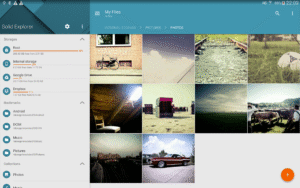
Solid Explorer is a file management app inspired by the old school file commander applications. It will help you:
🗄️
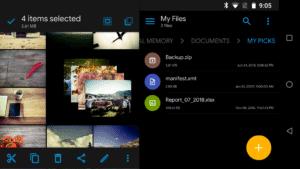
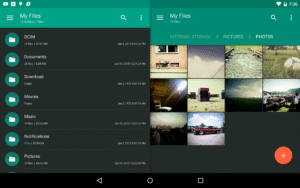
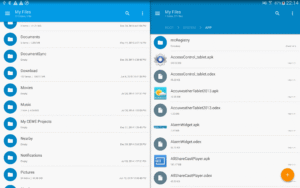
Easily manage files in dual pane layout
🔐
Protect files with strong encryption
🖥️
Manage files on your cloud storage or NAS
☁️
Backup apps and files to any desired destination
Explore your device
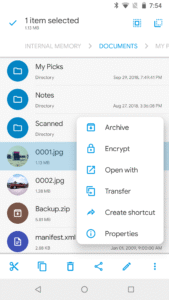
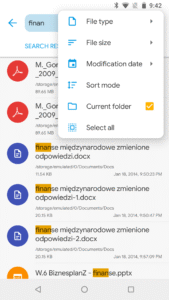
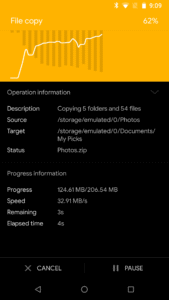
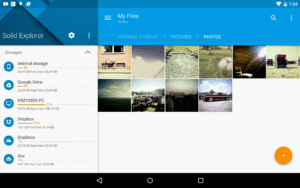
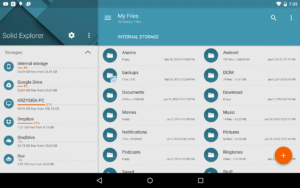
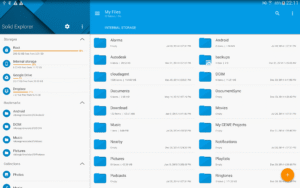
Solid Explorer lets you navigate to files stored on your device and automatically organizes them into collections. You can view, delete, move, rename or share any files. It also allows you to quickly find the files you need through indexed search with filters.
Keep your files safe
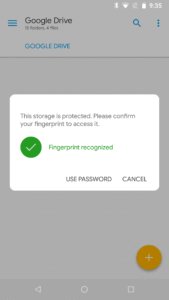
Solid Explorer can protect selected files with strong AES encryption and put them in a secure folder, which contents are unreadable for other apps. The file manager will ask for password or fingerprint confirmation when you browse the folder. Even if you uninstall Solid Explorer, the files stay on your device and are still protected.
Analyze Storage
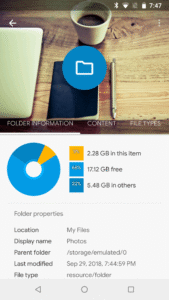
Although this file manager doesn’t feature a dedicated storage analyzer, you can find out which files take up most of space by going to folder properties of internal storage or SD card. You will find the information about the percentage of space each folder takes and the list of biggest files. You can also use search with a file size filter.
Organize remote files
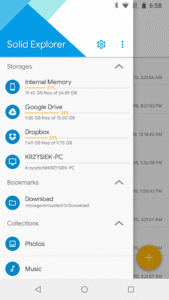
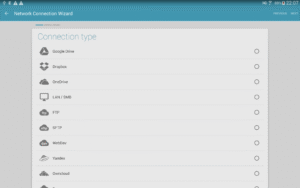
Solid Explorer supports major network protocols and cloud providers to let you organize multiple remote file locations in one place. You can easily transfer files between cloud locations/servers just by dragging them from one panel to another.
Major feature list:
•
Files management
- main storage, SD card, USB OTG
•
Cloud storage
- easily connect and manage files on Google Drive, OneDrive, Dropbox, Box, Owncloud, SugarSync, MediaFire, Yandex, Mega*
•
NAS
- support for major network protocols FTP, SFTP, SMB (Samba), WebDav
•
File encryption
- password and fingerprint protection
•
Archives
- support for ZIP, 7ZIP, RAR and TAR files
•
Root explorer
- browse system files if your device is rooted
•
Indexed search
- quickly find files on your device
•
Analyze storage
- manage files taking too much space on your device
•
Organized collections
- files categorized in Downloads, Recent,Photos, Videos, Music, Documents and Apps
•
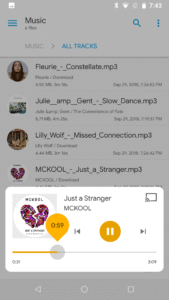
Internal image viewer, music player and text editor
- for easier browsing on remote storages
•
Batch rename
- with support for naming patterns
•
FTP Server
- for accessing your local files from PC
•
Themes and icon sets
- rich customization options
Solid Explorer will also manage files on your Chromebook with support for mouse and keyboard input.
Useful links:
Reddit
:
www.reddit.com/r/NeatBytes/
Translation
:
neatbytes.oneskyapp.com
* with paid add-on
🗄️
Easily manage files in dual pane layout
🔐
Protect files with strong encryption
🖥️
Manage files on your cloud storage or NAS
☁️
Backup apps and files to any desired destination
Explore your device
Solid Explorer lets you navigate to files stored on your device and automatically organizes them into collections. You can view, delete, move, rename or share any files. It also allows you to quickly find the files you need through indexed search with filters.
Keep your files safe
Solid Explorer can protect selected files with strong AES encryption and put them in a secure folder, which contents are unreadable for other apps. The file manager will ask for password or fingerprint confirmation when you browse the folder. Even if you uninstall Solid Explorer, the files stay on your device and are still protected.
Analyze Storage
Although this file manager doesn’t feature a dedicated storage analyzer, you can find out which files take up most of space by going to folder properties of internal storage or SD card. You will find the information about the percentage of space each folder takes and the list of biggest files. You can also use search with a file size filter.
Organize remote files
Solid Explorer supports major network protocols and cloud providers to let you organize multiple remote file locations in one place. You can easily transfer files between cloud locations/servers just by dragging them from one panel to another.
Major feature list:
•
Files management
- main storage, SD card, USB OTG
•
Cloud storage
- easily connect and manage files on Google Drive, OneDrive, Dropbox, Box, Owncloud, SugarSync, MediaFire, Yandex, Mega*
•
NAS
- support for major network protocols FTP, SFTP, SMB (Samba), WebDav
•
File encryption
- password and fingerprint protection
•
Archives
- support for ZIP, 7ZIP, RAR and TAR files
•
Root explorer
- browse system files if your device is rooted
•
Indexed search
- quickly find files on your device
•
Analyze storage
- manage files taking too much space on your device
•
Organized collections
- files categorized in Downloads, Recent,Photos, Videos, Music, Documents and Apps
•
Internal image viewer, music player and text editor
- for easier browsing on remote storages
•
Batch rename
- with support for naming patterns
•
FTP Server
- for accessing your local files from PC
•
Themes and icon sets
- rich customization options
Solid Explorer will also manage files on your Chromebook with support for mouse and keyboard input.
Useful links:
:
www.reddit.com/r/NeatBytes/
Translation
:
neatbytes.oneskyapp.com
* with paid add-on
Download Solid Explorer File Manager APK
Fast, free and safe download.
APK Permissions 33
- android.permission.ACCESS_ADSERVICES_AD_ID
- android.permission.ACCESS_ADSERVICES_ATTRIBUTION
- android.permission.ACCESS_ADSERVICES_TOPICS
- android.permission.ACCESS_NETWORK_STATE
- android.permission.ACCESS_WIFI_STATE
- android.permission.CHANGE_WIFI_STATE
- android.permission.FOREGROUND_SERVICE
- android.permission.FOREGROUND_SERVICE_DATA_SYNC
- android.permission.FOREGROUND_SERVICE_MEDIA_PLAYBACK
- android.permission.GET_ACCOUNTS
- android.permission.INTERNET
- android.permission.MANAGE_EXTERNAL_STORAGE
- android.permission.NFC
- android.permission.POST_NOTIFICATIONS
- android.permission.QUERY_ALL_PACKAGES
- android.permission.READ_EXTERNAL_STORAGE
- android.permission.READ_PHONE_STATE
- android.permission.REQUEST_DELETE_PACKAGES
- android.permission.REQUEST_INSTALL_PACKAGES
- android.permission.RUN_USER_INITIATED_JOBS
- android.permission.SET_WALLPAPER
- android.permission.USE_FINGERPRINT
- android.permission.VIBRATE
- android.permission.WAKE_LOCK
- android.permission.WRITE_EXTERNAL_STORAGE
- android.permission.WRITE_SETTINGS
- com.android.launcher.permission.INSTALL_SHORTCUT
- com.android.vending.BILLING
- com.android.vending.CHECK_LICENSE
- com.google.android.finsky.permission.BIND_GET_INSTALL_REFERRER_SERVICE
- com.google.android.gms.permission.AD_ID
- moe.shizuku.manager.permission.API_V23
- pl.solidexplorer2.DYNAMIC_RECEIVER_NOT_EXPORTED_PERMISSION
APK Verified
The cryptographic signature guarantees that the file is safe to install and was not tampered with in any way.


Frequently Asked Questions about Solid Explorer File Manager APK
This is the universal variant — a single APK that contains native libraries for every CPU architecture. It installs on any Android device but is larger than per-architecture variants.
Yes — the APK's signature has been cryptographically verified against the publisher's signing key. The SHA-256 hash is shown in the File Information panel so you can independently confirm the file matches the original release.
Android 21 (API level 36) or newer. Older devices will refuse the install.
Install a free app like 'CPU-Z' or 'Droid Hardware Info' from the Play Store and look at the ABI / Instruction Set row. Most phones made after 2017 are arm64-v8a; if in doubt, download the universal variant.
All variants are functionally identical — same features, same version. They differ only in which CPU architectures the native code is compiled for, and (sometimes) which screen densities the included graphics target. Pick the one that matches your device for the smallest install size, or pick 'Universal' if you're unsure.