
This is the universal build of Orion TV 3.0.2. It contains native libraries for every CPU architecture (arm64-v8a, armeabi-v7a, x86, x86_64), so it installs on any Android device. The trade-off is size — it's larger than per-architecture variants. Pick this one if you're unsure which CPU your phone has, or if you plan to share the APK with multiple devices.
File size: 15.6 MB • Min Android: 19 • Target Android: 29 • Version code: 151 • Framework: Native (Java/Kotlin) • Permissions: 14
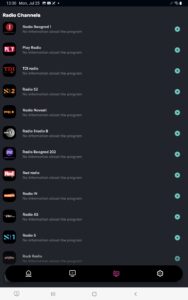
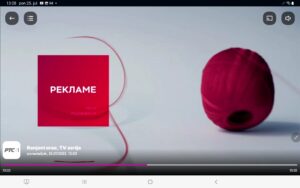
Screenshots



File Information
| Package Name | rs.maketv.oriontv |
|---|---|
| Version Name | 3.0.2 |
| Version Code | 151 |
| Architecture | Universal |
| Min Android Version | Android 19 (API 29) |
| Main Activity | rs.maketv.oriontv.views.activity.MainActivity |
| Framework | Native (Java/Kotlin) |
| File Size | 15.56 MB |
| Signature (SHA1) | AC46D2FD51C25EA4965303732F8291AB5EEB6D83 |
| File Hash (SHA256) | 6d8c27e5a4c59dda98690d36ca75f337ceb42de9fc6ecbf52a75c2c95839a212 |
What's New
- Register with Facebook account
- Register with Google account
- Connect existing account with your Social Media accounts and sign in easier than ever
- Manage devices (Adding, removing..)
- Bugfixes
- Register with Google account
- Connect existing account with your Social Media accounts and sign in easier than ever
- Manage devices (Adding, removing..)
- Bugfixes
App Description
About this APP
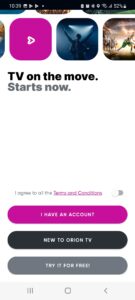
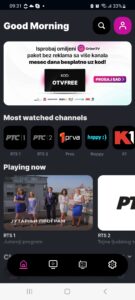
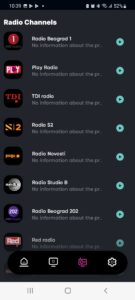
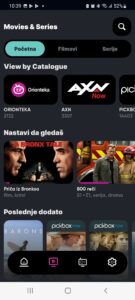
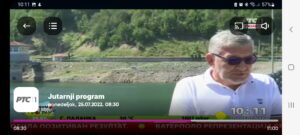
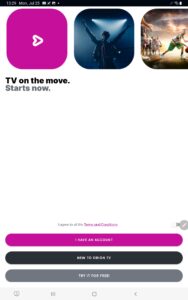
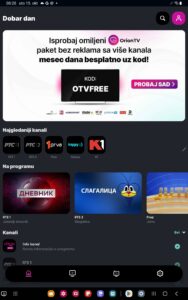
Orion TV allows you to watch live TV on your mobile phone or tablet.
• Available for customers both in or outside Orion telekom internet network
• Easy and simple to use
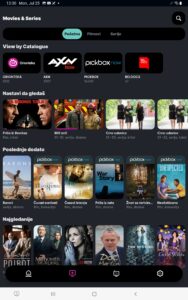
• Attractive TV channels of various genre
• Exceptional picture quality
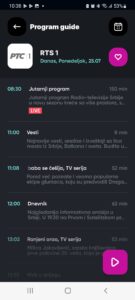
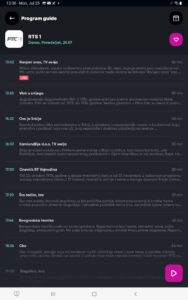
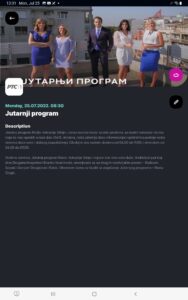
• Electronic program guide (EPG) for all channels
• Catch-up TV – watch the program you missed up to 7 days later
• Watch on big screen too (for appliances with supported apps)
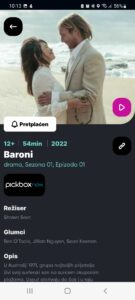
• Watch for FREE or POSTANI PRO (monthly, annual or lifetime subscription)
For new users, outside Orion telekom network, prepaid PRO subscriptions are available. PRO subscriptions offer more of everything: more TV channels, adds-free usage, Catch-up service up to 7 days, cast of TV stream to big screen. You just need to choose for how long and you are off to watch TV where ever you are.
For stable streaming Orion TV requires internet connection of minimum 2 Mbps speed.
This particular version of Orion TV is designed for Android phones and tablets. New version of app for Android TV box and Android Smart TV will be available soon!
This app uses large amount of data, therefore we recommend that you set use over WIFI connection as default on your phone.
Orion TV allows you to watch live TV on your mobile phone or tablet.
• Available for customers both in or outside Orion telekom internet network
• Easy and simple to use
• Attractive TV channels of various genre
• Exceptional picture quality
• Electronic program guide (EPG) for all channels
• Catch-up TV – watch the program you missed up to 7 days later
• Watch on big screen too (for appliances with supported apps)
• Watch for FREE or POSTANI PRO (monthly, annual or lifetime subscription)
For new users, outside Orion telekom network, prepaid PRO subscriptions are available. PRO subscriptions offer more of everything: more TV channels, adds-free usage, Catch-up service up to 7 days, cast of TV stream to big screen. You just need to choose for how long and you are off to watch TV where ever you are.
For stable streaming Orion TV requires internet connection of minimum 2 Mbps speed.
This particular version of Orion TV is designed for Android phones and tablets. New version of app for Android TV box and Android Smart TV will be available soon!
This app uses large amount of data, therefore we recommend that you set use over WIFI connection as default on your phone.
Download Orion TV APK
Fast, free and safe download.
APK Permissions 14
- android.permission.ACCESS_NETWORK_STATE
- android.permission.ACCESS_WIFI_STATE
- android.permission.FOREGROUND_SERVICE
- android.permission.INTERNET
- android.permission.READ_EXTERNAL_STORAGE
- android.permission.RECEIVE_BOOT_COMPLETED
- android.permission.REQUEST_INSTALL_PACKAGES
- android.permission.WAKE_LOCK
- android.permission.WRITE_EXTERNAL_STORAGE
- com.google.android.c2dm.permission.RECEIVE
- com.google.android.finsky.permission.BIND_GET_INSTALL_REFERRER_SERVICE
- com.huawei.appmarket.service.commondata.permission.GET_COMMON_DATA
- rs.maketv.oriontv.permission.PROCESS_PUSH_MSG
- rs.maketv.oriontv.permission.PUSH_PROVIDER
APK Verified
The cryptographic signature guarantees that the file is safe to install and was not tampered with in any way.


Frequently Asked Questions about Orion TV APK
This is the universal variant — a single APK that contains native libraries for every CPU architecture. It installs on any Android device but is larger than per-architecture variants.
Yes — the APK's signature has been cryptographically verified against the publisher's signing key. The SHA-256 hash is shown in the File Information panel so you can independently confirm the file matches the original release.
Android 19 (API level 29) or newer. Older devices will refuse the install.
Install a free app like 'CPU-Z' or 'Droid Hardware Info' from the Play Store and look at the ABI / Instruction Set row. Most phones made after 2017 are arm64-v8a; if in doubt, download the universal variant.
All variants are functionally identical — same features, same version. They differ only in which CPU architectures the native code is compiled for, and (sometimes) which screen densities the included graphics target. Pick the one that matches your device for the smallest install size, or pick 'Universal' if you're unsure.