
Download G-Stomper Rhythm: Drum Machine APK 6.0.1.6 arm64-v8a, armeabi-v7a, x86, x86_64 · Android 26+
Download APK
Verified Safe
This is the arm64-v8a, armeabi-v7a, x86, x86_64 build of G-Stomper Rhythm: Drum Machine 6.0.1.6. Pick this build if your device's primary ABI matches.
File size: 41.8 MB • Min Android: 26 • Target Android: 36 • Version code: 738 • Framework: Native (Java/Kotlin) • Permissions: 9
Screenshots
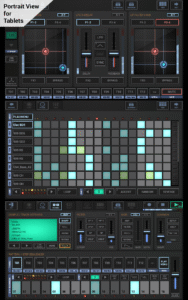
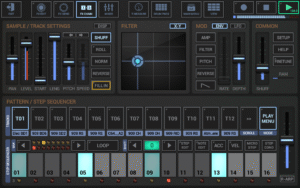
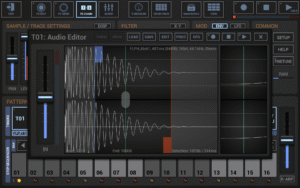
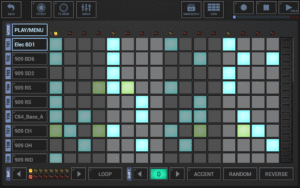
File Information
| Package Name | com.planeth.rhythm |
|---|---|
| Version Name | 6.0.1.6 |
| Version Code | 738 |
| Architecture | arm64-v8a, armeabi-v7a, x86, x86_64 |
| Min Android Version | Android 26 (API 36) |
| Main Activity | com.planeth.rhythm.GstomperInit |
| Framework | Native (Java/Kotlin) |
| File Size | 41.84 MB |
| Signature (SHA1) | 12EFDE086942178D902EE9421E5D05FDE70FCF44 |
| File Hash (SHA256) | 9aef6bd6355dcc9585eb279380bc6ec76cbf5f518ca0e31d37bc08005a067e88 |
What's New
Fine tuning of the auto-rotation and orientation handling
Legacy bug fixed - channel insert FX with long audio tails no longer create rare but unwanted audio artefacts
Updated to the latest AndroidX libraries
www.planet-h.com/g-stomper-rhythm/rtm-whats-new/
Legacy bug fixed - channel insert FX with long audio tails no longer create rare but unwanted audio artefacts
Updated to the latest AndroidX libraries
www.planet-h.com/g-stomper-rhythm/rtm-whats-new/
App Description
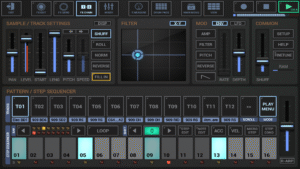
G-Stomper Rhythm, the little brother of G-Stomper Studio, is a versatile Tool for Musicians and Beat Producers, designed to create your beats on the go. It's a feature packed, Step Sequencer based Drum Machine/Groovebox, a Sampler, a Track Grid Sequencer, 24 Drum Pads, an Effect Rack, a Master Section and a Line Mixer. Never lose a single beat again. Write it down and rock your own jam session wherever you are, and finally export it Track by Track or as Mixdown in Studio Quality up to 32bit 96kHz Stereo.
Whatever you are up to, practice your instrument, create beats for later use in the Studio, just jam and have fun, G-Stomper Rhythm has you covered. What are you waiting for, it's free, so let's rock!
G-Stomper Rhythm is a free app without any demo restrictions, supported by ads. You can optionally purchase a G-Stomper Rhythm Premium Key in form of a separate app to remove the ads. G-Stomper Rhythm looks for the G-Stomper Rhythm Premium Key and removes the ads if a valid key exists.
Instruments and Pattern Sequencer
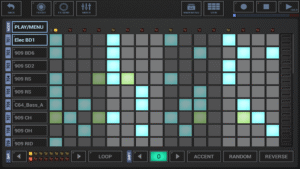
• Drum Machine : Sample based Drum Machine, max 24 Tracks
• Sampler Track Grid : Grid based Multi Track Step Sequencer, max 24 Tracks
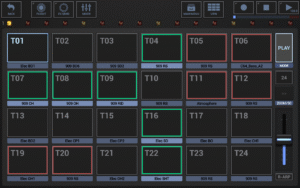
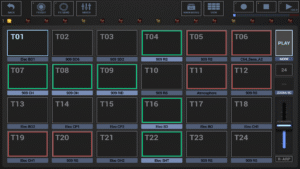
• Sampler Drum Pads : 24 Drum Pads for live playing
• Timing & Measure : Tempo, Swing Quantization, Time Signature, Measure
Mixer
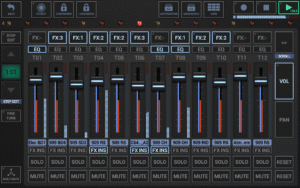
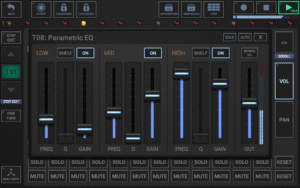
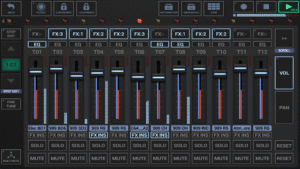
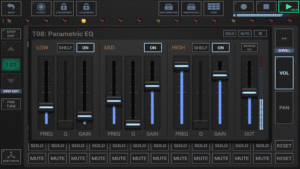
• Line Mixer : Mixer with up to 24 Channels (Parametric 3-band Equalizer + Insert Effects per Channel)
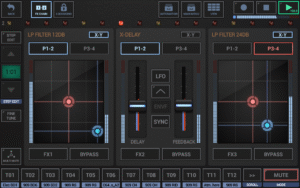
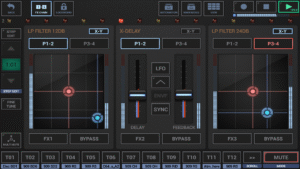
• Effect Rack : 3 chainable Effect Units
• Master Section : 2 Sum Effect Units
Audio Editor
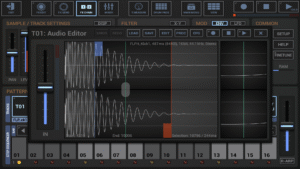
• Audio Editor : Graphical Sample Editor/Recorder
Feature Highlights
• Ableton Link: Play in sync with any Link-enabled app and/or Ableton Live
• Full round-trip MIDI integration (IN/OUT), Android 5+: USB (host), Android 6+: USB (host+peripheral) + Bluetooth (host)
• High Quality Audio Engine (32bit float DSP algorithms)
• 47 Effect Types including Dynamic Processors, Resonant Filters, Distortions, Delays, Reverbs, Vocoders, and more
+ Side Chain Support, Tempo sync, LFOs, Envelope Followers
• Per Track Multi-Filter
• Real-Time Sample Modulation
• User Sample Support: Uncompressed WAV or AIFF up to 64bit, compressed MP3, OGG, FLAC
• Tablet optimized, Portrait Mode for 5 inch and bigger screens
• Full Motion Sequencing/Automation Support
• Import MIDI files as Patterns
• Support for additional Content-Packs
• WAV File Export, 8..32bit up to 96kHz: Sum or Track by Track Export for later use in the Digital Audio Workstation of your choice
• Real-Time Audio Recording of your Live Sessions, 8..32bit up to 96kHz
• Export Patterns as MIDI for later use in your favorite DAW or MIDI Sequencer
• Share your exported Music
Support
FAQ:
www.planet-h.com/faq
Support Forum:
www.planet-h.com/gstomperbb/
User Manual:
www.planet-h.com/documentation/
Minimum recommended device specs
1000 MHz dual-core cpu
800 * 480 screen resolution
Headphones or speakers
Permissions
Storage read/write: load/save
Bluetooth+Location: MIDI over BLE
Record Audio: Sample Recorder
Whatever you are up to, practice your instrument, create beats for later use in the Studio, just jam and have fun, G-Stomper Rhythm has you covered. What are you waiting for, it's free, so let's rock!
G-Stomper Rhythm is a free app without any demo restrictions, supported by ads. You can optionally purchase a G-Stomper Rhythm Premium Key in form of a separate app to remove the ads. G-Stomper Rhythm looks for the G-Stomper Rhythm Premium Key and removes the ads if a valid key exists.
Instruments and Pattern Sequencer
• Drum Machine : Sample based Drum Machine, max 24 Tracks
• Sampler Track Grid : Grid based Multi Track Step Sequencer, max 24 Tracks
• Sampler Drum Pads : 24 Drum Pads for live playing
• Timing & Measure : Tempo, Swing Quantization, Time Signature, Measure
Mixer
• Line Mixer : Mixer with up to 24 Channels (Parametric 3-band Equalizer + Insert Effects per Channel)
• Effect Rack : 3 chainable Effect Units
• Master Section : 2 Sum Effect Units
Audio Editor
• Audio Editor : Graphical Sample Editor/Recorder
Feature Highlights
• Ableton Link: Play in sync with any Link-enabled app and/or Ableton Live
• Full round-trip MIDI integration (IN/OUT), Android 5+: USB (host), Android 6+: USB (host+peripheral) + Bluetooth (host)
• High Quality Audio Engine (32bit float DSP algorithms)
• 47 Effect Types including Dynamic Processors, Resonant Filters, Distortions, Delays, Reverbs, Vocoders, and more
+ Side Chain Support, Tempo sync, LFOs, Envelope Followers
• Per Track Multi-Filter
• Real-Time Sample Modulation
• User Sample Support: Uncompressed WAV or AIFF up to 64bit, compressed MP3, OGG, FLAC
• Tablet optimized, Portrait Mode for 5 inch and bigger screens
• Full Motion Sequencing/Automation Support
• Import MIDI files as Patterns
• Support for additional Content-Packs
• WAV File Export, 8..32bit up to 96kHz: Sum or Track by Track Export for later use in the Digital Audio Workstation of your choice
• Real-Time Audio Recording of your Live Sessions, 8..32bit up to 96kHz
• Export Patterns as MIDI for later use in your favorite DAW or MIDI Sequencer
• Share your exported Music
Support
FAQ:
www.planet-h.com/faq
Support Forum:
www.planet-h.com/gstomperbb/
User Manual:
www.planet-h.com/documentation/
Minimum recommended device specs
1000 MHz dual-core cpu
800 * 480 screen resolution
Headphones or speakers
Permissions
Storage read/write: load/save
Bluetooth+Location: MIDI over BLE
Record Audio: Sample Recorder
Download G-Stomper Rhythm: Drum Machine APK
Fast, free and safe download.
APK Permissions 9
- android.permission.ACCESS_COARSE_LOCATION
- android.permission.ACCESS_FINE_LOCATION
- android.permission.BLUETOOTH
- android.permission.BLUETOOTH_ADMIN
- android.permission.BLUETOOTH_CONNECT
- android.permission.BLUETOOTH_SCAN
- android.permission.INTERNET
- android.permission.RECORD_AUDIO
- com.planeth.rhythm.DYNAMIC_RECEIVER_NOT_EXPORTED_PERMISSION
APK Verified
The cryptographic signature guarantees that the file is safe to install and was not tampered with in any way.


Frequently Asked Questions about G-Stomper Rhythm: Drum Machine APK
This variant is built for devices that report `arm64-v8a, armeabi-v7a, x86, x86_64` as their primary ABI. If your device's CPU matches, this is the smallest, fastest version to install.
Yes — the APK's signature has been cryptographically verified against the publisher's signing key. The SHA-256 hash is shown in the File Information panel so you can independently confirm the file matches the original release.
Android 26 (API level 36) or newer. Older devices will refuse the install.
Install a free app like 'CPU-Z' or 'Droid Hardware Info' from the Play Store and look at the ABI / Instruction Set row. Most phones made after 2017 are arm64-v8a; if in doubt, download the universal variant.
All variants are functionally identical — same features, same version. They differ only in which CPU architectures the native code is compiled for, and (sometimes) which screen densities the included graphics target. Pick the one that matches your device for the smallest install size, or pick 'Universal' if you're unsure.