
Screenshots

File Information
| Package Name | com.quvideo.xiaoying |
|---|---|
| Version Name | 9.32.0 |
| Version Code | 6932001 |
| Architecture | Universal |
| Min Android Version | Android 24 (API 35) |
| Main Activity | com.quvideo.xiaoying.app.splash.SplashActivity |
| Framework | Native (Java/Kotlin) |
| File Size | 163.92 MB |
| Signature (SHA1) | EA5AD43B0C36BDF3FD0A55B8D545A3F55A013752 |
| File Hash (SHA256) | 8497c79ed62da55e7823f172cf930b1a2a1513f8dda7d86db614a24a41e6ab59 |
What's New
Experience optimization.
App Description
Tired of complex editing?
VivaVideo AI does the magic!
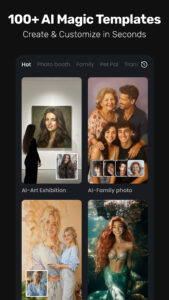
Instantly bring photos to life: generate a warm hug with a loved one, make old pictures wave, or even generate a baby rap video. Our powerful AI handles everything—no skills needed. Quickly create and share heartwarming family memories. Download VivaVideo now and start creating!
VivaVideo is a free, all-in-one
AI video editor
,
photo editor
, and
video maker
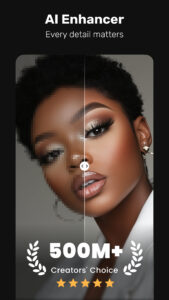
, featuring AI Video Generation, Text to Video, Image to Video, Reel Templates, Background Remover, AI Auto Cut, Auto Captions, AI Enhancer.
Let VivaVideo turn your ideas into viral‑ready Reels and Shorts—built for
beginners
and
pros
alike—and share across TikTok, YouTube, Instagram, WhatsApp, and Facebook to grow your audience.
FREE & No Ads!
Powerful AI Video Tools
- Smart Tracking:
Track moving objects to create dynamic, professional shots.
- AI Beat:
Sync video highlights with rhythmic beats for perfectly timed edits.
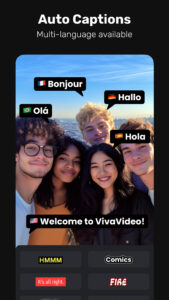
- AI Auto Captions:
Generates speech-to-text captions & caption translation.
- AI Avatar:
Quickly turn text into talking clips with powerful voice customization. No skills needed—perfect for creators and marketers. Powered by Veo 3 AI.
- AI Music Generator:
Create a custom song based on your ideas or lyrics.
- AI Voice Clone:
Easily copy your voice and generate any speech! With customized emotions & in any language!
- Image to Video:
Let AI magically bring life to your photos with AI hug, AI kiss, AI muscle video effects.
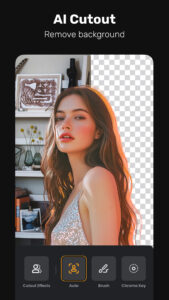
- AI Cutout:
Auto remove backgrounds or isolate objects with smart strokes.
- Slow-Motion:
Make videos smoother and more cinematic with advanced slow-mo effects.
User-friendly Video Editing for Beginners
- Trim, cut, split, or merge video clips without losing quality.
- Speed curve: speed control with customizable & pre-set curves.
- Add smooth transitions and visual effects to enhance your video.
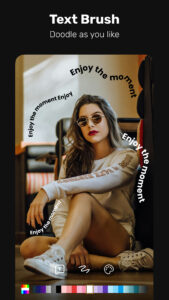
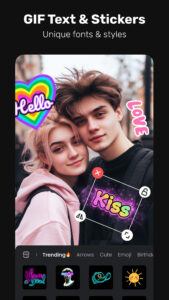
- Text styles & fonts: customize text for titles and captions.
- Add fun stickers & emojis to bring personality to video.
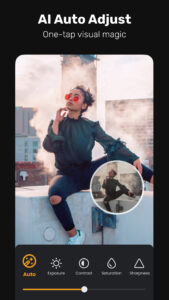
- Color adjustments: adjust brightness, contrast & saturation for better visuals.
Full-featured Video Editing for Professional
- Keyframe editing: create smooth animations for dynamic movement and effects.
- Apply slow-motion effects to specific parts of your video.
- Chromakey effects: use chroma key to eliminate video colors and create immersive scenes.
- Picture-in-picture (PIP): add multiple layers of video, images, stickers, special effects, text
- Masking: cover and mix video clips to get different video effects.
- Mosaic: blur or pixelate specific areas of your video, great for hiding sensitive details.
- Smart tracking: track moving objects in your video for precise effects, text, or animations to follow their motion.
Special Features
- Auto captions & caption translation: AI speech-to-text for talking videos and one-tap subtitle translation.
- Background removal: auto remove backgrounds and change video background.
Trending Effects & Filters
- Apply various effects to your videos, including Glitch, Fade, Weather, Retro DV, Blur, 3D
- Enhance your videos with cinematic filters & color adjustments
Music & Sound Effects
- Elevate videos with a vast library of music clips and sound effects
- Extract audio from video clips and recordings
With VivaVideo, your all-in-one video editor & video maker with music, you can easily craft eye-catching content. Whether you're a beginner or pro, VivaVideo's powerful tools like AI music, keyframes and green screen, can help you make high-quality videos in minutes!
VivaVideo AI does the magic!
Instantly bring photos to life: generate a warm hug with a loved one, make old pictures wave, or even generate a baby rap video. Our powerful AI handles everything—no skills needed. Quickly create and share heartwarming family memories. Download VivaVideo now and start creating!
VivaVideo is a free, all-in-one
AI video editor
,
photo editor
, and
video maker
, featuring AI Video Generation, Text to Video, Image to Video, Reel Templates, Background Remover, AI Auto Cut, Auto Captions, AI Enhancer.
Let VivaVideo turn your ideas into viral‑ready Reels and Shorts—built for
beginners
and
pros
alike—and share across TikTok, YouTube, Instagram, WhatsApp, and Facebook to grow your audience.
FREE & No Ads!
Powerful AI Video Tools
- Smart Tracking:
Track moving objects to create dynamic, professional shots.
- AI Beat:
Sync video highlights with rhythmic beats for perfectly timed edits.
- AI Auto Captions:
Generates speech-to-text captions & caption translation.
- AI Avatar:
Quickly turn text into talking clips with powerful voice customization. No skills needed—perfect for creators and marketers. Powered by Veo 3 AI.
- AI Music Generator:
Create a custom song based on your ideas or lyrics.
- AI Voice Clone:
Easily copy your voice and generate any speech! With customized emotions & in any language!
- Image to Video:
Let AI magically bring life to your photos with AI hug, AI kiss, AI muscle video effects.
- AI Cutout:
Auto remove backgrounds or isolate objects with smart strokes.
- Slow-Motion:
Make videos smoother and more cinematic with advanced slow-mo effects.
User-friendly Video Editing for Beginners
- Trim, cut, split, or merge video clips without losing quality.
- Speed curve: speed control with customizable & pre-set curves.
- Add smooth transitions and visual effects to enhance your video.
- Text styles & fonts: customize text for titles and captions.
- Add fun stickers & emojis to bring personality to video.
- Color adjustments: adjust brightness, contrast & saturation for better visuals.
Full-featured Video Editing for Professional
- Keyframe editing: create smooth animations for dynamic movement and effects.
- Apply slow-motion effects to specific parts of your video.
- Chromakey effects: use chroma key to eliminate video colors and create immersive scenes.
- Picture-in-picture (PIP): add multiple layers of video, images, stickers, special effects, text
- Masking: cover and mix video clips to get different video effects.
- Mosaic: blur or pixelate specific areas of your video, great for hiding sensitive details.
- Smart tracking: track moving objects in your video for precise effects, text, or animations to follow their motion.
Special Features
- Auto captions & caption translation: AI speech-to-text for talking videos and one-tap subtitle translation.
- Background removal: auto remove backgrounds and change video background.
Trending Effects & Filters
- Apply various effects to your videos, including Glitch, Fade, Weather, Retro DV, Blur, 3D
- Enhance your videos with cinematic filters & color adjustments
Music & Sound Effects
- Elevate videos with a vast library of music clips and sound effects
- Extract audio from video clips and recordings
With VivaVideo, your all-in-one video editor & video maker with music, you can easily craft eye-catching content. Whether you're a beginner or pro, VivaVideo's powerful tools like AI music, keyframes and green screen, can help you make high-quality videos in minutes!
Download VivaVideo - Video Cut & Editor APK
Fast, free and safe download.
APK Permissions 39
- android.permission.ACCESS_ADSERVICES_AD_ID
- android.permission.ACCESS_ADSERVICES_ATTRIBUTION
- android.permission.ACCESS_ADSERVICES_TOPICS
- android.permission.ACCESS_NETWORK_STATE
- android.permission.ACCESS_WIFI_STATE
- android.permission.BROADCAST_PACKAGE_ADDED
- android.permission.BROADCAST_PACKAGE_CHANGED
- android.permission.BROADCAST_PACKAGE_INSTALL
- android.permission.BROADCAST_PACKAGE_REPLACED
- android.permission.CAMERA
- android.permission.CHANGE_NETWORK_STATE
- android.permission.FOREGROUND_SERVICE
- android.permission.INTERNET
- android.permission.MODIFY_AUDIO_SETTINGS
- android.permission.NFC
- android.permission.POST_NOTIFICATIONS
- android.permission.READ_EXTERNAL_STORAGE
- android.permission.READ_MEDIA_AUDIO
- android.permission.READ_MEDIA_IMAGES
- android.permission.READ_MEDIA_VIDEO
- android.permission.READ_MEDIA_VISUAL_USER_SELECTED
- android.permission.RECEIVE_BOOT_COMPLETED
- android.permission.RECEIVE_USER_PRESENT
- android.permission.RECORD_AUDIO
- android.permission.SET_WALLPAPER
- android.permission.SYSTEM_ALERT_WINDOW
- android.permission.VIBRATE
- android.permission.WAKE_LOCK
- android.permission.WRITE_EXTERNAL_STORAGE
- android.permission.WRITE_SETTINGS
- com.android.launcher.permission.INSTALL_SHORTCUT
- com.android.launcher.permission.READ_SETTINGS
- com.android.vending.BILLING
- com.google.android.c2dm.permission.RECEIVE
- com.google.android.finsky.permission.BIND_GET_INSTALL_REFERRER_SERVICE
- com.google.android.gms.permission.AD_ID
- com.quvideo.xiaoying.DYNAMIC_RECEIVER_NOT_EXPORTED_PERMISSION
- com.quvideo.xiaoying.permission.JPUSH_MESSAGE
- com.vivavideo.mobile.settings.READ
APK Verified
The cryptographic signature guarantees that the file is safe to install and was not tampered with in any way.


