
Download Samsung Notes for SAMSUNG IWB APK 1.5.00.2 Universal · Android 23+
Download APK
Verified Safe
This is the universal build of Samsung Notes for SAMSUNG IWB 1.5.00.2. It contains native libraries for every CPU architecture (arm64-v8a, armeabi-v7a, x86, x86_64), so it installs on any Android device. The trade-off is size — it's larger than per-architecture variants. Pick this one if you're unsure which CPU your phone has, or if you plan to share the APK with multiple devices.
File size: 100.6 MB • Min Android: 23 • Target Android: 34 • Version code: 150002000 • Framework: Native (Java/Kotlin) • Permissions: 149
Screenshots
File Information
| Package Name | com.samsung.android.app.notesforifpd |
|---|---|
| Version Name | 1.5.00.2 |
| Version Code | 150002000 |
| Architecture | Universal |
| Min Android Version | Android 23 (API 34) |
| Main Activity | com.samsung.android.app.notes.memolist.MemoListActivity |
| Framework | Native (Java/Kotlin) |
| File Size | 100.62 MB |
| Signature (SHA1) | 5C1C902DE050B7985E07C42914C44A065FB566CA |
| File Hash (SHA256) | 7edaf6bbac58aaa01c229350d1dfa99d7c0aa112dfc99385f190d23a1515bb1b |
App Description
Samsung Notes for IWB can create and edit documents on SAMSUNG Interactive Display.
User can add annotations to the PDF and create documents with images or voices.
It can also be used by connecting documents with various apps such as PDF, Microsoft Word, Microsoft PowerPoint, etc.
Try creating a new note.
You can create a new note by tapping + in the bottom right corner of the main screen.
Newly created notes will have the “sdocx” extension.
Protect your notes.
1. On the main screen, tap More Options in the upper right corner, select Settings, then select Lock Note.
Then select a note locking method and password.
2. Lock the notes you want to protect by tapping More Options on the screen of the note you want to protect and selecting Lock Note.
Create handwritten notes.
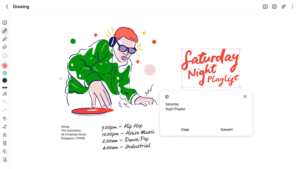
Tap the Handwriting icon while writing a note. Your handwriting will be displayed directly on the note.
Add photos.
Tap the photo icon in the note you are working on to take a photo. You may also load, add tags to and edit an existing photo.
Add a voice recording.
By tapping the Voice Recording icon while writing a note, you can record sound and create a note with sound.
Try using various writing tools.
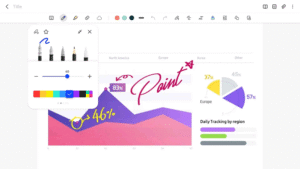
By tapping the Pen icon while writing a note, you can select a variety of writing tools such as pens, fountain pens, pencils, highlighters, etc., as well as various colors and thicknesses.
By tapping the Eraser icon, you can select and erase content that you want to remove.
You can import notes and memos created in Notes and Memo.
You can also import previously created notes and memos with your Samsung account.
* Notice regarding app access permissions:
The following access permissions are required to provide you with this service.
Basic features of the service can be used even if Optional permissions are not granted.
Required permissions
• Storage: Used to save or load document files
Optional permissions
• Photos and videos : Used to add pictures and videos to notes
• Notifications : Used to notify you about invitations to shared notes, note syncing issues, and more
• Music and audio : Used to add audio to notes
• Phone : Used to check if updates are available for your version of the app
• Microphone : Used to add voice recordings to notes
• Camera : Used to add pictures and scanned documents to notes
You can still use the app's basic functions without allowing the optional permissions.
User can add annotations to the PDF and create documents with images or voices.
It can also be used by connecting documents with various apps such as PDF, Microsoft Word, Microsoft PowerPoint, etc.
Try creating a new note.
You can create a new note by tapping + in the bottom right corner of the main screen.
Newly created notes will have the “sdocx” extension.
Protect your notes.
1. On the main screen, tap More Options in the upper right corner, select Settings, then select Lock Note.
Then select a note locking method and password.
2. Lock the notes you want to protect by tapping More Options on the screen of the note you want to protect and selecting Lock Note.
Create handwritten notes.
Tap the Handwriting icon while writing a note. Your handwriting will be displayed directly on the note.
Add photos.
Tap the photo icon in the note you are working on to take a photo. You may also load, add tags to and edit an existing photo.
Add a voice recording.
By tapping the Voice Recording icon while writing a note, you can record sound and create a note with sound.
Try using various writing tools.
By tapping the Pen icon while writing a note, you can select a variety of writing tools such as pens, fountain pens, pencils, highlighters, etc., as well as various colors and thicknesses.
By tapping the Eraser icon, you can select and erase content that you want to remove.
You can import notes and memos created in Notes and Memo.
You can also import previously created notes and memos with your Samsung account.
* Notice regarding app access permissions:
The following access permissions are required to provide you with this service.
Basic features of the service can be used even if Optional permissions are not granted.
Required permissions
• Storage: Used to save or load document files
Optional permissions
• Photos and videos : Used to add pictures and videos to notes
• Notifications : Used to notify you about invitations to shared notes, note syncing issues, and more
• Music and audio : Used to add audio to notes
• Phone : Used to check if updates are available for your version of the app
• Microphone : Used to add voice recordings to notes
• Camera : Used to add pictures and scanned documents to notes
You can still use the app's basic functions without allowing the optional permissions.
Download Samsung Notes for SAMSUNG IWB APK
Fast, free and safe download.
APK Permissions 149
- android.permission-group.NOTIFICATIONS
- android.permission.ACCESS_MEDIA_LOCATION
- android.permission.ACCESS_NETWORK_STATE
- android.permission.ACCESS_WIFI_STATE
- android.permission.BLUETOOTH
- android.permission.CAMERA
- android.permission.DEVICE_POWER
- android.permission.EXPAND_STATUS_BAR
- android.permission.FOREGROUND_SERVICE
- android.permission.FOREGROUND_SERVICE_DATA_SYNC
- android.permission.FOREGROUND_SERVICE_MEDIA_PLAYBACK
- android.permission.FOREGROUND_SERVICE_MICROPHONE
- android.permission.GET_ACCOUNTS
- android.permission.GET_ACCOUNTS_PRIVILEGED
- android.permission.INTERACT_ACROSS_USERS
- android.permission.INTERACT_ACROSS_USERS_FULL
- android.permission.INTERNAL_SYSTEM_WINDOW
- android.permission.INTERNET
- android.permission.LOCAL_MAC_ADDRESS
- android.permission.MANAGE_ACTIVITY_STACKS
- android.permission.MANAGE_ACTIVITY_TASKS
- android.permission.MANAGE_EXTERNAL_STORAGE
- android.permission.MANAGE_USERS
- android.permission.NFC
- android.permission.POST_NOTIFICATIONS
- android.permission.QUERY_ALL_PACKAGES
- android.permission.READ_CONTACTS
- android.permission.READ_EXTERNAL_STORAGE
- android.permission.READ_MEDIA_AUDIO
- android.permission.READ_MEDIA_IMAGES
- android.permission.READ_PHONE_STATE
- android.permission.READ_SEARCH_INDEXABLES
- android.permission.READ_SYNC_SETTINGS
- android.permission.REAL_GET_TASKS
- android.permission.RECORD_AUDIO
- android.permission.REORDER_TASKS
- android.permission.SET_PROCESS_LIMIT
- android.permission.STATUS_BAR
- android.permission.STOP_APP_SWITCHES
- android.permission.SYSTEM_ALERT_WINDOW
- android.permission.USE_BIOMETRIC
- android.permission.USE_FINGERPRINT
- android.permission.VIBRATE
- android.permission.WAKE_LOCK
- android.permission.WRITE_EXTERNAL_STORAGE
- android.permission.WRITE_MEDIA_STORAGE
- android.permission.WRITE_SETTINGS
- android.permission.WRITE_SYNC_SETTINGS
- com.google.android.c2dm.permission.RECEIVE
- com.samsung.android.app.aodservice.permission.AOD_PROVIDER
- com.samsung.android.app.aodservice.permission.BROADCAST_RECEIVER
- com.samsung.android.app.cocktailbarservice.permission.ACCESS_PANEL
- com.samsung.android.app.deepsky.donation.provider.permission.DONATE_ACTION
- com.samsung.android.app.deepsky.feedback.provider.permission.SUBMIT_FEEDBACK
- com.samsung.android.app.deepsky.permission.ACCESS_SERVICE
- com.samsung.android.app.interpreter.permission.READ_TRANSLATION_SETTINGS
- com.samsung.android.app.notes.addons.ADDONS_VIEW
- com.samsung.android.app.notesforifpd.DYNAMIC_RECEIVER_NOT_EXPORTED_PERMISSION
- com.samsung.android.app.notesx.sync.NOTESX_READ
- com.samsung.android.app.reminder.permission.action.REGISTER
- com.samsung.android.camera.iris.permission.MANAGE_IRIS
- com.samsung.android.camera.iris.permission.RESET_IRIS_LOCKOUT
- com.samsung.android.camera.iris.permission.USE_IRIS
- com.samsung.android.email.permission.ACCESS_PROVIDER
- com.samsung.android.honeyboard.permission.KEYBOARD_SETTING
- com.samsung.android.intellivoiceservice.ai.asr.permission.BIND_SPEECH_RECOGNITION_SERVICE
- com.samsung.android.intellivoiceservice.ai.asr.permission.SPEECH_RECOGNITION_SERVICE_CONFIG_PROVIDER
- com.samsung.android.intellivoiceservice.ai.asr.permission.SYSTEM_BIND_SPEECH_RECOGNITION_SERVICE
- com.samsung.android.intellivoiceservice.ai.asr.permission.SYSTEM_SPEECH_RECOGNITION_SERVICE_CONFIG_PROVIDER
- com.samsung.android.intellivoiceservice.aitranslator.permission.BIND_TRANSLATION
- com.samsung.android.intellivoiceservice.permission.BIND_CLASSIFICATION_SERVICE
- com.samsung.android.intellivoiceservice.permission.BIND_CONFIGURATION_SERVICE
- com.samsung.android.intellivoiceservice.permission.BIND_CORRECTION_SERVICE
- com.samsung.android.intellivoiceservice.permission.BIND_EMOJI_AUGMENTATION_SERVICE
- com.samsung.android.intellivoiceservice.permission.BIND_EXTRACTION_SERVICE
- com.samsung.android.intellivoiceservice.permission.BIND_GENERIC_SERVICE
- com.samsung.android.intellivoiceservice.permission.BIND_NOTES_ORGANIZATION_SERVICE
- com.samsung.android.intellivoiceservice.permission.BIND_SMART_CAPTURE_SERVICE
- com.samsung.android.intellivoiceservice.permission.BIND_SMART_COVER_SERVICE
- com.samsung.android.intellivoiceservice.permission.BIND_SMART_REPLY_SERVICE
- com.samsung.android.intellivoiceservice.permission.BIND_SUGGESTION_SERVICE
- com.samsung.android.intellivoiceservice.permission.BIND_SUGGESTION_SERVICE_FOR_EXTERNAL
- com.samsung.android.intellivoiceservice.permission.BIND_SUMMARIZATION_SERVICE
- com.samsung.android.intellivoiceservice.permission.BIND_TONECONVERT_SERVICE
- com.samsung.android.intellivoiceservice.permission.BIND_TRANSLATION_SERVICE
- com.samsung.android.intellivoiceservice.permission.BIND_USAGE_SERVICE
- com.samsung.android.intellivoiceservice.permission.BIND_WRITING_COMPOSER_SERVICE
- com.samsung.android.intellivoiceservice.permission.SUPPORTED_FEATURE_PROVIDER
- com.samsung.android.knox.permission.KNOX_CCM_KEYSTORE
- com.samsung.android.launcher.permission.READ_SETTINGS
- com.samsung.android.mcfds.permission.START_SERVICE
- com.samsung.android.mcfds.permission.USE_CONTINUITY_PROVIDER
- com.samsung.android.messaging.permission.READ_MESSAGE_QUICK_NOTE
- com.samsung.android.mobileservice.permission.RECEIVE_SEMS_BROADCAST
- com.samsung.android.mobileservice.social.buddy.provider.Permission.READ
- com.samsung.android.mobileservice.social.buddy.provider.Permission.WRITE
- com.samsung.android.mobileservice.social.common.provider.opensession.permission.READ
- com.samsung.android.mobileservice.social.group.member.provider.permission.READ
- com.samsung.android.mobileservice.social.group.provider.permission.READ
- com.samsung.android.mobileservice.social.share.asset.provider.permission.READ
- com.samsung.android.mobileservice.social.share.item.provider.permission.READ
- com.samsung.android.mobileservice.social.share.space.provider.permission.READ
- com.samsung.android.mobileservice.social.share.space.provider.permission.WRITE
- com.samsung.android.mobileservice.social.ui.permission.SOCIAL_AGREEMENT
- com.samsung.android.mobileservice.social.ui.Permission.SOCIAL_CONTACT_PICKER
- com.samsung.android.permission.BIOMETRICS_PRIVILEGED
- com.samsung.android.permission.FINGERPRINT_PRIVILEGED
- com.samsung.android.permission.READ_SCPM
- com.samsung.android.permission.SSRM_NOTIFICATION_PERMISSION
- com.samsung.android.provider.indexing.permission.ACCESS_PROVIDER
- com.samsung.android.providers.context.permission.WRITE_USE_APP_FEATURE_SURVEY
- com.samsung.android.providers.media.READ
- com.samsung.android.providers.media.WRITE
- com.samsung.android.scloud.app.permission.BROADCAST
- com.samsung.android.scloud.app.ui
- com.samsung.android.scloud.permission.RPC_SYNC_SETTING
- com.samsung.android.scs.ai.asr.permission.BIND_SPEECH_RECOGNITION_SERVICE
- com.samsung.android.scs.ai.asr.permission.SPEECH_RECOGNITION_SERVICE_CONFIG_PROVIDER
- com.samsung.android.scs.ai.asr.permission.SYSTEM_BIND_SPEECH_RECOGNITION_SERVICE
- com.samsung.android.scs.ai.asr.permission.SYSTEM_SPEECH_RECOGNITION_SERVICE_CONFIG_PROVIDER
- com.samsung.android.scs.ai.image.permission.BIND_IMAGE_SERVICE
- com.samsung.android.scs.ai.image.permission.IMAGE_PROVIDER
- com.samsung.android.scs.ai.suggestion.permission.SUGGESTION_PROVIDER
- com.samsung.android.scs.ai.text.permission.TEXT_PROVIDER
- com.samsung.android.scs.permission.SUPPORTED_FEATURE_PROVIDER
- com.samsung.android.sdk.handwriting.permission.RESOURCE_LANGUAGE_UPDATE
- com.samsung.android.sdk.handwriting.permission.RESOURCE_LANGUAGE_UPDATE_COMMAND
- com.samsung.android.sdk.ocr.permission.PROVIDE_OCR_RESOURCE
- com.samsung.android.security.permission.SAMSUNG_KEYSTORE_PERMISSION
- com.samsung.android.service.aircommand.permission.ACCESS_AIRCOMMAND
- com.samsung.android.settings.intelligence.READ_SETTINGS_SEARCH_DATA_PROVIDER
- com.samsung.android.settings.permission.MANAGE_LANGUAGE_PACK
- com.samsung.android.spay.permission.READ_SPAY_SHARE
- com.samsung.android.visual.cloudcore.permission.BIND_IMAGE_EDITOR_SERVICE
- com.samsung.android.visual.cloudcore.permission.BIND_PORTRAIT_SERVICE
- com.samsung.android.visual.cloudcore.permission.SUPPORTED_FEATURE_PROVIDER
- com.samsung.android.visual.core.permission.BIND_DOWNLOAD_SERVICE
- com.samsung.android.visual.core.permission.BIND_WALLPAPER_SERVICE
- com.samsung.android.visual.core.permission.SUPPORTED_FEATURE_PROVIDER
- com.samsung.clipboardsaveservice.CLIPBOARDSAVESERVICE_PERMISSION
- com.samsung.sea.retailagent.permission.RETAILMODE
- com.sec.android.diagmonagent.permission.DIAGMON
- com.sec.android.inputmethod.permission.KEYBOARD_SETTING
- com.sec.android.inputmethod.permission.RESOURCEMANAGER_LANGUAGE_UPDATE
- com.sec.android.launcher.permission.BIND_WIDGET
- com.sec.android.mimage.photoretouching
- com.sec.knox.bridge.permission.FILE_OPERATION_HANDLER
- com.wssnps.permission.COM_WSSNPS
- dexonpc.app.action.permission.KMS_FILETRANSFER_DRAG_FILEINFO
APK Verified
The cryptographic signature guarantees that the file is safe to install and was not tampered with in any way.
Similar in Productivity


More by Samsung Electronics Co., Ltd.


Frequently Asked Questions about Samsung Notes for SAMSUNG IWB APK
This is the universal variant — a single APK that contains native libraries for every CPU architecture. It installs on any Android device but is larger than per-architecture variants.
Yes — the APK's signature has been cryptographically verified against the publisher's signing key. The SHA-256 hash is shown in the File Information panel so you can independently confirm the file matches the original release.
Android 23 (API level 34) or newer. Older devices will refuse the install.
Install a free app like 'CPU-Z' or 'Droid Hardware Info' from the Play Store and look at the ABI / Instruction Set row. Most phones made after 2017 are arm64-v8a; if in doubt, download the universal variant.
All variants are functionally identical — same features, same version. They differ only in which CPU architectures the native code is compiled for, and (sometimes) which screen densities the included graphics target. Pick the one that matches your device for the smallest install size, or pick 'Universal' if you're unsure.