
Download Epson Creative Print APK 7.5.0 arm64-v8a, armeabi-v7a · Android 26+
Download APK
Verified Safe
This is the arm64-v8a, armeabi-v7a build of Epson Creative Print 7.5.0. Pick this build if your device's primary ABI matches.
File size: 64.9 MB • Min Android: 26 • Target Android: 33 • Version code: 705000 • Framework: Native (Java/Kotlin) • Permissions: 15
Screenshots

File Information
| Package Name | com.epson.mobilephone.creative |
|---|---|
| Version Name | 7.5.0 |
| Version Code | 705000 |
| Architecture | arm64-v8a, armeabi-v7a |
| Min Android Version | Android 26 (API 33) |
| Main Activity | com.epson.mobilephone.creative.main.WellcomeScreenActivity |
| Framework | Native (Java/Kotlin) |
| File Size | 64.94 MB |
| Signature (SHA1) | CD0901D519337ECC5F8FAEAD8B9E6BAD944DC50C |
| File Hash (SHA256) | b53fcbbe0ff9637ee69b3a0eb3a938b842fd4022cde3e1f98841347da4496d62 |
What's New
- Added the new Photo ID function.
- Fixed Minor bugs
- Fixed Minor bugs
App Description
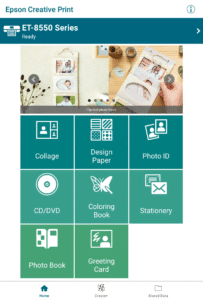
Express your creativity! Print your phone or tablet photos, print directly onto CD/DVDs, create customized greeting cards, personalize stationery and turn your photos into a fun coloring book project.
Key Features
• Collage – Create and print a collage of your favorite photos from your phone or tablet.
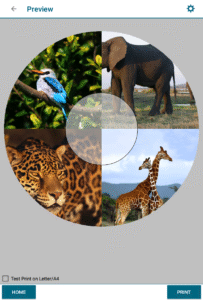
• Print on CD/DVDs - Create artwork from your photos and print directly onto an inkjet printable CD or DVD using an Epson printer.
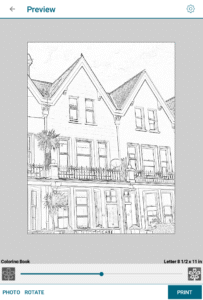
• Coloring Book - Choose a photo and create an outlined coloring book project that you can print and color as a fun project for your kids
• Personal Stationery – Choose between lined templates (such a graph or music paper), calendars or embed your photo as a watermark
• Custom Greeting Cards – Make a personalized greeting card using your photos and even personalize it with your own handwriting.
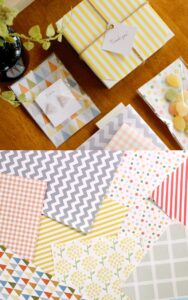
• Design Paper – Choose a favorite pattern and print a design paper that you can use as gift wrapping paper, book cover and more.
• Photo ID - Allows you to print a Photo ID from your mobile device at a custom size and change the background color.
* To use Creative Print with a Wi-Fi Direct connection, you must allow the app to use your device's location services. This allows Creative Print to search for wireless networks; your location data is not collected.
We welcome your feedback. Unfortunately, we cannot reply to your e-mail.
Printers Supported
See the following website for supported printers.
support.epson.net/appinfo/creative/list/en
Visit the following website to check the license agreement regarding the use of this application.
support.epson.net/terms/ijp/swinfo.php?id=7020
Key Features
• Collage – Create and print a collage of your favorite photos from your phone or tablet.
• Print on CD/DVDs - Create artwork from your photos and print directly onto an inkjet printable CD or DVD using an Epson printer.
• Coloring Book - Choose a photo and create an outlined coloring book project that you can print and color as a fun project for your kids
• Personal Stationery – Choose between lined templates (such a graph or music paper), calendars or embed your photo as a watermark
• Custom Greeting Cards – Make a personalized greeting card using your photos and even personalize it with your own handwriting.
• Design Paper – Choose a favorite pattern and print a design paper that you can use as gift wrapping paper, book cover and more.
• Photo ID - Allows you to print a Photo ID from your mobile device at a custom size and change the background color.
* To use Creative Print with a Wi-Fi Direct connection, you must allow the app to use your device's location services. This allows Creative Print to search for wireless networks; your location data is not collected.
We welcome your feedback. Unfortunately, we cannot reply to your e-mail.
Printers Supported
See the following website for supported printers.
support.epson.net/appinfo/creative/list/en
Visit the following website to check the license agreement regarding the use of this application.
support.epson.net/terms/ijp/swinfo.php?id=7020
Download Epson Creative Print APK
Fast, free and safe download.
APK Permissions 15
- android.permission.ACCESS_ADSERVICES_AD_ID
- android.permission.ACCESS_ADSERVICES_ATTRIBUTION
- android.permission.ACCESS_NETWORK_STATE
- android.permission.ACCESS_WIFI_STATE
- android.permission.CHANGE_NETWORK_STATE
- android.permission.CHANGE_WIFI_STATE
- android.permission.INTERNET
- android.permission.NEARBY_WIFI_DEVICES
- android.permission.READ_EXTERNAL_STORAGE
- android.permission.READ_MEDIA_IMAGES
- android.permission.VIBRATE
- android.permission.WAKE_LOCK
- android.permission.WRITE_EXTERNAL_STORAGE
- com.epson.mobilephone.creative.DYNAMIC_RECEIVER_NOT_EXPORTED_PERMISSION
- com.google.android.finsky.permission.BIND_GET_INSTALL_REFERRER_SERVICE
APK Verified
The cryptographic signature guarantees that the file is safe to install and was not tampered with in any way.
Similar in Tools


More by Seiko Epson Corporation


Frequently Asked Questions about Epson Creative Print APK
This variant is built for devices that report `arm64-v8a, armeabi-v7a` as their primary ABI. If your device's CPU matches, this is the smallest, fastest version to install.
Yes — the APK's signature has been cryptographically verified against the publisher's signing key. The SHA-256 hash is shown in the File Information panel so you can independently confirm the file matches the original release.
Android 26 (API level 33) or newer. Older devices will refuse the install.
Install a free app like 'CPU-Z' or 'Droid Hardware Info' from the Play Store and look at the ABI / Instruction Set row. Most phones made after 2017 are arm64-v8a; if in doubt, download the universal variant.
All variants are functionally identical — same features, same version. They differ only in which CPU architectures the native code is compiled for, and (sometimes) which screen densities the included graphics target. Pick the one that matches your device for the smallest install size, or pick 'Universal' if you're unsure.