
Download Epson Datacom APK 1.7.3 arm64-v8a, armeabi-v7a, x86, x86_64 · Android 28+
Download APK
Verified Safe
This is the arm64-v8a, armeabi-v7a, x86, x86_64 build of Epson Datacom 1.7.3. Pick this build if your device's primary ABI matches.
File size: 11.4 MB • Min Android: 28 • Target Android: 33 • Version code: 1730 • Framework: Native (Java/Kotlin) • Permissions: 16
Screenshots
File Information
| Package Name | com.epson.printerlabel |
|---|---|
| Version Name | 1.7.3 |
| Version Code | 1730 |
| Architecture | arm64-v8a, armeabi-v7a, x86, x86_64 |
| Min Android Version | Android 28 (API 33) |
| Main Activity | com.epson.printerlabel.activities.SplashActivity |
| Framework | Native (Java/Kotlin) |
| File Size | 11.43 MB |
| Signature (SHA1) | 27B911049F9B50060C6D434A1EB1BC32C28F5FA9 |
| File Hash (SHA256) | 4ab5a50b52fa1451b42e49579b87f28c691e7ca44183168169d6914ecc7ec40c |
What's New
- Improving user experience
App Description
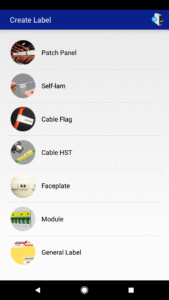
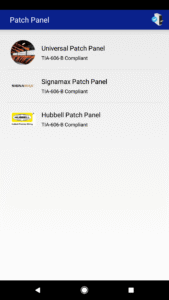
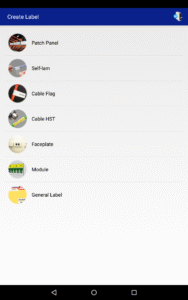
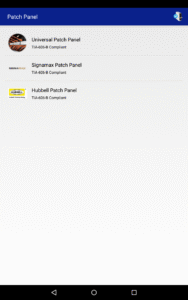
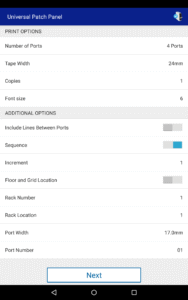
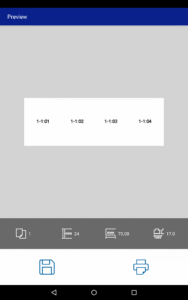
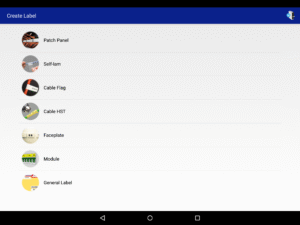
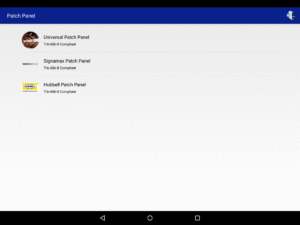
Epson Datacom allows users to easily create and print labels specifically for network infrastructure equipment including patch panels, cabling, faceplates and more. Select simplified ANSI and/or TIA-606-B compatible templates to get the job done right. Deploy your labeling solution easily across contract and/or company electrical crews alike. The Epson Datacom app is compatible with Epson's line of wireless label printers, which includes the LW-600P/LW-PX400/LW-Z710 (Bluetooth) , and the LW-1000P/LW-PX800 (Wi-Fi).
Unmatched in portability, flexibility and affordability, the LW-600P/
LW-PX400/LW-Z710 label printer is a complete solution. Utilizing Bluetooth connectivity and six AA batteries (AC adapter also included) the printer is always ready to go. Print out custom labels in the field or automate the creation of label batches from the office.
Product availability may vary per country, please refer to your local Epson office for full details .
Unmatched in portability, flexibility and affordability, the LW-600P/
LW-PX400/LW-Z710 label printer is a complete solution. Utilizing Bluetooth connectivity and six AA batteries (AC adapter also included) the printer is always ready to go. Print out custom labels in the field or automate the creation of label batches from the office.
Product availability may vary per country, please refer to your local Epson office for full details .
Download Epson Datacom APK
Fast, free and safe download.
APK Permissions 16
- android.permission.ACCESS_COARSE_LOCATION
- android.permission.ACCESS_FINE_LOCATION
- android.permission.ACCESS_NETWORK_STATE
- android.permission.ACCESS_WIFI_STATE
- android.permission.BLUETOOTH
- android.permission.BLUETOOTH_ADMIN
- android.permission.BLUETOOTH_CONNECT
- android.permission.BLUETOOTH_SCAN
- android.permission.CHANGE_NETWORK_STATE
- android.permission.CHANGE_WIFI_MULTICAST_STATE
- android.permission.CHANGE_WIFI_STATE
- android.permission.INTERNET
- android.permission.NEARBY_WIFI_DEVICES
- android.permission.WAKE_LOCK
- com.epson.printerlabel.DYNAMIC_RECEIVER_NOT_EXPORTED_PERMISSION
- com.google.android.finsky.permission.BIND_GET_INSTALL_REFERRER_SERVICE
APK Verified
The cryptographic signature guarantees that the file is safe to install and was not tampered with in any way.
Similar in Productivity


More by Seiko Epson Corporation


Frequently Asked Questions about Epson Datacom APK
This variant is built for devices that report `arm64-v8a, armeabi-v7a, x86, x86_64` as their primary ABI. If your device's CPU matches, this is the smallest, fastest version to install.
Yes — the APK's signature has been cryptographically verified against the publisher's signing key. The SHA-256 hash is shown in the File Information panel so you can independently confirm the file matches the original release.
Android 28 (API level 33) or newer. Older devices will refuse the install.
Install a free app like 'CPU-Z' or 'Droid Hardware Info' from the Play Store and look at the ABI / Instruction Set row. Most phones made after 2017 are arm64-v8a; if in doubt, download the universal variant.
All variants are functionally identical — same features, same version. They differ only in which CPU architectures the native code is compiled for, and (sometimes) which screen densities the included graphics target. Pick the one that matches your device for the smallest install size, or pick 'Universal' if you're unsure.