
Download Epson iProjection APK 4.1.2 arm64-v8a, armeabi-v7a, x86_64 · Android 29+
Download APK
Verified Safe
This is the arm64-v8a, armeabi-v7a, x86_64 build of Epson iProjection 4.1.2. Pick this build if your device's primary ABI matches.
File size: 90.4 MB • Min Android: 29 • Target Android: 34 • Version code: 130 • Framework: Native (Java/Kotlin) • Permissions: 20
Screenshots
File Information
| Package Name | com.epson.iprojection |
|---|---|
| Version Name | 4.1.2 |
| Version Code | 130 |
| Architecture | arm64-v8a, armeabi-v7a, x86_64 |
| Min Android Version | Android 29 (API 34) |
| Main Activity | com.epson.iprojection.ui.activities.start.Activity_StartSplash |
| Framework | Native (Java/Kotlin) |
| File Size | 90.44 MB |
| Signature (SHA1) | 326FA7E6FDF0A42A5D6F91A20584682B44208CEE |
| File Hash (SHA256) | 91d2628e50c3ce0ca30a1148b21ccdcb22120dee1451a671ac60c72e52e39342 |
What's New
Fixed minor bugs.
App Description
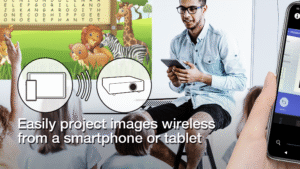
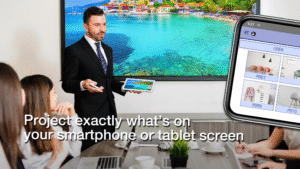
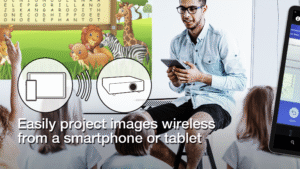
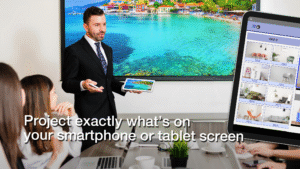
Epson iProjection is a wireless projection app for Android devices & Chromebooks. This app makes it easy to mirror your device's screen and project PDF files and photos wirelessly to a supported Epson projector.
[Key Features]
1. Mirror your device’s screen and output your device’s audio from the projector.
2. Project photos and PDF files from your device, as well as real-time video from your device's camera.
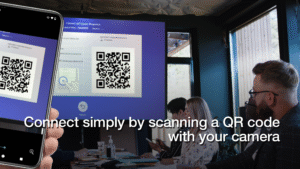
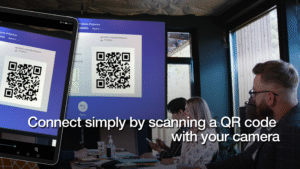
3. Easily connect your device by scanning a projected QR code.
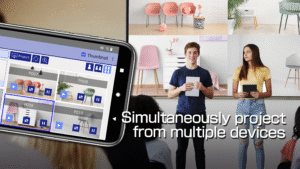
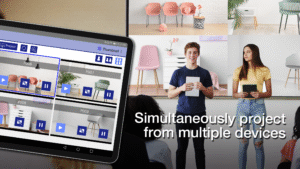
4. Connect up to 50 devices to the projector, display up to four screens simultaneously, and share your projected image with the other connected devices.
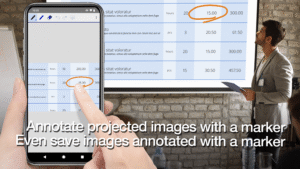
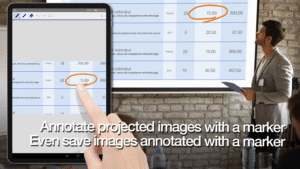
5. Annotate projected images with a pen tool and save the edited images on your device.
6. Control the projector like a remote control.
[Notes]
• For supported projectors, visit
support.epson.net/projector_appinfo/iprojection/en/
. You can also check "Supported Projectors" in the app's support menu.
• The JPG/JPEG/PNG/PDF file types are supported when projecting using "Photos" and "PDF".
• Connecting using a QR code is not supported for Chromebooks.
[About the Mirroring Feature]
• The Chrome extension “Epson iProjection Extension” is required to mirror your device screen on Chromebook. Install it from the Chrome Web Store.
chromewebstore.google.com/detail/epson-iprojection-extensi/odgomjlphohbhdniakcbaapgacpadaao
• While mirroring your device’s screen, video and audio may be delayed depending on the device and network specifications. Only unprotected content can be projected.
[Using the App]
Make sure that the network settings for the projector have been completed.
1. Switch the input source on the projector to "LAN". Network information is displayed.
2. Connect to the same network as the projector from "Settings" > "Wi-Fi" on your Android device or Chromebook*1.
3. Start Epson iProjection and connect to the projector*2.
4. Select and project from "Mirror device screen", "Photos", "PDF", "Web Page", or "Camera".
*1 For Chromebooks, connect the projector using the infrastructure mode (Simple AP is turned off or Advanced connection mode). Also, if a DHCP server is being used on the network and the Chromebook's IP address is set to manual, the projector cannot be searched for automatically. Set the Chromebook's IP address to automatic.
*2 If you cannot find the projector you want to connect to using automatic search, select IP Address to specify the IP address.
We welcome any feedback you have that could help us to improve this app. You can contact us through "Developer contact". Please note that we cannot reply to individual inquiries. For inquiries regarding personal information, please contact your regional branch described in the Privacy Statement.
All images are examples and may differ from the actual screens.
Android and Chromebook are trademarks of Google LLC.
QR Code is a registered trademark of DENSO WAVE INCORPORATED in Japan and other countries.
[Key Features]
1. Mirror your device’s screen and output your device’s audio from the projector.
2. Project photos and PDF files from your device, as well as real-time video from your device's camera.
3. Easily connect your device by scanning a projected QR code.
4. Connect up to 50 devices to the projector, display up to four screens simultaneously, and share your projected image with the other connected devices.
5. Annotate projected images with a pen tool and save the edited images on your device.
6. Control the projector like a remote control.
[Notes]
• For supported projectors, visit
support.epson.net/projector_appinfo/iprojection/en/
. You can also check "Supported Projectors" in the app's support menu.
• The JPG/JPEG/PNG/PDF file types are supported when projecting using "Photos" and "PDF".
• Connecting using a QR code is not supported for Chromebooks.
[About the Mirroring Feature]
• The Chrome extension “Epson iProjection Extension” is required to mirror your device screen on Chromebook. Install it from the Chrome Web Store.
chromewebstore.google.com/detail/epson-iprojection-extensi/odgomjlphohbhdniakcbaapgacpadaao
• While mirroring your device’s screen, video and audio may be delayed depending on the device and network specifications. Only unprotected content can be projected.
[Using the App]
Make sure that the network settings for the projector have been completed.
1. Switch the input source on the projector to "LAN". Network information is displayed.
2. Connect to the same network as the projector from "Settings" > "Wi-Fi" on your Android device or Chromebook*1.
3. Start Epson iProjection and connect to the projector*2.
4. Select and project from "Mirror device screen", "Photos", "PDF", "Web Page", or "Camera".
*1 For Chromebooks, connect the projector using the infrastructure mode (Simple AP is turned off or Advanced connection mode). Also, if a DHCP server is being used on the network and the Chromebook's IP address is set to manual, the projector cannot be searched for automatically. Set the Chromebook's IP address to automatic.
*2 If you cannot find the projector you want to connect to using automatic search, select IP Address to specify the IP address.
We welcome any feedback you have that could help us to improve this app. You can contact us through "Developer contact". Please note that we cannot reply to individual inquiries. For inquiries regarding personal information, please contact your regional branch described in the Privacy Statement.
All images are examples and may differ from the actual screens.
Android and Chromebook are trademarks of Google LLC.
QR Code is a registered trademark of DENSO WAVE INCORPORATED in Japan and other countries.
Download Epson iProjection APK
Fast, free and safe download.
APK Permissions 20
- android.permission.ACCESS_NETWORK_STATE
- android.permission.ACCESS_WIFI_STATE
- android.permission.CAMERA
- android.permission.CHANGE_NETWORK_STATE
- android.permission.CHANGE_WIFI_MULTICAST_STATE
- android.permission.CHANGE_WIFI_STATE
- android.permission.FLASHLIGHT
- android.permission.FOREGROUND_SERVICE
- android.permission.FOREGROUND_SERVICE_CONNECTED_DEVICE
- android.permission.FOREGROUND_SERVICE_MEDIA_PROJECTION
- android.permission.INTERNET
- android.permission.NFC
- android.permission.POST_NOTIFICATIONS
- android.permission.RECORD_AUDIO
- android.permission.REORDER_TASKS
- android.permission.SYSTEM_ALERT_WINDOW
- android.permission.VIBRATE
- android.permission.WAKE_LOCK
- android.permission.WRITE_EXTERNAL_STORAGE
- com.google.android.finsky.permission.BIND_GET_INSTALL_REFERRER_SERVICE
APK Verified
The cryptographic signature guarantees that the file is safe to install and was not tampered with in any way.
Similar in Productivity


More by Seiko Epson Corporation


Frequently Asked Questions about Epson iProjection APK
This variant is built for devices that report `arm64-v8a, armeabi-v7a, x86_64` as their primary ABI. If your device's CPU matches, this is the smallest, fastest version to install.
Yes — the APK's signature has been cryptographically verified against the publisher's signing key. The SHA-256 hash is shown in the File Information panel so you can independently confirm the file matches the original release.
Android 29 (API level 34) or newer. Older devices will refuse the install.
Install a free app like 'CPU-Z' or 'Droid Hardware Info' from the Play Store and look at the ABI / Instruction Set row. Most phones made after 2017 are arm64-v8a; if in doubt, download the universal variant.
All variants are functionally identical — same features, same version. They differ only in which CPU architectures the native code is compiled for, and (sometimes) which screen densities the included graphics target. Pick the one that matches your device for the smallest install size, or pick 'Universal' if you're unsure.