
This is the universal build of Icon Pack Studio 2.3 build 001. It contains native libraries for every CPU architecture (arm64-v8a, armeabi-v7a, x86, x86_64), so it installs on any Android device. The trade-off is size — it's larger than per-architecture variants. Pick this one if you're unsure which CPU your phone has, or if you plan to share the APK with multiple devices.
File size: 48.7 MB • Min Android: 24 • Target Android: 34 • Version code: 230010 • Framework: Native (Java/Kotlin) • Permissions: 16
Screenshots
File Information
| Package Name | ginlemon.iconpackstudio |
|---|---|
| Version Name | 2.3 build 001 |
| Version Code | 230010 |
| Architecture | Universal |
| Min Android Version | Android 24 (API 34) |
| Main Activity | ginlemon.iconpackstudio.editor.homeActivity.HomeActivity |
| Framework | Native (Java/Kotlin) |
| File Size | 48.73 MB |
| Signature (SHA1) | DFAAB993DE750D7B5430BBD4217472311D94F9D0 |
| File Hash (SHA256) | 3e4c0745a2213522ff30bfd9c7125a1a8f01e06c8164f61edf58c6ff06543bb0 |
What's New
Build 2.2.042:
- New FX! Pixelize: Transform any icon into a pixel art version.
- 2 new retro filters: Inspired by the GameBoy and PipBoy styles.
- New input feature: When editing properties, tap on the value to enter a mode where you can type in your exact desired value, ensuring precise control.
- New FX! Pixelize: Transform any icon into a pixel art version.
- 2 new retro filters: Inspired by the GameBoy and PipBoy styles.
- New input feature: When editing properties, tap on the value to enter a mode where you can type in your exact desired value, ensuring precise control.
App Description
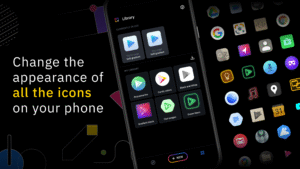
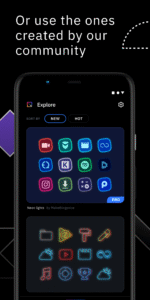
We created IPS with the idea that no icon pack can fit your home screen better than the one you create by yourself. With IPS you can create an icon pack from scratch or you can download and apply one of thousand uploaded every day by our community.
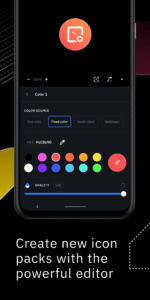
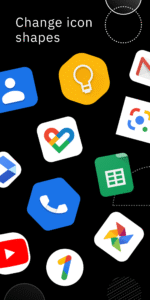
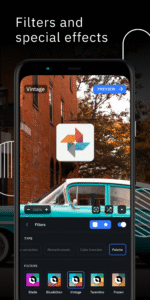
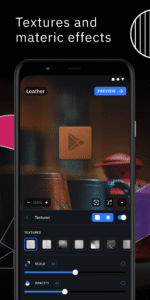
The advanced editor allows you to resize and move any element of your custom icon. Use special filters like lights, shadows, textures, and bezels and when you're happy with the result, apply the new icon pack to your custom launcher in just a few taps.
Icon Pack Studio is not only an icon pack maker, starting from version 2 you can import and tweak any icon pack installed on your device.
Icon packs created with Icon Pack Studio cover
any app on your device No other icon pack downloaded from Play Store can do the same
.
Icon Pack Studio is designed to work with Smart Launcher but
works with almost any launcher
Tested launchers:
- Nova Launcher
- Action Launcher
- Lawnchar Launcher
- Hyperion Launcher
- Poco Launcher
- Miui Launcher
- ADW Launcher
- Microsoft Launcher
- Evie Launcher
- Total Launcher
- Niagara Launcher
- Square Home Launcher
- Apex Launcher
- Apex Launcher Classic
Unsupported launchers:
- Xperia Home Launcher
- Aviate
- Pixel Launcher
- AOSP Launcher
- Huawei Launcher
- Yahoo Japan Launcher
- +Home Launcher
- Samsung One UI Home
- LINE/Dodol Launcher
- Yandex Launcher
Many other launchers not in the list may be compatible with IPS.
The advanced editor allows you to resize and move any element of your custom icon. Use special filters like lights, shadows, textures, and bezels and when you're happy with the result, apply the new icon pack to your custom launcher in just a few taps.
Icon Pack Studio is not only an icon pack maker, starting from version 2 you can import and tweak any icon pack installed on your device.
Icon packs created with Icon Pack Studio cover
any app on your device No other icon pack downloaded from Play Store can do the same
.
Icon Pack Studio is designed to work with Smart Launcher but
works with almost any launcher
Tested launchers:
- Nova Launcher
- Action Launcher
- Lawnchar Launcher
- Hyperion Launcher
- Poco Launcher
- Miui Launcher
- ADW Launcher
- Microsoft Launcher
- Evie Launcher
- Total Launcher
- Niagara Launcher
- Square Home Launcher
- Apex Launcher
- Apex Launcher Classic
Unsupported launchers:
- Xperia Home Launcher
- Aviate
- Pixel Launcher
- AOSP Launcher
- Huawei Launcher
- Yahoo Japan Launcher
- +Home Launcher
- Samsung One UI Home
- LINE/Dodol Launcher
- Yandex Launcher
Many other launchers not in the list may be compatible with IPS.
Download Icon Pack Studio APK
Fast, free and safe download.
APK Permissions 16
- android.permission.ACCESS_ADSERVICES_AD_ID
- android.permission.ACCESS_ADSERVICES_ATTRIBUTION
- android.permission.ACCESS_NETWORK_STATE
- android.permission.FOREGROUND_SERVICE
- android.permission.INTERNET
- android.permission.POST_NOTIFICATIONS
- android.permission.QUERY_ALL_PACKAGES
- android.permission.RECEIVE_BOOT_COMPLETED
- android.permission.WAKE_LOCK
- com.android.launcher.permission.INSTALL_SHORTCUT
- com.android.vending.BILLING
- com.google.android.c2dm.permission.RECEIVE
- com.google.android.finsky.permission.BIND_GET_INSTALL_REFERRER_SERVICE
- com.google.android.providers.gsf.permission.READ_GSERVICES
- ginlemon.icongenerator.provider.READWRITE_PERMISSION
- ginlemon.iconpackstudio.DYNAMIC_RECEIVER_NOT_EXPORTED_PERMISSION
APK Verified
The cryptographic signature guarantees that the file is safe to install and was not tampered with in any way.
Similar in Personalization


More by Smart Launcher Team

Frequently Asked Questions about Icon Pack Studio APK
This is the universal variant — a single APK that contains native libraries for every CPU architecture. It installs on any Android device but is larger than per-architecture variants.
Yes — the APK's signature has been cryptographically verified against the publisher's signing key. The SHA-256 hash is shown in the File Information panel so you can independently confirm the file matches the original release.
Android 24 (API level 34) or newer. Older devices will refuse the install.
Install a free app like 'CPU-Z' or 'Droid Hardware Info' from the Play Store and look at the ABI / Instruction Set row. Most phones made after 2017 are arm64-v8a; if in doubt, download the universal variant.
All variants are functionally identical — same features, same version. They differ only in which CPU architectures the native code is compiled for, and (sometimes) which screen densities the included graphics target. Pick the one that matches your device for the smallest install size, or pick 'Universal' if you're unsure.