
This is the universal build of Sonali e-Wallet 2.4.8.19. It contains native libraries for every CPU architecture (arm64-v8a, armeabi-v7a, x86, x86_64), so it installs on any Android device. The trade-off is size — it's larger than per-architecture variants. Pick this one if you're unsure which CPU your phone has, or if you plan to share the APK with multiple devices.
File size: 30.7 MB • Min Android: 23 • Target Android: 35 • Version code: 82 • Framework: Native (Java/Kotlin) • Permissions: 22
Screenshots
File Information
| Package Name | bd.com.sonalibank.sw |
|---|---|
| Version Name | 2.4.8.19 |
| Version Code | 82 |
| Architecture | Universal |
| Min Android Version | Android 23 (API 35) |
| Main Activity | bd.com.sonalibank.sw.SplashActivity |
| Framework | Native (Java/Kotlin) |
| File Size | 30.71 MB |
| Signature (SHA1) | 2246A643B1DB681B918E5F78EA6B00F37E589BD0 |
| File Hash (SHA256) | c3a0fbcb9e14beb258dce57d232efd234614c0445cbdb3fb31e7002a63a957f0 |
What's New
Balance Statement
Certificate
Bug Fix
Certificate
Bug Fix
App Description
Sonali e-Wallet is the Smart Banking Mobile App of Sonali Bank Limited, the largest state owned commercial bank of Bangladesh.
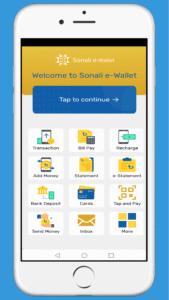
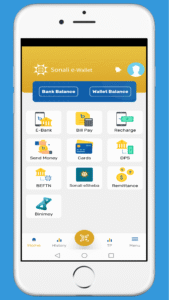
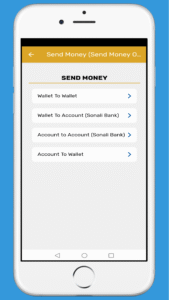
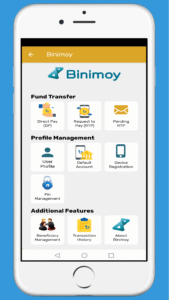
Sonali Bank Limited is working alongside with the government to implement the agenda of “Digital Bangladesh” by introducing various automation initiatives. You can use Sonali e-Wallet from anywhere in the world for only domestic transaction. These initiatives enable us to ensure operational excellence as well as meet customer expectations by providing better services. As part of our digital transformation program, we have recently developed dynamic and secure Smart Banking apps that cater your daily transaction needs like Fund Transfer, Mobile Airtime Recharge and Bill Payments, Credit Card & DPS Installment Payment etc.
You will get notifications on your latest activity; see your transaction history, transaction summary etc, on your smart phone also SMS & Messanger. Sonali e-Wallet is soon to bring very exciting and innovative services in the market to meet customer needs and demands.
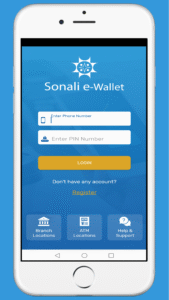
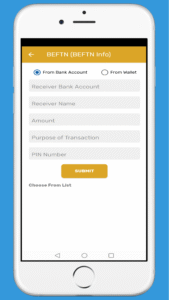
• Sonali e-Wallet is a secured app. The App requires your PIN number in two phases. login and every transaction you need to provide PIN number.
• For each fund transfer transaction you must need OTP along with the PIN number.
• You can add your Wallet Account name and change your Profile picture.
• Add Money from your Bank Account to Wallet Account and vice versa
• Recharge mobile or pay postpaid mobile bills for the mobile network operators below:
Robi
Airtel
Teletalk
Grameenphone
Banglalink
• Payment of utility bill through the wallet apps is also available.
• Credit card Statement and bill payment for Sonali Bank Limited Credit Card user.
• Checking your Wallet and Account balance is very easy through a single tap on the screen
• Receive notifications for your latest transactions.
Sonali Bank Limited is working alongside with the government to implement the agenda of “Digital Bangladesh” by introducing various automation initiatives. You can use Sonali e-Wallet from anywhere in the world for only domestic transaction. These initiatives enable us to ensure operational excellence as well as meet customer expectations by providing better services. As part of our digital transformation program, we have recently developed dynamic and secure Smart Banking apps that cater your daily transaction needs like Fund Transfer, Mobile Airtime Recharge and Bill Payments, Credit Card & DPS Installment Payment etc.
You will get notifications on your latest activity; see your transaction history, transaction summary etc, on your smart phone also SMS & Messanger. Sonali e-Wallet is soon to bring very exciting and innovative services in the market to meet customer needs and demands.
• Sonali e-Wallet is a secured app. The App requires your PIN number in two phases. login and every transaction you need to provide PIN number.
• For each fund transfer transaction you must need OTP along with the PIN number.
• You can add your Wallet Account name and change your Profile picture.
• Add Money from your Bank Account to Wallet Account and vice versa
• Recharge mobile or pay postpaid mobile bills for the mobile network operators below:
Robi
Airtel
Teletalk
Grameenphone
Banglalink
• Payment of utility bill through the wallet apps is also available.
• Credit card Statement and bill payment for Sonali Bank Limited Credit Card user.
• Checking your Wallet and Account balance is very easy through a single tap on the screen
• Receive notifications for your latest transactions.
Download Sonali e-Wallet APK
Fast, free and safe download.
APK Permissions 22
- android.permission.ACCESS_ADSERVICES_AD_ID
- android.permission.ACCESS_ADSERVICES_ATTRIBUTION
- android.permission.ACCESS_COARSE_LOCATION
- android.permission.ACCESS_FINE_LOCATION
- android.permission.ACCESS_NETWORK_STATE
- android.permission.CALL_PHONE
- android.permission.CAMERA
- android.permission.FOREGROUND_SERVICE
- android.permission.INTERNET
- android.permission.POST_NOTIFICATIONS
- android.permission.READ_CONTACTS
- android.permission.READ_EXTERNAL_STORAGE
- android.permission.READ_PHONE_STATE
- android.permission.RECEIVE_BOOT_COMPLETED
- android.permission.USE_BIOMETRIC
- android.permission.USE_FINGERPRINT
- android.permission.WAKE_LOCK
- android.permission.WRITE_EXTERNAL_STORAGE
- bd.com.sonalibank.sw.DYNAMIC_RECEIVER_NOT_EXPORTED_PERMISSION
- com.google.android.c2dm.permission.RECEIVE
- com.google.android.finsky.permission.BIND_GET_INSTALL_REFERRER_SERVICE
- com.google.android.gms.permission.AD_ID
APK Verified
The cryptographic signature guarantees that the file is safe to install and was not tampered with in any way.


Frequently Asked Questions about Sonali e-Wallet APK
This is the universal variant — a single APK that contains native libraries for every CPU architecture. It installs on any Android device but is larger than per-architecture variants.
Yes — the APK's signature has been cryptographically verified against the publisher's signing key. The SHA-256 hash is shown in the File Information panel so you can independently confirm the file matches the original release.
Android 23 (API level 35) or newer. Older devices will refuse the install.
Install a free app like 'CPU-Z' or 'Droid Hardware Info' from the Play Store and look at the ABI / Instruction Set row. Most phones made after 2017 are arm64-v8a; if in doubt, download the universal variant.
All variants are functionally identical — same features, same version. They differ only in which CPU architectures the native code is compiled for, and (sometimes) which screen densities the included graphics target. Pick the one that matches your device for the smallest install size, or pick 'Universal' if you're unsure.