
This is the universal build of My Data Manager: Data Usage 2.4.6. It contains native libraries for every CPU architecture (arm64-v8a, armeabi-v7a, x86, x86_64), so it installs on any Android device. The trade-off is size — it's larger than per-architecture variants. Pick this one if you're unsure which CPU your phone has, or if you plan to share the APK with multiple devices.
File size: 1.5 MB • Min Android: 8 • Target Android: 16 • Version code: 1308071651 • Framework: Native (Java/Kotlin) • Permissions: 10
Screenshots
File Information
| Package Name | com.mobidia.android.mdm |
|---|---|
| Version Name | 2.4.6 |
| Version Code | 1308071651 |
| Architecture | Universal |
| Min Android Version | Android 8 (API 16) |
| Main Activity | com.mobidia.android.mdm.gui.activity.MainActivity |
| Framework | Native (Java/Kotlin) |
| File Size | 1.53 MB |
| Signature (SHA1) | 4FE6FA813443B74F99CA1E22A5A63D2387AB51ED |
| File Hash (SHA256) | 6e123c74ec4aa9711cad6da8df0caa9aa6d4983faee45bdf6823dbe417f66ad5 |
App Description
MY DATA MANAGER: Take control of your mobile data plan!
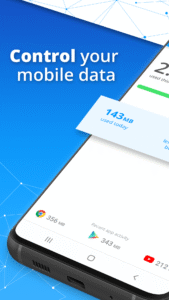
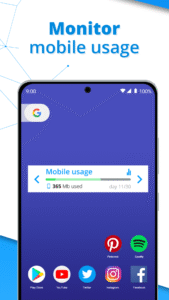
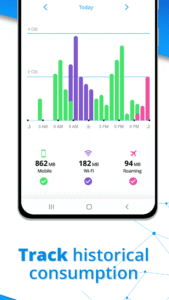
My Data Manager is a complete mobile data tracker, monitoring your usage in real-time, so you know exactly which of your interfaces is active (mobile, Wi-Fi, roaming) and how much data you are using.
My Data Manager, by Sensor Tower, provides an ongoing record of your data usage, so you can know your limits, feel confident about your mobile data expenses and use your device whenever and
however you want.
Visualize, monitor and control your data usage for FREE with My Data Manager. It’s a simple and powerful data usage tracking app that helps users take control of their mobile
data and save money on their monthly phone bills. My Data Manager offers alerts for users to track how much data they use, spot which apps are consuming the most and receive
alerts before they run out, avoiding unnecessary overage fees.
Control your mobile data plans, understand your data usage, prevent rising mobile costs and avoid overage and roaming fees. My Data Manager allows you to do all this as well as
set custom usage alarms that avoid overage charges while you browse or the possibility of running out of data.
Instantly see which apps are using the most of your data and understand your usage today, download My Data Manager app now and see what a difference it makes.
With My Data Manager you can:
• Monitor your data usage on mobile, Wi-Fi and roaming
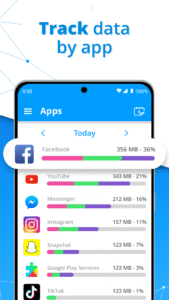
• Data Tracker: Find out fast which apps are eating up your mobile data
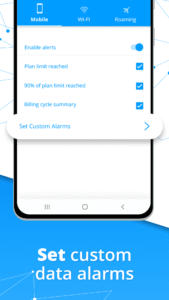
• Get alerts before you reach your data limit to avoid overage fees
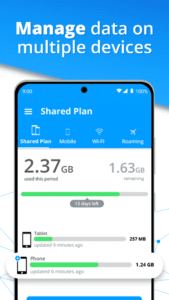
• Manage mobile data plans for your entire family and save money on your phone bills
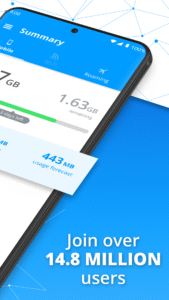
Trusted by over 14.8 million users worldwide, My Data Manager is an effective data tracker that also helps you monitor your data usage for mobile and roaming.
My Data Manager works well on networks around the world, including AT&T, Verizon, T-Mobile, Sprint, U.S. Cellular, China Mobile, Vodafone, Airtel, Vivo, TIM, Claro, Orange, SFR, SK Telecom, NTT Docomo, EE, O2, and many more.
Download My Data Manager for FREE now, take control of your mobile data usage and maximize how you use your phone.
“A data-packed app that’ll keep you fully informed of all your data-gobbling habits. It’s especially useful for people on limited data plans who want to avoid overage charges but is
still handy for people with unlimited plans who want to avoid throttling.” - Wired
“My Data Manager is an incredibly convenient tool.” – CNET
“Monitoring your data use has become an essential task ... which is why apps like My Data Manager are becoming so important.” – ZDNet
An app from data.ai
Trusted by more than 1 million users, data.ai is the leading global provider of mobile performance estimates. In short, we help app developers build better apps. With your consent, we collect information about your app and web activity to create market research on mobile behavior. For instance:
• Which apps & websites are used in your country?
• How many people use a specific app or website?
• How much time is spent on social networking?
• How many times per day is a specific app being used?
We do this with the help of this app.
My Data Manager is built by Sensor Tower.
My Data Manager is a complete mobile data tracker, monitoring your usage in real-time, so you know exactly which of your interfaces is active (mobile, Wi-Fi, roaming) and how much data you are using.
My Data Manager, by Sensor Tower, provides an ongoing record of your data usage, so you can know your limits, feel confident about your mobile data expenses and use your device whenever and
however you want.
Visualize, monitor and control your data usage for FREE with My Data Manager. It’s a simple and powerful data usage tracking app that helps users take control of their mobile
data and save money on their monthly phone bills. My Data Manager offers alerts for users to track how much data they use, spot which apps are consuming the most and receive
alerts before they run out, avoiding unnecessary overage fees.
Control your mobile data plans, understand your data usage, prevent rising mobile costs and avoid overage and roaming fees. My Data Manager allows you to do all this as well as
set custom usage alarms that avoid overage charges while you browse or the possibility of running out of data.
Instantly see which apps are using the most of your data and understand your usage today, download My Data Manager app now and see what a difference it makes.
With My Data Manager you can:
• Monitor your data usage on mobile, Wi-Fi and roaming
• Data Tracker: Find out fast which apps are eating up your mobile data
• Get alerts before you reach your data limit to avoid overage fees
• Manage mobile data plans for your entire family and save money on your phone bills
Trusted by over 14.8 million users worldwide, My Data Manager is an effective data tracker that also helps you monitor your data usage for mobile and roaming.
My Data Manager works well on networks around the world, including AT&T, Verizon, T-Mobile, Sprint, U.S. Cellular, China Mobile, Vodafone, Airtel, Vivo, TIM, Claro, Orange, SFR, SK Telecom, NTT Docomo, EE, O2, and many more.
Download My Data Manager for FREE now, take control of your mobile data usage and maximize how you use your phone.
“A data-packed app that’ll keep you fully informed of all your data-gobbling habits. It’s especially useful for people on limited data plans who want to avoid overage charges but is
still handy for people with unlimited plans who want to avoid throttling.” - Wired
“My Data Manager is an incredibly convenient tool.” – CNET
“Monitoring your data use has become an essential task ... which is why apps like My Data Manager are becoming so important.” – ZDNet
An app from data.ai
Trusted by more than 1 million users, data.ai is the leading global provider of mobile performance estimates. In short, we help app developers build better apps. With your consent, we collect information about your app and web activity to create market research on mobile behavior. For instance:
• Which apps & websites are used in your country?
• How many people use a specific app or website?
• How much time is spent on social networking?
• How many times per day is a specific app being used?
We do this with the help of this app.
My Data Manager is built by Sensor Tower.
Download My Data Manager: Data Usage APK
Fast, free and safe download.
APK Permissions 10
- android.permission.ACCESS_NETWORK_STATE
- android.permission.ACCESS_WIFI_STATE
- android.permission.CHANGE_NETWORK_STATE
- android.permission.GET_TASKS
- android.permission.INTERNET
- android.permission.READ_LOGS
- android.permission.READ_PHONE_STATE
- android.permission.VIBRATE
- android.permission.WAKE_LOCK
- android.permission.WRITE_EXTERNAL_STORAGE
APK Verified
The cryptographic signature guarantees that the file is safe to install and was not tampered with in any way.
Similar in Tools


More by ST Advanced

Frequently Asked Questions about My Data Manager: Data Usage APK
This is the universal variant — a single APK that contains native libraries for every CPU architecture. It installs on any Android device but is larger than per-architecture variants.
Yes — the APK's signature has been cryptographically verified against the publisher's signing key. The SHA-256 hash is shown in the File Information panel so you can independently confirm the file matches the original release.
Android 8 (API level 16) or newer. Older devices will refuse the install.
Install a free app like 'CPU-Z' or 'Droid Hardware Info' from the Play Store and look at the ABI / Instruction Set row. Most phones made after 2017 are arm64-v8a; if in doubt, download the universal variant.
All variants are functionally identical — same features, same version. They differ only in which CPU architectures the native code is compiled for, and (sometimes) which screen densities the included graphics target. Pick the one that matches your device for the smallest install size, or pick 'Universal' if you're unsure.