
This is the universal build of Authenticator App 66.0. It contains native libraries for every CPU architecture (arm64-v8a, armeabi-v7a, x86, x86_64), so it installs on any Android device. The trade-off is size — it's larger than per-architecture variants. Pick this one if you're unsure which CPU your phone has, or if you plan to share the APK with multiple devices.
File size: 25.7 MB • Min Android: 26 • Target Android: 35 • Version code: 66 • Framework: Native (Java/Kotlin) • Permissions: 17
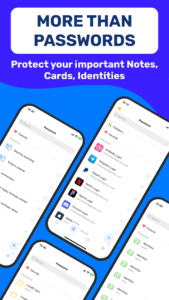
Screenshots



File Information
| Package Name | com.authenticator.app.starnest |
|---|---|
| Version Name | 66.0 |
| Version Code | 66 |
| Architecture | Universal |
| Min Android Version | Android 26 (API 35) |
| Main Activity | com.starnest.authenticator.ui.main.activity.SplashActivity |
| Framework | Native (Java/Kotlin) |
| File Size | 25.66 MB |
| Signature (SHA1) | 38ED3E766FF3BE6F96692A9D626B29DB5E305E7A |
| File Hash (SHA256) | cfe0c88674bc8438d42432548e5098e68dc3aa5d69125966e7b3715da8cc0683 |
What's New
Bug fixes and performance improvements
App Description
Authenticator App 2FA - Password Manager is a multifunctional security and account management application with many useful and reliable features.
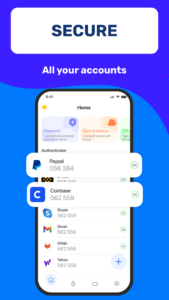
With the Scan QR 2FA feature, logging into your accounts becomes easier and safer.
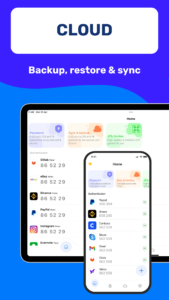
The Backup & Sync feature ensures that you never lose your data when changing devices or having to reinstall from scratch.
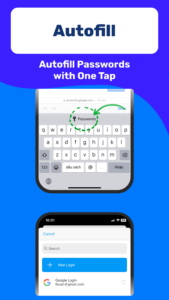
The Password Manager and Autofill help you store and manage passwords securely and efficiently. It will automatically fill in your login information into websites, saving you time and reducing the chances of errors when entering your login information.
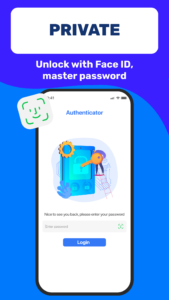
The Unlock app with Master Password and Touch ID feature helps protect your application and prevent unauthorized access from other users. The Import feature from various Authenticator apps provides flexibility for users when switching to Authenticator App 2FA - Password Manager.
Dark Mode helps you use the app comfortably in low-light environments. The Credit Card Note and Vital Identification feature helps you store sensitive information safely and conveniently.
The Import and Export Data feature allows you to move data between devices easily and more flexibly, helping you manage your accounts more effectively.
Authenticator App 2FA - Password Manager ensures that your information is protected safely. And the Data Storage feature on Cloud helps you not worry about losing data when you lose your phone.
Authenticator App 2FA - Password Manager is a top-notch security and account management solution on Play Store, helping you protect your accounts in a safe and efficient way. Download it today to experience its great features!
With the Scan QR 2FA feature, logging into your accounts becomes easier and safer.
The Backup & Sync feature ensures that you never lose your data when changing devices or having to reinstall from scratch.
The Password Manager and Autofill help you store and manage passwords securely and efficiently. It will automatically fill in your login information into websites, saving you time and reducing the chances of errors when entering your login information.
The Unlock app with Master Password and Touch ID feature helps protect your application and prevent unauthorized access from other users. The Import feature from various Authenticator apps provides flexibility for users when switching to Authenticator App 2FA - Password Manager.
Dark Mode helps you use the app comfortably in low-light environments. The Credit Card Note and Vital Identification feature helps you store sensitive information safely and conveniently.
The Import and Export Data feature allows you to move data between devices easily and more flexibly, helping you manage your accounts more effectively.
Authenticator App 2FA - Password Manager ensures that your information is protected safely. And the Data Storage feature on Cloud helps you not worry about losing data when you lose your phone.
Authenticator App 2FA - Password Manager is a top-notch security and account management solution on Play Store, helping you protect your accounts in a safe and efficient way. Download it today to experience its great features!
Download Authenticator App APK
Fast, free and safe download.
APK Permissions 17
- android.permission.ACCESS_ADSERVICES_AD_ID
- android.permission.ACCESS_ADSERVICES_ATTRIBUTION
- android.permission.ACCESS_ADSERVICES_TOPICS
- android.permission.ACCESS_NETWORK_STATE
- android.permission.ACCESS_WIFI_STATE
- android.permission.CAMERA
- android.permission.FOREGROUND_SERVICE
- android.permission.INTERNET
- android.permission.POST_NOTIFICATIONS
- android.permission.USE_BIOMETRIC
- android.permission.USE_FINGERPRINT
- android.permission.WAKE_LOCK
- com.android.vending.BILLING
- com.authenticator.app.starnest.DYNAMIC_RECEIVER_NOT_EXPORTED_PERMISSION
- com.google.android.c2dm.permission.RECEIVE
- com.google.android.finsky.permission.BIND_GET_INSTALL_REFERRER_SERVICE
- com.google.android.gms.permission.AD_ID
APK Verified
The cryptographic signature guarantees that the file is safe to install and was not tampered with in any way.
Similar in Productivity


Frequently Asked Questions about Authenticator App APK
This is the universal variant — a single APK that contains native libraries for every CPU architecture. It installs on any Android device but is larger than per-architecture variants.
Yes — the APK's signature has been cryptographically verified against the publisher's signing key. The SHA-256 hash is shown in the File Information panel so you can independently confirm the file matches the original release.
Android 26 (API level 35) or newer. Older devices will refuse the install.
Install a free app like 'CPU-Z' or 'Droid Hardware Info' from the Play Store and look at the ABI / Instruction Set row. Most phones made after 2017 are arm64-v8a; if in doubt, download the universal variant.
All variants are functionally identical — same features, same version. They differ only in which CPU architectures the native code is compiled for, and (sometimes) which screen densities the included graphics target. Pick the one that matches your device for the smallest install size, or pick 'Universal' if you're unsure.