
Download StandBy Mode: Clock & Widgets APK 1.8.2.457 Universal · Android 24+
Download APK
Verified Safe
This is the universal build of StandBy Mode: Clock & Widgets 1.8.2.457. It contains native libraries for every CPU architecture (arm64-v8a, armeabi-v7a, x86, x86_64), so it installs on any Android device. The trade-off is size — it's larger than per-architecture variants. Pick this one if you're unsure which CPU your phone has, or if you plan to share the APK with multiple devices.
File size: 19.3 MB • Min Android: 24 • Target Android: 36 • Version code: 457 • Framework: Native (Java/Kotlin) • Permissions: 33
Screenshots
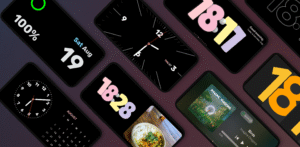
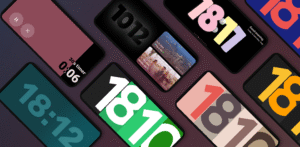
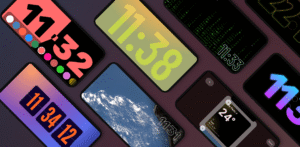
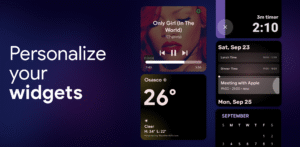
File Information
| Package Name | br.com.zetabit.ios_standby |
|---|---|
| Version Name | 1.8.2.457 |
| Version Code | 457 |
| Architecture | Universal |
| Min Android Version | Android 24 (API 36) |
| Main Activity | br.com.zetabit.ios_standby.MainActivity |
| Framework | Native (Java/Kotlin) |
| File Size | 19.28 MB |
| Signature (SHA1) | 7E615A4EB2D465F42DEF10FC30D560FBF4E048DA |
| File Hash (SHA256) | c35af55880fa75f20885aab8d14abe02b5064b1c06d2769ed93d2ac189cc50a1 |
What's New
NEW
• Adaptive photo layouts - Photos intelligently adjust based on aspect ratio
• Automatic photo switching with filter chips (15s to 10min)
• Configurable clock overlay for photos
PREMIUM
• Liquid Wave and Retro LCD battery styles in Duo mode
• Link subscription with Google account for easy device switching
FIXES & IMPROVEMENTS
• Optimized fonts - App is now 8.4MB smaller
• Fixed Duo showing 2 pictures
• Adaptive photo layouts - Photos intelligently adjust based on aspect ratio
• Automatic photo switching with filter chips (15s to 10min)
• Configurable clock overlay for photos
PREMIUM
• Liquid Wave and Retro LCD battery styles in Duo mode
• Link subscription with Google account for easy device switching
FIXES & IMPROVEMENTS
• Optimized fonts - App is now 8.4MB smaller
• Fixed Duo showing 2 pictures
App Description
Transform your phone into a smart always-on display. StandBy Mode Pro turns any Android into a customizable bedside or desk clock, smart photo frame and widget hub. Designed with Material You and smooth animations, it works over the lockscreen and saves battery with burn-in protection.
Advertisement
Remove ads, dark theme, and more with
Premium
🕰️ Custom Clocks & Styles
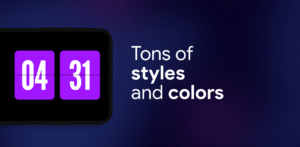
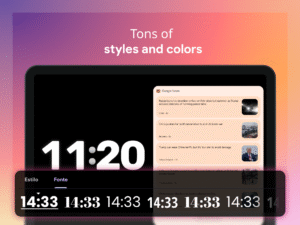
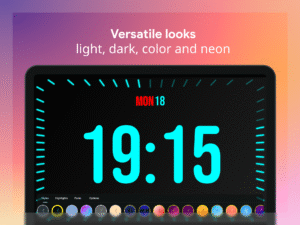
• Digital and analog clock faces – flip, neon, solar, pixel, radial, dementia and more
• Personalize fonts, colors, sizes and layouts
• Optional weather and battery info at a glance
📷 Photo Frame & Slideshow
• Charging screen doubles as a photo frame with AI cropping
• Display curated albums with time and date
📆 Duo Mode, Timer & Schedule
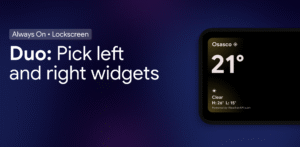
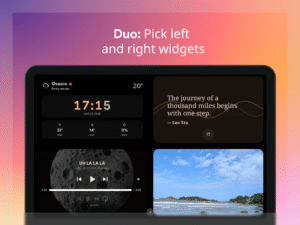
• Two widgets side-by-side: clocks, calendars, music or any third-party widget
• Built-in timers, stopwatch and calendar sync
🌗 Night & Battery-Saver Modes
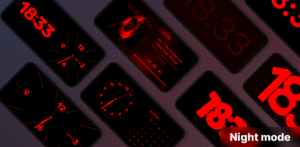
• Night clock with red tint for minimal eye strain
• Auto brightness and dark themes to save battery
• Pixel shifting for AMOLED burn-in protection
🔋 Smart Charging & Quick Launch
• Auto-launch when charging or in landscape
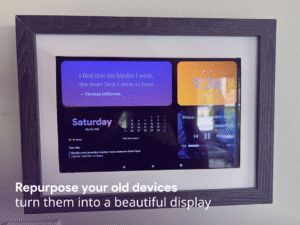
• Perfect as bedside clock, desk display or docking hub
🎵 Vibes Radio & Player Control
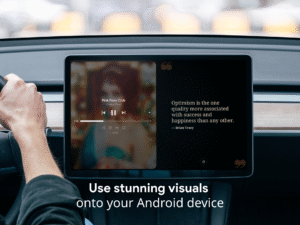
• Lo-fi, ambient and study radios with visuals
• Control Spotify, YouTube Music, Apple Music and more
🧩 Aesthetic Widgets & Portrait Mode
• Edge-to-edge widgets for calendar, to-do, weather and productivity
• Portrait layout optimized for phones and foldables
📱 Screen Saver & Idle Mode
• Experimental screen saver for idle device
• Battery-efficient idle mode with elegant visuals
Inspired by iOS 26 StandBy — but fully customizable & Android-native.
Unlock the full potential of your Android. Whether on your desk, nightstand or dock, StandBy Mode Pro delivers a premium always-on display with unmatched customization.
Show more
Show less
Advertisement
Remove ads, dark theme, and more with
Premium
🕰️ Custom Clocks & Styles
• Digital and analog clock faces – flip, neon, solar, pixel, radial, dementia and more
• Personalize fonts, colors, sizes and layouts
• Optional weather and battery info at a glance
📷 Photo Frame & Slideshow
• Charging screen doubles as a photo frame with AI cropping
• Display curated albums with time and date
📆 Duo Mode, Timer & Schedule
• Two widgets side-by-side: clocks, calendars, music or any third-party widget
• Built-in timers, stopwatch and calendar sync
🌗 Night & Battery-Saver Modes
• Night clock with red tint for minimal eye strain
• Auto brightness and dark themes to save battery
• Pixel shifting for AMOLED burn-in protection
🔋 Smart Charging & Quick Launch
• Auto-launch when charging or in landscape
• Perfect as bedside clock, desk display or docking hub
🎵 Vibes Radio & Player Control
• Lo-fi, ambient and study radios with visuals
• Control Spotify, YouTube Music, Apple Music and more
🧩 Aesthetic Widgets & Portrait Mode
• Edge-to-edge widgets for calendar, to-do, weather and productivity
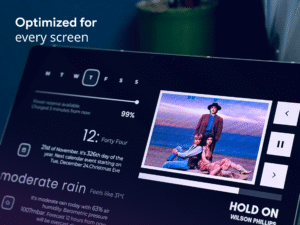
• Portrait layout optimized for phones and foldables
📱 Screen Saver & Idle Mode
• Experimental screen saver for idle device
• Battery-efficient idle mode with elegant visuals
Inspired by iOS 26 StandBy — but fully customizable & Android-native.
Unlock the full potential of your Android. Whether on your desk, nightstand or dock, StandBy Mode Pro delivers a premium always-on display with unmatched customization.
Show more
Show less
Download StandBy Mode: Clock & Widgets APK
Fast, free and safe download.
APK Permissions 33
- android.permission.ACCESS_ADSERVICES_AD_ID
- android.permission.ACCESS_ADSERVICES_ATTRIBUTION
- android.permission.ACCESS_ADSERVICES_TOPICS
- android.permission.ACCESS_COARSE_LOCATION
- android.permission.ACCESS_FINE_LOCATION
- android.permission.ACCESS_NETWORK_STATE
- android.permission.ACCESS_NOTIFICATION_POLICY
- android.permission.ACCESS_WIFI_STATE
- android.permission.APPWIDGET_LIST
- android.permission.BIND_APPWIDGET
- android.permission.BLUETOOTH
- android.permission.DISABLE_KEYGUARD
- android.permission.FOREGROUND_SERVICE
- android.permission.FOREGROUND_SERVICE_SPECIAL_USE
- android.permission.INTERNET
- android.permission.POST_NOTIFICATIONS
- android.permission.READ_CALENDAR
- android.permission.READ_EXTERNAL_STORAGE
- android.permission.READ_MEDIA_IMAGES
- android.permission.READ_PHONE_STATE
- android.permission.RECEIVE_BOOT_COMPLETED
- android.permission.SYSTEM_ALERT_WINDOW
- android.permission.USE_BIOMETRIC
- android.permission.USE_FINGERPRINT
- android.permission.VIBRATE
- android.permission.WAKE_LOCK
- br.com.zetabit.ios_standby.DYNAMIC_RECEIVER_NOT_EXPORTED_PERMISSION
- com.android.vending.BILLING
- com.android.vending.CHECK_LICENSE
- com.google.android.c2dm.permission.RECEIVE
- com.google.android.finsky.permission.BIND_GET_INSTALL_REFERRER_SERVICE
- com.google.android.gms.permission.AD_ID
- com.google.android.providers.gsf.permission.READ_GSERVICES
APK Verified
The cryptographic signature guarantees that the file is safe to install and was not tampered with in any way.


Frequently Asked Questions about StandBy Mode: Clock & Widgets APK
This is the universal variant — a single APK that contains native libraries for every CPU architecture. It installs on any Android device but is larger than per-architecture variants.
Yes — the APK's signature has been cryptographically verified against the publisher's signing key. The SHA-256 hash is shown in the File Information panel so you can independently confirm the file matches the original release.
Android 24 (API level 36) or newer. Older devices will refuse the install.
Install a free app like 'CPU-Z' or 'Droid Hardware Info' from the Play Store and look at the ABI / Instruction Set row. Most phones made after 2017 are arm64-v8a; if in doubt, download the universal variant.
All variants are functionally identical — same features, same version. They differ only in which CPU architectures the native code is compiled for, and (sometimes) which screen densities the included graphics target. Pick the one that matches your device for the smallest install size, or pick 'Universal' if you're unsure.