
Download Nova Video Player APK 6.4.3-20250521.1920 arm64-v8a, armeabi-v7a, x86, x86_64 · Android 23+
Download APK
Verified Safe
This is the arm64-v8a, armeabi-v7a, x86, x86_64 build of Nova Video Player 6.4.3-20250521.1920. Pick this build if your device's primary ABI matches.
File size: 84.3 MB • Min Android: 23 • Target Android: 35 • Version code: 2628374 • Framework: Native (Java/Kotlin) • Permissions: 24
Screenshots
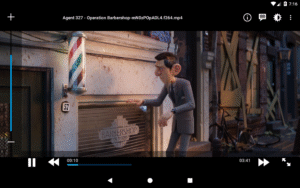
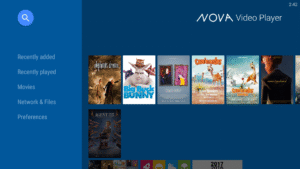
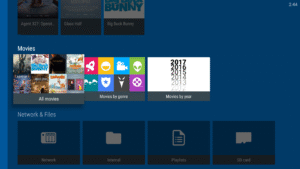
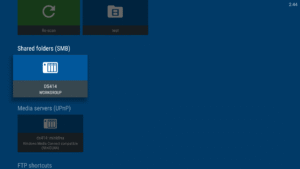
File Information
| Package Name | org.courville.nova |
|---|---|
| Version Name | 6.4.3-20250521.1920 |
| Version Code | 2628374 |
| Architecture | arm64-v8a, armeabi-v7a, x86, x86_64 |
| Min Android Version | Android 23 (API 35) |
| Main Activity | org.courville.nova.browser.BrowserActivityVideo |
| Framework | Native (Java/Kotlin) |
| File Size | 84.30 MB |
| Signature (SHA1) | 1C12D32B135A829668A80DFB86CDF55F2D6E47FB |
| File Hash (SHA256) | 2731f7b4e402d954ecdc8d6d95b22cb7d58b86590f5b1baac8903d17a9ffb464 |
What's New
- add pgs subtitles support
- support subtitle position SSA tags
- true passthrough support of TrueHD & DTS:X on FireStick4kMax 2023 (requires nova encapsulation mode 1)
- select proper dolby vision codec based on profile
- add locale setting in nova for devices with restricted language support
- experimental smoother video playback
- 2025 banners
- apply ITU-R BS.775-3 coefficients for stereo downmix
- fix nova use as external player with kodi
- fix 7.1 stereo downmix
- target SDK 34
- support subtitle position SSA tags
- true passthrough support of TrueHD & DTS:X on FireStick4kMax 2023 (requires nova encapsulation mode 1)
- select proper dolby vision codec based on profile
- add locale setting in nova for devices with restricted language support
- experimental smoother video playback
- 2025 banners
- apply ITU-R BS.775-3 coefficients for stereo downmix
- fix nova use as external player with kodi
- fix 7.1 stereo downmix
- target SDK 34
App Description
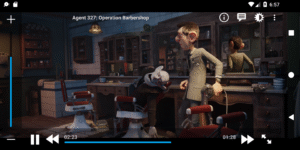
Nova is an opeN sOurce Video plAyer designed for tablets, phones and AndroidTV devices.available at
github.com/nova-video-player/aos-AVP
Universal player:
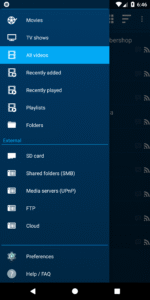
- Play videos from your computer, server (FTP, SFTP, WebDAV), NAS (SMB, UPnP)
- Play videos from external USB storage
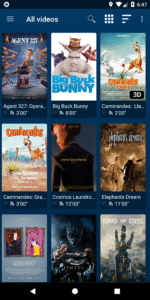
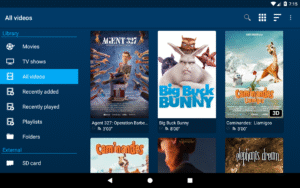
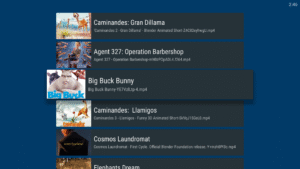
- Videos from all sources integrated in a unified multimedia collection
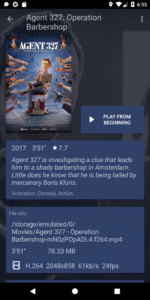
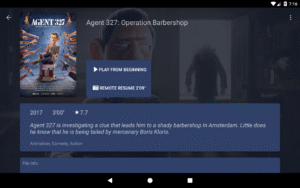
- Automatic online retrieval of movie and TV show descriptions with posters and backdrops
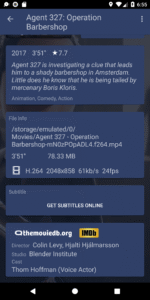
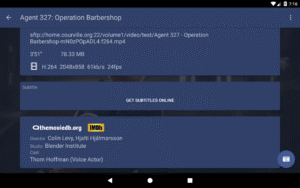
- Integrated subtitle download
Best player:
- Hardware accelerated video decoding for most devices and video formats
- Multi-audio tracks and mutli-subtitles support
- Supported file formats: MKV, MP4, AVI, WMV, FLV, etc.
- Supported subtitle file types: SRT, SUB, ASS, SMI, etc.
TV friendly:
- Dedicated “leanback” user interface for Android TV
- AC3/DTS passthrough (HDMI or S/PDIF) on supported hardware
- 3D support with side-by-side and top-bottom formats playback for 3D TVs
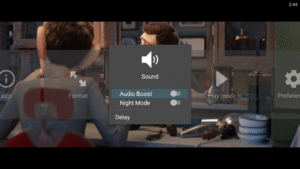
- Audio Boost mode to increase the volume level
- Night Mode to dynamically adjust the volume level
Browse the way you want:
- Instant access to recently added and recently played videos
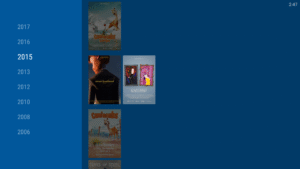
- Browse movies by name, genre, year, duration, rating
- Browse TV shows by seasons
- Folder browsing supported
And even more:
- Multi-device network video resume
- NFO metadata processing for descriptions and posters
- Scheduled rescan of your network content (Leanback UI only)
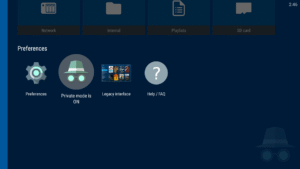
- Private mode: temporarily disable playback history recording
- Manually adjust subtitles synchronization
- Manually adjust audio/video synchronization
- Track what your collection and what you have watched via Trakt
Please note that for the application to display and play content, you need to have local video files on your device or add some by indexing network shares.
In case you have an issue or a request about this app, please check our Reddit support community at this address:
www.reddit.com/r/NovaVideoPlayer
If you experience any issue with video hardware decoding you can force software decoding in the application preferences.
You are welcome to contribute to the translation of the application at
crowdin.com/project/nova-video-player
NOVA stands for opeN sOurce Video plAyer.
github.com/nova-video-player/aos-AVP
Universal player:
- Play videos from your computer, server (FTP, SFTP, WebDAV), NAS (SMB, UPnP)
- Play videos from external USB storage
- Videos from all sources integrated in a unified multimedia collection
- Automatic online retrieval of movie and TV show descriptions with posters and backdrops
- Integrated subtitle download
Best player:
- Hardware accelerated video decoding for most devices and video formats
- Multi-audio tracks and mutli-subtitles support
- Supported file formats: MKV, MP4, AVI, WMV, FLV, etc.
- Supported subtitle file types: SRT, SUB, ASS, SMI, etc.
TV friendly:
- Dedicated “leanback” user interface for Android TV
- AC3/DTS passthrough (HDMI or S/PDIF) on supported hardware
- 3D support with side-by-side and top-bottom formats playback for 3D TVs
- Audio Boost mode to increase the volume level
- Night Mode to dynamically adjust the volume level
Browse the way you want:
- Instant access to recently added and recently played videos
- Browse movies by name, genre, year, duration, rating
- Browse TV shows by seasons
- Folder browsing supported
And even more:
- Multi-device network video resume
- NFO metadata processing for descriptions and posters
- Scheduled rescan of your network content (Leanback UI only)
- Private mode: temporarily disable playback history recording
- Manually adjust subtitles synchronization
- Manually adjust audio/video synchronization
- Track what your collection and what you have watched via Trakt
Please note that for the application to display and play content, you need to have local video files on your device or add some by indexing network shares.
In case you have an issue or a request about this app, please check our Reddit support community at this address:
www.reddit.com/r/NovaVideoPlayer
If you experience any issue with video hardware decoding you can force software decoding in the application preferences.
You are welcome to contribute to the translation of the application at
crowdin.com/project/nova-video-player
NOVA stands for opeN sOurce Video plAyer.
Download Nova Video Player APK
Fast, free and safe download.
APK Permissions 24
- android.permission.ACCESS_NETWORK_STATE
- android.permission.ACCESS_WIFI_STATE
- android.permission.BLUETOOTH_CONNECT
- android.permission.BROADCAST_STICKY
- android.permission.CHANGE_WIFI_MULTICAST_STATE
- android.permission.CHANGE_WIFI_STATE
- android.permission.FOREGROUND_SERVICE
- android.permission.FOREGROUND_SERVICE_MEDIA_PLAYBACK
- android.permission.INTERNET
- android.permission.MODIFY_AUDIO_SETTINGS
- android.permission.POST_NOTIFICATIONS
- android.permission.READ_EXTERNAL_STORAGE
- android.permission.READ_MEDIA_AUDIO
- android.permission.READ_MEDIA_IMAGES
- android.permission.READ_MEDIA_VIDEO
- android.permission.RECEIVE_BOOT_COMPLETED
- android.permission.RECORD_AUDIO
- android.permission.SYSTEM_ALERT_WINDOW
- android.permission.USB_PERMISSION
- android.permission.WAKE_LOCK
- android.permission.WRITE_EXTERNAL_STORAGE
- com.android.providers.tv.permission.READ_EPG_DATA
- com.android.providers.tv.permission.WRITE_EPG_DATA
- org.courville.nova.DYNAMIC_RECEIVER_NOT_EXPORTED_PERMISSION
APK Verified
The cryptographic signature guarantees that the file is safe to install and was not tampered with in any way.
Similar in Video Players


Frequently Asked Questions about Nova Video Player APK
This variant is built for devices that report `arm64-v8a, armeabi-v7a, x86, x86_64` as their primary ABI. If your device's CPU matches, this is the smallest, fastest version to install.
Yes — the APK's signature has been cryptographically verified against the publisher's signing key. The SHA-256 hash is shown in the File Information panel so you can independently confirm the file matches the original release.
Android 23 (API level 35) or newer. Older devices will refuse the install.
Install a free app like 'CPU-Z' or 'Droid Hardware Info' from the Play Store and look at the ABI / Instruction Set row. Most phones made after 2017 are arm64-v8a; if in doubt, download the universal variant.
All variants are functionally identical — same features, same version. They differ only in which CPU architectures the native code is compiled for, and (sometimes) which screen densities the included graphics target. Pick the one that matches your device for the smallest install size, or pick 'Universal' if you're unsure.