
This is the universal build of Photo Editor - Polish 1.662.224. It contains native libraries for every CPU architecture (arm64-v8a, armeabi-v7a, x86, x86_64), so it installs on any Android device. The trade-off is size — it's larger than per-architecture variants. Pick this one if you're unsure which CPU your phone has, or if you plan to share the APK with multiple devices.
File size: 26.2 MB • Min Android: 26 • Target Android: 34 • Version code: 224003 • Framework: Native (Java/Kotlin) • Permissions: 22
Screenshots
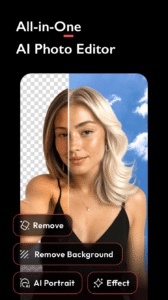
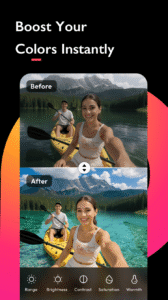
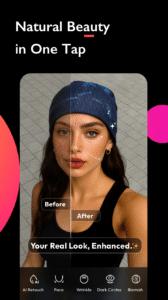
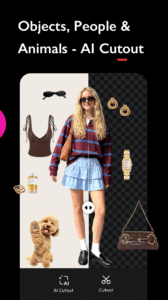
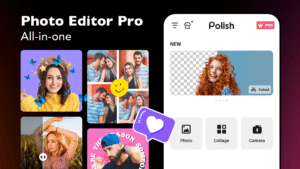
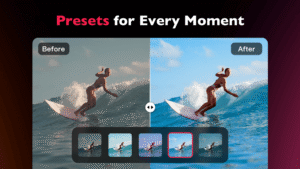
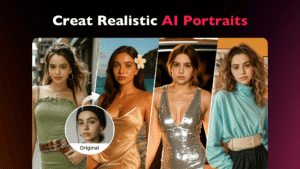
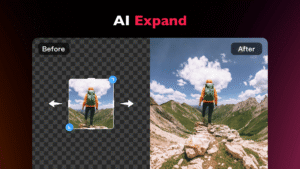
File Information
| Package Name | photo.editor.photoeditor.photoeditorpro |
|---|---|
| Version Name | 1.662.224 |
| Version Code | 224003 |
| Architecture | Universal |
| Min Android Version | Android 26 (API 34) |
| Main Activity | com.camerasideas.collagemaker.activity.DummyActivity |
| Framework | Native (Java/Kotlin) |
| File Size | 26.21 MB |
| Signature (SHA1) | 9807E76B468F400955B2A742B5AC4BF076B4C7ED |
| File Hash (SHA256) | b819f60835f9b271e27f0f188c5f9877d388988ad84c6e8d93b822f317a3a2d9 |
What's New
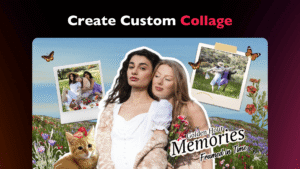
🧩Collage Template:One click to combine and match multiple photos freely with creative templates.
💅One-Tap Beautify: Automatically remove dark circles, blemishes, and wrinkles - flawless skin in seconds!
🌟Bugs fixed and UI details optimized.
📧For any concerns, please feel free to contact us via
polish@inshot.com
.
💅One-Tap Beautify: Automatically remove dark circles, blemishes, and wrinkles - flawless skin in seconds!
🌟Bugs fixed and UI details optimized.
📧For any concerns, please feel free to contact us via
polish@inshot.com
.
App Description
✨ Unlimited effects, backgrounds, and templates for you to turn your edits into art!🎉
AI Photo Editor: Your Best Free Photo Editing App
Supported by next-gen AI photo generator and state-of-the-art AI model, Polish delivers intuitive, easy-to-use photo editing tools that let you retouch your selfies, enhance photo quality, fix blurry or damaged photos, generate realistic AI portraits for your LinkedIn profile, and create viral visuals for your TikTok & Instagram posts. Whether you're refining your personal brand as an influencer, boosting your marketing efforts as a business owner, or capturing everyday creative moments, Polish is built for every creator - no skills needed.
Unlock your creativity with our all-in-one Free AI photo editor, packed with over 500+ stunning effects, filters for photos, AI templates, backgrounds, fonts, and more.
For Beginners & Everyday Creators
Quick, fun edits for daily snaps and instant social shares.
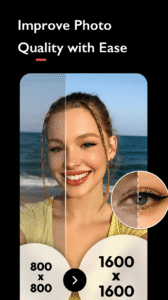
* Instantly fix blurry photos and enhance quality with AI photo enhancer in one tap
* Auto-crop or expand images for Instagram, TikTok, and Facebook in seconds
* Remove unwanted objects, and remove people from photos with precision smartly
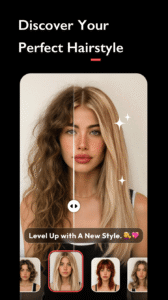
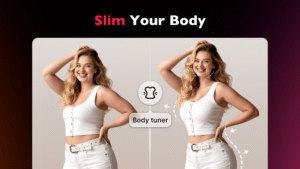
* Smooth skin, remove blemishes, and reshape face&body naturally
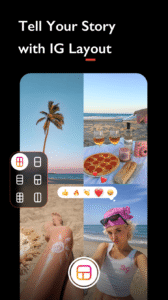
* Create stunning photo collages with up to 18 images
* Apply vibrant filters for food, travel, or selfies to make posts pop
For Influencers & Social Media Lovers
Viral content that grabs attention and drives engagement.
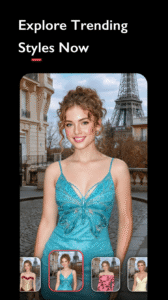
* Choose from 100+ filters, including Y2K, VHS, CCD, and Glitch
* Transform selfies into anime avatars or 3D action figures with cool poses and outfits instantly
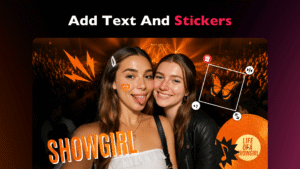
* Add floating text, sparkle stickers, and Reels-ready captions
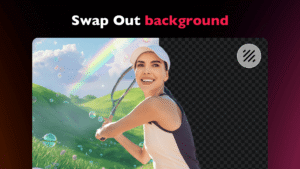
* Swap messy backgrounds for Bali beaches or minimalist studios
* Post your photos directly to Instagram, Facebook, and other platforms without watermarks
For Self-Starters & Small Business Owners
Zero-cost, batch-friendly tools to power your product photos and marketing assets.
* Batch edit product photos with clean white backgrounds
* Use pre-built templates for Amazon listings and holiday sales campaigns like Black Friday
* Erase distractions like shadows or photo bombers from product shots
* Generate compliant ID/passport photos with perfect lighting and sizing
For Pros & Creative Perfectionists
High-control, Ultra-HD tools for print-ready work.
* Blend and mix images to create unique artwork
* Add light effects like Bokeh and Lens Flare
* Blur backgrounds for a professional DSLR effect
* Resize and square photos for Instagram-worthy images
Why Choose Us?
* Powerful and easy-to-use editing tools
* AI-powered features for effortless editing
* Hundreds of filters, stickers, and frames
* Body and face retouching for a perfect look
* Collage maker for creating stunning photo stories
Download AI Photo Editor today and transform your photos into stunning works of art!
AI Photo Editor: Your Best Free Photo Editing App
Supported by next-gen AI photo generator and state-of-the-art AI model, Polish delivers intuitive, easy-to-use photo editing tools that let you retouch your selfies, enhance photo quality, fix blurry or damaged photos, generate realistic AI portraits for your LinkedIn profile, and create viral visuals for your TikTok & Instagram posts. Whether you're refining your personal brand as an influencer, boosting your marketing efforts as a business owner, or capturing everyday creative moments, Polish is built for every creator - no skills needed.
Unlock your creativity with our all-in-one Free AI photo editor, packed with over 500+ stunning effects, filters for photos, AI templates, backgrounds, fonts, and more.
For Beginners & Everyday Creators
Quick, fun edits for daily snaps and instant social shares.
* Instantly fix blurry photos and enhance quality with AI photo enhancer in one tap
* Auto-crop or expand images for Instagram, TikTok, and Facebook in seconds
* Remove unwanted objects, and remove people from photos with precision smartly
* Smooth skin, remove blemishes, and reshape face&body naturally
* Create stunning photo collages with up to 18 images
* Apply vibrant filters for food, travel, or selfies to make posts pop
For Influencers & Social Media Lovers
Viral content that grabs attention and drives engagement.
* Choose from 100+ filters, including Y2K, VHS, CCD, and Glitch
* Transform selfies into anime avatars or 3D action figures with cool poses and outfits instantly
* Add floating text, sparkle stickers, and Reels-ready captions
* Swap messy backgrounds for Bali beaches or minimalist studios
* Post your photos directly to Instagram, Facebook, and other platforms without watermarks
For Self-Starters & Small Business Owners
Zero-cost, batch-friendly tools to power your product photos and marketing assets.
* Batch edit product photos with clean white backgrounds
* Use pre-built templates for Amazon listings and holiday sales campaigns like Black Friday
* Erase distractions like shadows or photo bombers from product shots
* Generate compliant ID/passport photos with perfect lighting and sizing
For Pros & Creative Perfectionists
High-control, Ultra-HD tools for print-ready work.
* Blend and mix images to create unique artwork
* Add light effects like Bokeh and Lens Flare
* Blur backgrounds for a professional DSLR effect
* Resize and square photos for Instagram-worthy images
Why Choose Us?
* Powerful and easy-to-use editing tools
* AI-powered features for effortless editing
* Hundreds of filters, stickers, and frames
* Body and face retouching for a perfect look
* Collage maker for creating stunning photo stories
Download AI Photo Editor today and transform your photos into stunning works of art!
Download Photo Editor - Polish APK
Fast, free and safe download.
APK Permissions 22
- android.permission.ACCESS_ADSERVICES_AD_ID
- android.permission.ACCESS_ADSERVICES_ATTRIBUTION
- android.permission.ACCESS_ADSERVICES_TOPICS
- android.permission.ACCESS_NETWORK_STATE
- android.permission.FOREGROUND_SERVICE
- android.permission.INTERNET
- android.permission.POST_NOTIFICATIONS
- android.permission.READ_EXTERNAL_STORAGE
- android.permission.READ_MEDIA_IMAGES
- android.permission.READ_MEDIA_VIDEO
- android.permission.READ_MEDIA_VISUAL_USER_SELECTED
- android.permission.VIBRATE
- android.permission.WAKE_LOCK
- android.permission.WRITE_EXTERNAL_STORAGE
- com.android.vending.BILLING
- com.google.android.apps.photos.permission.GOOGLE_PHOTOS
- com.google.android.c2dm.permission.RECEIVE
- com.google.android.finsky.permission.BIND_GET_INSTALL_REFERRER_SERVICE
- com.google.android.gallery3d.permission.GALLERY_PROVIDER
- com.google.android.gms.permission.AD_ID
- com.google.android.providers.gsf.permission.READ_GSERVICES
- photo.editor.photoeditor.photoeditorpro.DYNAMIC_RECEIVER_NOT_EXPORTED_PERMISSION
APK Verified
The cryptographic signature guarantees that the file is safe to install and was not tampered with in any way.
Similar in Photography


Frequently Asked Questions about Photo Editor - Polish APK
This is the universal variant — a single APK that contains native libraries for every CPU architecture. It installs on any Android device but is larger than per-architecture variants.
Yes — the APK's signature has been cryptographically verified against the publisher's signing key. The SHA-256 hash is shown in the File Information panel so you can independently confirm the file matches the original release.
Android 26 (API level 34) or newer. Older devices will refuse the install.
Install a free app like 'CPU-Z' or 'Droid Hardware Info' from the Play Store and look at the ABI / Instruction Set row. Most phones made after 2017 are arm64-v8a; if in doubt, download the universal variant.
All variants are functionally identical — same features, same version. They differ only in which CPU architectures the native code is compiled for, and (sometimes) which screen densities the included graphics target. Pick the one that matches your device for the smallest install size, or pick 'Universal' if you're unsure.