
This is the armeabi-v7a build of Microsoft Lists 1.0.77, compiled for 32-bit ARM processors found in older Android phones (roughly 2013-2017). Use this build if your device's primary ABI is armeabi-v7a — modern 64-bit phones should pick the arm64-v8a or universal variant for better performance.
File size: 32.8 MB • Min Android: 24 • Target Android: 35 • Version code: 101007701 • Framework: Native (Java/Kotlin) • Permissions: 21
Screenshots

File Information
| Package Name | com.microsoft.lists.public |
|---|---|
| Version Name | 1.0.77 |
| Version Code | 101007701 |
| Architecture | armeabi-v7a |
| Min Android Version | Android 24 (API 35) |
| Main Activity | com.microsoft.lists.MainActivity |
| Framework | Native (Java/Kotlin) |
| File Size | 32.75 MB |
| Signature (SHA1) | 812A2ACE16C28E4CAF23F97B902EC8746ECA6CF5 |
| File Hash (SHA256) | b76cb436073e9a3a1ff54eaf2ed291d8a532efbff06a7b3368c8b12bfb2380b3 |
App Description
Note: This app will be retired soon. For more details, please visit
aka.ms/listsmobileapp
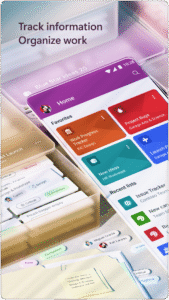
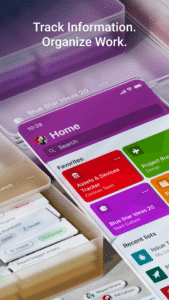
Get Microsoft Lists to track information, manage work, and stay organized with the work that matters most to you and your team.
With Lists, you can manage events, track issues and assets, help with new employees onboarding, and keep coordinated across inventory. With access on the go and collaboration, you can keep everyone connected with Microsoft Lists. Start quickly with ready-made templates, add content to the columns, set priorities, share lists, invite teammates, and manage your work and information seamlessly.
The Microsoft Lists app lets you take your lists wherever you go and includes:
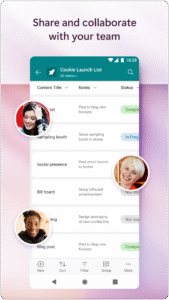
Co-authoring: Share your lists with your team and allow them to view, edit, and collaborate on them.
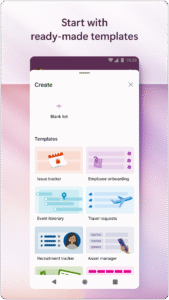
Ready-made templates: Start quickly with ready-made templates, add images and attachments, assign people to items, and set priority.
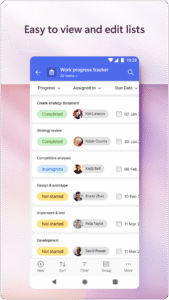
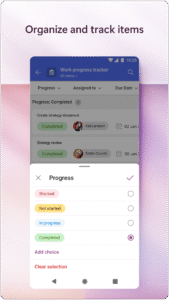
Intuitive interface: Get a quick overview of your data with Sort, Filter, and Group by.
Edit-ready canvas: Tap the cell that you want to edit and enter your data – such as text, images, hyperlinks, and so on.
Offline access: View and organize lists even if you aren’t connected to the internet.
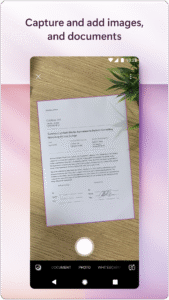
Add attachments: Click and upload images, attach files such as PDFs, photos, and videos from your device or OneDrive.
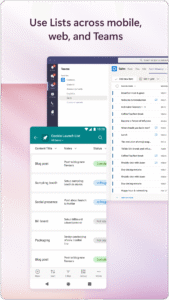
Anywhere, anytime: Whether you’re working from home or office or during commute, it’s easy to access your lists across mobile, web and desktop.
Security: Built-in enterprise-grade data security and compliance. Intune device management support with MDM and MAM policies.
Please refer to the Microsoft Software License Terms for Microsoft Office. See “License Agreement” link under Information. By installing the app, you agree to these terms and conditions.
To learn more about Microsoft Lists, please visit
aka.ms/MSLists
Social media handles: @SharePoint
aka.ms/listsmobileapp
Get Microsoft Lists to track information, manage work, and stay organized with the work that matters most to you and your team.
With Lists, you can manage events, track issues and assets, help with new employees onboarding, and keep coordinated across inventory. With access on the go and collaboration, you can keep everyone connected with Microsoft Lists. Start quickly with ready-made templates, add content to the columns, set priorities, share lists, invite teammates, and manage your work and information seamlessly.
The Microsoft Lists app lets you take your lists wherever you go and includes:
Co-authoring: Share your lists with your team and allow them to view, edit, and collaborate on them.
Ready-made templates: Start quickly with ready-made templates, add images and attachments, assign people to items, and set priority.
Intuitive interface: Get a quick overview of your data with Sort, Filter, and Group by.
Edit-ready canvas: Tap the cell that you want to edit and enter your data – such as text, images, hyperlinks, and so on.
Offline access: View and organize lists even if you aren’t connected to the internet.
Add attachments: Click and upload images, attach files such as PDFs, photos, and videos from your device or OneDrive.
Anywhere, anytime: Whether you’re working from home or office or during commute, it’s easy to access your lists across mobile, web and desktop.
Security: Built-in enterprise-grade data security and compliance. Intune device management support with MDM and MAM policies.
Please refer to the Microsoft Software License Terms for Microsoft Office. See “License Agreement” link under Information. By installing the app, you agree to these terms and conditions.
To learn more about Microsoft Lists, please visit
aka.ms/MSLists
Social media handles: @SharePoint
Download Microsoft Lists APK
Fast, free and safe download.
APK Permissions 21
- android.permission.ACCESS_COARSE_LOCATION
- android.permission.ACCESS_FINE_LOCATION
- android.permission.ACCESS_NETWORK_STATE
- android.permission.AUTHENTICATE_ACCOUNTS
- android.permission.CAMERA
- android.permission.DOWNLOAD_WITHOUT_NOTIFICATION
- android.permission.FOREGROUND_SERVICE
- android.permission.GET_ACCOUNTS
- android.permission.INTERNET
- android.permission.MANAGE_ACCOUNTS
- android.permission.NFC
- android.permission.POST_NOTIFICATIONS
- android.permission.READ_EXTERNAL_STORAGE
- android.permission.RECEIVE_BOOT_COMPLETED
- android.permission.USE_CREDENTIALS
- android.permission.VIBRATE
- android.permission.WAKE_LOCK
- android.permission.WRITE_EXTERNAL_STORAGE
- com.google.android.c2dm.permission.RECEIVE
- com.google.android.finsky.permission.BIND_GET_INSTALL_REFERRER_SERVICE
- com.microsoft.lists.public.DYNAMIC_RECEIVER_NOT_EXPORTED_PERMISSION


Frequently Asked Questions about Microsoft Lists APK
This variant is built for 32-bit ARM (older Android phones, ~2013–2017). If your device's CPU matches, this is the smallest, fastest version to install.
Yes — the APK's signature has been cryptographically verified against the publisher's signing key. The SHA-256 hash is shown in the File Information panel so you can independently confirm the file matches the original release.
Android 24 (API level 35) or newer. Older devices will refuse the install.
Install a free app like 'CPU-Z' or 'Droid Hardware Info' from the Play Store and look at the ABI / Instruction Set row. Most phones made after 2017 are arm64-v8a; if in doubt, download the universal variant.
All variants are functionally identical — same features, same version. They differ only in which CPU architectures the native code is compiled for, and (sometimes) which screen densities the included graphics target. Pick the one that matches your device for the smallest install size, or pick 'Universal' if you're unsure.